Close Menu
GeekBlog

    Subscribe to Updates

    Get the latest creative news from FooBar about art, design and business.

    What's Hot

    TikTok Is Experiencing Oracle-Related Server Issues Again

    March 4, 2026

    Is that message spam or real? This Android trick helps you ID the scams

    March 4, 2026

    Barkbox Promo Codes and Discounts: Up to 50% Off

    March 4, 2026
    Facebook X (Twitter) Instagram Threads
    GeekBlog
    • Home
    • Mobile
    • Tech News
    • Blog
    • How-To Guides
    • AI & Software
    Facebook
    GeekBlog
    Home»Mobile»My favorite video player used to be VLC, then I tried Next Player
    Mobile

    My favorite video player used to be VLC, then I tried Next Player

    Michael ComaousBy Michael ComaousAugust 3, 20254 Mins Read
    Share Facebook Twitter Pinterest LinkedIn Tumblr Email Copy Link
    next player 1
    Share
    Facebook Twitter LinkedIn Pinterest Email Copy Link

    Andy Walker / Android Authority

    VLC Player has been my go-to video app for years, dating back to the good ol’ Windows XP days. That loyalty progressed to Android, and I still use it across desktop and mobile for my video content needs. While it remains a powerful product, VLC often feels cumbersome when I crave simplicity. Why opt for a piledriver when you need a chisel?

    I searched for a secondary player for more immediate video viewing tasks a few months ago and discovered Next Player. Although it’s not as feature-rich as VLC, this is to its benefit. I believe the veteran player could learn a lot from this underdog.

    What is your preferred video player app on Android?

    188 votes

    Next Player excels in design and usability

    next player 3

    Andy Walker / Android Authority

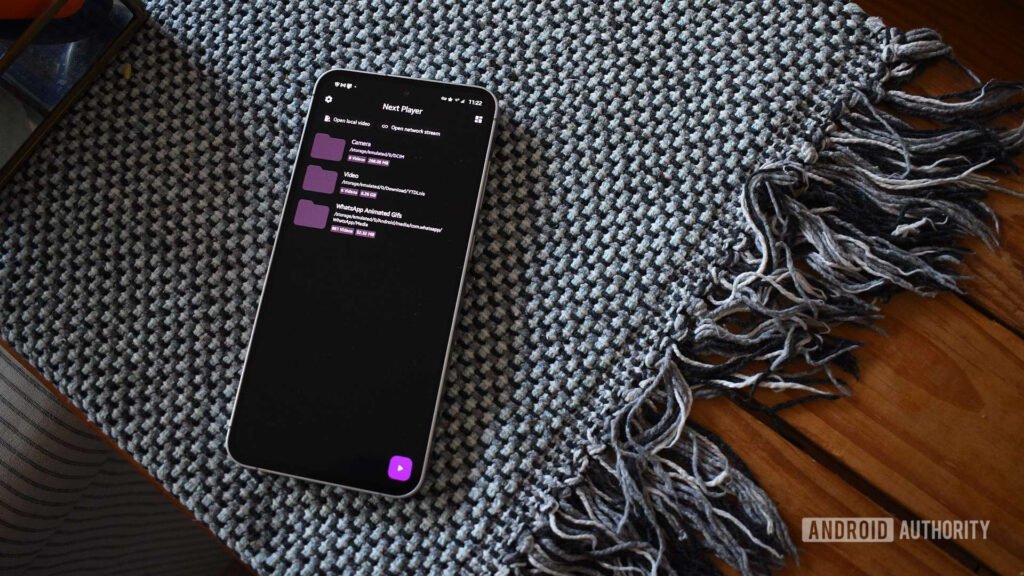
    What Next Player lacks in features, it makes up for in design. It’s one of the most visually appealing Android apps I’ve used in ages, fully utilizing Material You and sensible element placements. The app offers two settings menus: one for home screen organization and another for additional tweaks and toggles. I’m never more than two screens away from the home screen, and since I’ve set up the environment to my liking, I rarely have to revisit these menus.

    Its clean design initially attracted me, but Next Player’s strength is its straightforward functionality.

    Its clean design initially attracted me, but Next Player’s strength is its straightforward functionality. The home screen’s organizational options are somewhat customizable, but it displays only folders containing supported content by default. This makes it easy to jump into a directory and start watching content immediately.

    The video player itself is a core part of the video player experience, and I find Next’s interface much easier to use. While VLC often hides important icons behind an overflow menu, Next offers immediate access to core controls on the player screen.

    I have a habit of accidentally swiping or tapping on the screen or seek bar while watching content, leading me to lock content when it’s on my display. Next Player’s lock icon is conveniently located at the screen’s bottom left corner, whereas VLC’s is hidden in its overflow menu. I prefer not to tap multiple times to access this vital setting, so Next Player wins this battle.

    Overall, Next Player’s controls are more relevant to my experience than those provided by VLC. I don’t always need to select a subtitle track, but I often want to pop out my video player or adjust the playback speed. Yes, VLC has more options on tap, but the controls I use most aren’t readily available. I wish both players allowed users to customize which icons are on screen, but Next Player suits my needs best for now.

    I don’t always need to select a subtitle track, but I often want to pop out my video player or adjust the playback speed.

    It’s also worth mentioning the speed of the two players. I find Next far smoother when accessing anything on the player screen. Single-tapping to bring up or hide icons is performed with a fluid, swift animation. VLC feels decidedly lumbering in comparison. The app also has problems with cut-off icons due to their size or location on my rounded display. Next is far neater in almost every aesthetic aspect.

    VLC still reigns in some areas, but not all

    next player 2

    Andy Walker / Android Authority

    As much as I’ve grown to like Next Player, I still use VLC to browse my NAS’s video files directly if I don’t want to use my file manager. It excels at streaming media and casting to supported devices. VLC also lets me browse audio files, create playlists for uninterrupted viewing or listening, or switch to its Android TV app on my Chromecast. These are features that Next Player doesn’t have. These features have made VLC a brilliant app, but I’m slowly realizing I privilege usability above these options. Next Player offers just that.

    Thank you for being part of our community. Read our Comment Policy before posting.

    favorite Player Video VLC
    Share. Facebook Twitter Pinterest LinkedIn Tumblr Telegram Email Copy Link
    Previous ArticleMastercard denies pressuring game platforms, Valve tells a different story
    Next Article I used to work in finance and this is what really happens when you use buy now, pay later apps
    Michael Comaous
    • Website

    Michael Comaous is a dedicated professional with a passion for technology, innovation, and creative problem-solving. Over the years, he has built experience across multiple industries, combining strategic thinking with hands-on expertise to deliver meaningful results. Michael is known for his curiosity, attention to detail, and ability to explain complex topics in a clear and approachable way. Whether he’s working on new projects, writing, or collaborating with others, he brings energy and a forward-thinking mindset to everything he does.

    Related Posts

    3 Mins Read

    My Favorite Bluetooth Speaker Is on Sale for $50 Off Right Now

    7 Mins Read

    AI can’t make good video game worlds yet, and it might never be able to

    3 Mins Read

    Your favorite old ChatGPT models are going away

    6 Mins Read

    This is my favorite Linux distro of all time – and I’ve tried them all

    3 Mins Read

    This Video of Hilariously Slow Robots Putting Olive Oil in a Bag Is Actually Pretty Impressive

    2 Mins Read

    SpaceX video shows off next-gen Starship booster ahead of 12th flight

    Top Posts

    Discord will require a face scan or ID for full access next month

    February 9, 2026761 Views

    The Mesh Router Placement Strategy That Finally Gave Me Full Home Coverage

    August 4, 2025557 Views

    Past Wordle answers – all solutions so far, alphabetical and by date

    August 1, 2025230 Views
    Stay In Touch
    • Facebook

    Subscribe to Updates

    Get the latest tech news from FooBar about tech, design and biz.

    Most Popular

    Discord will require a face scan or ID for full access next month

    February 9, 2026761 Views

    The Mesh Router Placement Strategy That Finally Gave Me Full Home Coverage

    August 4, 2025557 Views

    Past Wordle answers – all solutions so far, alphabetical and by date

    August 1, 2025230 Views
    Our Picks

    TikTok Is Experiencing Oracle-Related Server Issues Again

    March 4, 2026

    Is that message spam or real? This Android trick helps you ID the scams

    March 4, 2026

    Barkbox Promo Codes and Discounts: Up to 50% Off

    March 4, 2026

    Subscribe to Updates

    Get the latest creative news from FooBar about art, design and business.

    Facebook
    • About Us
    • Contact us
    • Privacy Policy
    • Disclaimer
    • Terms and Conditions
    © 2026 GeekBlog

    Type above and press Enter to search. Press Esc to cancel.

    Ad Blocker Enabled!
    Ad Blocker Enabled!
    Our website is made possible by displaying online advertisements to our visitors. Please support us by disabling your Ad Blocker.