Close Menu
GeekBlog

    Subscribe to Updates

    Get the latest creative news from FooBar about art, design and business.

    What's Hot

    Stop falling for scams when Norton’s antivirus software is 70% off right now

    March 28, 2026

    Acer Promo Codes and Deals: Save 40% on Bundles

    March 28, 2026

    Playing Wolfenstein 3D with one hand in 2026

    March 28, 2026
    Facebook X (Twitter) Instagram Threads
    GeekBlog
    • Home
    • Mobile
    • Tech News
    • Blog
    • How-To Guides
    • AI & Software
    Facebook
    GeekBlog
    Home»How-To Guides»Gboard is one step closer to letting you save your favorite Emoji Kitchen creations (APK teardown)
    How-To Guides

    Gboard is one step closer to letting you save your favorite Emoji Kitchen creations (APK teardown)

    Michael ComaousBy Michael ComaousAugust 6, 20252 Mins Read
    Share Facebook Twitter Pinterest LinkedIn Tumblr Email Copy Link
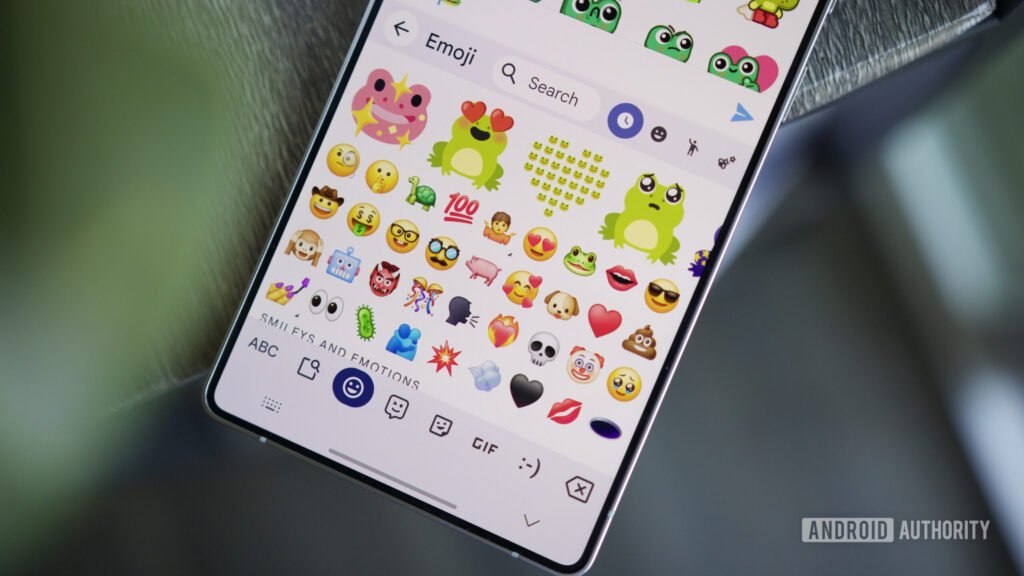
    Emoji Kitchen on an Android phone.
    Share
    Facebook Twitter LinkedIn Pinterest Email Copy Link

    Joe Maring / Android Authority

    TL;DR

    • Google is working on a new feature for Gboard’s Emoji Kitchen.
    • This feature will let you mark your Emoji Kitchen creations as favorites and use them again.
    • The functionality has yet to go live, but appears closer to completion.

    ⚠️ An APK teardown helps predict features that may arrive on a service in the future based on work-in-progress code. However, it is possible that such predicted features may not make it to a public release.

    We recently discovered new changes coming to Emoji Kitchen in Gboard. In case you’re unaware of the feature, Emoji Kitchen lets you create distinct-looking stickers by combining two or more emojis together. In the latest Gboard beta (version 15.7.3.787916401 beta), we found references to an upcoming feature that will let you save your sticker creations as “Favorites” for reusing later.

    Although the functionality to save stickers as favorites is not available yet, we were able to tinker with the latest release and enable it to demonstrate how it could work when rolled out widely. While we spotted the functionality in June, we couldn’t get it to work back then. That changes with the recent beta update.

    With this option enabled, every time we try out a new sticker created from an emoji combination, a pop-up emerges and prompts us to save the result as a favorite. When we wish to use the saved sticker next time, we can tap the heart-shaped icon in the top right corner of the Emoji Kitchen suggestions, which will reveal our favorites.

    Since the dedicated Emoji Kitchen browser is limited to Pixel phones, we’re unsure of how Google could integrate it on Android devices from other brands. However, it is less likely that Google limits the feature to its own Pixel devices only.

    Lastly, we’d like to reiterate that you can’t save Emoji Kitchen creations as Favorites just yet, but we can expect to roll out soon, considering it looks closer to completion in Gbaord’s latest beta. If you’re currently using Gboard beta, the keyboard app will still show the recent suggestions it made to you, regardless of whether you used them or not.

    Thank you for being part of our community. Read our Comment Policy before posting.

    APK closer creations Emoji favorite Gboard Kitchen letting Save step teardown
    Share. Facebook Twitter Pinterest LinkedIn Tumblr Telegram Email Copy Link
    Previous ArticleSubstack rival Ghost connects to the open social web with its latest public release
    Next Article Today’s NYT Wordle Hints, Answer and Help for Aug. 6 #1509
    Michael Comaous
    • Website

    Michael Comaous is a dedicated professional with a passion for technology, innovation, and creative problem-solving. Over the years, he has built experience across multiple industries, combining strategic thinking with hands-on expertise to deliver meaningful results. Michael is known for his curiosity, attention to detail, and ability to explain complex topics in a clear and approachable way. Whether he’s working on new projects, writing, or collaborating with others, he brings energy and a forward-thinking mindset to everything he does.

    Related Posts

    4 Mins Read

    Acer Promo Codes and Deals: Save 40% on Bundles

    1 Min Read

    5 kitchen tech splurges that I’ve found to be worth every penny (and are on sale now)

    2 Mins Read

    Our Favorite Turntable Is $51 Off Before Record Store Day

    1 Min Read

    Here are 20 of our favorite outdoor deals from REI’s Member Days Sale

    5 Mins Read

    Save big on gaming laptops, Switch 2 consoles, and more during Best Buy’s Tech Fest sale

    4 Mins Read

    Dermstore Promo Codes and Deals: Save Up to 25%

    Top Posts

    The Mesh Router Placement Strategy That Finally Gave Me Full Home Coverage

    August 4, 2025874 Views

    Discord will require a face scan or ID for full access next month

    February 9, 2026767 Views

    Trade in your old phone and get up to $1,100 off a new iPhone 17 at AT&T – here’s how

    September 10, 2025334 Views
    Stay In Touch
    • Facebook

    Subscribe to Updates

    Get the latest tech news from FooBar about tech, design and biz.

    Most Popular

    The Mesh Router Placement Strategy That Finally Gave Me Full Home Coverage

    August 4, 2025874 Views

    Discord will require a face scan or ID for full access next month

    February 9, 2026767 Views

    Trade in your old phone and get up to $1,100 off a new iPhone 17 at AT&T – here’s how

    September 10, 2025334 Views
    Our Picks

    Stop falling for scams when Norton’s antivirus software is 70% off right now

    March 28, 2026

    Acer Promo Codes and Deals: Save 40% on Bundles

    March 28, 2026

    Playing Wolfenstein 3D with one hand in 2026

    March 28, 2026

    Subscribe to Updates

    Get the latest creative news from FooBar about art, design and business.

    Facebook
    • About Us
    • Contact us
    • Privacy Policy
    • Disclaimer
    • Terms and Conditions
    © 2026 GeekBlog

    Type above and press Enter to search. Press Esc to cancel.

    Ad Blocker Enabled!
    Ad Blocker Enabled!
    Our website is made possible by displaying online advertisements to our visitors. Please support us by disabling your Ad Blocker.