Close Menu
GeekBlog

    Subscribe to Updates

    Get the latest creative news from FooBar about art, design and business.

    What's Hot

    Forget Meta Ray-Bans: These smart glasses are customizable from the lenses to the frames

    January 11, 2026

    Bluesound Pulse Cinema Review: A Pretty Sonos Alternative

    January 11, 2026

    That time Will Smith helped discover new species of anaconda

    January 11, 2026
    Facebook X (Twitter) Instagram Threads
    GeekBlog
    • Home
    • Mobile
    • Tech News
    • Blog
    • How-To Guides
    • AI & Software
    Facebook
    GeekBlog
    Home»Tech News»Microsoft just fixed one of Word’s most annoying quirks
    Tech News

    Microsoft just fixed one of Word’s most annoying quirks

    Michael ComaousBy Michael ComaousJanuary 10, 20262 Mins Read
    Share Facebook Twitter Pinterest LinkedIn Tumblr Email Copy Link
    Microsoft just fixed one of Word's most annoying quirks
    Share
    Facebook Twitter LinkedIn Pinterest Email Copy Link

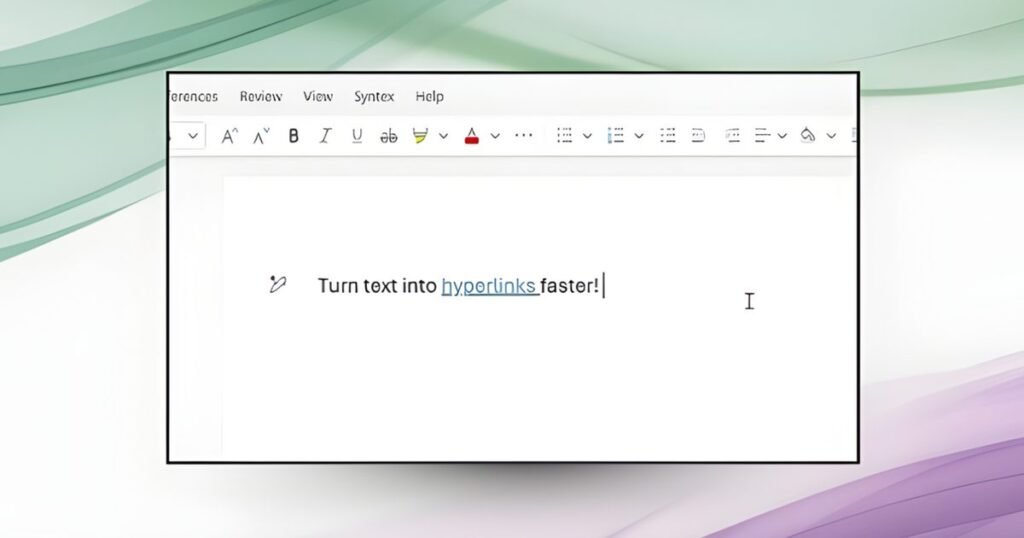
    Microsoft is rolling out a new, faster, and more efficient way to add hyperlinks in Word. Instead of selecting text, opening the Insert Link dialog, and inserting a URL, users can now select text and paste a link directly over it; Word automatically converts it into a hyperlink.

    Whether you’re using the software on a Windows PC/laptop or a MacBook, all you have to do is copy the concerned link, highlight a word or phrase, and press Ctrl + V or Cmd + V, and Word takes care of the rest.

    Digital Trends

    Adding hyperlinks in Word just got a lot faster

    No more pop-ups, no extra menus, and no breaking the typing flow, which is one of the most crucial aspects of writing in a word processing software you’re expected to live in for hours daily. Previously, pasting a link over the selected text would overwrite it entirely.

    According to a Microsoft community post, the new hyperlinking feature is available to all Word for Web users. It is also rolling out to users running Word for Windows (version 2511, Build 19530.20006 or later) and Word for Mac (Version 16.104, Build 25120915 or later).

    Whether you’re a student, a working professional, or someone like me who writes articles for a living and uses the hyperlink feature hundreds of times in a day, the change makes it easier to add references, Google Drive links, YouTube videos, or app store links into the text in Word.

    Microsoft word document.
    justplay1412 / Shutterstock

    It’s a small change, but it eliminates one of the Word’s most frustrating micro-problems. If you’ve ever sighed while opening Word’s Insert Link box for the hundredth time in a day, the new hyperlinking feature is for you.

    Moreover, this is a quality-of-life improvement that makes Word behave more like a contemporary word processing app, faster and smarter.

    Source: www.digitaltrends.com

    Annoying fixed Microsoft quirks Words
    Share. Facebook Twitter Pinterest LinkedIn Tumblr Telegram Email Copy Link
    Previous ArticleThe Best Smart Home Tech at CES 2026
    Next Article Amazon is planning a Super Amazon-mart store near Chicago
    Michael Comaous
    • Website

    Michael Comaous is a dedicated professional with a passion for technology, innovation, and creative problem-solving. Over the years, he has built experience across multiple industries, combining strategic thinking with hands-on expertise to deliver meaningful results. Michael is known for his curiosity, attention to detail, and ability to explain complex topics in a clear and approachable way. Whether he’s working on new projects, writing, or collaborating with others, he brings energy and a forward-thinking mindset to everything he does.

    Related Posts

    3 Mins Read

    Forget Meta Ray-Bans: These smart glasses are customizable from the lenses to the frames

    3 Mins Read

    Bluesound Pulse Cinema Review: A Pretty Sonos Alternative

    3 Mins Read

    That time Will Smith helped discover new species of anaconda

    2 Mins Read

    Google removes AI Overviews for certain medical queries

    1 Min Read

    Google pulls AI overviews for some medical searches

    7 Mins Read

    What we learned about Dolby Vision 2 at CES 2026

    Top Posts

    The Mesh Router Placement Strategy That Finally Gave Me Full Home Coverage

    August 4, 2025270 Views

    Past Wordle answers – all solutions so far, alphabetical and by date

    August 1, 2025150 Views

    Grok rolls out AI video creator for X with bonus “spicy” mode

    August 7, 2025119 Views
    Stay In Touch
    • Facebook

    Subscribe to Updates

    Get the latest tech news from FooBar about tech, design and biz.

    Most Popular

    The Mesh Router Placement Strategy That Finally Gave Me Full Home Coverage

    August 4, 2025270 Views

    Past Wordle answers – all solutions so far, alphabetical and by date

    August 1, 2025150 Views

    Grok rolls out AI video creator for X with bonus “spicy” mode

    August 7, 2025119 Views
    Our Picks

    Forget Meta Ray-Bans: These smart glasses are customizable from the lenses to the frames

    January 11, 2026

    Bluesound Pulse Cinema Review: A Pretty Sonos Alternative

    January 11, 2026

    That time Will Smith helped discover new species of anaconda

    January 11, 2026

    Subscribe to Updates

    Get the latest creative news from FooBar about art, design and business.

    Facebook
    • About Us
    • Contact us
    • Privacy Policy
    • Disclaimer
    • Terms and Conditions
    © 2026 GeekBlog

    Type above and press Enter to search. Press Esc to cancel.

    Ad Blocker Enabled!
    Ad Blocker Enabled!
    Our website is made possible by displaying online advertisements to our visitors. Please support us by disabling your Ad Blocker.