

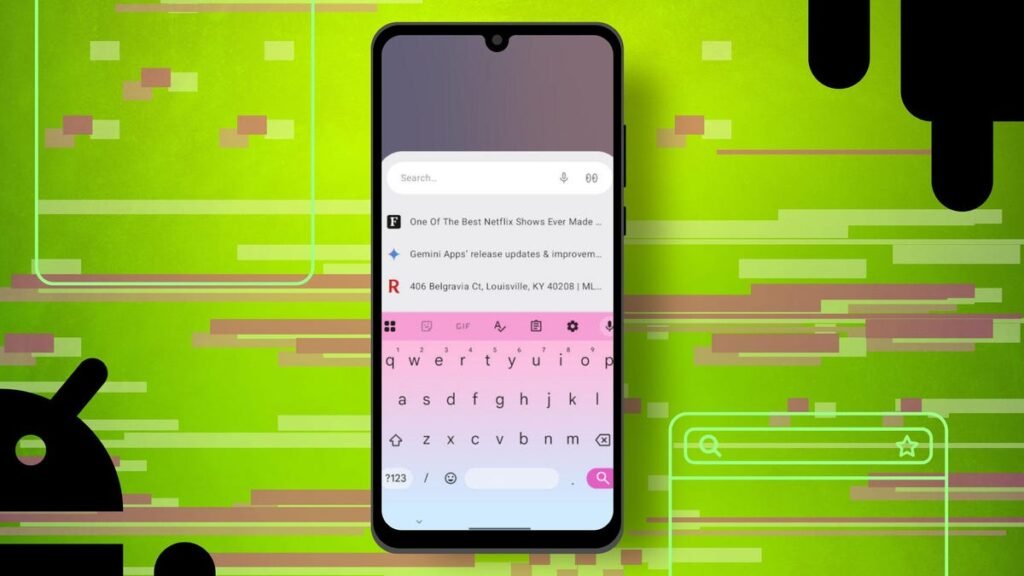
I make no bones about not being a fan of the Chrome browser. I do not use it on my desktops, laptops, or phones — because Chrome is not all that concerned about user privacy.
To make matters worse, Chrome is one of the most targeted browsers on the market. Although Chrome is one of the fastest browsers on the market, I feel better placing my security and privacy in the hands of more capable browsers.
Also: How to clear your Google Search cache on Android (and why it’s a must for me)
But what are the Android browsers I prefer over Chrome? There are five, and I am going to show the ones I prefer (and why).
1. Opera
Besides a level of privacy Chrome cannot match, there are two reasons why Opera on Android tends to be my go-to.
The first is that the UI is highly customizable. One of my favorite customizations is the ability to move the search bar to the bottom of the window, which makes it much easier to use Opera with one hand. The second is that Opera has a built-in AI tool called Aria, and it is pretty fantastic. Aria was the first AI tool I used, and I often use it before any other service.
Also: 6 obscure browsers that are better than Chrome
Other features that help make Opera my favorite are a built-in VPN, a customizable start page, sync, Flow (which allows you to easily move between desktop and mobile versions), offline pages, a powerful ad blocker, and one of the better “tab management” features on the market.
Opera can be installed on Android for free from the Google Play Store.
It should come as no surprise that Opera tab management is the best in show.
Jack Wallen/ZDNET
2. Brave
If there is one reason to use Brave on Android, it is for privacy. The only browser that offers higher security and privacy is Tor. The difference between the two is that Brave is a bit more user-friendly and offers more features than Tor. One such feature is called Leo, which is Brave s answer to Opera s Aria. Leo can summarize websites, chat, change tone, and more.
Also: How to use your Android phone to master Linux Bash scripts (instead of doomscrolling)
As for security and privacy, Brave includes a built-in VPN, tracker and ad blocking, auto redirect of AMP pages and tracking URLs, script blocking, auto upgrade to HTTPS, fingerprint blocking, automatic data clearing on exit, the ability to disable social media logins and embedded posts, protection against malicious sites, downloads, and extensions, secure DNS, and more.
Like Opera, you can also move the toolbar to the bottom of the page. Brave can be installed and used for free from the Google Play Store.
The Brave AI is as good as any similar built-in service.
Jack Wallen/ZDNET
3. DuckDuckGo
If you want to get serious with tracker blocking, DuckDuckGo is a great option. The cool thing about DuckDuckGo’s tracker blocking is that when you visit a site, a pop-up opens to tell you which trackers it blocked. You might find yourself on a site with a lot of trackers, and when DuckDuckGo reports them to you, it might inspire you to never visit the site again (unless you are using a browser that is as good at blocking trackers as DuckDuckGo).
Also: DuckDuckGo’s AI beats Perplexity in one big way – and it’s free to use
This browser does have a VPN, but it requires a paid upgrade. DuckDuckGo might not have the most customizable UI, but if privacy is what you need, this is the browser you want. And yes, DuckDuckGo also has its own built-in AI — duck.ai, that does not train on your queries and gives you a choice of AI models (GPT-4o mini, Llama 3.3, Claude 3, o2-mini, and Mistral).
DuckDuckGo can be installed on Android for free from the Google Play Store.
DuckDuckGo does a great job of keeping you informed of blocked trackers.
Jack Wallen/ZDNET
4. Arc Search
Arc Search is a bit of an odd bird here because it is less of a full-blown browser and more of a search tool. That does not mean you cannot use Arc Search as a browser because you can. Essentially, you open Arc Search and are presented with a search field. Type whatever you are searching for and view the results. In other words, Arc Search skips the middleman and takes you directly to what you need — an address bar/search bar combo.
Also: Arc Search for Android is the Chrome replacement you’ve been looking for
Although Arc Search is not the most customizable browser on the list, it does give you the option to select your search provider (you can even add Perplexity as your default search engine). Quite honestly, the combination of Arc Search and Perplexity makes for the single best search experience of any mobile browser, and I highly recommend you give it a try.
Arc Search can be installed and used for free from the Google Play Store.
It does not get more efficient than Arc Search.
Jack Wallen/ZDNET
5. Firefox
If there were a version of Zen Browser available for Android, Firefox would not be on this list. However, because Firefox offers very strong security and privacy and is one of the first Android browsers on the market to support extensions, it has to be on this list. Do not get me wrong, I have been a big fan of Firefox for a long time, but I prefer the UI customizations and the tab management of Zen Browser (which is based on Firefox).
Also: Why I’m deleting Firefox for good – and which browser’s never let me down
Another cool feature of Firefox is that you can add any search engine you like. All you need for this is the URL to use for the search, such as https://www.zdnet.com/search/?q=%s. For me, however, the real selling point is the ability to add extensions to Firefox. With this feature, I can add uBlock Origin, Ghostery, ClearURLs, NoScript, and more to help extend the feature set and privacy.
You can install and use Firefox for free from the Google Play Store.
The ability to create a custom search engine is a great addition to Firefox.
Jack Wallen/ZDNET
Get the morning’s top stories in your inbox each day with our Tech Today newsletter.
Source: www.zdnet.com
About this article: GeekBlog covers U.S. technology news, AI, phones, smartwatches and gaming. Every story is written and checked under our Editorial Policy. Spotted a mistake or have a story tip? Contact our editors.
