

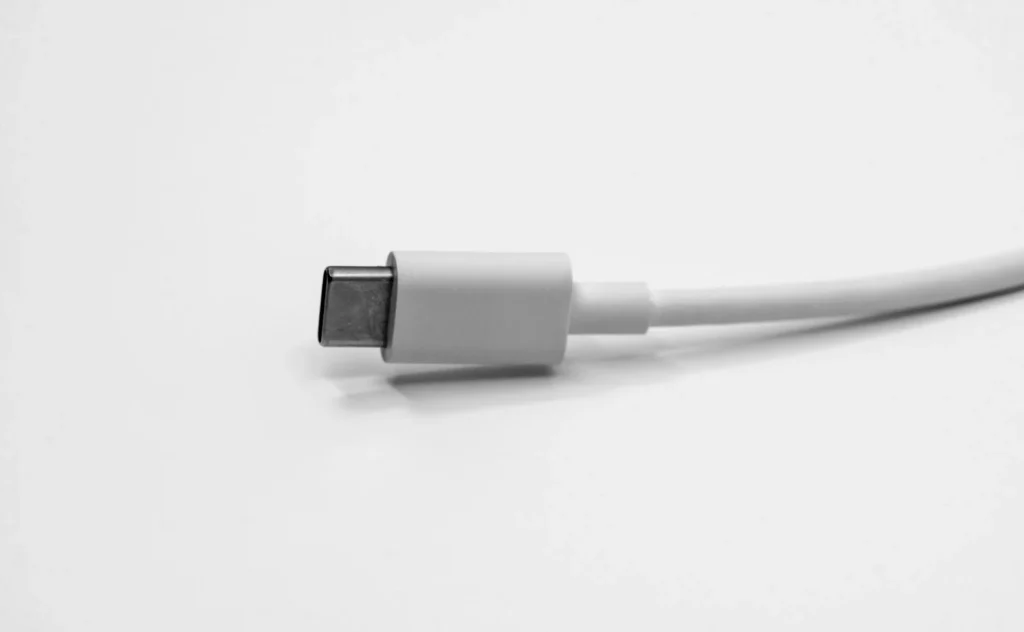
Since the iPhone 15, every new iPhone has a USB C port instead of Lightning, and it does far more than charge the phone. The same port can top up your AirPods or Apple Watch, read external drives and SD cards, drive a monitor, connect to wired Ethernet, play audio through wired headphones and import photos from a camera. Here is what works, what you need, and which models get the faster USB 3 speeds.
Everything your iPhone’s USB C port can do
AirPods, Apple Watch and other small USB Power Delivery devices at up to 4.5W.
USB drives, SSDs and SD cards with a card reader, browsable in the Files app.
Monitors and TVs at up to 4K and 60Hz, with HDR support.
USB to Ethernet adapters for a stable connection.
USB C EarPods, headphone adapters and USB microphones.
Import photos and video from a camera or its SD card into Photos.
Charge your AirPods, Apple Watch and other gadgets
Your iPhone can act as a small power bank. Connect a USB C to USB C cable between the phone and the accessory, and the iPhone sends power at up to 4.5 watts to devices that support USB Power Delivery. That is slow compared with a wall charger, but it is enough to rescue AirPods with a dead case or an Apple Watch before a run. For the watch, plug an Apple Watch Magnetic Fast Charger to USB C cable straight into the iPhone.
It works the other way too. External battery packs can charge the iPhone, and some USB C displays can charge the phone while showing its screen. For fast charging, Apple recommends a USB Power Delivery adapter rated at 20W or higher.
Use external drives, SD cards and camera imports
Plug in a USB C flash drive, a portable SSD or an SD card reader and it appears in the Files app, where you can copy, move and open documents, music and video. This is the easiest way to move big video files off the phone without a computer or the cloud.
Photographers get a second option. With the Apple USB C to SD Card Reader or a camera connected by cable, open Photos, go to Collections and tap the camera or card under Devices, then import everything or just the shots you pick. Apple notes that this import path only handles content captured by digital cameras, so renamed or edited files on the card may not show up.
Pro models add one more trick: they can record ProRes video directly to an external drive at up to 4K and 60 frames per second, which saves the internal storage for everything else.
Connect a monitor, Ethernet, audio and keyboards
- Displays: iPhone 15 models, iPhone 16 models except the 16e, iPhone 17 models except the 17e, and iPhone 18 Pro models can output video over DisplayPort at up to 4K and 60Hz. Use a USB 3.1 or faster cable, a USB C to HDMI adapter that supports HDMI 2.0, or Apple’s USB C Digital AV Multiport Adapter. Models without display output can still use AirPlay.
- Ethernet: a USB to Ethernet adapter gives you a wired connection, useful in hotels, on stage or anywhere WiFi is unreliable.
- Audio: EarPods with a USB C plug work directly, and Apple’s USB C to 3.5 mm Headphone Jack Adapter lets you use older wired headphones. USB microphones are supported for recording and calls.
- Keyboards and mice: iOS supports hardware keyboards, and a mouse or trackpad can control the screen as a pointer through the AssistiveTouch accessibility setting.
- Cars and old accessories: CarPlay works over USB C, and cars with a USB A port need a compliant USB C to USB A cable. Apple’s USB C to Lightning Adapter keeps older Lightning accessories working with power, data and audio.
- Computers: connect to a Mac, PC or iPad to transfer photos, videos and other files.
Which iPhones get USB 3 speeds
All USB C iPhones share the same connector, but not the same speed. Apple lists USB 3.2 Gen 2 support, up to 10Gbit/s, only for the Pro line. Every other USB C model, including the standard, Plus, e and Air models, transfers data at USB 2 speeds.
| Model family | Data speed | External display |
|---|---|---|
| iPhone 15 Pro, 16 Pro, 17 Pro, 18 Pro | USB 3, up to 10Gbit/s | Yes |
| iPhone 15, 16 and 17 standard models | USB 2 | Yes |
| iPhone 16e and 17e | USB 2 | No, use AirPlay |
FAQ
Can my iPhone charge an Android phone?
Yes, if the other phone supports USB Power Delivery, but at only 4.5 watts it is an emergency top up, not a full charge.
Why is my file transfer slow on an iPhone Pro?
You are probably using the included cable, which is limited to USB 2. Switch to a cable rated for 10Gbit/s and make sure the drive supports USB 3 too.
Can I plug in a regular USB thumb drive with a USB A plug?
Yes, with a USB C to USB A adapter. The drive then shows up in the Files app like any other external storage.
Do I need an adapter for HDMI TVs?
Yes. Use a USB C to HDMI adapter or cable that supports HDMI 2.0, or Apple’s USB C Digital AV Multiport Adapter.
The verdict
The USB C port turns an iPhone into a small hub: a backup charger for your accessories, a file mover, a camera import station and, on most models, a video source for a big screen. If you own a Pro model and move large files, buy a proper 10Gbit/s cable, since the one in the box leaves most of the speed unused.
Updated October 2026: rewritten with Apple’s current list of USB C features, display support by model and which iPhones support USB 3 speeds.
Featured photo: Maxence Pira on Unsplash.
About this article: GeekBlog covers U.S. technology news, AI, phones, smartwatches and gaming. Every story is written and checked under our Editorial Policy. Spotted a mistake or have a story tip? Contact our editors.
