

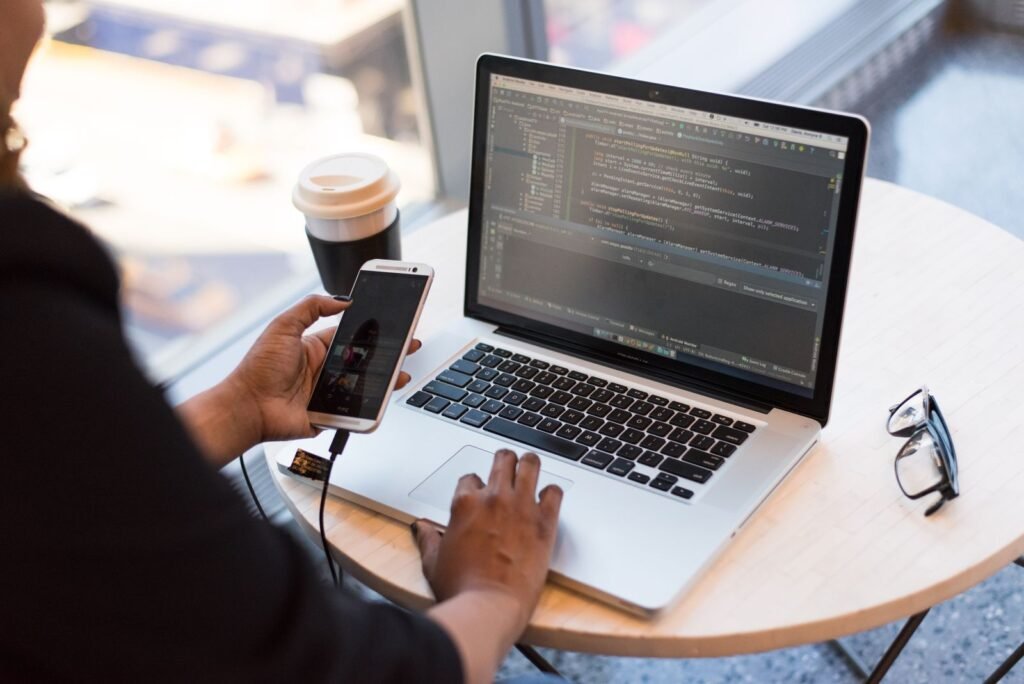
For most people, the iPhone Duo is a phone that turns into a small tablet for Netflix and email. For a growing group of developers, it is something else: a pocket-sized window into a Mac that is sitting at home doing the real work. TechRadar’s Nirave Gondhia wrote on November 14 that he recently shipped changes to a project from a plane seat, with no laptop and no iPad, just the Duo, an AI code editor and a remote desktop app.
That setup sounds niche, and it is. But it’s also one of the clearest examples yet of what a 7.6-inch foldable can do that a regular phone can’t. We looked at how the workflow fits together, what it costs, where it breaks, and how you can copy it without spending $80 a year if you’d rather not.
How the setup works
The key idea is that the phone never does the heavy lifting. Gondhia keeps a MacBook Pro running at home with Cursor, the local development servers, databases and everything else his projects need. He maintains three large platforms and four mobile apps, and he says he no longer types most code by hand. Instead he tells Cursor’s AI agent what to change through its chat panel, reads the summary, and checks the result in Cursor’s built-in browser.
The biggest practical win is that the phone holds nothing sensitive. Your codebase, SSH keys and logins all stay on the Mac. You don’t have to set up every device with credentials or clone repos onto a phone. And because the Mac does the actual work, a flaky connection is far less painful. If plane Wi-Fi drops mid-migration, the migration keeps running at home. You only need to be online long enough to give instructions and check progress.
Agent-style coding is what makes this viable. Typing hundreds of lines on a touch keyboard would be miserable. Writing a two-sentence prompt and reviewing a diff is not. Cursor has pushed hard in this direction, and its newer tools can even coordinate fleets of agents on their own. We covered that in our look at Cursor’s coordinator agent that directs thousands of subagents.
What changed in Workbench 1.4
Astropad launched Workbench in April as a remote desktop built around checking on AI agents from an iPhone or iPad. Version 1.3 in August added faster streaming, a privacy curtain and picture in picture. Version 1.4, released October 27, is the one that made the Duo setup click.
| Feature | What it does | Why it matters on the Duo |
|---|---|---|
| Remote terminal | Switch between the Mac desktop and a native terminal from the toolbar, without reconnecting | No more poking at a tiny macOS Terminal window through a video stream |
| Persistent sessions | Terminal keeps running after you disconnect. Start on iPad, pick up on iPhone | Close the phone, open it in line at a shop, carry on |
| Dictation | Speak prompts and commands straight into the terminal | Faster than typing long prompts on glass |
| Weak connection mode | Terminal stays responsive when video streaming struggles | Plane and train Wi-Fi become usable |
| Native Duo app | Built for the foldable’s screen, with the agent visible in one pane | Terminal and desktop side by side on the 7.6-inch display |
| Mac-to-Mac file drop | Drag files between Macs during a terminal session | Not a phone feature, but handy at a desk |
The split view is the part Gondhia calls “brilliant.” Anyone who has tried to use a desktop terminal through a remote desktop on a touchscreen knows the pain: tiny text, a cursor that lands in the wrong place, a Delete key that sometimes does nothing, and characters that appear late because of input lag. A native terminal on the left half of the Duo with the live Mac desktop on the right fixes most of that. You run a command, glance across at Cursor or the running build, and never switch apps on the remote Mac.
Interestingly, Astropad says it built its Duo experience before it had a retail unit to test on, which shows how much work Apple’s developer tools now do for foldable layouts. Workbench 1.4.1 followed with fixes for Duo and login issues. It is one of the better examples of an app that treats the fold as a feature, which is still rarer than it should be. Our list of iPhone Duo optimized apps and the ones still showing black bars shows how uneven support is.
Why the Duo beats an iPad for this
An iPad Pro with a Magic Keyboard has a bigger screen and a better keyboard. So why bother with a phone? Because you have to decide to carry an iPad. The Duo is already in your pocket. Gondhia’s real revelation wasn’t the flight, it was the small moments: checking a build while waiting for an Uber, nudging a task forward standing outside, sending a prompt in the two minutes before walking into a store.
The hardware helps in less obvious ways too. The hinge holds at different angles, so you can prop the Duo on a tray table like a tiny laptop. The nano-texture inner display cuts glare, which matters when you’re reading long agent summaries on a sunny platform. And there’s no keyboard case to attach or charge.
What it costs
Workbench is the only paid piece in this exact setup, but it isn’t the only way to reach a Mac from an iPhone. Here is how the options compare.
| App | Type | Price | Best for |
|---|---|---|---|
| Astropad Workbench | Desktop + terminal | Free 20 min/day, $14.99/mo or $79.99/yr | AI agent workflows, native Duo split view |
| Screens 5 | Remote desktop | $3.99/mo, $24.99/yr or $139.99 lifetime | General Mac screen sharing |
| Jump Desktop | Remote desktop | About $14.99 one time | Mac and Windows machines |
| Blink Shell | SSH terminal | Free download, upgrades $7.99 to $19.99 | Terminal only, no desktop view |
Prices are the App Store and developer listings at the time of writing and may vary by region. Gondhia says Workbench’s $79.99 a year “might be the best money I’ve ever spent on a software subscription.” That’s easy to believe if you code for a living. If you only want to peek at a build now and then, the free 20 minutes a day may be all you need.
- Keep the Mac plugged in and stop it from sleeping. On a Mac mini or iMac that is in System Settings > Energy. On a MacBook, look under Battery > Options and leave the lid open.
- Install Workbench on the Mac and the Duo and sign in with the same account. It needs macOS 15 and iOS 26 or later.
- Open your AI editor and start your dev server before you leave, so everything is already running.
- On the Duo, unfold, open Workbench and switch to Terminal from the toolbar. Put the desktop view in the other pane.
- Turn off unified display mode if you want to pinch and zoom around the full macOS desktop instead of a resized single-app view.
Where it still falls short
- It isn’t real local coding. If the Mac at home crashes, loses power or drops off the network, you’re stuck until you’re back.
- App switching on the remote Mac is clunky. Gondhia says Workbench’s unified mode can feel jittery, and moving between apps isn’t smooth. He ends up doing almost everything inside Cursor.
- You need a Mac. Workbench is Apple only. There’s no Windows host and no Android client, which is why Gondhia used it on an iPhone 18 Pro before the Duo arrived.
- It’s addictive. His own warning: the setup is so convenient that it “has taken up even more of my life.” Plan your boundaries.
- The Duo is expensive. At $1,999 it is a lot to spend on a remote screen. If you’re deciding between it and Apple’s flagship slab, our iPhone Duo vs iPhone 18 Pro comparison breaks down what the extra money buys.
The bigger picture
None of this changes what Cursor or your Mac can do. What it changes is how often a spare few minutes turn into progress. That’s the real argument for a foldable phone in 2026: not that it replaces a laptop, but that it puts a usable desktop-sized window in the pocket you already carry. AI agents that take short instructions and do long work are the missing piece that makes that window worth having.
Apple didn’t build the Duo for programmers. But if more developers like Astropad keep designing for the fold, the “tablet that fits in your jeans” pitch may end up mattering most to people who never wanted a tablet at all.
About this article: GeekBlog covers U.S. technology news, AI, phones, smartwatches and gaming. Every story is written and checked under our Editorial Policy. Spotted a mistake or have a story tip? Contact our editors.
