

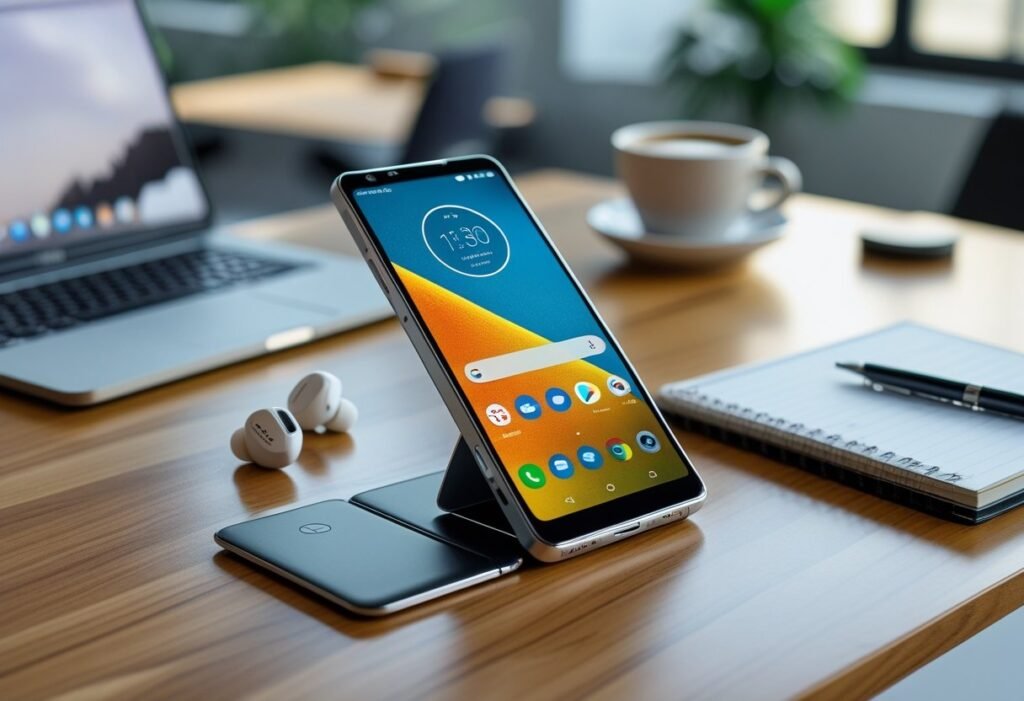
You want a quick answer: the Motorola Razr can be a good phone if you prioritize compact foldable design and pocketable style over top-tier camera performance and battery life. If you value the clamshell fold, solid build, and a clean Android experience, the Razr delivers those strengths — but expect trade-offs in battery stamina and flagship-level speed.
This article will walk through design, display, performance, battery, and common user questions so you can decide whether the Razr fits your priorities and daily habits.
Is the Motorola Razr a Good Phone?
The Razr line focuses on compact foldable design, a sharp external display, and mid-to-high performance across different models. You’ll weigh portability, camera quality, battery life, and price when choosing between the Razr, Razr+, and Razr Ultra.
Who Should Consider the Motorola Razr?
You should consider the Motorola Razr if you prioritize pocket-friendly size and a clamshell foldable that still gives you a usable outer screen. The hinge and compact folded footprint make it ideal if you often carry your phone in tight pants pockets or small bags.
If you use your phone for messaging, social apps, and casual photo snapshots, the Razr delivers adequate performance and camera output. Avoid it if you need top-tier battery endurance, flagship-level cameras, or the widest app compatibility for productivity features; some apps still handle foldables differently than slab phones.
Comparing Razr Models: Razr, Razr+, and Razr Ultra
Razr (2025) — The base model targets value-minded buyers. Expect a solid primary display, a functional external cover screen for quick actions, a midrange SoC, and single-day battery life under moderate use. Camera hardware is competent but not flagship-leading.
Razr+ — This variant adds more RAM, slightly better thermal performance, and often a larger battery. You’ll see smoother multitasking and longer runtime compared with the base Razr, while retaining the same foldable form factor and camera system.
Razr Ultra (Motorola Razr Ultra / 2025 Razr Ultra) — The Ultra pushes performance and camera improvements: higher-end chipset, better image processing, and a brighter internal display. It also tends to include faster charging and more premium materials. The Ultra suits you if you want a foldable that edges closer to flagship performance without moving to a larger foldable tablet form.
Strengths and Weaknesses
Strengths:
- Portability: The clamshell fold factor makes the Razr highly pocketable compared with most phones.
- External display: The cover screen supports quick replies, widgets, and camera preview without opening the phone.
- Design: Motorola typically uses durable hinge mechanisms and lightweight materials for a premium feel.
- Variant choice: Razr, Razr+, and Razr Ultra let you prioritize cost, battery, or performance.
Weaknesses:
- Battery life: Even the Razr+ can struggle with heavy screen-on hours compared to larger slab phones.
- Camera limits: Cameras improve across models but still lag behind top-tier flagship sensors and computational photography in low light.
- Price-to-performance: You may pay a premium for the foldable form versus comparable-performance non-foldable phones.
- App optimization: Some apps and games still present UI issues on foldable displays, affecting multitasking and full-screen experiences.
Design, Display, and Build Quality
You’ll find a mix of premium materials, a flexible hinge, and two displays that change how you use a flip phone. The phone balances weight, durability, and pocketability while offering distinctive color and finish choices.
Build Materials and Durability
The Razr uses an aluminum frame to keep the chassis stiff while remaining light in your hand. Its outer surfaces combine glass and a leather-inspired finish on some models to improve grip and reduce visible fingerprints.
Front and back glass often include Corning Gorilla Glass Victus to resist scratches and small drops, though glass still cracks on hard impacts. Motorola rates the device with an IP48-like resistance for dust and splash protection; avoid full water immersion despite the rating.
You’ll notice tight tolerances at seams and buttons that feel solid under pressure. If you prioritize longevity, choose a model with reinforced glass and handle the hinge area carefully during daily carry.
Hinge Mechanism and Folding Experience
The hinge uses multiple interlocking gears to fold the OLED smoothly and prevent visible creasing. Folding feels precise and requires a light inward push to close; opening motion is spring-assisted for quick one-handed use.
Motorola designed the hinge to keep debris out, but small particles can still affect long-term smoothness. Regular cleaning with a soft brush around the hinge and avoiding pocket lint will reduce wear.
When closed, the phone sits flat with minimal wobble; when open, the display alignment remains accurate for typing and media. Repeated folds will eventually affect tolerance, so expect gradual loosening over years rather than sudden failure.
Display Quality and Features
The inner display is a POLED panel with rich colors, deep blacks, and strong contrast for streaming and photos. Peak brightness hits levels usable outdoors, while adaptive refresh rates save power during static tasks.
The external cover screen (external display) provides notifications, quick replies, camera preview, and widgets without unfolding the phone. It’s sufficiently bright for daytime use but smaller, so complex tasks still require opening the device.
Touch responsiveness is sharp on both screens, and the inner display supports HDR content for compatible apps. Expect modest color shifting at extreme angles typical of foldable OLEDs, but overall clarity and pixel density meet modern smartphone standards.
Color and Finish Options
Motorola offers Parfait Pink, Gibraltar Sea, Lightest Sky, and Spring Bud as standout colorways. Parfait Pink and Lightest Sky appeal if you want a softer look; Gibraltar Sea and Spring Bud provide bolder, more saturated finishes.
Some variants use a leather-inspired texture on the back to improve grip and reduce fingerprinting. Glossy glass models look premium but show smudges more readily and require frequent cleaning.
Hardware accents like aluminum edges come in matching or contrasting tones depending on the edition. Choose a finish based on how often you pocket the phone and whether you prefer scratch resistance or aesthetic flair.
Performance and Software Experience
You’ll find a balance between chipset power, RAM, and AI features that shapes daily responsiveness, app behavior, and long-term software support. Expect specific differences in raw speed, thermal throttle, and how Motorola and Google layer AI on Android.
Processor and Hardware Capabilities
Motorola offers different Razr variants with chipsets like the MediaTek Dimensity 7400X or Qualcomm Snapdragon families (Snapdragon 8s Gen 3 or Snapdragon 8 Elite in higher-tier models).
The Dimensity 7400X handles everyday tasks and light gaming well while consuming less power; it’s a sensible choice if battery life matters more than peak frame rates.
Snapdragon 8s Gen 3 improves sustained performance for gaming and heavy multitasking, and the Snapdragon 8 Elite delivers top-tier single-core and GPU performance for demanding apps and emulation.
You’ll typically see 8GB RAM in many models; that amount supports decent app switching but can bottleneck if you run many background processes.
Thermal behavior varies: higher-end Snapdragon chips sustain peak performance longer, while the Dimensity model may throttle sooner under long gaming or benchmarking sessions.
Software Interface and Updates
The Razr runs near-stock Android 15 with Motorola’s additions and Moto AI features layered on top.
Motorola keeps the interface close to Google’s design, so notifications, gestures, and multitasking feel familiar if you use other Android phones.
Motorola promises a limited number of major Android updates and security patches compared to Pixel or Samsung’s longest-support models; check the specific Razr model for exact update years.
Custom features include an “AI button” and quick access widgets for camera and productivity; these integrate with system UI rather than replacing Android’s core behavior.
Update frequency and depth of custom skins affect long-term value—verify whether your Razr variant includes the upgrade path you need before purchasing.
AI Features and Integration
Motorola embeds Moto AI features that surface on-device shortcuts, voice actions, and generative utilities.
Some models expose an AI button that triggers assistant tasks, shortcuts, or summaries without opening multiple apps.
Integration with Google Gemini and Microsoft Copilot varies by carrier and region; expect Gemini-based assistant responses on devices closely partnered with Google services.
Third-party AI tools like Perplexity or other assistant apps run normally, but deep system-level capabilities (e.g., on-device Gemini) depend on chipset acceleration and vendor agreements.
AI features can improve photography, transcription, and contextual suggestions, but their responsiveness ties to both the SoC (Dimensity vs Snapdragon) and available RAM.
Day-to-Day Performance
You’ll notice app launch times are quick on both Dimensity 7400X and Snapdragon variants, though heavier apps load faster on Snapdragon 8s Gen 3 or 8 Elite.
Multitasking with 8GB RAM is fine for social apps, email, and streaming; large productivity workloads or dozens of browser tabs will push memory limits and cause reloads.
Battery life reflects chipset efficiency: Dimensity variants often give longer screen-on time under casual use, while Snapdragon models deliver better peak performance at the cost of slightly higher consumption.
Gaming at high settings runs best on Snapdragon 8-class models; frame stability and thermal management are more consistent there.
You’ll get the most fluid experience when you match the Razr model to your priorities—battery life and value (Dimensity + 8GB) or sustained high performance and advanced AI integration (Snapdragon + higher RAM).
Battery Life and Charging
You’ll find details on capacity, charging speeds, and real-world efficiency below so you can judge how the Razr handles a day of use and fast top-ups.
Battery Capacity and Longevity
Motorola offers the Razr in several battery configurations across models; common capacities include 4,000 mAh, 4,500 mAh, and 4,700 mAh depending on generation and carrier variant. The larger 4,500–4,700 mAh packs extend screen-on time and multitasking life compared with the 4,000 mAh units, especially if you use the external quick-view display often.
Battery longevity depends on charge cycles, heat, and how you charge. Charging to 80% for daily use and avoiding deep discharges helps preserve capacity over 12–24 months. If you plan heavy gaming, frequent camera use, or prolonged hotspot duty, expect faster wear and slightly reduced daily endurance after a year.
Wired and Wireless Charging
Most recent Razr models use USB-C for wired charging and support roughly 30W wired charging on select variants. That 30W top-up gets you a meaningful percentage in 30–45 minutes, which is useful for short breaks. Check your specific model: some carrier-locked versions throttle peak charging.
Wireless charging is typically supported at about 15W on compatible models or lower depending on charger alignment. Wireless convenience trades speed for heat and slightly slower battery health impact when used constantly. Use the supplied charger or a high-quality certified USB-C cable and 30W adapter to achieve advertised wired speeds.
Efficiency in Daily Usage
Real-world battery life varies with screen usage, refresh rate, and external display activity. With a 4,500–4,700 mAh battery and moderate use (messaging, email, streaming, photos), expect a full day and sometimes into the next morning. A 4,000 mAh unit will more often require a midday top-up under similar conditions.
Background syncing, high refresh rates, and GPS navigation shorten runtime noticeably. Enable adaptive brightness, lower refresh rate, and restrict background apps to stretch battery life. If you rely on hotspot or prolonged camera use, plan for wired charging via USB-C during extended sessions.
Frequently Asked Questions
This section answers specific user concerns about hardware durability, battery life, camera quality, software support, and comparisons with other modern flip phones. Expect concise facts about real-world performance, common failures, and model differences.
What are the pros and cons of the Motorola Razr?
Pros: You get a compact foldable design with a true inner main display and a quick external display for notifications and selfies. Build materials are premium in recent models, and camera software includes useful modes like night and portrait.
Cons: Battery capacity is modest compared with slab phones, so you may need daily charging under heavy use. Durability risks include hinge wear over years and vulnerability to dust ingress if not handled carefully.
How does the Motorola Razr perform in long-term usage?
Long-term performance depends on your charging habits and how often you fold the device. With moderate use and care, most users report acceptable performance for two to three years before noticeable battery degradation or hinge stiffness appears.
Software updates are less frequent than some flagship Android lines, so you may see older security patches sooner. App performance holds up if you choose higher-RAM configurations, but multitasking heavy workflows will feel limited compared with non-foldable flagships.
What common issues do users encounter with the Motorola Razr?
Users report faster battery wear than larger phones, especially on models with 3,500 mAh or smaller batteries. Hinge noise, dust accumulation in the fold, and occasional crease visibility on the inner screen are common complaints.
Some owners mention camera performance that trails top-tier competitors in low light. Carrier-specific software or delayed OS updates also show up as recurring user frustrations.
How does the Motorola Razr compare to other flip phones on the market?
Compared with foldable rivals like Samsung Galaxy Z Flip, the Razr usually emphasizes design and compactness over raw performance. Samsung typically offers stronger cameras, more frequent updates, and slightly better hinge engineering.
Against budget flip designs, the Razr positions itself higher with better materials and a more refined external display, but it also carries a higher price. Evaluate camera, battery capacity, and update policy when comparing models.
What improvements have been made in the Motorola Razr 2025 model?
The 2025 model increased battery capacity modestly and improved thermal management to reduce throttling under sustained load. Motorola refined the hinge to reduce flex and extended the rated fold-cycle durability.
Camera firmware received tuning for improved dynamic range and low-light processing. Software update cadence improved slightly, but it still does not match the top-tier Android update policies.
Are there detailed reviews available for the Motorola Razr Plus?
Yes. Major tech outlets and YouTube reviewers have in-depth tests covering battery drain, hinge longevity, camera shootouts, and synthetic benchmarks. Look for reviews that include long-term use reports and teardown analyses to verify durability claims.
Check recent reviews from sources that publish repeat testing and update their reviews after months of real-world use for the most reliable information.
