Close Menu
GeekBlog

    Subscribe to Updates

    Get the latest creative news from FooBar about art, design and business.

    What's Hot

    Gran Turismo 7 Is Bringing Back a Circuit That Vanished After GT6, and It’s Only Half the Update

    September 7, 2026

    Anthropic’s New Claude Model Just Made Cached AI Tokens 75% Cheaper, and Doubled a Key Benchmark

    September 7, 2026

    Claude Just Finished a 350-Year-Old Math Problem. It Took 11 Days and 13 Million Lines of Code.

    September 7, 2026
    Facebook X (Twitter) Instagram Threads
    GeekBlog
    • Home
    • Mobile
    • Tech News
    • Blog
    • Gaming
    • Smartwatch
    • How-To Guides
    • AI & Software
    Facebook
    GeekBlog
    Home»Tech News»Chrome takes on AI browsers with tighter Gemini integration, agentic features for autonomous tasks
    Tech News

    Chrome takes on AI browsers with tighter Gemini integration, agentic features for autonomous tasks

    Michael ComaousBy Michael ComaousJanuary 28, 20263 Mins Read
    Share Facebook Twitter Pinterest LinkedIn Tumblr Email Copy Link
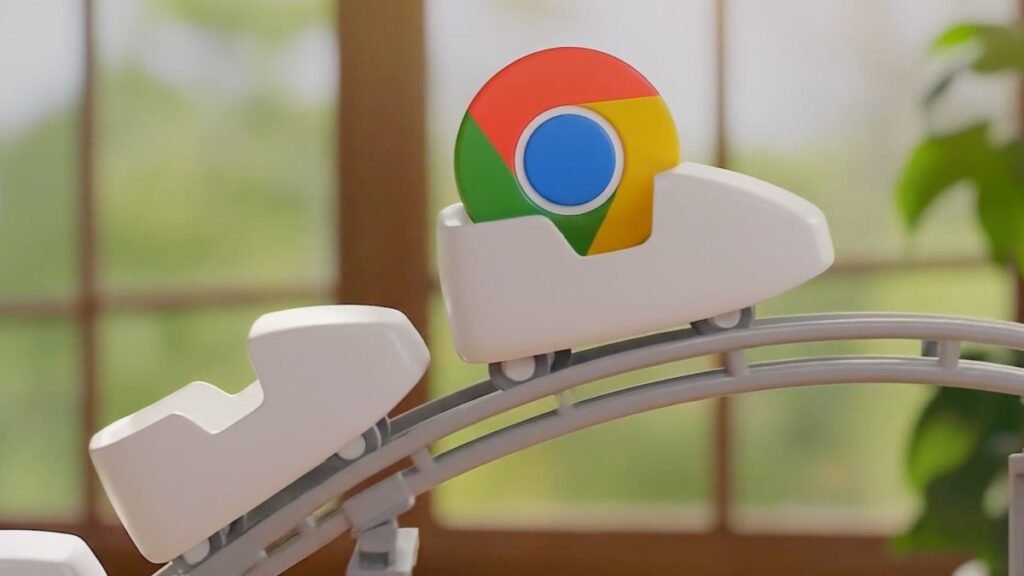
    Google Chrome logo on a rollercoaster toy
    Share
    Facebook Twitter LinkedIn Pinterest Email Copy Link

    Recommended for you:

    Darren Aronofsky’s New AI Series About the Revolutionary War Looks Like Dogshit
    Tech News·Jan 30, 2026

    Darren Aronofsky’s New AI Series About the Revolutionary War Looks Like Dogshit

    2025 was the year when a swarm of AI browsers from companies like OpenAI, Perplexity, Opera, and The Browser Company launched with an aim to replace Chrome with features like sidebar assistants and automated tasks. Now, Google is flexing its own AI muscles by adding similar features to Chrome, the world’s largest browser by market share.

    While Google had introduced Gemini to Chrome last September, the assistant lived in a floating window. With this update, the company will put its AI helper into a persistent sidebar, so you can ask questions about the current website or other open tabs.

    One interesting feature Google demoed to press ahead of today’s launch involved multiple tabs. When you open different tabs from a single webpage, the Gemini sidebar understands them as a context group. This is helpful when you are comparing prices or different products you’re considering purchasing.

    Image Credit: Google

    Before today, the Gemini in Chrome feature was available only to Windows and MacOS users. With this rollout, the sidebar will be available to Chromebook Plus users as well.

    Google is also taking advantage of its newly launched personal intelligence feature, which connects to your Gmail, Search, YouTube, and Google Photos accounts, allowing you to ask questions based on your own data. This feature will roll out in Chrome in the coming months, meaning that you can ask Gemini in the sidebar about things like your family’s schedule, or ask it to draft an email and send it without switching to Gmail.

    There’s a new Nano Banana integration coming to Chrome, too, that allows you to modify an existing image with another image or product that you find while browsing.

    However, the most ambitious feature is called auto-browse, which aims to handle tasks for you by using your personal information and traversing websites on your behalf. For instance, you can ask the agentic feature to go to a particular website and buy an item for you, and find a discount coupon. The agent will ask for your intervention when performing data-sensitive tasks, such as logging into a website or making a final purchase.

    Techcrunch event

    San Francisco
    |
    October 13-15, 2026

    Last year, the company explained that these features would use Chrome’s password manager or saved card details, but said its AI models wouldn’t be exposed to any of these details.

    This feature is rolling out initially to AI Pro and Ultra subscribers in the U.S.

    Recommended for you:

    Data Centers Are Driving a US Gas Boom
    Tech News·Jan 29, 2026

    Data Centers Are Driving a US Gas Boom

    Browser-based agents are finicky and often fail to complete tasks. Google’s demo, just like tons of other AI demos, involved shopping and travel planning. In real-world use cases, agents often don’t get the intent or break during traversing different sites, and that would be a challenge for wider adoption.

    The company said that in its early testing, users have used the feature for tasks such as scheduling appointments, filling out tedious online forms, collecting their tax documents, getting quotes for plumbers and electricians, and filing expense reports.

    The company said that the Gemini sidebar support and Nano Banana integration are arriving starting today, while the personal intelligence feature will be available in the “coming months.”

    Source: techcrunch.com

    AI agents Browsers Gemini
    Share. Facebook Twitter Pinterest LinkedIn Tumblr Telegram Email Copy Link
    Previous ArticleThe noise-canceling AirPods 4 are down to $120, one of their best prices yet
    Next Article Why reviving the shuttered Anthem is turning out tougher than expected
    Michael Comaous
    • Website

    Michael Comaous is a dedicated professional with a passion for technology, innovation, and creative problem-solving. Over the years, he has built experience across multiple industries, combining strategic thinking with hands-on expertise to deliver meaningful results. Michael is known for his curiosity, attention to detail, and ability to explain complex topics in a clear and approachable way. Whether he’s working on new projects, writing, or collaborating with others, he brings energy and a forward-thinking mindset to everything he does.

    Related Posts

    5 Mins Read

    Anthropic’s New Claude Model Just Made Cached AI Tokens 75% Cheaper, and Doubled a Key Benchmark

    6 Mins Read

    Claude Just Finished a 350-Year-Old Math Problem. It Took 11 Days and 13 Million Lines of Code.

    8 Mins Read

    A White House Tech Advisor Says Three Things You Were Taught About Money Are Lies. The Data Says He Is Partly Right.

    8 Mins Read

    MrBeast Hid 91 Locations in a Super Bowl Ad. One Man Cracked the First One Using a Telecom Wiring Chart.

    7 Mins Read

    Apple Pay Finally Lets You Swipe Between Cards, Almost Twelve Years After Launch

    7 Mins Read

    Red Dead Redemption 2 Drops to $14.99 on PlayStation, and the Clock Runs Out Wednesday

    Top Posts

    How to Change HEIC to JPG on iPhone, Mac, Android and Windows (No Software Needed)

    September 3, 20264 Views

    How to Spot AI Generated Images in 2026 (The Old Tricks Stopped Working)

    September 3, 20262 Views

    Check Which Apps Can Read Your Gmail, and Cut Them Off in 60 Seconds

    September 3, 20262 Views
    Stay In Touch
    • Facebook

    Subscribe to Updates

    Get the latest tech news from FooBar about tech, design and biz.

    Most Popular

    How to Change HEIC to JPG on iPhone, Mac, Android and Windows (No Software Needed)

    September 3, 20264 Views

    How to Spot AI Generated Images in 2026 (The Old Tricks Stopped Working)

    September 3, 20262 Views

    Check Which Apps Can Read Your Gmail, and Cut Them Off in 60 Seconds

    September 3, 20262 Views
    Our Picks

    Gran Turismo 7 Is Bringing Back a Circuit That Vanished After GT6, and It’s Only Half the Update

    September 7, 2026

    Anthropic’s New Claude Model Just Made Cached AI Tokens 75% Cheaper, and Doubled a Key Benchmark

    September 7, 2026

    Claude Just Finished a 350-Year-Old Math Problem. It Took 11 Days and 13 Million Lines of Code.

    September 7, 2026

    Subscribe to Updates

    Get the latest creative news from FooBar about art, design and business.

    HEICJPG.online - Convert HEIC to JPG online
    Facebook
    • About Us
    • Contact us
    • Privacy Policy
    • Disclaimer
    • Terms and Conditions
    • Editorial Policy
    • Cookie Policy
    © 2026 GeekBlog

    Type above and press Enter to search. Press Esc to cancel.