

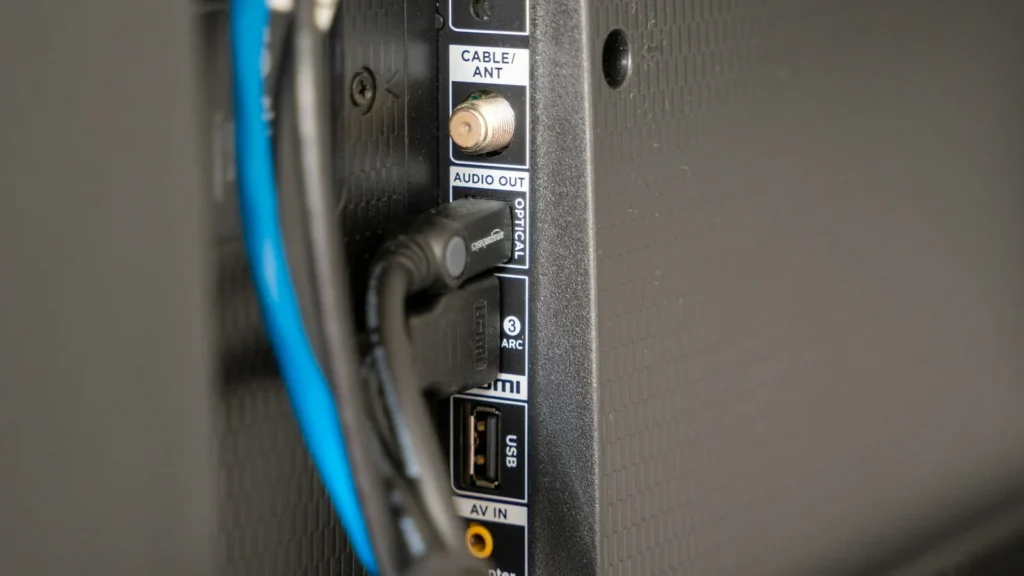
The USB ports on the back of your TV look just like the ones on a laptop, but they are not built for the same jobs. Most supply very little power and exist mainly for media playback, firmware updates and small accessories. Plug the wrong thing in and you get slow charging, random reboots, a drive that never shows up or, in the worst case, files you cannot recover.
Why TV USB ports are so limited
Many TVs still use USB 2.0 ports. Under the USB 2.0 specification, a standard port only has to deliver 500 milliamps at 5 volts, which works out to 2.5 watts. A USB 3.x port raises that to 900 milliamps, or 4.5 watts. For comparison, a basic phone charger delivers several times that, and modern fast chargers far more.
Some TVs label one port for higher current. Samsung, for example, marks certain ports as 5V 1A or reserves one as a USB (HDD) port for drives, and its support pages say devices needing more than 500mA may not work on some models. Check the small print next to each port or in your TV’s manual before deciding what goes where.
| Port type | Standard current | Power at 5 volts |
|---|---|---|
| USB 2.0 | 500 mA | 2.5 W |
| USB 3.x | 900 mA | 4.5 W |
| Port labeled 5V 1A | 1,000 mA | 5 W |
| Battery Charging 1.2 charging port | Up to 1.5 A | 7.5 W |
1. Portable hard drives without their own power
A spinning portable hard drive pulls a burst of current when its platters spin up. On a weak port it may click, disconnect or never appear in the TV’s media app. Worse, a drive that loses power during a write can corrupt files. Samsung’s own guidance recommends using an external hard drive with its own power adapter and connecting it to the port intended for drives. If your TV supports recording live broadcasts to USB, that advice matters even more, since recording means constant writing.
Flash drives and many portable SSDs draw far less power, so they are usually the safer choice for watching your own videos. Also check the format: many TVs read FAT32 and exFAT, while NTFS support varies by model and is sometimes read only.
2. Streaming sticks that came with a wall adapter
Powering a streaming stick from the TV’s USB port looks tidy, and plenty of people do it. The catch is that a stick doing 4K video, WiFi and app updates can need more than a basic port supplies. Amazon tells Fire TV Stick owners to use the included power adapter, and underpowered sticks are known to freeze, reboot or show power warnings.
There is a second problem. Many TVs cut power to their USB ports when switched off, so the stick reboots every time you turn the TV on and cannot install updates overnight. If your stick came with a wall adapter, use it.
3. Phones and tablets you actually want charged
Your phone will usually charge from a TV port, just very slowly, because a 2.5 watt trickle is a small fraction of what current phone chargers deliver. A tablet may barely hold its level while in use. The port may also shut off when the TV goes into standby, so a phone left overnight might wake up barely charged. It is fine for a quick top up of earbuds or a remote, but not as your main charger.
4. Power hungry gadgets and USB hubs
Desk fans, heated gadgets, ring lights, bus powered DVD drives and other accessories that expect a full power USB port can overload a TV port or simply fail to run. USB hubs are a common trap too: Samsung states that hubs are not supported on its TVs, and even where a hub works, several devices share one small power budget. Connect each device directly to the TV, and give anything that needs real power its own adapter.
What TV USB ports are good for
Photos, home videos and music from a flash drive.
Manual updates downloaded from the TV maker’s support site.
Keyboards and mice for typing in apps and browsers.
LED backlight strips made for TV ports and small receivers.
Before unplugging any drive, stop playback and use the TV’s eject or safe removal option if it has one. Samsung warns that removing a device during a transfer can damage files, which applies to every brand.
FAQ
Can I charge my phone from my TV’s USB port?
Yes, but slowly. A standard USB 2.0 port supplies 2.5 watts, and many TVs turn their ports off in standby, so it is not a substitute for a wall charger.
Why does my TV not recognize my external hard drive?
The most common reasons are insufficient power, an unsupported file system or a hub in the chain. Try a drive with its own power supply, connect it directly and format it as exFAT or FAT32 after backing up.
Is it safe to power a streaming stick from the TV?
It can work, but it often causes freezes and reboots. Use the wall adapter that came in the box for reliable operation.
Does a TV USB port carry video?
Generally no. On most TVs it is for data and power only, so video from a laptop or console still needs HDMI.
The verdict
Treat your TV’s USB ports as low power utility ports. They are great for flash drives, firmware updates and small accessories, but anything that needs real power or reliable writes, such as portable hard drives, streaming sticks, tablets and hubs, belongs on its own adapter.
Updated October 2026: rewritten with verified USB power limits, current guidance from TV and streaming device makers, and a list of what TV USB ports do well.
Featured photo: Patrick Campanale on Unsplash.
About this article: GeekBlog covers U.S. technology news, AI, phones, smartwatches and gaming. Every story is written and checked under our Editorial Policy. Spotted a mistake or have a story tip? Contact our editors.
