Close Menu
GeekBlog

    Subscribe to Updates

    Get the latest creative news from FooBar about art, design and business.

    What's Hot

    A Vegan of 14 Years Just Ordered Chicken at a Steakhouse. It Was Grown in a Steel Tank From One Egg.

    November 19, 2026

    Honor Watch 6 Pro Lands in Europe at €279: 5,500 Nits, 18 Days and a Heart Feature It Can’t Advertise

    November 19, 2026

    Palmer Luckey Says His $1 Billion Floating City Isn’t a Data Center. It’s Built to Last 1,000 Years.

    November 19, 2026
    Facebook
    GeekBlog
    • Home
    • Mobile
    • Tech News
    • Blog
    • Gaming
    • Smartwatch
    • How-To Guides
    • AI & Software
    Facebook
    GeekBlog
    Home»Tech News»Spyware That Secretly Snaps Webcam Photos: How to Protect Yourself
    Tech News

    Spyware That Secretly Snaps Webcam Photos: How to Protect Yourself

    Ethan CaldwellBy Ethan CaldwellSeptember 4, 2025Updated:October 10, 20266 Mins Read
    Share Facebook Twitter Pinterest LinkedIn Tumblr Email Copy Link
    Spyware That Secretly Snaps Webcam Photos: How to Protect Yourself
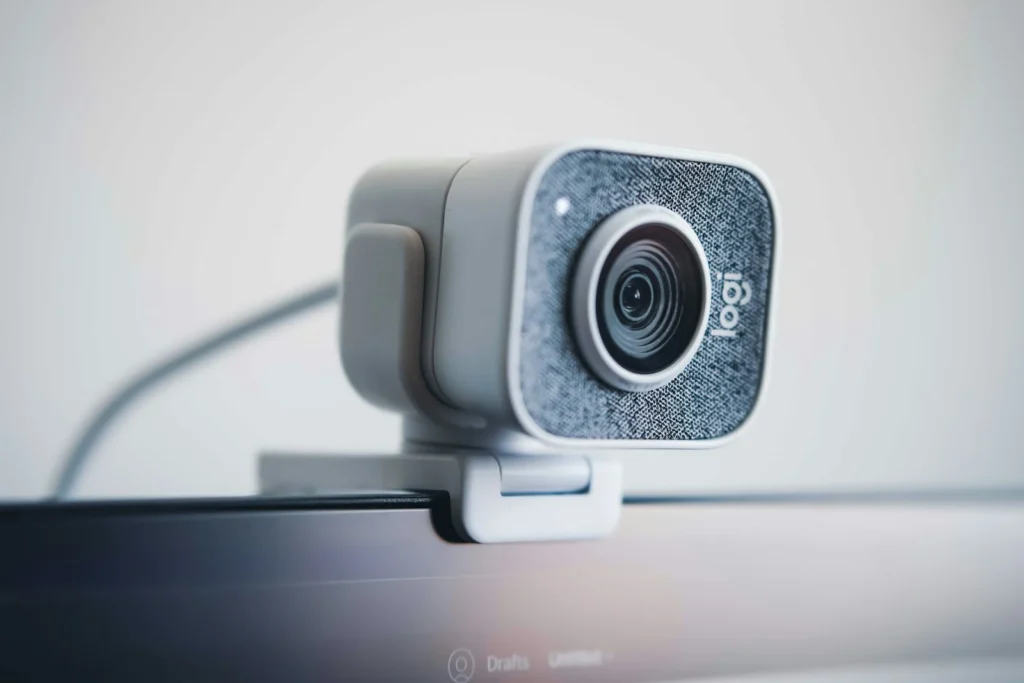
    Photo: Emiliano Cicero on Unsplash
    Share
    Facebook Twitter LinkedIn Pinterest Email Copy Link

    Security researchers have tracked a family of information stealing malware that can quietly take photos through your webcam and grab screenshots of your screen, then use those images to blackmail victims. The best known example is Stealerium, an open source tool that criminals copy and modify. The good news is that the same habits that stop most malware also stop this one. Here is how it works and what to do.

    Quick answer: Stealerium and its close relatives arrive through fake invoices, payment notices and similar email lures. Once installed, they steal passwords and files and can capture webcam photos for blackmail. Protect yourself by not opening unexpected attachments, avoiding cracked software, keeping antivirus on, limiting which apps can use your camera and covering the lens when you are not using it. If someone threatens you, do not pay, keep the evidence and report it to the FBI.

    What this spyware is

    Stealerium is an infostealer, a type of malware built to collect personal data and send it to an attacker. Its code was first posted publicly on a code sharing site in 2022 with a claim that it was for educational purposes. Because anyone can download and change it, several spinoffs exist, including Phantom Stealer and Warp Stealer, which share much of the same code.

    In 2025, researchers at the security company Proofpoint reported a rise in email campaigns spreading these tools. What made the family stand out was a built in blackmail feature. The malware watches the titles of open browser windows for certain keywords, and when it finds a match, it saves a screenshot and a webcam photo at the same moment. The attacker can then threaten to share the images unless the victim pays.

    How it gets onto your computer

    The malware almost always needs you to run it yourself. Common tricks include:

    Recommended for you:

    Dyson Spot+Scrub Ai Robot Vacuum and Mop: Features, Price, Successor
    Tech News·Sep 6, 2025

    Dyson Spot+Scrub Ai Robot Vacuum and Mop: Features, Price, Successor

    • Urgent emails: fake invoices, overdue payments, court notices, donation receipts or travel bookings.
    • Risky attachments: compressed archives, disk image files and script files that hide a Windows program.
    • Bad downloads: cracked software, game cheats and pirated tools are a frequent hiding place for stealers.

    The tracked campaigns hit staff at hotels and other hospitality businesses, schools and financial firms, but home users are also at risk because the same lures work on personal inboxes.

    What it steals once installed

    Logins
    Saved browser passwords, cookies and messaging or gaming accounts.
    Money
    Card details stored in browsers and crypto wallet data.
    Network
    VPN settings and saved WiFi network details.
    Images
    Screenshots and webcam photos used for blackmail.

    The stolen data is sent out through everyday services such as email, Telegram, Discord and file hosting sites, which helps it blend in with normal traffic.

    How to protect yourself

    1. Treat unexpected attachments as suspicious. If an invoice or legal notice surprises you, contact the sender through a phone number or website you already know rather than opening the file.
    2. Do not run cracked or pirated software. It is one of the most common ways stealers reach home PCs.
    3. Keep built in protection on. Microsoft Defender on Windows and XProtect on Mac are enabled by default. Keep them on, keep your system updated and run a full scan if something feels off.
    4. Control camera access. On Windows 11, open Settings, then Privacy and security, then Camera, and turn off access for apps that do not need it. On a Mac, open System Settings, then Privacy and Security, then Camera.
    5. Watch the camera indicator. Most laptops light a small LED when the camera is active, and Windows and macOS show an on screen indicator too. If it turns on when you are not using a video app, investigate.
    6. Use a physical cover. A sliding webcam cover costs a few dollars and blocks the lens completely.
    7. Turn on multifactor authentication. Even if passwords are stolen, a second factor makes them far less useful.
    Watch out: many blackmail emails are pure bluffs. Scammers often claim to have webcam images when they have nothing, sometimes quoting an old leaked password to seem convincing. Do not pay either way. A real infection and a bluff call for the same response: secure your accounts, scan your device and report it.

    What to do if someone threatens you

    The FBI’s guidance for victims of this kind of extortion is clear:

    • Do not pay and do not send anything. Paying rarely ends the threats and often leads to new demands.
    • Stop contact. Block the sender and report the account on the platform where the message arrived.
    • Keep evidence. Save messages, email addresses, usernames and any payment details the criminal provided.
    • Report it. File a report with the FBI’s Internet Crime Complaint Center at ic3.gov, contact your local FBI field office or call 1 800 CALL FBI.
    • Clean your device. Disconnect it from the internet, run a full antivirus scan and, from a different clean device, change passwords for email, banking and social accounts.

    If the person being targeted is under 18, involve a trusted adult right away. The FBI stresses that victims are not at fault and that asking for help is the right step.

    FAQ

    Can spyware turn on my webcam without the light?

    Recommended for you:

    Why People Call AI Chatbots Clankers, and Why Some Say Stop
    Tech News·Sep 4, 2025

    Why People Call AI Chatbots Clankers, and Why Some Say Stop

    On many laptops the camera light is designed to turn on whenever the camera is in use, but you should not rely on it alone. A physical cover is the only guarantee.

    Does this malware affect Macs?

    Stealerium itself targets Windows. Other stealers exist for macOS, so the same precautions apply to every computer.

    How do I know if my PC is infected?

    Warning signs include unexpected password reset emails, logins you do not recognize and a camera light that turns on by itself. Run a full scan with up to date security software to check.

    Should I pay if the threat looks real?

    No. Report it to the FBI instead. Paying marks you as a target and does not guarantee the images are deleted.

    The verdict

    Webcam blackmail malware sounds frightening, but it depends on you opening a bad file. Skip unexpected attachments and cracked software, keep your security tools on, limit camera access and cover the lens. If a threat arrives, do not pay, save the evidence and report it to the FBI.

    Updated October 2026: rewritten as a safety guide explaining how webcam capturing infostealers spread and what to do if you are targeted.

    Featured photo: Emiliano Cicero on Unsplash.

    About this article: GeekBlog covers U.S. technology news, AI, phones, smartwatches and gaming. Every story is written and checked under our Editorial Policy. Spotted a mistake or have a story tip? Contact our editors.

    Share. Facebook Twitter Pinterest LinkedIn Tumblr Telegram Email Copy Link
    Previous ArticleWhy People Call AI Chatbots Clankers, and Why Some Say Stop
    Next Article Dyson Spot+Scrub Ai Robot Vacuum and Mop: Features, Price, Successor
    Ethan Caldwell

      Ethan Caldwell is GeekBlog's resident Apple specialist, covering the entire Apple ecosystem: iPhone, iPad, Mac, Apple Watch, AirPods and the software that ties them together. A longtime iOS user and gadget collector, Ethan tracks Cupertino's every move, breaking down Apple keynotes, A- and M-series chip benchmarks, iOS feature updates and the rumor mill into clear, practical takes that help readers decide whether the latest Apple hardware is worth the upgrade.

      Related Posts

      7 Mins Read

      A Vegan of 14 Years Just Ordered Chicken at a Steakhouse. It Was Grown in a Steel Tank From One Egg.

      7 Mins Read

      Palmer Luckey Says His $1 Billion Floating City Isn’t a Data Center. It’s Built to Last 1,000 Years.

      6 Mins Read

      GTA 6 Is Crashing Every Few Minutes for Some Xbox Series X Owners. Here’s What Actually Helps.

      8 Mins Read

      A YouTuber Stayed Awake for 84 Hours Until He Hallucinated. Science Saw It Coming Hour by Hour.

      9 Mins Read

      Citi Says You Pay if Your AI Agent Gets Hacked. Six Big Banks Have Now Changed Their Rules.

      7 Mins Read

      Anthropic Raised $81.3 Billion in the Biggest IPO Ever. Here’s Who Actually Got Rich.

      Top Posts

      Every iPhone Camera Ranked in 2026 (Best to Worst)

      July 6, 2026360 Views

      Best Browser for Android in 2026: Top Picks Ranked

      July 7, 2026199 Views

      Apple Watch Black Friday 2026: Early Deals, Prices to Beat and When to Buy

      November 8, 2026198 Views
      Stay In Touch
      • Facebook

      Subscribe to Updates

      Get the latest tech news from FooBar about tech, design and biz.

      Most Popular

      Apple Watch Black Friday 2026: Early Deals, Prices to Beat and When to Buy

      November 8, 2026336 Views

      One UI 9 Watch: Which Galaxy Watches Get Wear OS 7, and Who Gets Left Behind

      November 6, 2026180 Views

      Garmin Lily 2 Review: Lily 2 vs Active vs Classic in 2026

      November 6, 2026102 Views
      Our Picks

      A Vegan of 14 Years Just Ordered Chicken at a Steakhouse. It Was Grown in a Steel Tank From One Egg.

      November 19, 2026

      Honor Watch 6 Pro Lands in Europe at €279: 5,500 Nits, 18 Days and a Heart Feature It Can’t Advertise

      November 19, 2026

      Palmer Luckey Says His $1 Billion Floating City Isn’t a Data Center. It’s Built to Last 1,000 Years.

      November 19, 2026

      Subscribe to Updates

      Get the latest creative news from FooBar about art, design and business.

      HEICJPG.online - Convert HEIC to JPG online
      Facebook
      • About GeekBlog: Our Mission, Team and Editorial Standards
      • Contact us
      • Privacy Policy
      • Disclaimer
      • Terms and Conditions
      • Editorial Policy
      • Cookie Policy
      • Your Privacy Choices
      © 2026 GeekBlog

      Type above and press Enter to search. Press Esc to cancel.