

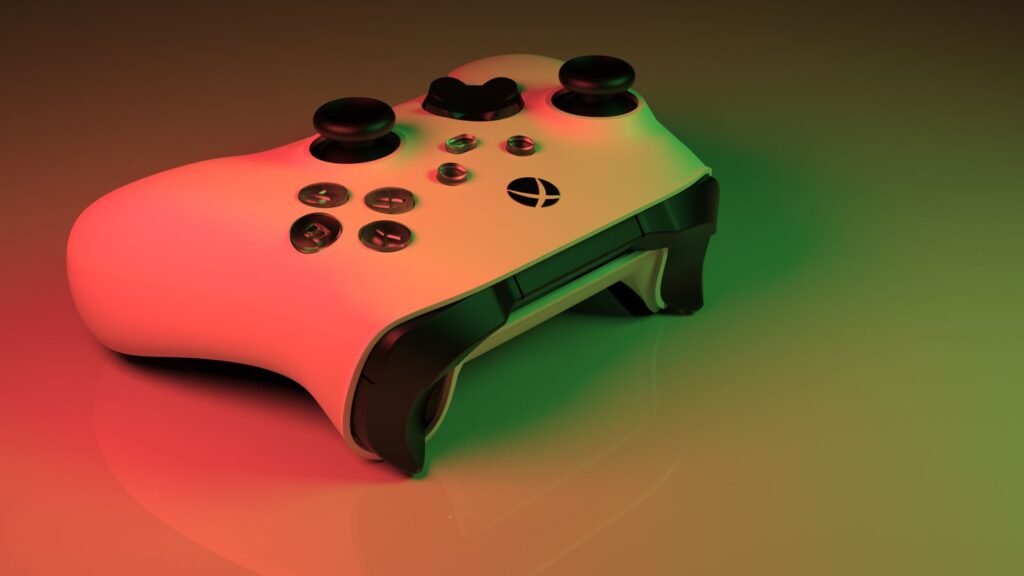
After 13 years of waiting, GTA 6 is finally here. Reviews have been close to perfect, people took the day off work and Vice City is packed. But for a slice of players, the big day is going badly. A growing number of Xbox Series X owners say the game keeps crashing back to the dashboard, and some PS5 players, including people who bought a brand new console just for this game, are reporting the same thing.
The reports were rounded up by UNILAD Tech from Reddit threads that kept growing through launch morning. Here’s what players are seeing, what is and isn’t confirmed and the steps that are actually worth trying before you lose another hour of progress.
The short version
- Some Xbox Series X players report crashes every 5 to 20 minutes: a 30-second freeze, then a kick to the Xbox home screen.
- Some PS5 and PS5 Slim owners say the game shuts down within 10 minutes, often during the prologue.
- Rockstar has not published a cause or fix yet. A viral post claiming a patch date is unconfirmed.
- One PS5 player fixed it by turning off HDR and 120Hz, forcing 1080p, then rebuilding the database in Safe Mode.
- Save often and manually. Reports suggest some sections don’t autosave.
What players are reporting
The Xbox complaints share a pattern. On Reddit, one Series X player who started at 6 a.m. Eastern wrote that by late afternoon the game was still crashing “every 5-20 min randomly,” freezing for about 30 seconds before dropping back to the Xbox menu. Another said the game had crashed “like 20 times,” even after a full reinstall and trying offline mode, and that the longest session they managed was about 20 minutes.
The odd part is that the cheaper console seems to be holding up better for some people. At least one player said their Series S runs at a stable frame rate, while the more powerful Series X is the one failing. Theories about region-locked consoles were quickly ruled out. Some players blamed ray tracing, but there’s no evidence for that yet.
PlayStation isn’t immune. A popular thread on r/gta6_official came from a player who bought a new PS5 Slim digital edition just for GTA 6 and was crashing about every 10 minutes. Others replied with the same story: “brand new PS5, this is the only game on there and it shuts down during prologue.”
| Console | What players report | Status |
|---|---|---|
| Xbox Series X | Freezes then crashes to the dashboard every 5 to 20 minutes, even after reinstalling | No known fix |
| Xbox Series S | Some players say it’s stable, though it runs at a much lower resolution | Fewer reports |
| PS5 / PS5 Slim | Shutdowns within about 10 minutes, often in the prologue | Player workaround |
| PS5 Pro | Scattered reports of repeated prologue crashes | Unclear |
What Rockstar has said so far
Nothing official yet. As of launch afternoon, Rockstar hasn’t posted a known issues note or named a cause. A widely shared post on X claims Rockstar apologized and scheduled a fix for November 25, but it doesn’t come from any Rockstar channel, so treat it as a rumor until the studio confirms it.
Sony did push a mandatory PS5 system update, version 26.07-14.23.00, on November 17, just before launch. Its patch notes mention only security fixes, and PlayStation Support said you need it to play GTA 6. If you skipped it, install it before anything else.
99
GTA 6’s Metacritic score on PS5, with no mixed or negative reviews.
212 GB
Rockstar’s official install size, “up to” that much depending on your console.
30 fps
The frame rate target on every console. There’s no 60fps mode.
That last point matters for troubleshooting. GTA 6 targets 30 frames per second on all consoles, and only the PS5 Pro gets ray-traced shadows, as we covered in our breakdown of how GTA 6 runs on each console. Running your TV at 120Hz doesn’t buy you a smoother game here, so turning it off costs you nothing.
Fixes worth trying right now
None of these are guaranteed, because the real cause hasn’t been confirmed. But they’re safe, they don’t touch your saves, and some players say they’ve worked.
Step-by-step: what to try, in order
Xbox Series X
- Install any pending console and game updates.
- Do a full power cycle: hold the Xbox button for 10 seconds, unplug for a minute, then restart.
- Check you have free space beyond the install itself.
- Set video output to 60Hz and try with HDR off.
- Leave cloud saves on so a reinstall keeps your progress.
PS5 and PS5 Slim
- Install system update 26.07-14.23.00.
- Turn off HDR and 120Hz output, and set resolution to 1080p.
- Boot into Safe Mode and choose Clear Cache and Rebuild Database.
- Check for a game update and install it.
- Back up saves first. Some Safe Mode options can erase data.
The PS5 steps come from the player who started that Reddit thread. They said they had to run through the process twice and install an update, but after that the crashes stopped. Sony explains each option on its Safe Mode support page, and Microsoft’s guide to a full Xbox power cycle walks through the restart. A power cycle doesn’t delete games or saves.
If you already tweaked your console before launch, now’s a good time to double-check those choices. Our guide to the PS5 and Xbox settings to change for GTA 6 covers the display options in more detail.
How to protect your progress
The scariest part of these crashes isn’t the crash itself. It’s losing hours of play. Streamer JasonTheWeen appeared to lose about 10 hours of progress on PS5 when his save went missing after a shutdown. Some viewers think he staged it, and it’s not clear whether the console crashed or he turned it off. Either way, it spooked a lot of players.
Save smart until there’s a patch
- Make a manual save whenever you can, especially after missions.
- Players report that the prologue and some mission checkpoints don’t autosave. Rockstar hasn’t documented how autosave works.
- On PS5, cloud backups need PS Plus with auto-sync turned on. Xbox syncs saves to the cloud for free.
- If the game freezes, wait before you power off. Killing the console mid-save is the easiest way to corrupt a file.
The bottom line
A launch this big was always going to push consoles hard, and it looks like a small but loud group of players is paying for it. The fact that a Series S can run smoothly while some Series X units crash every few minutes points to a software bug rather than weak hardware, which is the kind of thing a patch usually fixes. Until Rockstar says something official, update everything, try the display tweaks, save often and keep an eye on the official Rockstar Support channels. Vice City isn’t going anywhere.
About this article: GeekBlog covers U.S. technology news, AI, phones, smartwatches and gaming. Every story is written and checked under our Editorial Policy. Spotted a mistake or have a story tip? Contact our editors.
