Close Menu
GeekBlog

    Subscribe to Updates

    Get the latest creative news from FooBar about art, design and business.

    What's Hot

    Patrick Stewart Chose Aquamation Over Cremation. Here’s How Water Cremation Works.

    November 21, 2026

    Garmin Gives Your Dog a Profile: New Watch Update Adds Dog Workouts, Badges and Better Swim Tracking

    November 21, 2026

    Ashton Kutcher Turned $435 Million Into a $7 Billion Anthropic Stake. His Track Record Goes Back to Skype.

    November 21, 2026
    Facebook
    GeekBlog
    • Home
    • Mobile
    • Tech News
    • Blog
    • Gaming
    • Smartwatch
    • How-To Guides
    • AI & Software
    Facebook
    GeekBlog
    Home»Tech News»You Can’t Hide Amazon Orders Anymore: The Workaround That Still Works
    Tech News

    You Can’t Hide Amazon Orders Anymore: The Workaround That Still Works

    Olivia HartmanBy Olivia HartmanSeptember 30, 2025Updated:November 3, 20266 Mins Read
    Share Facebook Twitter Pinterest LinkedIn Tumblr Email Copy Link
    You Can't Hide Amazon Orders Anymore: The Workaround That Still Works
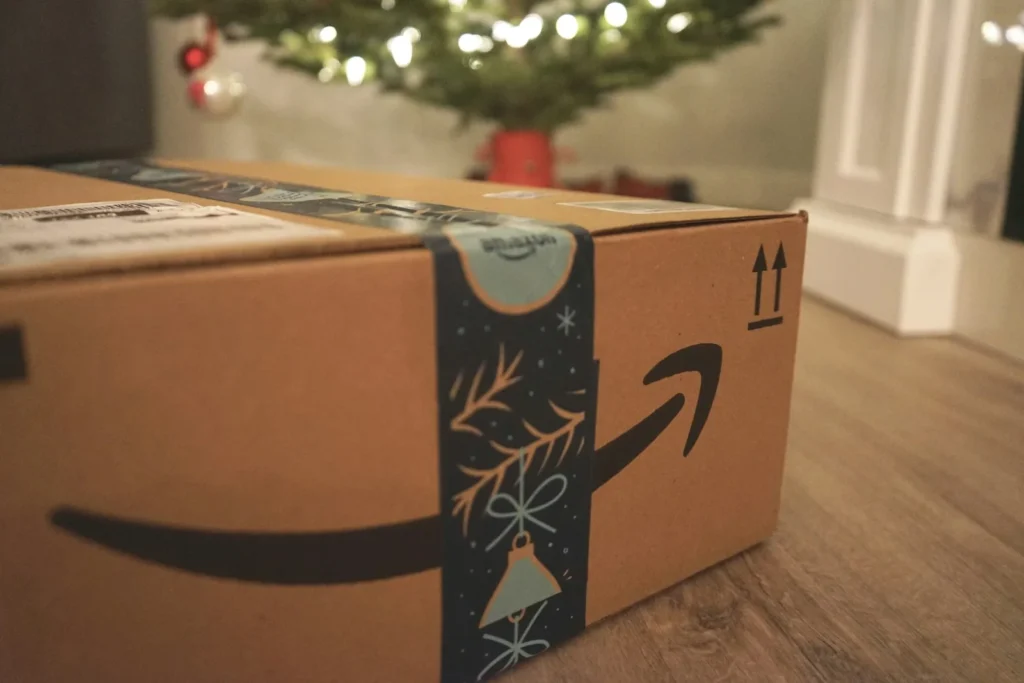
    Photo: Wicked Monday on Unsplash
    Share
    Facebook Twitter LinkedIn Pinterest Email Copy Link

    Amazon no longer lets you archive or hide orders in your purchase history. The Archive Order button went away in 2025, and orders people had archived in the past were folded back into the regular order list. If you share one Amazon login with a partner, roommate or kids, every gift you buy is now visible to anyone who opens Your Orders. The good news is that there is still a clean way to keep purchases private, plus a few habits that stop surprises from leaking out in other ways.

    Quick answer: You cannot hide or delete orders on Amazon anymore. The workaround Amazon itself points to is Amazon Family (formerly Amazon Household): each adult gets a separate account with a separate order history, while Prime benefits are still shared. Set it up from Your Account, then Amazon Family, then Add Adult.

    What changed with Amazon order archiving

    For years, the desktop version of Amazon offered an Archive Order option next to each purchase. It did not delete anything, but it moved the order out of the default view, which was enough to keep a birthday present or holiday gift out of sight on a shared account. Amazon quietly retired the feature in 2025. Customers first noticed the button missing in the spring, and in August 2025 the separate Archived Orders view was removed, with those old orders returning to the main history.

    Amazon never published a big announcement about the change, which is why so many shoppers only found out while trying to hide a gift. As of October 2026 there is still no archive or hide button on the website or in the mobile app, and Amazon does not let customers permanently delete their order history either. Closing an account does not erase purchase records on Amazon’s side.

    OptionStill works in 2026?What it does
    Archive Order buttonNoRetired in 2025, archived orders returned to Your Orders
    Deleting order historyNoAmazon keeps purchase records permanently
    Amazon Family with separate loginsYesEach adult sees only their own orders
    Clearing browsing historyYesHides what you looked at, not what you bought

    The real workaround: separate accounts with Amazon Family

    Recommended for you:

    Costco vs Amazon Prime Day: Where to Buy Tech in 2026
    Tech News·Oct 1, 2025

    Costco vs Amazon Prime Day: Where to Buy Tech in 2026

    The only reliable way to keep an order private is to place it from an account nobody else uses. Amazon Family makes that painless because the second account does not need its own Prime membership. One Prime member can share benefits such as fast shipping, Prime deals and Prime Video with one other adult who lives at the same address, and each adult signs in with their own credentials. Adults on separate accounts cannot see each other’s orders.

    1. If the other adult does not have an Amazon account yet, they should create one with their own email address.
    2. On the Prime member’s account, go to Account and Lists, then Your Account.
    3. Find Amazon Family. Some menus may still call it Amazon Household.
    4. Choose Add Adult and enter the other person’s email address, or sign up together on the same device.
    5. The invited adult accepts the invitation and agrees to share Prime benefits.
    6. From now on, each person shops while signed in to their own account.

    Amazon Family can also include teens and child profiles, so a parent can manage spending and content for younger family members without handing over the main login. Note that free trial members and some discounted Prime plans cannot share benefits.

    Watch out: when two adults link up in Amazon Family, Amazon asks them to share payment methods so they can also share digital content. A shared credit card still shows the charge on the statement, and the merchant line usually says Amazon. If total secrecy matters, pay for gifts with a card only you see, or use an Amazon gift card balance on your own account.

    Other ways surprises leak, and how to stop them

    Separate accounts solve the order list, but a gift can still give itself away before it is wrapped. These quick settings close the other gaps:

    Smart speakers
    In the Alexa app, open Settings, then Notifications, then Amazon Shopping, and turn off the option that says or shows item titles. Alexa will still mention a delivery without naming the product.
    Browsing history
    Under Your Account, open Browsing History and manage or turn it off so gift ideas do not appear in recommendations.
    Delivery
    Ship to a workplace, a trusted friend or an Amazon pickup location if anyone else at home opens the boxes.
    Shared devices
    Sign out of your account in the Amazon app on a family tablet, and switch accounts before you shop.

    It also helps to check gift options at checkout. Marking an item as a gift lets you include a gift receipt, which leaves prices off the packing slip.

    What if you just want a cleaner order list?

    Some people used archiving simply to tidy up years of purchases. Without it, the best tool is the filter at the top of Your Orders. You can pick a specific year or a recent time window and search by product name, which makes it fast to find an old receipt even in a long history. It is not as tidy as archiving was, but it gets you to the right order quickly.

    Tip: set up Amazon Family a few weeks before a big shopping event or the holidays. The invitation and account setup only take minutes, but doing it early means every gift order already lands in the right account when the deals start.

    Related reading

    Amazon is opening its seller tools to AI too, and Claude can now run parts of a seller account while the storefront stays closed to outside agents.

    FAQ

    Can I still archive orders on the Amazon app or website?

    No. The archive option was removed in 2025 on both the website and the app, and previously archived orders now appear in your normal order history.

    Recommended for you:

    How to Make Windows 11 Look Like Linux or macOS With Free Tools
    Tech News·Sep 29, 2025

    How to Make Windows 11 Look Like Linux or macOS With Free Tools

    Can I delete an order from my Amazon history?

    No. Amazon does not offer a way to delete orders, and contacting customer service will not remove them. Even closing your account does not erase the records Amazon keeps.

    Does Amazon Family cost extra?

    No. Only one adult needs an active paid Prime membership, and the second adult shares those benefits for free while keeping a separate account and order history.

    Will my partner see what I buy if we are in the same Amazon Family?

    Not in their order list. Each adult signs in separately and sees only their own orders. Shared payment cards and smart speaker announcements are the main ways a purchase can still slip out.

    The verdict

    Hiding Amazon orders is gone for good, so stop looking for the button. Give every adult in the house their own account, link them through Amazon Family to keep sharing Prime, and tighten the Alexa, browsing history and payment settings. Do that once and holiday gifts stay a surprise again.

    Updated October 2026: rewritten to confirm the archive feature is still gone and to explain the Amazon Family workaround and other privacy settings step by step.

    Featured photo: Wicked Monday on Unsplash.

    About this article: GeekBlog covers U.S. technology news, AI, phones, smartwatches and gaming. Every story is written and checked under our Editorial Policy. Spotted a mistake or have a story tip? Contact our editors.

    Amazon
    Share. Facebook Twitter Pinterest LinkedIn Tumblr Telegram Email Copy Link
    Previous ArticleAmazon Echo Show 8 and Echo Show 11 (2025): Specs, Prices, Alexa+
    Next Article Best White Noise Machines in 2026: Fan or Speaker, and What to Buy
    Olivia Hartman

      Olivia Hartman is GeekBlog's general technology reporter, covering the wider world of tech beyond smartphones: AI and software, laptops and PCs, gaming, streaming, space, science, consumer gadgets, deals and the policy stories shaping the industry. A versatile journalist with a nose for what actually matters, Olivia turns breaking news and product launches into accessible, no-hype reporting for everyday readers.

      Related Posts

      6 Mins Read

      Patrick Stewart Chose Aquamation Over Cremation. Here’s How Water Cremation Works.

      5 Mins Read

      Ashton Kutcher Turned $435 Million Into a $7 Billion Anthropic Stake. His Track Record Goes Back to Skype.

      7 Mins Read

      Bryan Johnson Says Your Phone Is Hurting Your Eyes. Here’s What His Scans Found and What Actually Helps.

      7 Mins Read

      AI Flagged a Doritos Bag as a Gun and Police Came Armed. Now Four Students Are Suing.

      7 Mins Read

      A Former NASA Physicist Says Reality Only “Renders” When You Look. Here’s How His Parking Lot Theory Holds Up.

      7 Mins Read

      Reporters Had to Bag Their Phones on Air Force One Leaving China. Here’s What a Faraday Bag Actually Stops.

      Top Posts

      Every iPhone Camera Ranked in 2026 (Best to Worst)

      July 6, 2026388 Views

      Apple Watch Black Friday 2026: Early Deals, Prices to Beat and When to Buy

      November 8, 2026218 Views

      Best Browser for Android in 2026: Top Picks Ranked

      July 7, 2026187 Views
      Stay In Touch
      • Facebook

      Subscribe to Updates

      Get the latest tech news from FooBar about tech, design and biz.

      Most Popular

      Apple Watch Black Friday 2026: Early Deals, Prices to Beat and When to Buy

      November 8, 2026421 Views

      One UI 9 Watch: Which Galaxy Watches Get Wear OS 7, and Who Gets Left Behind

      November 6, 2026206 Views

      Garmin Lily 2 Review: Lily 2 vs Active vs Classic in 2026

      November 6, 2026118 Views
      Our Picks

      Patrick Stewart Chose Aquamation Over Cremation. Here’s How Water Cremation Works.

      November 21, 2026

      Garmin Gives Your Dog a Profile: New Watch Update Adds Dog Workouts, Badges and Better Swim Tracking

      November 21, 2026

      Ashton Kutcher Turned $435 Million Into a $7 Billion Anthropic Stake. His Track Record Goes Back to Skype.

      November 21, 2026

      Subscribe to Updates

      Get the latest creative news from FooBar about art, design and business.

      HEICJPG.online - Convert HEIC to JPG online
      Facebook
      • About GeekBlog: Our Mission, Team and Editorial Standards
      • Contact us
      • Privacy Policy
      • Disclaimer
      • Terms and Conditions
      • Editorial Policy
      • Cookie Policy
      • Your Privacy Choices
      © 2026 GeekBlog

      Type above and press Enter to search. Press Esc to cancel.