Close Menu
GeekBlog

    Subscribe to Updates

    Get the latest creative news from FooBar about art, design and business.

    What's Hot

    T-Mobile’s Holiday Pitch Sells Experience Plans. Switchers Now Get T-Mix Instead.

    November 20, 2026

    The Best Camera Phone of 2026 Costs $1,299. A $499 Pixel Gets You Surprisingly Close.

    November 20, 2026

    A Vegan of 14 Years Just Ordered Chicken at a Steakhouse. It Was Grown in a Steel Tank From One Egg.

    November 19, 2026
    Facebook
    GeekBlog
    • Home
    • Mobile
    • Tech News
    • Blog
    • Gaming
    • Smartwatch
    • How-To Guides
    • AI & Software
    Facebook
    GeekBlog
    Home»Tech News»How to Turn Off HDMI CEC on Your TV and Why It Matters
    Tech News

    How to Turn Off HDMI CEC on Your TV and Why It Matters

    Ethan CaldwellBy Ethan CaldwellMarch 8, 2026Updated:October 12, 20266 Mins Read
    Share Facebook Twitter Pinterest LinkedIn Tumblr Email Copy Link
    How to Turn Off HDMI CEC on Your TV and Why It Matters
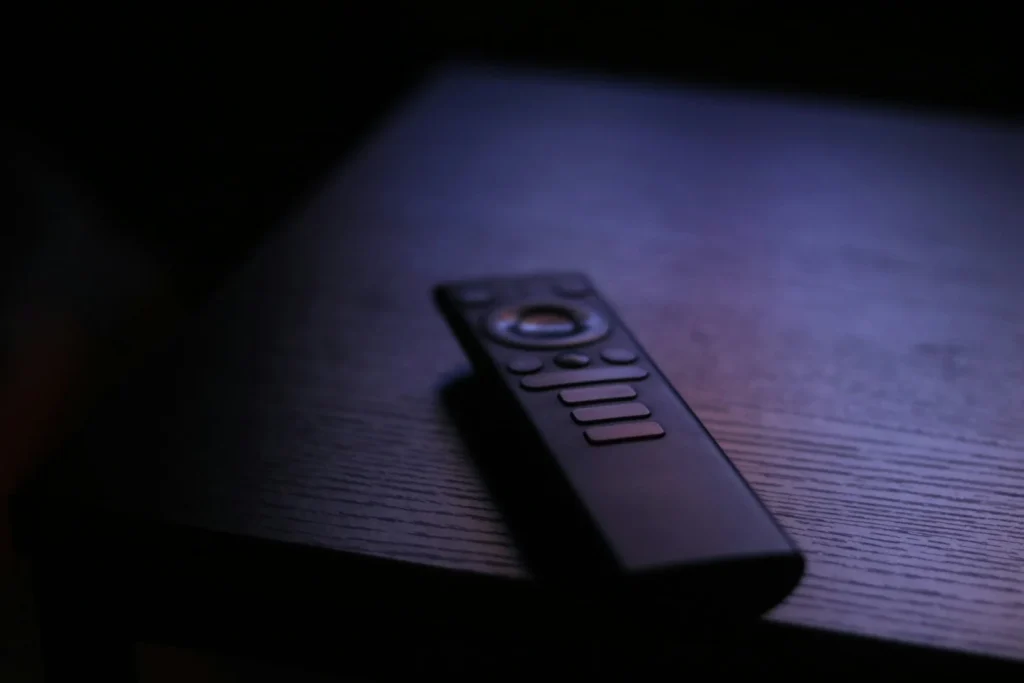
    Photo: Alicia Christin Gerald on Unsplash
    Share
    Facebook Twitter LinkedIn Pinterest Email Copy Link

    HDMI CEC is the feature that lets your TV and the devices plugged into it control each other, so one remote can power everything on or change the volume on a soundbar. It is handy, but it also causes TVs that switch on by themselves, inputs that jump around and devices that share more information with the TV than you might expect. Every brand hides the switch under a different name, so here is where to find it and when turning it off makes sense.

    Quick answer: Open your TV’s settings and look for the brand name of HDMI CEC: Anynet+ on Samsung, SimpLink on LG, BRAVIA Sync on Sony, Control other devices (CEC) on Roku TV and Google TV, and CEC on Vizio and Hisense. Switch it off, then restart the TV. Keep in mind that ARC and eARC soundbar control may stop working.

    What HDMI CEC does and why it matters

    CEC stands for Consumer Electronics Control. It is a small control channel inside the HDMI connection that carries commands such as power on, power off, switch input and change volume. When it works, pressing play on a game console or streaming box can wake the TV and select the right input, and your TV remote can adjust a soundbar.

    Devices also use CEC to announce themselves to the TV, which is how a TV knows an input is a PlayStation or an Apple TV and can label it automatically. That is convenient, but it is also why some people switch CEC off for privacy. A smart TV that knows what is connected, and when it is in use, has more data to combine with its own viewing tracking.

    Pros and cons of leaving CEC on

    Pro: one remote
    Power, input and volume work across the TV, soundbar and streaming box.
    Pro: soundbar control
    ARC and eARC volume control through the TV remote depends on CEC.
    Con: ghost power ons
    A console update or game controller can wake the TV at odd hours.
    Con: input hijacking
    A device that wakes up can pull the TV away from what you were watching.
    Con: data sharing
    Connected devices tell the TV what they are and when they are active.

    Recommended for you:

    A Roadmap for AI: The Pro Human AI Declaration Explained
    Tech News·Mar 8, 2026

    A Roadmap for AI: The Pro Human AI Declaration Explained

    How to turn off HDMI CEC, brand by brand

    Menu names change between model years, so use these paths as a guide and check your TV manual if a label looks different.

    BrandCEC nameWhere to find it
    SamsungAnynet+ (HDMI CEC)Settings, All Settings, Connection, External Device Manager (General on older models)
    LGSimpLink (HDMI CEC)All Settings, General, External Devices or Devices, HDMI Settings
    SonyBRAVIA SyncSettings, Channels and Inputs, External inputs, BRAVIA Sync settings, BRAVIA Sync control
    Roku TV (TCL, Hisense and others)Control other devices (CEC)Settings, System, Control other devices (CEC)
    Google TV (TCL, Hisense and others)Control other devices (CEC)Settings, Channels and Inputs, Inputs, External devices control
    VizioCECSettings, All Settings, System, CEC
    Hisense VIDAACEC ControlSettings, System, HDMI and CEC
    Fire TVHDMI CEC Device ControlSettings, Display and Sounds

    On LG sets from 2021 onward, turning off SimpLink also removes the separate Auto Power option, so external devices can no longer switch the TV on. Sony lets you go further and disable only Auto TV on or Auto devices off while keeping remote control features. TCL and Hisense build TVs on several platforms, so first check whether yours runs Roku TV, Google TV, Fire TV or VIDAA, then follow that row.

    Tip: if your only complaint is the TV turning on by itself, you may not need to disable CEC completely. Look for a power sync option, such as Auto TV on on Sony or the power related CEC toggles on Google TV and Hisense, and leave remote control features enabled.

    Turn off CEC on the device, too

    CEC works in both directions, so the source device can still send commands even after you change the TV. Game consoles, streaming sticks and boxes, soundbars and AV receivers usually have their own CEC or HDMI device link setting, typically in display, sound or power menus. Turning it off at the source is useful when one specific device keeps waking the TV.

    If privacy is the goal, turn off ACR first

    CEC is a small part of TV tracking. The bigger one is automatic content recognition, or ACR, which identifies what is on screen, including content from HDMI inputs, and can feed viewing data to advertisers. Each brand names it differently: Viewing Information Services on Samsung, Live Plus on LG, Viewing Data on Vizio and Smart TV Experience settings on Roku TV. You will usually find it in privacy, terms or support menus rather than next to the CEC switch. Turning off ACR does more for your privacy than disabling CEC alone.

    Watch out: disabling CEC can break soundbar volume control over ARC or eARC. If your TV remote no longer adjusts the soundbar, either turn CEC back on or use the soundbar remote.

    FAQ

    Is it safe to turn off HDMI CEC?

    Yes. It only affects how devices control each other. Picture and sound still travel over HDMI as normal.

    Why does my TV turn on by itself?

    Recommended for you:

    Spider Man: Brand New Day Comics Explained: The Two Movie Tie Ins
    Tech News·Mar 9, 2026

    Spider Man: Brand New Day Comics Explained: The Two Movie Tie Ins

    Most often a connected console, streaming box or soundbar sends a CEC power on command after an update or a controller press. Disable CEC or its auto power option on the TV or that device.

    Does turning off CEC stop my TV from tracking me?

    Only partly. It limits what connected devices report to the TV, but ACR viewing tracking is a separate setting you need to switch off too.

    Will ARC still work without CEC?

    Audio usually still plays, but automatic switching and volume control through the TV remote normally rely on CEC.

    The verdict

    HDMI CEC is worth keeping if you rely on one remote and a soundbar. If your TV wakes up on its own, switches inputs unexpectedly or you want to cut down data sharing, find your brand’s CEC setting in the table above, turn it off and switch off ACR while you are in the menus.

    Updated October 2026: brand by brand CEC names and menu paths, pros and cons, and fixes for common CEC problems.

    Featured photo: Alicia Christin Gerald on Unsplash.

    About this article: GeekBlog covers U.S. technology news, AI, phones, smartwatches and gaming. Every story is written and checked under our Editorial Policy. Spotted a mistake or have a story tip? Contact our editors.

    Share. Facebook Twitter Pinterest LinkedIn Tumblr Telegram Email Copy Link
    Previous ArticleA Roadmap for AI: The Pro Human AI Declaration Explained
    Next Article Spider Man: Brand New Day Comics Explained: The Two Movie Tie Ins
    Ethan Caldwell

      Ethan Caldwell is GeekBlog's resident Apple specialist, covering the entire Apple ecosystem: iPhone, iPad, Mac, Apple Watch, AirPods and the software that ties them together. A longtime iOS user and gadget collector, Ethan tracks Cupertino's every move, breaking down Apple keynotes, A- and M-series chip benchmarks, iOS feature updates and the rumor mill into clear, practical takes that help readers decide whether the latest Apple hardware is worth the upgrade.

      Related Posts

      7 Mins Read

      A Vegan of 14 Years Just Ordered Chicken at a Steakhouse. It Was Grown in a Steel Tank From One Egg.

      7 Mins Read

      Palmer Luckey Says His $1 Billion Floating City Isn’t a Data Center. It’s Built to Last 1,000 Years.

      6 Mins Read

      GTA 6 Is Crashing Every Few Minutes for Some Xbox Series X Owners. Here’s What Actually Helps.

      8 Mins Read

      A YouTuber Stayed Awake for 84 Hours Until He Hallucinated. Science Saw It Coming Hour by Hour.

      9 Mins Read

      Citi Says You Pay if Your AI Agent Gets Hacked. Six Big Banks Have Now Changed Their Rules.

      7 Mins Read

      Anthropic Raised $81.3 Billion in the Biggest IPO Ever. Here’s Who Actually Got Rich.

      Top Posts

      Every iPhone Camera Ranked in 2026 (Best to Worst)

      July 6, 2026364 Views

      Best Browser for Android in 2026: Top Picks Ranked

      July 7, 2026202 Views

      Apple Watch Black Friday 2026: Early Deals, Prices to Beat and When to Buy

      November 8, 2026200 Views
      Stay In Touch
      • Facebook

      Subscribe to Updates

      Get the latest tech news from FooBar about tech, design and biz.

      Most Popular

      Apple Watch Black Friday 2026: Early Deals, Prices to Beat and When to Buy

      November 8, 2026338 Views

      One UI 9 Watch: Which Galaxy Watches Get Wear OS 7, and Who Gets Left Behind

      November 6, 2026182 Views

      Garmin Lily 2 Review: Lily 2 vs Active vs Classic in 2026

      November 6, 2026103 Views
      Our Picks

      T-Mobile’s Holiday Pitch Sells Experience Plans. Switchers Now Get T-Mix Instead.

      November 20, 2026

      The Best Camera Phone of 2026 Costs $1,299. A $499 Pixel Gets You Surprisingly Close.

      November 20, 2026

      A Vegan of 14 Years Just Ordered Chicken at a Steakhouse. It Was Grown in a Steel Tank From One Egg.

      November 19, 2026

      Subscribe to Updates

      Get the latest creative news from FooBar about art, design and business.

      HEICJPG.online - Convert HEIC to JPG online
      Facebook
      • About GeekBlog: Our Mission, Team and Editorial Standards
      • Contact us
      • Privacy Policy
      • Disclaimer
      • Terms and Conditions
      • Editorial Policy
      • Cookie Policy
      • Your Privacy Choices
      © 2026 GeekBlog

      Type above and press Enter to search. Press Esc to cancel.