Close Menu
GeekBlog

    Subscribe to Updates

    Get the latest creative news from FooBar about art, design and business.

    What's Hot

    Apple Says the New Find My Setting Is for Surprise Parties. The Internet Reached a Different Conclusion.

    September 15, 2026

    The First Fully AI Sitcom Premiered on YouTube. Two Days Later It Had 630 Views.

    September 15, 2026

    Trump Called AI Safety a Hoax on Jensen Huang’s Speakerphone. Huang Agreed With Him.

    September 15, 2026
    Facebook X (Twitter) Instagram Threads
    GeekBlog
    • Home
    • Mobile
    • Tech News
    • Blog
    • Gaming
    • Smartwatch
    • How-To Guides
    • AI & Software
    Facebook
    GeekBlog
    Home»How-To Guides»Google’s August 2025 Update Fixes These Issues With Your Pixel
    How-To Guides

    Google’s August 2025 Update Fixes These Issues With Your Pixel

    Michael ComaousBy Michael ComaousAugust 6, 2025Updated:September 4, 20264 Mins Read
    Share Facebook Twitter Pinterest LinkedIn Tumblr Email Copy Link
    Google's August 2025 Update Fixes These Issues With Your Pixel
    Share
    Facebook Twitter LinkedIn Pinterest Email Copy Link

    Recommended for you:

    Someone has decided to fold the Galaxy Z Fold 7 200,000 times
    How-To Guides·Aug 5, 2025

    Someone has decided to fold the Galaxy Z Fold 7 200,000 times


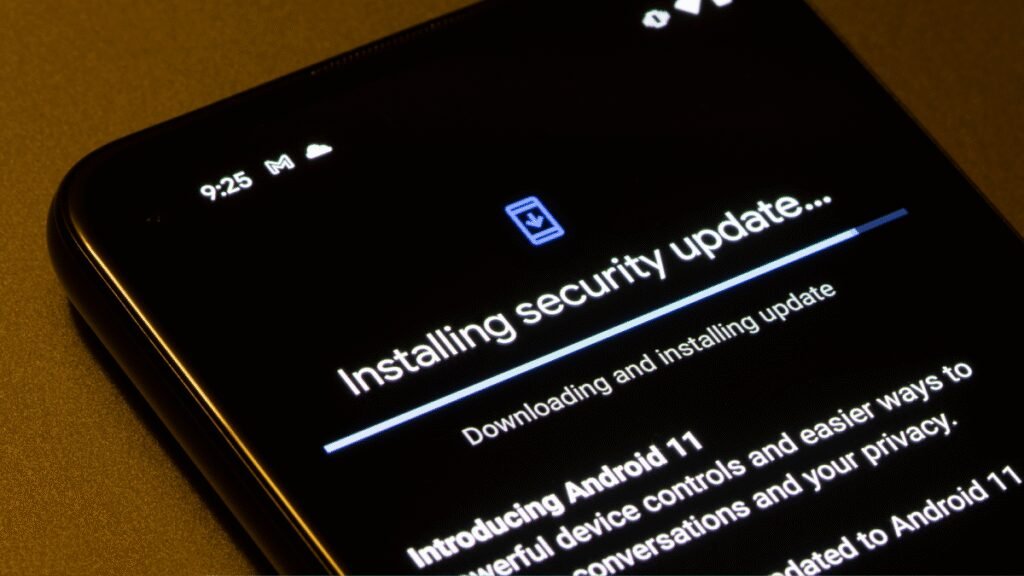
    Google’s August 2025 update is now rolling out to all compatible Pixel devices. If your Pixel has been acting up—and especially if it is one of those affected by the back button bug—this update might just be the fix you need.

    Before you get too excited: This isn’t a feature update. If you’re expecting the update to add features or change the look and feel of your Pixel, temper your enthusiasm. Still, the update is an important one, as it includes a number of bug fixes and security patches that will make your Pixel more stable and secure to use.

    Bug fixes in the August update

    This update includes a grand total of three bug fixes: one System update, and two fixes for User Interface bugs. (Importantly, the bug fixes apply only to Pixel 7 and newer, so Pixel 6, Pixel 6 Pro, and Pixel 6a devices are excluded.)

    Per Google, the System update includes general improvements for stability and performance under “in certain conditions,” though the company doesn’t specify what those conditions are. Still, if you’ve had general problems with your Pixel, hopefully it starts running a bit more reliably post-update.

    The User Interface bugs are explicitly identified, however. The first fixes a bug that prevent dark mode from working at times. If you find that your Pixel wouldn’t switch over to a dark theme in certain situations, this update may solve that problem.

    The second bug was particularly widespread: Since June, some Pixel users have been dealing with issues with both three-button navigation and gesture navigation, where gestures would either be wildly delayed, or totally unresponsive. Thankfully, those bugs appear to be fixed with this update. (If your Pixel still has issues after installing the update, let me know in the comments.)

    Security patches in the August update

    There appear to be seven total patches included with this latest update. Google identifies three security patches in the 2025-08-01 patch level, three patches in the 2025-08-05 level, as well as one Pixel-specific patch in the Pixel update.


    What do you think so far?

    The patches are as follows:

    • Two Framework flaws, tracked as CVE-2025-22441 and CVE-2025-48533. Google says the most severe vulnerability can lead to local escalation of privilege. Action is required of the target’s part in order to exploit these flaws. Google rates this severity as high.

    • One System flaw, tracked as CVE-2025-48530. Google says this can lead to remote code execution when paired with other bugs. The target does not need to act in order to exploit this flaw, which makes it particularly dangerous. Google rates the severity as critical.

    • One Arm flaw, tracked as CVE-2025-0932. Google says this affects Arm components, and defers to Arm for more details. Google rates the security as high.

    • One Qualcomm flaw, tracked as CVE-2025-27038. Google says this affects Qualcomm components, and defers to Qualcomm for more details. Google rates the severity as high.

    • One Qualcomm closed-source component flaw, tracked as CVE-2025-21479. Google says this affects Qualcomm closed-source components, and defers to Qualcomm for more details. Google rates the severity as critical.

    • One Pixel flaw, tracked as CVE-2025-26784. Google says this flaw could result in remote code execution, targeting the modem. Google rates the severity as high.

    Which Pixels are included in the update?

    Generally speaking, if you have a Pixel 6 or newer, your phone supports the August 2025 update. To be thorough, here’s the full list, including the software version for each update:

    • Pixel 6:                 BP2A.250605.031.A5

    • Pixel 6 Pro:          BP2A.250605.031.A5

    • Pixel 6a:               BP2A.250705.008.A1

    • Pixel 7:                 BP2A.250805.005

    • Pixel 7 Pro:          BP2A.250805.005

    • Pixel 7a:               BP2A.250805.005

    • Pixel Tablet:        BP2A.250805.005

    • Pixel Fold:           BP2A.250805.005

    • Pixel 8:                BP2A.250805.005

    • Pixel 8 Pro:         BP2A.250805.005

    • Pixel 8a:              BP2A.250805.005

    • Pixel 9:                BP2A.250805.005

    • Pixel 9 Pro:         BP2A.250805.005

    • Pixel 9 Pro XL:   BP2A.250805.005

    • Pixel 9 Pro Fold: BP2A.250805.005

    • Pixel 9a:              BP2A.250805.005

    How to update your Pixel to the latest version

    To update your Pixel to the August 2025 version, open the Settings app, then head to System > Software update. Then, follow the on-screen instructions to download and install the update.

    Recommended for you:

    What Is a Zip Bomb?
    How-To Guides·Aug 6, 2025

    What Is a Zip Bomb?

    Lawsuit Pixel
    Share. Facebook Twitter Pinterest LinkedIn Tumblr Telegram Email Copy Link
    Previous ArticleWhat Is a Zip Bomb?
    Next Article KTC’s budget 5K display offers high-end specs for editors, gamers, and anyone eyeing a 10K desktop
    Michael Comaous
    • Website

    Michael Comaous is a dedicated professional with a passion for technology, innovation, and creative problem-solving. Over the years, he has built experience across multiple industries, combining strategic thinking with hands-on expertise to deliver meaningful results. Michael is known for his curiosity, attention to detail, and ability to explain complex topics in a clear and approachable way. Whether he’s working on new projects, writing, or collaborating with others, he brings energy and a forward-thinking mindset to everything he does.

    Related Posts

    6 Mins Read

    Sony and Warner Chappell Sued Anthropic’s Founders by Name. They Want $150,000 for Every Song.

    10 Mins Read

    7 Ways to Get the Most Out of Your Galaxy Z Fold 7

    10 Mins Read

    Is Google Killing Off the Android TV Discover Tab? What Replaced It and What to Do

    8 Mins Read

    Own a Samsung Phone? 10 Settings I Always Change First for the Best User Experience

    16 Mins Read

    Mesh Wi-Fi Placement: How Far Apart to Put Nodes and Where

    9 Mins Read

    The Mesh Router Placement Strategy That Finally Gave Me Full Home Coverage

    Top Posts

    Gal Gadot’s Lawyers Spent Six Months on One AI Clause. Then SAG Called Them for Pointers.

    September 2, 20264 Views

    Every iPhone Camera Ranked in 2026 (Best to Worst)

    July 6, 20263 Views

    The Mesh Router Placement Strategy That Finally Gave Me Full Home Coverage

    September 9, 20262 Views
    Stay In Touch
    • Facebook

    Subscribe to Updates

    Get the latest tech news from FooBar about tech, design and biz.

    Most Popular

    How to Change HEIC to JPG on iPhone, Mac, Android and Windows (No Software Needed)

    September 3, 20266 Views

    Gal Gadot’s Lawyers Spent Six Months on One AI Clause. Then SAG Called Them for Pointers.

    September 2, 20265 Views

    How to Spot AI Generated Images in 2026 (The Old Tricks Stopped Working)

    September 3, 20263 Views
    Our Picks

    Apple Says the New Find My Setting Is for Surprise Parties. The Internet Reached a Different Conclusion.

    September 15, 2026

    The First Fully AI Sitcom Premiered on YouTube. Two Days Later It Had 630 Views.

    September 15, 2026

    Trump Called AI Safety a Hoax on Jensen Huang’s Speakerphone. Huang Agreed With Him.

    September 15, 2026

    Subscribe to Updates

    Get the latest creative news from FooBar about art, design and business.

    HEICJPG.online - Convert HEIC to JPG online
    Facebook
    • About Us
    • Contact us
    • Privacy Policy
    • Disclaimer
    • Terms and Conditions
    • Editorial Policy
    • Cookie Policy
    © 2026 GeekBlog

    Type above and press Enter to search. Press Esc to cancel.