
Close Menu
GeekBlog

    Subscribe to Updates

    Get the latest creative news from FooBar about art, design and business.

    What's Hot

    Meta is secretly working on an AI detection tool after unleashing AI slop avalanche

    March 16, 2026

    This Alien Planet Might Be the Stinkiest Place in the Galaxy

    March 16, 2026

    Amazon is clearing out these popular DeWalt power tools by up to $190 off

    March 16, 2026
    Facebook X (Twitter) Instagram Threads
    GeekBlog
    • Home
    • Mobile
    • Tech News
    • Blog
    • How-To Guides
    • AI & Software
    Facebook
    GeekBlog
    Home»Mobile»GIF Keyboard Missing From Your iPhone? Here’s Where To Find It
    Mobile

    GIF Keyboard Missing From Your iPhone? Here’s Where To Find It

    Michael ComaousBy Michael ComaousAugust 1, 20254 Mins Read
    Share Facebook Twitter Pinterest LinkedIn Tumblr Email Copy Link
    GIF Keyboard Missing From Your iPhone? Here's Where To Find It
    Share
    Facebook Twitter LinkedIn Pinterest Email Copy Link


    Di_Ilikaeva/Shutterstock

    In the days of fast communication, sometimes an animated GIF can be perfect for certain situations. That, or you can just be having some fun with a friend or relative by sending amusing images to each other to pass the time. The fun can quickly dissipate, however, if you can’t find the right keyboard.

    Apple has a built-in GIF keyboard on iPhone known as #images. This can be found by tapping the Plus button (+) next to the text input field in Messages and scrolling through the options. If you’re looking for the popular third-party GIF Keyboard by Tenor or something similar, you can also usually find that in the same place.

    However, although people expect to swap to the GIF Keyboard by tapping the globe icon in the lower left-hand corner of Messages, just under the primary keyboard, this option has been missing for some — with only the smiley face icon, and the standard emoji keyboard, present. Nevertheless, don’t worry, adding it back only takes a swift adjustment of your iPhone settings.

    Did Apple take away the GIF Keyboard?


    A pair of hands holding an iPhone with four drawings of messages appearing above the device
    Witthaya Prasongsin/Getty Images

    Unless you uninstalled your third-party GIF Keyboard by accident, Apple didn’t remove your ability to send GIFs. There’s two distinct ways to access a third-party GIF keyboard in Messages: from the expandable (+) menu next to your text input or from the globe icon below your keyboard.

    However, you may be having an issue where you can no longer locate the GIF Keyboard from the globe icon. A smiley icon typically indicates that only your primary and emoji keyboard are installed and enabled, so if you see a smiley face icon rather than a globe below your keyboard, your GIF Keyboard is likely disabled as a keyboard option. 

    Even if it’s disabled, a third-party GIF keyboard can be found within the expandable (+) menu, a previous iteration of which was introduced to Messages in iOS 10, which had a wealth of content for the Messages app, including the ability to quickly send things like Stickers and GIFs. In the time since, this menu has undergone a couple of changes: iOS 17 consolidated many apps and options into the (+) menu in Messages that you likely see today. Accessing items here is rather easy and makes things quick, but some may prefer accessing GIFs from the globe icon.

    If you don’t like accessing a third-party keyboard from the (+) menu, adding it back to the globe menu is rather easy. 

    How to add the GIF Keyboard to Messages
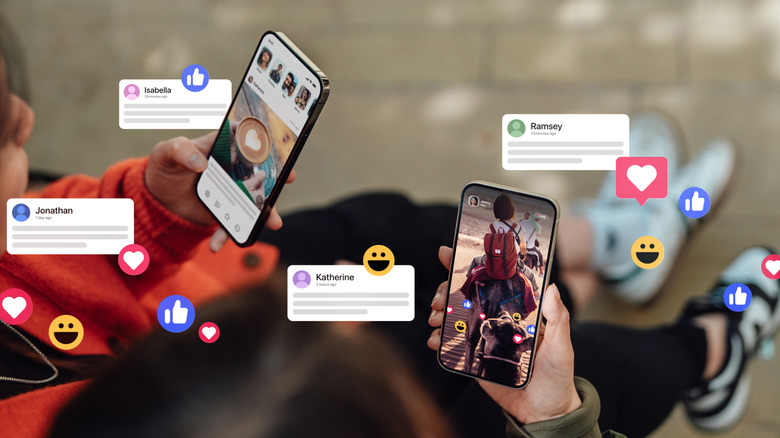

    Two individuals both holding iPhones as several different social media reaction icons float alongside four floating messages
    Oscar Wong/Getty Images

    If you don’t like using the (+) menu and want the GIF Keyboard accessible from the globe icon, follow these steps: 

    • Check the App Store to ensure you have the GIF Keyboard you want to use.

    • Open the Settings app and select General.

    • Tap Keyboard.

    • Choose the Keyboards tab and select Add New Keyboard.

    • Tap GIF Keyboard under Third-Party Keyboards.

    • GIF Keyboard should now be under your list of keyboards: select it and ensure Allow Full Access is enabled. 

    From here, you should find the GIF Keyboard when you press the globe icon in the bottom left-hand corner of your screen. Tapping the icon will fast-swap between keyboards, or you can hold the icon to select a specific one.

    There are reports on Reddit that you can access a third-party GIF keyboard by selecting Stickers from the (+) menu in Messages and then scrolling through the list of apps above the keyboard. This solution appears to be out-of-date, but it’s worth mentioning depending on what version of iOS you are running.

    An iPhone keyboard is more expansive than you may realize. Along with being able to change languages and tweak a few settings, there’s also options that may completely change how you type and interact with the keyboard, such as being able to type with it using one hand. Knowing the ins and outs of your keyboard can save you time, which you can then spend finding that perfect GIF for your friend or loved one.


    find GIF Heres iPhone Keyboard Missing
    Share. Facebook Twitter Pinterest LinkedIn Tumblr Telegram Email Copy Link
    Previous ArticleNew DoubleTrouble banking trojan spreads via Discord – so be on your guard
    Next Article Wild Video Captures Alien-Like Creatures Thriving in the Deepest Ocean Ecosystem
    Michael Comaous
    • Website

    Michael Comaous is a dedicated professional with a passion for technology, innovation, and creative problem-solving. Over the years, he has built experience across multiple industries, combining strategic thinking with hands-on expertise to deliver meaningful results. Michael is known for his curiosity, attention to detail, and ability to explain complex topics in a clear and approachable way. Whether he’s working on new projects, writing, or collaborating with others, he brings energy and a forward-thinking mindset to everything he does.

    Related Posts

    2 Mins Read

    President Trump’s iPhone is becoming a problem for officials

    5 Mins Read

    Netflix Premium vs. Netflix Standard: I compared the subscriptions plans to find the best deal

    2 Mins Read

    iPhone Fold rumor: iPad-like multitasking, but no iPad apps and no Face ID

    4 Mins Read

    A major security flaw could affect 1 in 4 Android phones – here’s how to check yours

    3 Mins Read

    Meta is rolling out stronger anti-scam tools – here’s how they protect you

    2 Mins Read

    Here’s where you can buy Apple’s budget-friendly MacBook Neo

    Top Posts

    Discord will require a face scan or ID for full access next month

    February 9, 2026762 Views

    The Mesh Router Placement Strategy That Finally Gave Me Full Home Coverage

    August 4, 2025624 Views

    Trade in your old phone and get up to $1,100 off a new iPhone 17 at AT&T – here’s how

    September 10, 2025311 Views
    Stay In Touch
    • Facebook

    Subscribe to Updates

    Get the latest tech news from FooBar about tech, design and biz.

    Most Popular

    Discord will require a face scan or ID for full access next month

    February 9, 2026762 Views

    The Mesh Router Placement Strategy That Finally Gave Me Full Home Coverage

    August 4, 2025624 Views

    Trade in your old phone and get up to $1,100 off a new iPhone 17 at AT&T – here’s how

    September 10, 2025311 Views
    Our Picks

    Meta is secretly working on an AI detection tool after unleashing AI slop avalanche

    March 16, 2026

    This Alien Planet Might Be the Stinkiest Place in the Galaxy

    March 16, 2026

    Amazon is clearing out these popular DeWalt power tools by up to $190 off

    March 16, 2026

    Subscribe to Updates

    Get the latest creative news from FooBar about art, design and business.

    Facebook
    • About Us
    • Contact us
    • Privacy Policy
    • Disclaimer
    • Terms and Conditions
    © 2026 GeekBlog

    Type above and press Enter to search. Press Esc to cancel.

    Ad Blocker Enabled!
    Ad Blocker Enabled!
    Our website is made possible by displaying online advertisements to our visitors. Please support us by disabling your Ad Blocker.