

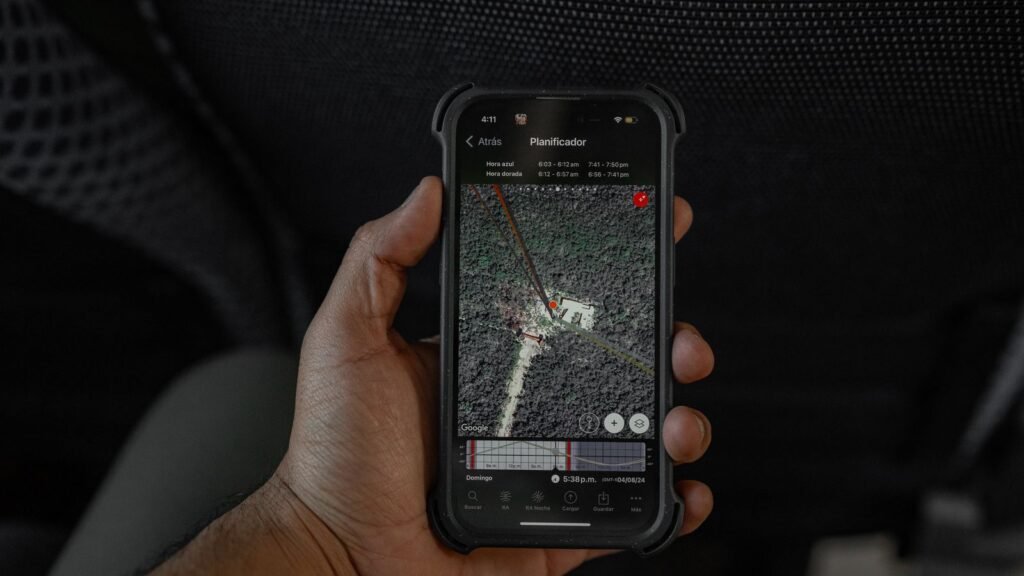
Sharing your live location in Google Messages has always come with one small annoyance: the map you get is the map you get. You can watch a friend’s dot creep toward the restaurant, but you cannot switch to a satellite photo to see which entrance they are standing at, and you cannot see the traffic jam they are about to drive into. That looks set to change.
Code found in the newest Google Messages beta adds a map layers button to the real-time location screen, with Satellite and Terrain views and a live Traffic overlay. Android Authority managed to switch the hidden feature on, and Japanese app analysis site Jetstream pulled the exact text strings out of the app. Google has not announced anything yet, so treat this as a strong preview rather than a launch date.
Here is what the upgrade actually does, how Messages stacks up against WhatsApp, Apple and Telegram once it lands, and the part that does not change at all: who processes your location while you share it.
What the beta code shows
The discovery comes from an APK teardown, which is a polite way of saying someone unpacked the app and read through the parts Google has not switched on yet. In Google Messages v20261013_00_RC00, Jetstream found a new set of interface strings tied to the map screen you see when someone shares their real-time location with you, or when you share yours.
The labels are about as self-explanatory as it gets:
map_layers_title → “Map type”
map_type_default → “Default”
map_type_satellite → “Satellite”
map_type_terrain → “Terrain”
map_details → “Map details”
traffic → “Traffic”
map_details_traffic_desc → “Traffic layer visual”
Android Authority got the feature running and described a button in the top right corner of the map. Tap it and a sheet slides up with the three map types as thumbnails, and a separate “Map details” section where Traffic lives. It is the same layer picker you already know from Google Maps, shrunk down to fit inside a chat.
That is not a coincidence. Live location in Messages is not really a Messages feature at all. It runs on Find Hub, Google’s renamed Find My Device service, and Find Hub itself picked up map layers back in December 2025. Messages is simply catching up with the app it borrows its maps from.
How live location in Messages works today
If you have not used it yet, real-time location arrived in Google Messages at the end of February and was announced with the March 2026 Pixel Drop. It replaced the old “Location” attachment, which only sent a static Google Maps pin of where you were at that moment. The static option is still there if you want it.
When you pick Real-time location from the attachment menu, Messages asks how long to share:
- 1 hour, counted from the moment you start
- Today only, which ends at midnight
- Until you turn this off
- Custom, capped at 24 hours
A live map card then sits in the conversation, and the other person can tap it to expand the map. You can stop sharing from that card, or from Google Maps and Find Hub, since all three are reading from the same location session.
One correction worth making: some coverage of the beta, including TechRadar’s, says Messages lacks time limits that WhatsApp offers. That is not quite right. Messages already has timed sharing, and its “until you turn this off” option is actually something WhatsApp does not offer.
Why satellite, terrain and traffic views are useful
A standard road map is fine when you are meeting someone at a street address. It falls apart in the places where location sharing matters most: a festival field, a hiking trail, a sprawling parking lot, the pickup zone at an airport. Each new layer fixes a specific problem.
Satellite is the one most people will use. “I’m by the blue door next to the loading dock” means a lot more when you can actually see the loading dock. Terrain is more niche, but if your kid’s scout troop is somewhere on a ridge, the difference between flat ground and a 600 foot climb matters. Traffic is the sleeper hit. If you are picking someone up and the road around them is solid red, you can text them to walk two blocks to a quieter corner instead of crawling through the jam.
None of this is new technology. Google Maps has had these layers for well over a decade. The point is not having to leave the chat, open Maps, find the shared location again and toggle the layer there.
How Messages compares with WhatsApp, Apple and Telegram
Location sharing is one of the main reasons people default to WhatsApp, simply because everyone has it. Here is how the main options line up on the details that actually matter day to day.
| App | Live sharing durations | Indefinite option | Location end-to-end encrypted |
|---|---|---|---|
| Google Messages | 1 hour, today only, custom up to 24 hours | Yes | No, processed by Google via Maps and Find Hub |
| 15 minutes, 1 hour, 8 hours | No | Yes | |
| Apple Messages / Find My | 1 hour, until end of day | Yes | Yes, per Apple |
| Telegram | 15 minutes, 1 hour, 8 hours | Yes | No, not in regular chats |
| Google Maps | 15 minutes up to 3 days | Yes | No |
Durations reflect each app’s standard live location options as of October 2026. Green cells mark the more flexible or more private option.
The takeaway is that Google Messages is already competitive on flexibility. Its weakness is not the timer. It is the same thing it has always been: your contacts need to be on Android with Messages, and the location itself does not get the same end-to-end protection your RCS texts do.
The fine print: who sees your location
This is the part that will not change when the new map layers arrive, and it is worth understanding before you hit share.
Google Messages encrypts RCS chats end to end, so the text of your conversation is readable only by the people in it. Live location is different. Google’s own support wording says Find Hub location sharing “is powered by Maps and processes your location to provide the location sharing feature.” In plain terms, the encrypted chat carries the card, but the live coordinates flow through Google’s location services, the same pipe that powers sharing in Google Maps.
That does not mean Google is doing something sinister with it. It does mean the privacy model is closer to Google Maps location sharing than to WhatsApp, where Meta says live location is end-to-end encrypted. If that distinction matters to you, it is one more data point alongside other recent Android account changes, like the way Android now links your phone number to every Google account on the device.
It is also worth remembering how wide Find Hub’s reach has become. The same service now handles trackers, luggage, and even the Gemini powered feature that remembers where you left things like your passport. Every new Messages location feature makes Find Hub more central to your phone, not less.
- Pick the shortest duration that works. “1 hour” is enough for most meetups. Save “until you turn this off” for family members you trust completely.
- Audit active sessions. Open Google Maps, tap your profile picture and go to Location sharing. Anything you started from Messages shows up there too.
- Use a static pin when live is overkill. The old one-time location option still exists in the attachment menu.
- Check group chats. Sharing in a group sends your location to everyone in it, including people you may have forgotten are there.
How to share your live location in Google Messages right now
You do not need to wait for the layers to use the feature. On a phone where real-time location has rolled out:
- Open a conversation in Google Messages.
- Tap the + (attachments) button next to the text field.
- Choose Real-time location.
- Pick a duration: 1 hour, Today only, Until you turn this off, or Custom.
- Send. The live map card appears in the thread. Tap it later to stop sharing.
If you only see the older “Location” option, your app or Google Play services has not received the feature yet. Updating Google Messages from the Play Store usually helps. If you want to make the chat itself look a bit better while you are in there, Messages also picked up custom chat themes and backgrounds earlier this year.
When will map layers roll out?
Google has not said. The code is complete enough that Android Authority could turn it on, which usually means a feature is weeks or a few months away rather than years. But Google tests plenty of things in Messages that take a long time to reach everyone, and some never do.
The most likely path is a server side switch, where the feature turns on for a growing slice of users without a big announcement, possibly bundled into a future Pixel Drop or Android feature drop. If you are on the Google Messages beta, you are first in line.
FAQ
Can I use satellite view in Google Messages location sharing now?
Not yet. The Satellite, Terrain and Traffic options exist in hidden code in Google Messages beta v20261013, but Google has not switched them on for users or announced a date.
Does Google Messages let you set a time limit on location sharing?
Yes. You can share for 1 hour, until the end of the day, until you turn it off, or for a custom period of up to 24 hours.
Is live location in Google Messages end-to-end encrypted?
Your RCS messages can be end-to-end encrypted, but live location sharing runs through Find Hub and Google Maps, and Google says it processes your location to provide the feature.
Is Google Messages location sharing better than WhatsApp?
It offers more duration choices, including an indefinite option, and will soon have more map views. WhatsApp wins on reach and on end-to-end encryption of the live location itself.
How do I stop sharing my location from Google Messages?
Tap the live location card in the conversation and stop sharing, or open Google Maps or Find Hub and end the session from the location sharing menu.
About this article: GeekBlog covers U.S. technology news, AI, phones, smartwatches and gaming. Every story is written and checked under our Editorial Policy. Spotted a mistake or have a story tip? Contact our editors.
