Close Menu
GeekBlog

    Subscribe to Updates

    Get the latest creative news from FooBar about art, design and business.

    What's Hot

    AI’s Memory Boom Is Quietly Crushing the Budget Smartphone

    August 5, 2026

    Scientists Didn’t Say Earth Is Becoming Uninhabitable. Here’s What the “Hothouse Earth” Study Actually Says

    August 5, 2026

    OnePlus Is Leaving the US and Europe: What Actually Happens to Your Phone Now

    August 5, 2026
    Facebook X (Twitter) Instagram Threads
    GeekBlog
    • Home
    • Mobile
    • Tech News
    • Blog
    • How-To Guides
    • AI & Software
    Facebook
    GeekBlog
    Home»Mobile»Here’s how Android Identity Check smartwatch support will work
    Mobile

    Here’s how Android Identity Check smartwatch support will work

    Michael ComaousBy Michael ComaousAugust 1, 20254 Mins Read
    Share Facebook Twitter Pinterest LinkedIn Tumblr Email Copy Link
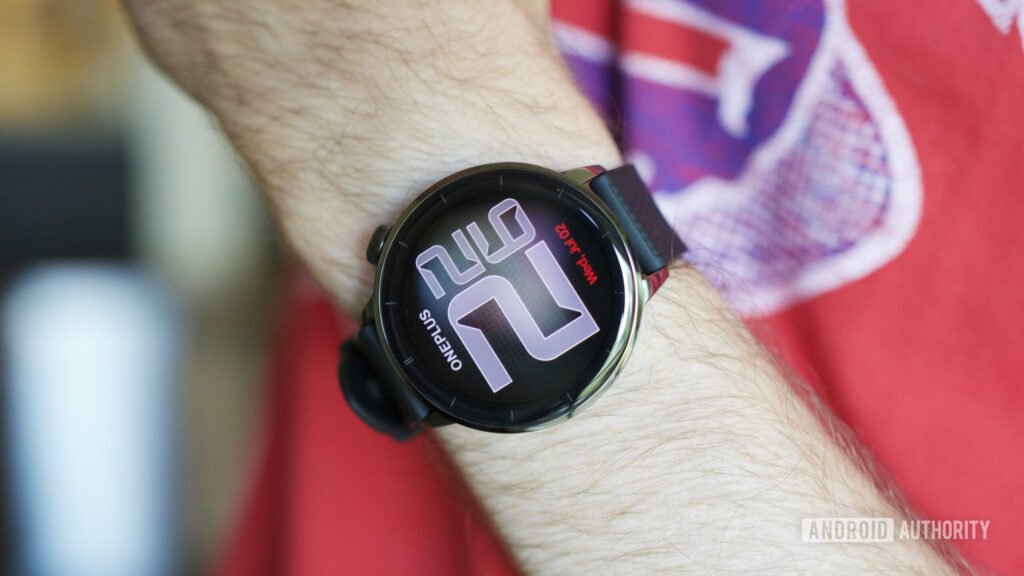
    Someone wearing the OnePlus Watch 3 (43mm).
    Share
    Facebook Twitter LinkedIn Pinterest Email Copy Link

    Recommended for you:

    To Bundle or Not to Bundle: Your Guide to VPNs and Other Cybersecurity Service Packages
    Mobile·Aug 2, 2025

    To Bundle or Not to Bundle: Your Guide to VPNs and Other Cybersecurity Service Packages

    Joe Maring / Android Authority

    TL;DR

    • Identity Check offers an extra layer of protection when someone steals both your phone and your PIN.
    • By requiring biometrics, Identity Check attempts to limit the harm bad actors could do.
    • Google is working to let you bypass that biometric requirement when your device is connected to a trusted smartwatch.

    We all want our devices to be secure, but practical considerations mean we’re often striking a balance between security and convenience. That’s not a bad thing at all, as we don’t always need to be taking advantage of every security protection available to us, and systems like Android’s Identity Check are built for just this reason, letting us get away with just using a PIN or biometrics when we’re at home, but beefing up security and insisting on both when outside a trusted location.

    Just last week, we looked at one way Identity Check could soon be changing, with the tool evolving to recognizing the presence of your connected smartwatch. At the time it wasn’t yet clear exactly how the watch would alter Identity Check’s behavior, but now it’s starting to come into focus.

    ⚠️ An APK teardown helps predict features that may arrive on a service in the future based on work-in-progress code. However, it is possible that such predicted features may not make it to a public release.

    Identity Check is designed to help save your bacon when you’re in just about the worst situation: someone else not only has your phone, but they also have your PIN. Maybe they shoulder-surfed while you were unlocking the phone, or used threats to get you to reveal it, but Identity Check is built to assume that your PIN’s been compromised. That’s exactly why it also insists upon biometric authentication when trying to access saved passwords or change critical security settings from anywhere other than a trusted location.

    Here are the strings we spotted last time we looked:

    Code

    With your watch connected, Identity Check automatically recognizes you while maintaining your security even when you’re not in a trusted location  
    Protection on the move with watch

    Those made it clear that Google’s working on a way for Identity Check to use the presence of a paired watch as a signal of trust, just in the way a location already can. But what we didn’t have at the time was confirmation of how Identity Check would work differently when it sensed your watch.

    Looking through the new 25.31.30 beta release of Google Play Services, we’ve spotted an additional string that provides some answers:

    Code

    Outside of trusted places like your home
        • If you have a connected watch, you can use either biometrics or your PIN
        • If you don’t have a connected watch, you’ll be required to use Fingerprint or Face Unlock

    There we go: When you’re using Identity Check with a smartwatch it recognizes, you’ll be able to bypass the need to enter a PIN, even when away from home. Basically, it’s like two-factor authentication, and you’ve got to choose any two of the three: PIN, biometrics, or the presence of your watch.

    We supposed it is conceivable that someone manages to learn your PIN, steal your phone, and also take your smartwatch, so hopefully there’s a setting to choose whether or not we want to take advantage of this option once it finally arrives.

    In addition to fleshing out our understanding of smartwatch support, this release also drops a few mentions of a “V2” of Identity Check and hints at a possible expansion:

    Code

    Identity Check works with any app that uses biometrics.
    %1$s
    Note: Over time, Identity Check may add more ways to verify it’s you and secure apps on your device.

    Currently Identity Check only engages for specific system functions, but this text sure sounds like Google’s thinking about broadening that to also include third-party apps. We could also see Google adding even more indicators of trust to those supported, like it’s currently doing with smartwatches. But for more details on either aspect of this expansion, we’re going to have to keep waiting at least a little longer.

    Thank you for being part of our community. Read our Comment Policy before posting.

    Android
    Share. Facebook Twitter Pinterest LinkedIn Tumblr Telegram Email Copy Link
    Previous ArticleBest Chromebooks 2025: Top picks for work, school, and more
    Next Article Movavi Video Suite 2025 review
    Michael Comaous
    • Website

    Michael Comaous is a dedicated professional with a passion for technology, innovation, and creative problem-solving. Over the years, he has built experience across multiple industries, combining strategic thinking with hands-on expertise to deliver meaningful results. Michael is known for his curiosity, attention to detail, and ability to explain complex topics in a clear and approachable way. Whether he’s working on new projects, writing, or collaborating with others, he brings energy and a forward-thinking mindset to everything he does.

    Related Posts

    6 Mins Read

    OnePlus Is Leaving the US and Europe: What Actually Happens to Your Phone Now

    6 Mins Read

    Galaxy Z Fold 8 and iPhone Ultra Are Finally Fixing Foldable Phones

    8 Mins Read

    Samsung Galaxy Glasses Are Finally Official: Full Specs, Price, and How They Take On Meta

    7 Mins Read

    The Light Flip Wants to Sell You a Phone That Does Less

    8 Mins Read

    Samsung Galaxy Unpacked 2026: Z Fold 8, Z Fold 8 Ultra, and Z Flip 8 Are Official

    6 Mins Read

    Fairphone’s CEO Just Teased Two New Products, and the Timing Could Not Be Better

    Top Posts

    Best Stores for Buying MP3 and Digital Music You Can Keep Forever (2026)

    August 2, 202530 Views

    Every iPhone Camera Ranked in 2026 (Best to Worst)

    July 6, 202613 Views

    How to Fix PS5 Controller Stick Drift (2026): 7 Working Methods

    July 10, 20268 Views
    Stay In Touch
    • Facebook

    Subscribe to Updates

    Get the latest tech news from FooBar about tech, design and biz.

    Most Popular

    Best Stores for Buying MP3 and Digital Music You Can Keep Forever (2026)

    August 2, 2025930 Views

    Discord will require a face scan or ID for full access next month

    February 9, 2026770 Views

    Trade in your old phone and get up to $1,100 off a new iPhone 17 at AT&T – here’s how

    September 10, 2025383 Views
    Our Picks

    AI’s Memory Boom Is Quietly Crushing the Budget Smartphone

    August 5, 2026

    Scientists Didn’t Say Earth Is Becoming Uninhabitable. Here’s What the “Hothouse Earth” Study Actually Says

    August 5, 2026

    OnePlus Is Leaving the US and Europe: What Actually Happens to Your Phone Now

    August 5, 2026

    Subscribe to Updates

    Get the latest creative news from FooBar about art, design and business.

    Facebook
    • About Us
    • Contact us
    • Privacy Policy
    • Disclaimer
    • Terms and Conditions
    © 2026 GeekBlog

    Type above and press Enter to search. Press Esc to cancel.