

For eight years, one of the most requested things on every Pixel wishlist was also one of the smallest: a light. Not a bigger screen, not another camera, just a tiny LED that blinks when something needs you. Google removed it after the Pixel 2, and every year since, someone in a forum thread has asked for it back.
This month Google finally answered. The Pixel 11 Pro ships with HiLight, a ring of color capable LEDs built into the camera bar that glows when your phone is lying face down. It looks great in the launch video. Then you read the fine print and discover it currently works with exactly two things, and Google has told reviewers it has no plans to open it up.
So the notification light is back, technically. Here is what it actually does, what it refuses to do, and whether any of it should factor into your buying decision.
⭐ The short version
- HiLight is an array of RGB LEDs in the camera bar on the Pixel 11 Pro, 11 Pro XL and 11 Pro Fold. It replaces the infrared thermometer that had been sitting there since the Pixel 8 Pro.
- It only works when the phone is face down. That is by design, and it pairs with Google’s existing Flip to Shhh gesture.
- Two features at launch. Calls from favorite contacts in a color you choose, and a status glow for Gemini while it listens, thinks and replies.
- Five colors, assigned per person in the Contacts app. Google picked shades meant to stay distinguishable for everyone.
- No third party app support, and Google has said none is planned. Messages from favorites are promised in a future update, with no date attached.
- The base Pixel 11 does not have it at all, so this is a Pro tier hardware feature rather than a software one that trickles down.
What HiLight Actually Is
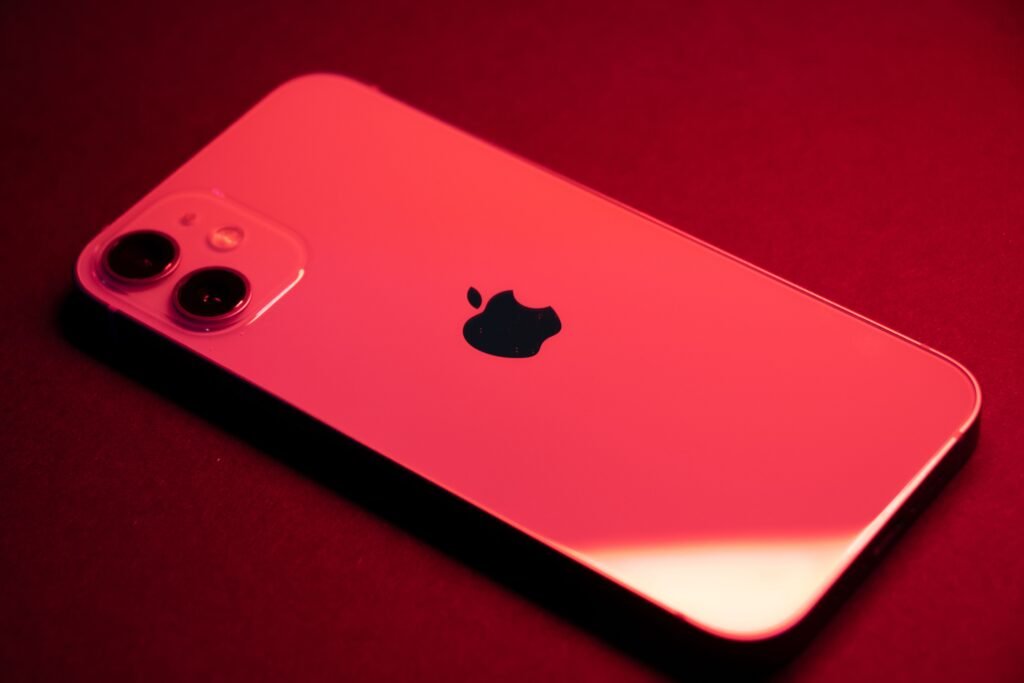
Strip away the branding and HiLight is a small cluster of color capable LEDs arranged around the camera flash on the back of the phone. When the Pixel 11 Pro is face down on a desk, those LEDs can glow and pulse in different colors to tell you something without lighting up the screen you cannot see anyway.
The location is not an accident, and it comes with a small piece of hardware history. That spot on the camera bar used to hold the infrared temperature sensor Google introduced with the Pixel 8 Pro back in 2023. It could read the temperature of a coffee cup, it took a full year and an FDA clearance before it could read a human forehead, and almost nobody ever used it. Three generations later, Google quietly pulled it and put the lights there instead. As trades go, most Pixel owners will take it.
Google’s framing for the feature is about attention rather than notification, which sounds like marketing until you use the phone the way the feature assumes. The whole idea is built around the phone being face down, in a meeting or over dinner, deliberately out of your field of view. The screen is off, Flip to Shhh has silenced the ringer, and the only channel Google left open is a soft glow at the top of the camera bar.
The Two Things It Does Today
This is where the enthusiasm meets the release notes.
| Feature | How it works | Status |
|---|---|---|
| Calls from favorites | Assign one of five colors to a contact, and the camera bar glows that color when they ring you. Works through Phone by Google and WhatsApp. | Live now |
| Gemini status | Different glow patterns for listening, thinking and responding, so you know a hands free query landed without turning the phone over. | Live now |
| Messages from favorites | Same color coding, applied to texts rather than calls. | Promised, no date |
| Third party apps | Slack, Signal, your calendar, your alarm, your bank, anything at all. | Not planned |
| Charging or battery status | The classic amber to green transition every phone with an LED used to do. | Not offered |
Both live features can be toggled independently in system settings, which is worth knowing if you want the contact colors without a light show every time you say a wake word.
Read that table from the top down and the shape of the complaint becomes obvious. The two things it does are genuinely nice. The two things it does not do are the two things people actually meant when they spent eight years asking for a notification light back.
Only the Pro Models, and Only Face Down
HiLight is limited to the Pixel 11 Pro, Pixel 11 Pro XL and Pixel 11 Pro Fold. The standard Pixel 11 does not have the LEDs in its camera bar, so this is not a feature that arrives later in a Pixel Drop. It is a hardware line drawn between tiers, and it is one more thing to weigh if you are still working out which Pixel 11 model is actually worth the money now that all four are on sale.
The face down requirement is the other constraint people keep tripping over. HiLight does not do anything while your phone is sitting face up, or in your pocket, or propped on a stand. The lights point away from you in every one of those positions, so Google simply does not fire them.
Before you get excited, check how you actually use your phone:
HiLight is useless if you are a face up person. Leaving your phone screen up on the desk, docked on a charging stand, or in a bag for most of the day means the feature will never once fire for you. It is built for a specific habit, the deliberate flip to signal that you are busy, and if that habit is not yours, this is a spec sheet line you will never notice. Worth an honest minute of thought before it influences a purchase.
Why Google Kept It So Narrow
The restriction is a deliberate design position, not an oversight, and the reasoning is not unreasonable even if the result is frustrating.
An open notification LED, the kind Android phones had a decade ago, degrades quickly under modern notification volume. Every app wants your attention, most of them think they are urgent, and a light that blinks for all of them stops carrying information within a week. It becomes ambient noise you learn to ignore, which is precisely what happened to the old ones on phones where any app could claim the LED.
Google’s answer is scarcity. Restrict it to a handful of people you explicitly marked as favorites and one system assistant, and the glow keeps meaning something. When the camera bar lights up blue, it is your partner calling, not a delivery notification.
That logic holds. The problem is that Google enforced it by hard coding the whitelist rather than letting you build your own. Android already has notification channels, priority senders, conversation priority and Do Not Disturb exceptions, all of which exist precisely so users can define what counts as important. Reviewers have pointed out, fairly, that the scarcity argument would survive perfectly well if Google let you nominate five apps or five conversations of your choosing. Enforcing discipline is defensible. Deciding on your behalf which two apps deserve the light is a different thing, and it is why the reception has been lukewarm from people who otherwise like the idea.
The Long, Strange History of the Blinking Light
Some context helps explain why a small LED generates this much feeling.
Notification lights were standard equipment through roughly 2017. BlackBerry made a cultural artifact out of a red blinking dot. Samsung, LG, HTC and Motorola all shipped them, often with per app color coding through third party tools. Google’s last Pixel with a proper notification LED was the Pixel 2 generation in 2017, and by the Pixel 3 in 2018 it was gone.
Two things killed it. Screens grew to fill the entire front of the phone, so there was no bezel left to hide an LED in. And always on displays arrived to do the same job with more detail, showing you the actual app icon and time rather than a colored dot you had to decode.
The trouble is that an always on display only works if the display is facing you. Face down, it is a slab of dark glass, and the entire signaling channel disappears. That gap is what HiLight is aiming at, and it is a real gap.
Nothing spent four years chasing the same idea from the opposite direction. The Phone (1) launched in 2022 with the Glyph Interface, five LED strips across a transparent back that handled notifications, charging status, timers and camera fill light. The Phone (2) escalated to eleven segments. Then the budget 2a cut it to three, the Phone (3) swapped the strips for a small dot matrix display, and Nothing eventually confirmed the original Glyph Interface was finished. A company that built its entire visual identity on back panel lights could not find a version that stuck.
| Approach | What it got right | Where it broke down |
|---|---|---|
| Classic front LED 2007 to 2018 | Visible from any angle, worked with everything, cost almost nothing | Blinked for every app until it meant nothing, and bezels vanished |
| Always on display 2016 onward | Rich detail, real icons, no extra hardware needed | Completely invisible the moment the phone is face down |
| Nothing Glyph 2022 to 2025 | Open to apps, genuinely expressive, real personality | Too complex to read at a glance, shrank each generation, then retired |
| Pixel HiLight 2026 | Scarcity keeps the signal meaningful, clean integration with Flip to Shhh | Two apps, no user control over which, Pro models only |
How to Set It Up
If you already have a Pixel 11 Pro, this takes about two minutes.
Getting HiLight working:
- Turn on Flip to Shhh first. Settings, System, then Flip to Shhh. HiLight is built around the face down gesture, so the two belong together.
- Mark the people who matter as favorites in the Contacts app. Nobody outside that list will ever trigger the light.
- Assign a color per contact from the same Contacts entry. There are five, and they are deliberately far enough apart to tell apart at a glance in a dim room.
- Check the toggles in system settings. Contact calls and the Gemini indicator are separate switches, so you can run one without the other.
- Test it before you rely on it. Put the phone face down and have someone on your favorites list call you. If the glow does not appear, the contact is probably not actually marked as a favorite.
Does It Change Anything About Buying a Pixel 11 Pro?
Honestly, no. HiLight is a pleasant detail on a phone that has plenty of stronger arguments, and it should sit somewhere near the bottom of your reasons list.
What it does signal is a direction. Google is clearly interested in the back of the phone as a communication surface, and the hardware is now in place across the entire Pro line. Two features today is a thin start, but the LEDs are physically there, and the messaging expansion is already confirmed. This is the same pattern Google has been running for a couple of years now, shipping the hardware first and filling it in through quarterly drops, which is also how the Android 17 update cycle has been handling most of its more interesting additions.
It is also worth noticing what HiLight has in common with the other new Pixel hardware this year. Google shipped its long awaited Pixel Tag at the same event, and it landed with the same review: good hardware, correct instincts, held back by a software layer that is not finished yet. Two products, one pattern.
The Verdict
HiLight is the right idea executed at half strength. The hardware is genuinely thoughtful, replacing a sensor nobody used with a signal channel that works in the one situation where every other notification system fails. The insistence on scarcity is smart, and anyone who lived through the era of an LED that blinked for a supermarket loyalty app knows exactly why Google did it.
But scarcity chosen by Google is not the same as scarcity chosen by you, and a light that responds to two apps is a demo rather than a feature. Give people five slots to fill however they like and this becomes the thing Pixel owners have been asking for since 2018. Keep it locked to Phone by Google and Gemini, and it stays a nice touch that most owners will have stopped noticing by October.
The lights are in the phone now, which is the hard part. Whether they ever become useful is entirely a software decision, and it is one Google can reverse any time it wants to.
About this article: GeekBlog covers U.S. technology news, AI, phones, smartwatches and gaming. Every story is written and checked under our Editorial Policy. Spotted a mistake or have a story tip? Contact our editors.
