

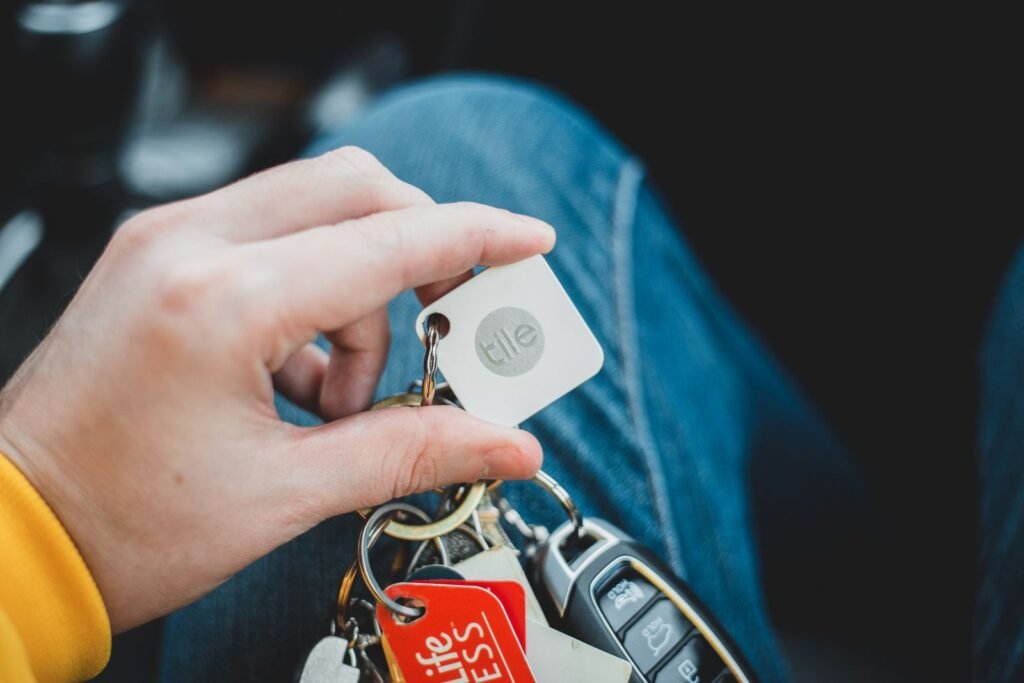
Google has been running a worldwide device finding network for two years without ever selling anything you could actually clip to your keys. That finally changed on August 12, when the Pixel Tag turned up at Made by Google alongside the phones. It costs $29 on its own or $99 for a four pack, and it ships on November 11.
On paper it arrives late but well equipped. Ultra wideband, a user replaceable battery, a speaker, an IP67 rating. That puts it level with Apple’s AirTag 2 on hardware and slightly ahead on repairability. The catch is that a Bluetooth tracker is only ever as good as the network standing behind it, and Google’s network is the part of this story that still has homework to do.
⭐ The short version
- $29 for one, $99 for a four pack, shipping November 11. That is exactly AirTag money, which tells you Google is not trying to win on price.
- It has ultra wideband, but you need a UWB phone to benefit. Directional Precision Finding is reported to work on Pixel Pro models from the 8 Pro onward, so most Android owners are excluded.
- Bluetooth Channel Sounding is the quiet headline. It brings close range distance guidance to ordinary Android 16 phones with Bluetooth 6.0, no UWB chip required.
- Find Hub ships set to “busy places only”, which is the single biggest reason people describe the network as unreliable. It takes about thirty seconds to change.
- There is still no location history. You get where an item is now, not where it has been, and that remains the clearest gap against Apple’s Find My.
What Google Actually Announced
The Pixel Tag is a pill rather than a disc, which is the first thing you notice. The face is silver metal with a G logo and a speaker cutout, the back is polycarbonate in a single colorway Google calls Fog, and the whole thing weighs less than a AAA battery.
| Spec | Pixel Tag |
|---|---|
| Price | $29 single, $99 four pack |
| Ships | November 11, 2026 |
| Size and weight | 46.1 x 28 x 5.4mm, 11.8g |
| Battery | Replaceable CR2032, rated over a year |
| Water resistance | IP67, 1m for 30 minutes |
| Finding tech | UWB plus Bluetooth Channel Sounding |
| Attachment point | None built in, accessory required |
| Network | Find Hub, over a billion Android devices |
The replaceable coin cell deserves a mention because it is not a given anymore. You press down and twist the back off, drop in a CR2032 from any supermarket, and carry on. Plenty of trackers in this price range are sealed units you throw away after a year.
Worth noting the context, too. This landed at the same keynote where every Pixel phone went up by $100 because memory prices went vertical, so a $29 accessory holding the line at AirTag pricing was one of the few things on stage that did not cost more than expected.
Two Ways to Find It, and Not Every Phone Gets Both
This is the part that gets glossed over in most coverage, and it is the part that decides whether the Pixel Tag is any good for you specifically.
Ultra wideband is the technology that gives you the arrow. Your phone talks to the tag, works out distance and direction, and walks you to the sofa cushion. It is genuinely excellent, and it requires a UWB radio in both the tag and the phone. The tag has one. Your phone probably does not.
Reports so far indicate that UWB Precision Finding through Find Hub is limited to Pixel Pro models from the Pixel 8 Pro onward. If that holds, then standard Pixel owners and the enormous population of Samsung and other Android users are not getting directional tracking from this, which makes which Pixel you actually bought this year a more consequential decision than it looked at the time.
Which brings us to the feature Google barely raised its voice about. Bluetooth Channel Sounding is a Bluetooth 6.0 capability, supported in software from Android 16, that measures distance by bouncing a signal between two devices across many frequencies and reading the phase differences. It is not as good as UWB, and it does not give you a compass arrow, but it gets you distance with real precision.
| Method | What you get | What you need |
|---|---|---|
| UWB Precision Finding | Distance and direction, arrow guidance | A UWB phone, reportedly Pixel 8 Pro and newer Pro models |
| Channel Sounding | Distance only, accurate to roughly half a meter | Android 16 and Bluetooth 6.0 hardware |
| Ring the speaker | Audible search within earshot | Any Android phone, tag in Bluetooth range |
| Find Hub network | A map pin from a stranger’s phone | Other participating Android devices nearby |
Google’s own requirement for Channel Sounding devices is accuracy within half a meter at the 90th percentile, and early hardware implementations have measured closer to twenty centimeters. That is more than good enough to tell you whether your keys are in this room or the next one, and it works on phones that will never see a UWB chip. For the majority of Android users, this is the feature that matters, not the one on the spec sheet in bold.
The Find Hub Setting Almost Nobody Changes
If you have ever tried Find Hub and concluded it was slow or vague compared to a friend’s iPhone, there is a decent chance the network was never really working for you in the first place.
Find Hub has four levels of participation, and the default on most Android devices is not the most useful one. It is set to contribute and receive locations in busy places only, which means the network waits until several different Android phones have independently spotted an item before it will report an aggregated position. In a train station that is instant. On a quiet residential street, in a hotel corridor, or in the parking lot where you actually dropped your keys, it can mean nothing comes back at all.
Change this before you buy anything:
Go to Settings, Security and Privacy, Find Hub, Find your offline devices. The four options are Off, Without network, With network in busy places only, and With network everywhere. Switching to With network everywhere lets a single passing Android phone report a location instead of requiring a crowd. On Pixel 10 and newer the choice has been simplified down to two options, which is a welcome bit of tidying.
Google says the network now finds lost items about four times faster than when it launched, and the aggregate scale is genuinely enormous at over a billion devices. But scale on paper is not the same as coverage in practice when the default setting quietly holds most of those devices back, and the throttles that exist to prevent stalking also make tracking a moving item harder. It is a real trade off rather than a bug, and it is one Apple made differently.
Where Find Hub Still Trails Find My
Credit where it is due first. Find Hub is better than its reputation. You can share a tracked item with up to ten people, so a set of car keys is genuinely findable by everyone in the house rather than just whoever registered it. You can also generate a web link for a lost bag and hand it to an airline, which is a properly thought through feature that Apple took years to match.
The remaining gap is history. Find Hub shows you where an item is right now, or where it was last seen, but it does not give you a breadcrumb trail of where it has been. For a lost wallet that mostly does not matter. For a stolen bike or a bag that went to the wrong airport, the trail is the entire story, and its absence is the single most requested thing on Google’s list. The privacy logic for leaving it out is sound, since a movement history is exactly what an abuser would want, but plenty of people would take it as an explicit opt in.
The app is also fussier than it should be. It wants an internet connection and location switched on before it will do much of anything, which is a reasonable technical requirement and an annoying one when you are standing in an airport with a dying phone.
None of which means Apple has this solved. We looked recently at how Find My keeps sending people to the wrong house, and the underlying lesson applies to both platforms. These networks report a probability, not a fact, and treating a map pin as an address is how people end up knocking on a stranger’s door.
Pixel Tag vs AirTag 2 vs Moto Tag 2
The competitive picture matters here because Google is not entering an empty room. Motorola has been shipping a UWB tracker for the Find Hub network for a while, and Apple refreshed the AirTag in January.
| Pixel Tag | AirTag 2 | Moto Tag 2 | |
|---|---|---|---|
| Network | Find Hub | Find My | Find Hub |
| Price | $29 | $29 | Around $30 |
| Precision finding | UWB plus Channel Sounding | U2 chip, about 60m range | UWB, Bluetooth 6.0 |
| Battery | CR2032, over a year | CR2032, about a year | Rated around 500 days |
| Keyring hole | No | No | Yes |
| Available | November 11 | Now | Now |
Read that and the Pixel Tag looks less like a category winner and more like a statement of intent. Google matched Apple’s price rather than undercutting it, which is a way of saying it thinks the network is now good enough to compete on equal terms. Whether that is true depends on where you live and how many people around you have left Find Hub on its default setting.
The Keyring Hole Google Did Not Drill
There is no hole in it. Like the AirTag, the Pixel Tag has no built in way to attach it to anything, so you will be buying a loop or a case separately. Google will sell you one.
This is a small thing that turns into a real one at checkout. A $29 tracker that needs a $12 holder is a $41 tracker, and the four pack that looks like a bargain at $99 needs four holders. Motorola drilled a hole in its tag and it costs about the same. It is hard to read this as anything other than Google copying a design decision that Apple’s own customers have been complaining about since 2021.
The Anti Stalking Side Actually Works
One genuinely good piece of news, and it is the part that gets the least attention. Because Apple and Google jointly built the Detecting Unwanted Location Trackers specification, a Pixel Tag hidden in your bag will alert you whether you carry an Android phone or an iPhone. You get an alert when an unknown tracker is seen moving with you over time, and it works across both ecosystems rather than only inside the one that sold the tag.
Android has supported this since version 6.0 and Apple since iOS 17.5, with Chipolo, eufy, Motorola and Pebblebee signed up too. It is the rare case of two companies that agree on almost nothing deciding that a safety problem was not worth competing over, and it means adding another tracker brand to the world does not add another blind spot.
Should You Preorder One
A practical read on it:
- If you own a recent Pixel Pro, this is the obvious tracker to buy. You get UWB arrow guidance, first party integration, and a replaceable battery for AirTag money.
- If you own any other Android phone, check for Bluetooth 6.0 and Android 16 first. Channel Sounding is what you will actually be using, and without it you are paying $29 for a beeper and a map pin.
- If you want something on your keys today, the Moto Tag 2 is the pragmatic pick. Same network, similar price, available now, and it has a hole in it.
- Change your Find Hub setting either way. Moving to network everywhere improves every tracker on the network, including other people’s, and costs you nothing but a little background Bluetooth.
- Do not buy this expecting to recover a stolen item. No consumer tracker on either network is built for that, and the throttles that protect you from being stalked are the same ones that make a thief hard to follow.
The Real Test Is in November
The Pixel Tag is a good first attempt at a product Google should have shipped three years ago. The hardware is fine, the price is right, and Channel Sounding is a smarter bet on the long term than chasing Apple on UWB alone, because it will eventually work on cheap phones instead of expensive ones.
What has not been fixed is the thing underneath. Find Hub is still shipping with a conservative default that makes it look worse than it is, still has no location history, and still asks users to understand four different privacy modes before it can do its job. A tracker cannot solve any of that. It can only make the gaps more visible, because now there is a Google product sitting in your pocket that depends on them.
November 11 is when we find out whether the network grew into the hardware. Until then, the most useful thing any Android owner can do costs nothing at all: open Settings and turn the network on properly.
About this article: GeekBlog covers U.S. technology news, AI, phones, smartwatches and gaming. Every story is written and checked under our Editorial Policy. Spotted a mistake or have a story tip? Contact our editors.
