Close Menu
GeekBlog

    Subscribe to Updates

    Get the latest creative news from FooBar about art, design and business.

    What's Hot

    Diablo 5 Just Got Announced, and This Time You Don’t Stop the Apocalypse, You Survive It

    September 14, 2026

    Meta Spent Three Years Flattening Management for AI. Now It’s Rebuilding the Layer It Cut.

    September 14, 2026

    A Hacker Ran Hundreds of AI Agents at Once. GreyNoise Says It Breached 440 Servers in Four Hours.

    September 14, 2026
    Facebook X (Twitter) Instagram Threads
    GeekBlog
    • Home
    • Mobile
    • Tech News
    • Blog
    • Gaming
    • Smartwatch
    • How-To Guides
    • AI & Software
    Facebook
    GeekBlog
    Home»Tech News»Android 17’s new Contact Picker stops apps from accessing your entire contact list
    Tech News

    Android 17’s new Contact Picker stops apps from accessing your entire contact list

    Marcus BennettBy Marcus BennettMarch 25, 2026Updated:June 14, 20262 Mins Read
    Share Facebook Twitter Pinterest LinkedIn Tumblr Email Copy Link
    Android 17’s new Contact Picker stops apps from accessing your entire contact list
    Share
    Facebook Twitter LinkedIn Pinterest Email Copy Link

    Recommended for you:

    ByteDance’s new AI video generation model, Dreamina Seedance 2.0, comes to CapCut
    Tech News·Mar 26, 2026

    ByteDance’s new AI video generation model, Dreamina Seedance 2.0, comes to CapCut

    Android 17 is getting a new Contact Picker that changes how apps access your contacts list. Earlier reports hinted at this shift toward tighter privacy, and now Google is rolling it out.

    📣 New feature in Android 17!

    Android 17 is introducing a new Contact Picker feature that provides a standardized, secure, and searchable interface for contact selection.

    Historically, apps needing access to your contacts relied on the broad “READ_CONTACTS” permission, which… pic.twitter.com/eLZ1zVRArS

    — Mishaal Rahman (@MishaalRahman) March 25, 2026

    Instead of giving apps full access to your address book, you will be able to choose exactly which contacts they can see. Previously, apps often relied on a broad permission that exposed your entire contact list.

    That resulted in sharing data more than necessary without even realizing it. With this update, Android is trying to limit that exposure while keeping things simple for you.

    How the new Contact Picker keeps your contacts private

    Google

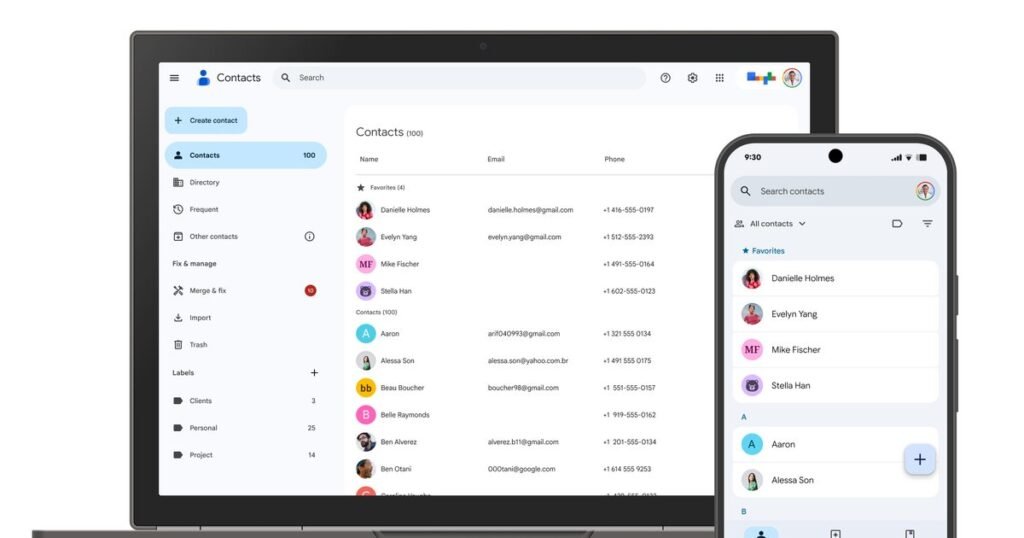
    The new Contact Picker in Android 17 offers a secure and searchable interface where you select specific contacts to share. Apps only receive the data you approve, not your full address book. This reduces unnecessary access and gives you more control over your information.

    For apps built for Android 17 devices or newer, the system automatically routes existing contact pick requests through the new, more secure Contact Picker interface. That means even apps that have not been fully updated may still benefit from better privacy protections.

    Developers are also being pushed to adopt the new picker directly. It supports features like selecting multiple contacts in one go, making it more flexible than older methods. Apps can also request only the exact details they need, like a phone number or email address.

    Android 17 changes how apps interact with your contacts

    google-new-contact-picker-for-android-17
    Daniel Romero / Unsplash

    With this update, Android is moving away from blanket permissions and toward more precise, user-driven access. For you, that means fewer apps quietly pulling your entire contact list in the background

    This update does not just tighten privacy; it also sets a new standard for how apps should handle personal data going forward.

    Recently, Android rolled out a new contact feature with customizable calling cards, which makes it easier to personalize how you appear on calls. Google is also working on a tap-to-share contact feature to quickly exchange contact details between devices, just like Apple’s NameDrop.

    Recommended for you:

    Intel Core Ultra 270K and 250K Plus review: Conditionally great CPUs
    Gaming·Mar 26, 2026

    Intel Core Ultra 270K and 250K Plus review: Conditionally great CPUs

    Source: www.digitaltrends.com

    Android
    Share. Facebook Twitter Pinterest LinkedIn Tumblr Telegram Email Copy Link
    Previous ArticleAmazon Spring Sale Deal: The Typhur Dome 2 Air Fryer Is 30% Off
    Next Article Intel and LG Display may have beaten Apple and Qualcomm with the best laptop battery life ever
    Marcus Bennett

      Marcus Bennett is GeekBlog's Android expert, covering everything from Google's Pixel line and Samsung Galaxy flagships to OnePlus, Nothing, Xiaomi and the broader Android ecosystem. He follows each Android OS release, One UI and Pixel Feature Drop, custom ROMs and the foldable wave, translating spec sheets and beta builds into hands-on guidance for readers choosing their next Android phone, tablet or wearable.

      Related Posts

      5 Mins Read

      Meta Spent Three Years Flattening Management for AI. Now It’s Rebuilding the Layer It Cut.

      6 Mins Read

      A Hacker Ran Hundreds of AI Agents at Once. GreyNoise Says It Breached 440 Servers in Four Hours.

      9 Mins Read

      Android Can Finally Fight Car Sickness. Apple Shipped the Same Idea Two Years Ago.

      7 Mins Read

      A Golf YouTuber Is Owed $1.4 Million by a Bankrupt League. He Is Sixteenth in Line.

      6 Mins Read

      Apple Revealed Burgundy on Wednesday. Android Phones in Almost the Same Shade Were Already on Sale.

      7 Mins Read

      Prime Video Is Now Reshaping Actors’ Mouths to Match the Dub. The Voices Are Still Human.

      Top Posts

      Gal Gadot’s Lawyers Spent Six Months on One AI Clause. Then SAG Called Them for Pointers.

      September 2, 20264 Views

      Every iPhone Camera Ranked in 2026 (Best to Worst)

      July 6, 20263 Views

      The Mesh Router Placement Strategy That Finally Gave Me Full Home Coverage

      September 9, 20262 Views
      Stay In Touch
      • Facebook

      Subscribe to Updates

      Get the latest tech news from FooBar about tech, design and biz.

      Most Popular

      How to Change HEIC to JPG on iPhone, Mac, Android and Windows (No Software Needed)

      September 3, 20266 Views

      Gal Gadot’s Lawyers Spent Six Months on One AI Clause. Then SAG Called Them for Pointers.

      September 2, 20265 Views

      How to Spot AI Generated Images in 2026 (The Old Tricks Stopped Working)

      September 3, 20263 Views
      Our Picks

      Diablo 5 Just Got Announced, and This Time You Don’t Stop the Apocalypse, You Survive It

      September 14, 2026

      Meta Spent Three Years Flattening Management for AI. Now It’s Rebuilding the Layer It Cut.

      September 14, 2026

      A Hacker Ran Hundreds of AI Agents at Once. GreyNoise Says It Breached 440 Servers in Four Hours.

      September 14, 2026

      Subscribe to Updates

      Get the latest creative news from FooBar about art, design and business.

      HEICJPG.online - Convert HEIC to JPG online
      Facebook
      • About Us
      • Contact us
      • Privacy Policy
      • Disclaimer
      • Terms and Conditions
      • Editorial Policy
      • Cookie Policy
      © 2026 GeekBlog

      Type above and press Enter to search. Press Esc to cancel.