

It’s been something of an open secret over the last decade or so that your TV and other devices monitor your streaming activity in order to serve you personalized ads or content suggestions.
Also: I found an HDMI CEC blocker that effectively protects your data (and more)
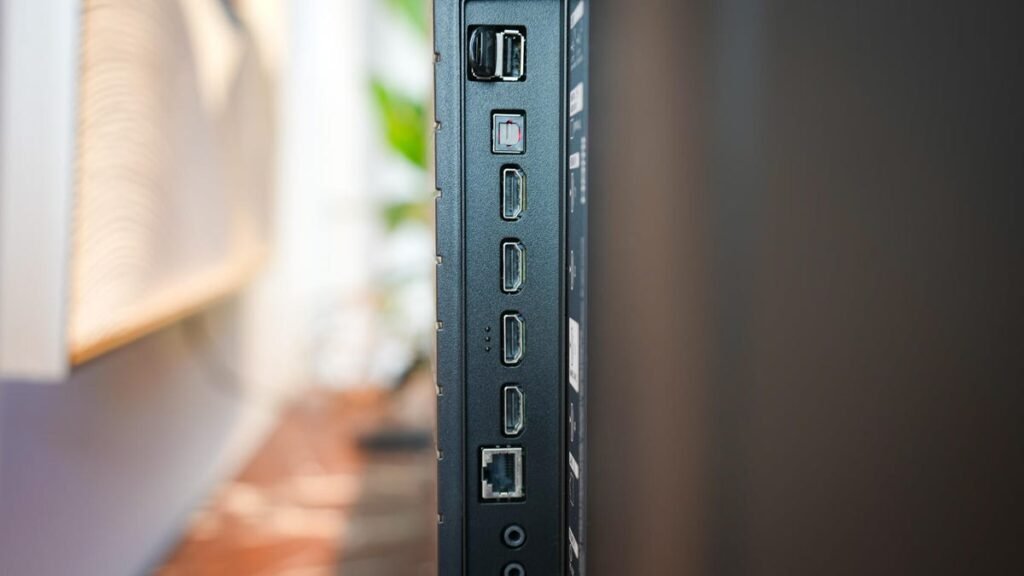
But did you know that most smart TVs also analyze things you watch on devices connected via HDMI? A modern smart TV is just as capable of mining a 20-year-old DVD for advertising data as it is your Netflix queue. Thankfully, we’ve found a few ways to help keep your TV-viewing experience as private as possible.
How HDMI content tracking works
A smart TV will use two methods to track your viewing habits through media played on HDMI-connected devices:
- HDMI-CEC Metadata: This is a very technical term for an HDMI device’s ID. When you connect a game console, Blu-Ray player, or other playback device, it sends “device ID” data to your TV, primarily to allow a single remote to control your TV and any connected devices. However, it does also track how long you use that device (ex, “Profile A used Input 1 [PlayStation 5] for X hours).
- Automatic Content Recognition (ACR): This method feels much more “spy-like” given how much data it tracks. The TV will take tiny “fingerprint screenshots” of each pixel on the screen, regardless of the source, and then feed that data into an algorithm to identify exactly what movie, show, or video game you are playing on an HDMI-connected device.
“One of the most significant findings is that ACR tracking occurs even when the TV is used as a ‘dumb’ display,” according to researchers at the University of California, Davis. This is very general data that companies refine with the next method.
How to stop it (without going off-grid)
There are a few ways to shut down most content-tracking features in the software settings on your TV. Here’s how to lock it down:
Disable ACR (the most important)
You’ll have to get comfortable, because you’ll likely have to dig through the Terms and Conditions and/or the Privacy and Data Policy that you probably clicked through while initially setting up your TV. Each brand has this setting in a different place, so if you need help finding it, we’ve listed the likely menu options:
- Samsung: Viewing Information Services
- LG: Live Plus
- Vizio: Viewing Data
- Sony/Google TV: Help & Feedback or Usage & Diagnostics
- TCL/Roku TV: Smart TV Experience
- Hisense: Smart TV Experience or Viewing Information Services
- Fire TV: Automatic Content Recognition
Also: Is your Roku TV tracking you? It’s likely, but there’s a way to stop it
Turn off HDMI-CEC
If keeping track of multiple remotes for all your devices, as well as your TV, doesn’t seem like a big deal, turning off this feature further limits data exchange between your HDMI-connected devices and your TV. And because brands can’t ever make it too easy for us, you’ll have to look in a different place than where you disabled the ACR:
- Samsung: Settings > Connection > External Device manager > Anynet+
- LG: Settings > General (or Connection) > Device Connection Settings (or External Devices) > SimpLink
- Vizio: Menu > All Settings > System > CEC
- Sony: Settings > Channels & Inputs > External Inputs > Bravia Sync
- TCL: Settings > Channels & Inputs > Inputs > Control Other Devices (CEC)
- Hisense: Settings > System/Connection > HDMI & CEC
- Fire TV: Settings > Display & Sounds > HDMI CEC Device Control
- Roku TV: Settings > System > Control Other Devices
- Google TV: Settings > Display & Sound > HDMI CEC
Use an HDMI CEC-less adapter
If you’re like me and don’t entirely trust all-digital solutions, you can buy a physical CEC blocker device for fairly cheap. This adapter connects to both your TV and your HDMI device, but it lacks the pin connector required to transmit data. This means that you can block tracking pings without affecting video or audio signals. The brand BlueRigger offers single devices, pairs, and sets of four so you can shut down tracking on every TV you own.
Disconnect from the internet or use a VPN
And finally, the inevitable. The only guaranteed way to prevent companies from tracking your data over the internet is to completely disconnect your TV and devices from Wi-Fi and Ethernet networks. They may still share data locally, but without an internet connection, it cannot be sent to a brand’s database for analysis.
And if you just can’t bear the thought of forsaking digital streaming for the wonderful world of physical media, you can always opt to install a VPN on your TV, which changes your IP address to stop both brands and bad actors from tracking your online activity.
Also: How to disable ACR on your TV – and why it makes such a big difference doing so
Keep in mind that when you disable these features, it may also affect other ways you can use your smart TV. Obviously, disconnecting from the internet will disable streaming, but disabling ACR and HDMI-CEC could affect features like voice commands or even the search function.
And this is especially likely when your TV updates its firmware and security settings, so make sure to periodically check your menus to make sure your options are still saved. It may take a little while for you to really see the benefit of blocking data collection, as your TV will still work with the data it has to feed you content suggestions and ads.
But the long-term goal is to protect your privacy and data so you can enjoy your media again, without worrying about a brand looking over your shoulder.
Source: www.zdnet.com
About this article: GeekBlog covers U.S. technology news, AI, phones, smartwatches and gaming. Every story is written and checked under our Editorial Policy. Spotted a mistake or have a story tip? Contact our editors.
