

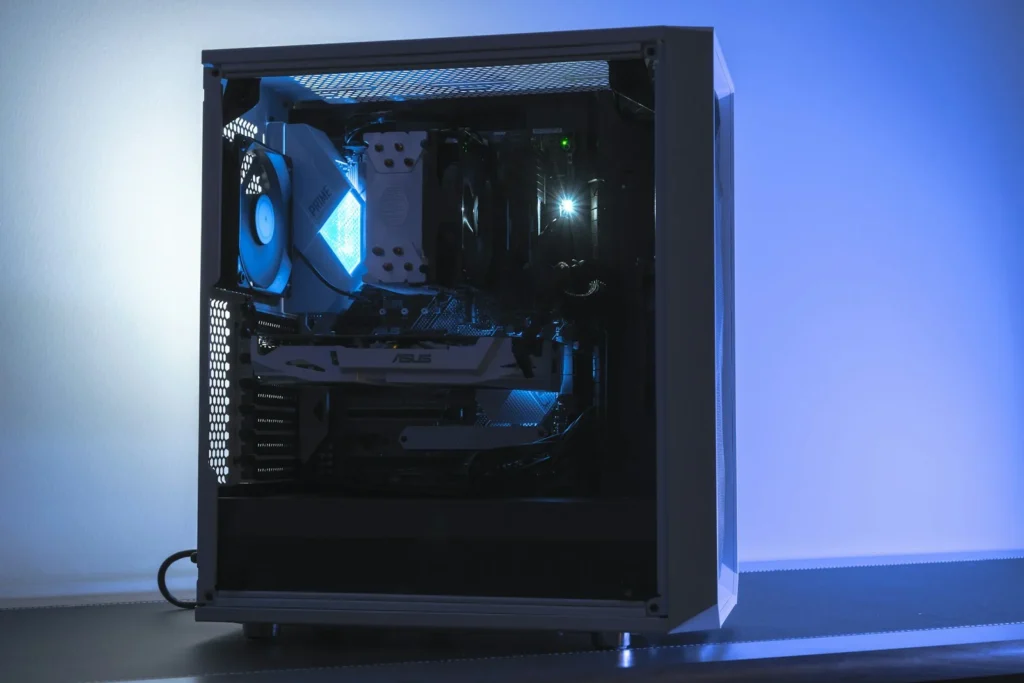
Building a PC to run AI models locally means one thing above all: buying as much fast memory as your budget allows, ideally on the graphics card. A capable local setup lets you chat with open models, summarize documents and write code without sending anything to a cloud service. You do not need a server rack, but you do need to understand which parts actually matter. Here is a practical guide for October 2026.
Why run AI models locally
Cloud chatbots are convenient, but local models have real advantages:
- Privacy: prompts and files never leave your machine, which matters for contracts, medical paperwork, client data or private journals.
- Cost control: once the hardware is paid for, there are no per message fees or subscription limits.
- Offline use: a local model keeps working on a plane, in a cabin or during an outage.
- Freedom to experiment: you can swap models, test fine tuned versions and connect them to your own scripts and apps.
Open weight models have improved quickly. OpenAI itself released open weight models in August 2025 under the Apache 2.0 license, including a smaller model that the company says runs in 16GB of memory and a larger one that fits within 80GB.
The hardware that matters
GPU and VRAM
A language model has to sit in memory to run quickly. If the whole model and its working context fit in VRAM, responses stream fast. If they spill over into system RAM, speed drops sharply. As a rough guide, a model compressed to 4 bit precision needs a little over half a gigabyte of memory per billion parameters, plus extra room for the conversation context. That puts an 8 billion parameter model comfortably on an 8GB card, while 30 billion parameter models want 24GB or more.
Nvidia cards remain the easiest path because nearly every local AI tool supports CUDA out of the box. AMD support through ROCm and Vulkan has improved, and Apple Macs are well supported through Metal.
System RAM
Plan on 32GB as a minimum and 64GB if you want to experiment with models that partly run on the CPU. Extra RAM also helps when you keep a browser, an editor and a model open at once.
Storage
Model files are large, often several gigabytes each and sometimes far more. A 2TB NVMe SSD gives room for a healthy collection and loads models quickly.
CPU, power and cooling
The processor matters less than the GPU for most local AI work. A modern midrange Ryzen or Core chip is fine. Spend instead on a quality power supply sized for your GPU and a case with good airflow, since long AI sessions keep the card under sustained load.
Example build tiers
These tiers use current official memory specs. Prices change often, so check retailers before you buy.
| Tier | Example hardware | Model memory | Good for |
|---|---|---|---|
| Starter | RTX 5060 Ti 16GB | 16GB GDDR7 | Small and midsize chat and coding models |
| Midrange | RTX 5070 Ti or RTX 5080 | 16GB GDDR7 | Same model sizes as the starter tier, with faster responses |
| Enthusiast | RTX 5090 | 32GB GDDR7 | Larger models, long context, image generation |
| Workstation | AMD Radeon AI Pro R9700 | 32GB GDDR6, 640 GB/s | Large models on an AMD platform, multi GPU builds |
| Mac route | Mac Studio with M5 Max or M5 Ultra | Up to 128GB or 512GB unified | Very large models in a quiet desktop |
Skip 8GB cards such as the RTX 5060 and the 8GB RTX 5060 Ti if AI is the main goal. The 12GB RTX 5070 is workable but leaves little headroom. On the Mac side, a Mac mini with M5 Pro can be configured with up to 64GB of unified memory, a strong option for midsize models in a tiny box.
The software side
Getting started is easier than ever, and the main tools are free:
- Ollama: a lightweight app and command line tool that downloads and runs models with a single command, and exposes a local API for other apps.
- LM Studio: a friendly desktop app with a built in model browser and chat window, good for people who prefer not to use a terminal.
- llama.cpp: the open source engine underneath many local AI tools, ideal for tinkerers who want maximum control and the newest features.
All three run on Windows, macOS and Linux and use quantized model files, which shrink models so they fit in less memory with a modest loss in quality.
Realistic expectations
A home PC will not match the largest frontier models running in data centers. Local models can be excellent for drafting, summarizing, coding help and private document search, but they are usually a step behind the best cloud services on complex reasoning. Speed depends heavily on memory, and very long documents use extra memory for context. Power draw and fan noise also add up during long sessions, especially with high end cards.
The upside is that open models keep getting more efficient, so the hardware you buy today should run better models over time.
FAQ
How much VRAM do I need to run AI locally?
16GB is the practical starting point for a good experience. 32GB lets you run noticeably larger and smarter models, and Macs with 64GB or more of unified memory go further still.
Can I run local AI on a laptop?
Yes. Gaming laptops with a recent Nvidia GPU and Apple silicon MacBooks with plenty of unified memory both run small and midsize models well.
Is Nvidia or AMD better for local AI?
Nvidia has the widest software support. AMD offers more VRAM for the money with cards like the Radeon AI Pro R9700, but some tools need extra setup.
Do I need internet to use a local model?
Only to download the app and model files. After that, everything runs offline.
The verdict
For most people, a PC built around a 16GB RTX 50 series card, 32GB to 64GB of RAM and a 2TB SSD is the sweet spot for local AI. Go to a 32GB card if you want larger models, or consider a high memory Mac Studio if quiet operation and huge models matter more than gaming. Start with Ollama or LM Studio and grow from there.
Updated October 2026: rewritten as a guide to building a local AI PC with current GPUs, Apple silicon options, software and realistic expectations.
Featured photo: Anthony Roberts on Unsplash.
About this article: GeekBlog covers U.S. technology news, AI, phones, smartwatches and gaming. Every story is written and checked under our Editorial Policy. Spotted a mistake or have a story tip? Contact our editors.
