

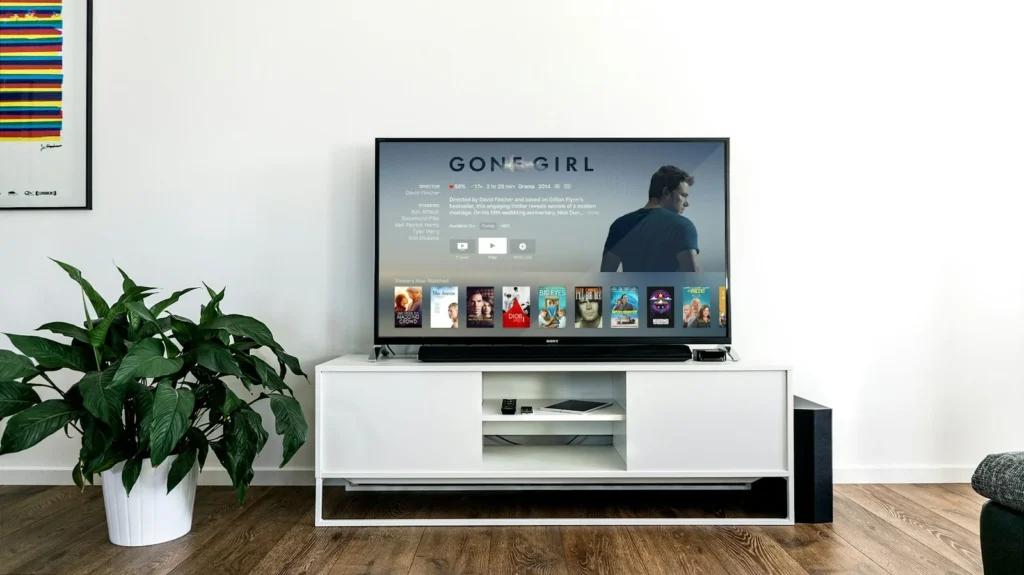
Yes, a Roku TV can keep track of what you watch, including shows coming in from an antenna, a cable box or a game console plugged into HDMI. It does this with automatic content recognition, or ACR, plus the usual ad tracking that comes with any streaming platform. The good news is that Roku gives you switches to turn most of it off, and it takes about five minutes with the remote.
What your Roku TV actually collects
Every streaming device logs some activity: which apps you open, what you search for, and how you use the menus. Roku TVs go a step further. Because the TV itself is made by Roku or one of its partner brands, it can recognize what is on screen even when the picture is not coming from a Roku app.
ACR works by sampling small pieces of the image or audio and matching them against a reference library. If you watch a live broadcast through an antenna or flip to a cable box on HDMI 2, the TV can still identify the program. Roku says it uses that information to improve recommendations and the home screen, and to measure and target advertising. Roku’s own documentation notes that viewing data gathered through ACR and its More Ways to Watch feature can be shared with audience measurement companies such as Nielsen and comScore.
None of this is unique to Roku. Most smart TV brands use some form of ACR. The difference is how easy it is to switch off, and on Roku it is fairly straightforward.
Step by step: turn off ACR on a Roku TV
- Press the Home button on your Roku remote.
- Scroll to Settings and select it.
- Open Privacy.
- Choose Smart TV Experience.
- Uncheck Automatic Content Recognition (ACR). On older Roku OS versions the same option is labeled Use info from TV inputs.
The TV keeps working normally. You may see fewer suggestions on the home screen tied to what you watch over antenna or HDMI, which is the point. This menu only exists on Roku TVs, not on Roku streaming sticks and boxes, because those devices only see content from Roku apps.
Turn off personalized ads and reset your ad ID
ACR is only half the story. Roku also assigns your device an advertising identifier that apps and ad networks use to build a profile. To limit that:
- Go to Settings, then Privacy, then Advertising.
- Turn off Personalized ads. Some older software versions show a checkbox called Limit ad tracking instead, which you should check.
- Select Reset advertising identifier to break the link with the profile already built under your old ID.
You will still see ads, because ads pay for a lot of free content on Roku. They just will not be personalized by Roku using your device’s ad ID. Roku also tells the apps on your TV about your choice, but each app decides whether to honor it.
More Roku privacy settings worth checking
Under Settings, Privacy, Voice, you can control which apps are allowed to use the microphone in your remote or TV.
Roku lets you stop it from keeping voice recordings through the voice settings in your account on the Roku website.
Roku’s Your Privacy Choices page lets you opt out of the sale or sharing of your personal information.
Settings, Privacy, Advertising, Sensitive ad content lets you block banner ad categories like gambling or politics.
Sign in to your Roku account in a web browser to reach the privacy choices and voice settings. Account level options apply across every Roku device linked to that account, while the on screen menus apply to the TV in front of you.
Want to go further?
Turning off ACR and personalized ads covers the biggest sources of tracking, but a few habits add more protection:
- Review app permissions. Streaming apps such as Netflix, Hulu or YouTube keep their own viewing history under your account with them, separate from Roku. Check their privacy settings too.
- Use a separate device for streaming. Some people never connect the TV itself to WiFi and plug in a streaming box instead, so the TV has no internet connection for ACR.
- Disconnect the TV entirely. A Roku TV used only for antenna, a game console or a disc player works without internet, though you lose the built in apps and software updates.
- Check after updates. Big Roku OS updates sometimes rename menus. A quick look through Privacy after an update takes a minute.
FAQ
Does turning off ACR break anything on my Roku TV?
No. Apps, live TV and inputs all keep working. You may simply get fewer personalized suggestions on the home screen.
Do Roku streaming sticks use ACR?
No. The Smart TV Experience setting is found on Roku TVs. Sticks and boxes still log app usage, so turn off personalized ads on those as well.
Will I see fewer ads after this?
Not fewer, just less personalized. Roku and its partners still show ads, but they are not based on your ad ID profile.
Can Roku hear my conversations?
Voice features listen for commands when you press the voice button or use hands free voice on supported models. You can limit microphone access by app in Settings, Privacy, Voice.
The verdict
Your Roku TV does track viewing by default, including what you watch through antenna and HDMI, but you are not stuck with it. Switch off ACR in Smart TV Experience, turn off personalized ads, reset your advertising identifier and review your account privacy choices. Five minutes of menu work gets you a TV that watches you far less.
Updated October 2026: rewritten with current Roku OS menu paths for ACR, personalized ads, microphone access and account level privacy choices.
Featured photo: Jens Kreuter on Unsplash.
About this article: GeekBlog covers U.S. technology news, AI, phones, smartwatches and gaming. Every story is written and checked under our Editorial Policy. Spotted a mistake or have a story tip? Contact our editors.
