Close Menu
GeekBlog

    Subscribe to Updates

    Get the latest creative news from FooBar about art, design and business.

    What's Hot

    The Light Flip Wants to Sell You a Phone That Does Less

    July 28, 2026

    Arizona Just Made Animal Cruelty Much Harder to Get Away With

    July 28, 2026

    Husbands Cause More Stress Than Kids? Science Says Many Moms Feel Exactly That

    July 28, 2026
    Facebook X (Twitter) Instagram Threads
    GeekBlog
    • Home
    • Mobile
    • Tech News
    • Blog
    • How-To Guides
    • AI & Software
    Facebook
    GeekBlog
    Home»Uncategorized»I changed 17 iPhone settings to instantly extend my battery life – it takes seconds
    Uncategorized

    I changed 17 iPhone settings to instantly extend my battery life – it takes seconds

    Michael ComaousBy Michael ComaousAugust 7, 20252 Mins Read
    Share Facebook Twitter Pinterest LinkedIn Tumblr Email Copy Link
    I changed 17 iPhone settings to instantly extend my battery life - it takes seconds
    Share
    Facebook Twitter LinkedIn Pinterest Email Copy Link

    What about Focus Modes – do they help battery life?

    Yes. Focus Modes help by letting you whitelist specific apps and contacts; during “Work” or “Sleep,” only critical alerts light up your display. That means fewer wake-ups and less background processing. I already mentioned disabling notifications above, but you can take it a step further with Focus Modes.

    Also: The best Apple deals right now: Save on MacBooks, iPhones, and more

    How to set up a Focus Mode:

    1. Open Settings > Focus > tap + to create a profile.
    2. Under Allowed Notifications, choose People and Apps.
    3. Optionally schedule it by time, location, or app.

    How do I identify the biggest battery hogs on iPhone?

    To see what might be draining your iPhone’s battery, go to Settings > Battery. There, you’ll see usage by app and how much time each spent on screen or in background.

    Also: How to fix an iPhone alarm that’s not going off – and why it might be happening

    Can removing my case while charging help?

    Possibly — mainly if your device gets hot while charging. Removing the case can improve heat dissipation, which might speed up charging and protect your iPhone’s battery health.

    Should I try a battery pack or a power bank?

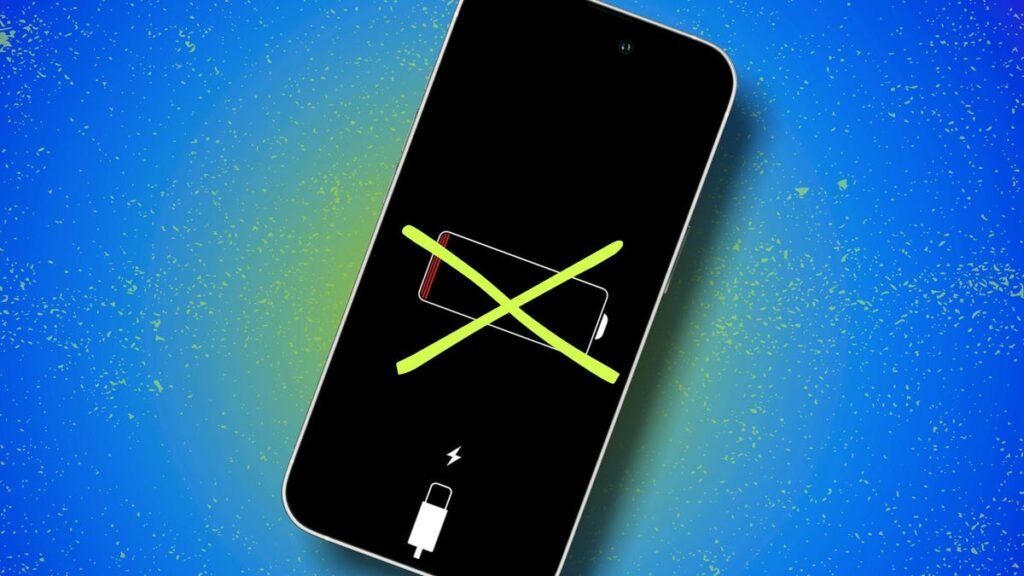
    Yes! I always travel with one. All the settings tweaks in the world won’t help if you’re stranded somewhere, staring at a red battery icon, far from an outlet. Here are the top picks ZDNET’s editors recommend:

    Get the morning’s top stories in your inbox each day with our Tech Today newsletter.

    iPhone
    Share. Facebook Twitter Pinterest LinkedIn Tumblr Telegram Email Copy Link
    Previous ArticleDiversity Think Tank: Stepping back? A look at DEI in the current climate
    Next Article AI Sucks at Sudoku. Much More Troubling Is That It Can’t Explain Why
    Michael Comaous
    • Website

    Michael Comaous is a dedicated professional with a passion for technology, innovation, and creative problem-solving. Over the years, he has built experience across multiple industries, combining strategic thinking with hands-on expertise to deliver meaningful results. Michael is known for his curiosity, attention to detail, and ability to explain complex topics in a clear and approachable way. Whether he’s working on new projects, writing, or collaborating with others, he brings energy and a forward-thinking mindset to everything he does.

    Related Posts

    7 Mins Read

    The Light Flip Wants to Sell You a Phone That Does Less

    8 Mins Read

    Made by Google 2026: Everything to Expect From the Pixel 11 Launch on August 12

    6 Mins Read

    The iPhone 18 Pro Just Leaked Through a Breach at One of Apple’s Own Suppliers

    6 Mins Read

    Anthropic Is Reportedly Building Its Own AI Chip, and Samsung Wants In

    6 Mins Read

    Samsung Killed Its $2,899 TriFold Phone After Just 3 Months. Here Is Why.

    10 Mins Read

    iPhone 17 Pro Charging: Charger Type & Speeds Explained

    Top Posts

    Samsung Galaxy Unpacked 2026: Z Fold 8, Z Fold 8 Ultra, and Z Flip 8 Are Official

    July 23, 20265 Views

    Best Free Online Music Apps in 2026

    July 7, 20265 Views

    Best Stores for Buying MP3 and Digital Music You Can Keep Forever

    August 2, 20255 Views
    Stay In Touch
    • Facebook

    Subscribe to Updates

    Get the latest tech news from FooBar about tech, design and biz.

    Most Popular

    Best Stores for Buying MP3 and Digital Music You Can Keep Forever

    August 2, 2025899 Views

    Discord will require a face scan or ID for full access next month

    February 9, 2026770 Views

    Trade in your old phone and get up to $1,100 off a new iPhone 17 at AT&T – here’s how

    September 10, 2025381 Views
    Our Picks

    The Light Flip Wants to Sell You a Phone That Does Less

    July 28, 2026

    Arizona Just Made Animal Cruelty Much Harder to Get Away With

    July 28, 2026

    Husbands Cause More Stress Than Kids? Science Says Many Moms Feel Exactly That

    July 28, 2026

    Subscribe to Updates

    Get the latest creative news from FooBar about art, design and business.

    Facebook
    • About Us
    • Contact us
    • Privacy Policy
    • Disclaimer
    • Terms and Conditions
    © 2026 GeekBlog

    Type above and press Enter to search. Press Esc to cancel.