Close Menu
GeekBlog

    Subscribe to Updates

    Get the latest creative news from FooBar about art, design and business.

    What's Hot

    A Toddler Needed a $20,000 Wheelchair. A High School Robotics Team Built Him One Instead.

    August 5, 2026

    AI’s Memory Boom Is Quietly Crushing the Budget Smartphone

    August 5, 2026

    Scientists Didn’t Say Earth Is Becoming Uninhabitable. Here’s What the “Hothouse Earth” Study Actually Says

    August 5, 2026
    Facebook X (Twitter) Instagram Threads
    GeekBlog
    • Home
    • Mobile
    • Tech News
    • Blog
    • How-To Guides
    • AI & Software
    Facebook
    GeekBlog
    Home»How-To Guides»Google Keep’s long-awaited sorting tool is finally starting to arrive
    How-To Guides

    Google Keep’s long-awaited sorting tool is finally starting to arrive

    Michael ComaousBy Michael ComaousAugust 7, 20252 Mins Read
    Share Facebook Twitter Pinterest LinkedIn Tumblr Email Copy Link
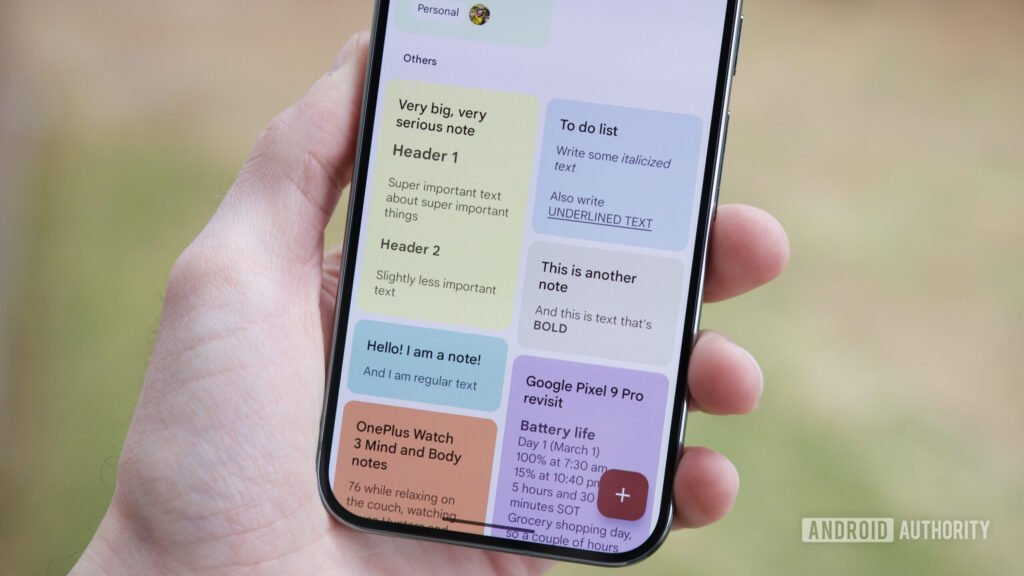
    google keep text formatting 1
    Share
    Facebook Twitter LinkedIn Pinterest Email Copy Link

    Recommended for you:

    I Made the Switch to Linux—These Surprises Caught Me Off Guard
    How-To Guides·Aug 9, 2025

    I Made the Switch to Linux—These Surprises Caught Me Off Guard

    Joe Maring / Android Authority

    TL;DR

    • Google Keep is starting to roll out a new sort feature in its Android app.
    • You can now sort notes by custom order, date created, or date modified.
    • The update appears to be rolling out in version 5.25.302.02.90, but it may not be widely available just yet.

    Google Keep is one of those apps that doesn’t change too often, but when it does, the updates are usually worth the wait. Now, Google appears to be rolling out a long-anticipated sorting feature to its Android app, giving some users a much easier way to organize their notes.

    A user on X (@BlindMan199) first tipped us off that the new sort option had appeared, and we were able to verify that it’s available on at least one of our devices, though not all of them. That suggests it’s a limited rollout for now, but could expand more widely over the coming days or weeks.

    If you have the feature, you’ll see a new sort icon inside the search bar at the top of the main screen, as shown in the screenshots above. Tapping this opens a pop-up menu at the bottom that gives you three different ways to sort your notes:

    • Custom: Lets you manually drag notes into any order;
    • Date created: Showing notes in the order you originally made them;
    • Date modified: Keeps the most recently edited ones at the top.

    Keep has always allowed manual rearrangement and pinned notes, but outside of that, your list was stuck in reverse chronological order. For anyone juggling a large number of notes, these new options could make a big difference. The feature was spotted in development some time ago, but this is the first time it’s been available in the wild. It’s appearing in version 5.25.302.02.90 of the app.

    Google hasn’t officially announced the rollout or whether it is tied to specific devices, accounts, or regions. If you don’t see the sort icon in Google Keep yet, you might just need to wait a little longer.

    Thank you for being part of our community. Read our Comment Policy before posting.

    Google
    Share. Facebook Twitter Pinterest LinkedIn Tumblr Telegram Email Copy Link
    Previous ArticleThe Framework Desktop made me fall for small form factor PCs
    Next Article After Concord’s flop, Sony admits its live-service plan ‘is not entirely going smoothly’ but says it will continue and learn from its mistakes
    Michael Comaous
    • Website

    Michael Comaous is a dedicated professional with a passion for technology, innovation, and creative problem-solving. Over the years, he has built experience across multiple industries, combining strategic thinking with hands-on expertise to deliver meaningful results. Michael is known for his curiosity, attention to detail, and ability to explain complex topics in a clear and approachable way. Whether he’s working on new projects, writing, or collaborating with others, he brings energy and a forward-thinking mindset to everything he does.

    Related Posts

    8 Mins Read

    Why Is My Phone Lagging All of a Sudden? (Fixes)

    7 Mins Read

    How to Block Twitch Ads With uBlock Origin (2026)

    8 Mins Read

    How to Clear Cache on Android (Any Phone)

    8 Mins Read

    How to Reset AirPods: Every Model, Step by Step

    8 Mins Read

    How to Transfer Data to a New iPhone: Full Guide

    8 Mins Read

    How to Check Battery Health on Android (No Root)

    Top Posts

    Best Stores for Buying MP3 and Digital Music You Can Keep Forever (2026)

    August 2, 202530 Views

    Every iPhone Camera Ranked in 2026 (Best to Worst)

    July 6, 202613 Views

    How to Fix PS5 Controller Stick Drift (2026): 7 Working Methods

    July 10, 20268 Views
    Stay In Touch
    • Facebook

    Subscribe to Updates

    Get the latest tech news from FooBar about tech, design and biz.

    Most Popular

    Best Stores for Buying MP3 and Digital Music You Can Keep Forever (2026)

    August 2, 2025930 Views

    Discord will require a face scan or ID for full access next month

    February 9, 2026770 Views

    Trade in your old phone and get up to $1,100 off a new iPhone 17 at AT&T – here’s how

    September 10, 2025383 Views
    Our Picks

    A Toddler Needed a $20,000 Wheelchair. A High School Robotics Team Built Him One Instead.

    August 5, 2026

    AI’s Memory Boom Is Quietly Crushing the Budget Smartphone

    August 5, 2026

    Scientists Didn’t Say Earth Is Becoming Uninhabitable. Here’s What the “Hothouse Earth” Study Actually Says

    August 5, 2026

    Subscribe to Updates

    Get the latest creative news from FooBar about art, design and business.

    Facebook
    • About Us
    • Contact us
    • Privacy Policy
    • Disclaimer
    • Terms and Conditions
    © 2026 GeekBlog

    Type above and press Enter to search. Press Esc to cancel.