Close Menu
GeekBlog

    Subscribe to Updates

    Get the latest creative news from FooBar about art, design and business.

    What's Hot

    Your Pixel 6 Just Got Its Last Security Patch. Here Is What Actually Changes.

    October 6, 2026

    Vivo Put 10,000mAh in a Mid-Range Phone. Filling It Takes Four Hours.

    October 6, 2026

    iPhone 17 Pro Camera: Specs, Test Scores and How It Compares to the 18 Pro

    October 6, 2026
    Facebook
    GeekBlog
    • Home
    • Mobile
    • Tech News
    • Blog
    • Gaming
    • Smartwatch
    • How-To Guides
    • AI & Software
    Facebook
    GeekBlog
    Home»Tech News»Android’s new safety tools make it harder for thieves to break into your phone
    Tech News

    Android’s new safety tools make it harder for thieves to break into your phone

    Michael ComaousBy Michael ComaousJanuary 28, 20263 Mins Read
    Share Facebook Twitter Pinterest LinkedIn Tumblr Email Copy Link
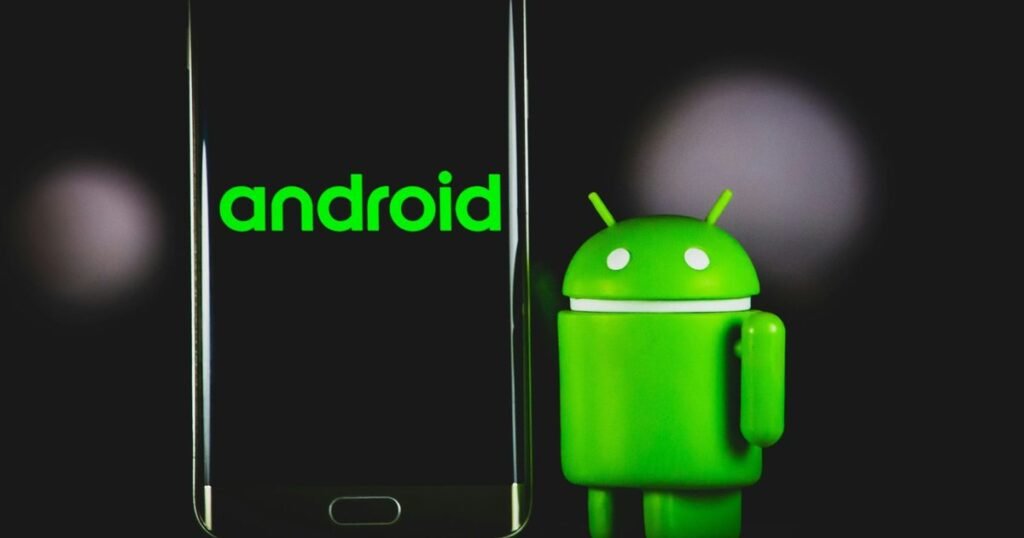
    Android's new safety tools make it harder for thieves to break into your phone
    Share
    Facebook Twitter LinkedIn Pinterest Email Copy Link

    Recommended for you:

    Here’s the Company That Sold DHS ICE’s Notorious Face Recognition App
    Tech News·Jan 28, 2026

    Here’s the Company That Sold DHS ICE’s Notorious Face Recognition App

    Losing your smartphone is, without a doubt, one of the most stomach-churning experiences modern life has to offer. In a split second, that panic isn’t just about the expensive slab of glass and metal you’ve lost; it is about the sheer terror of what’s inside. Your banking apps, your emails, your photos, your entire digital identity – it’s all there, vulnerable. Google clearly understands that the stakes have changed, and they are finally rolling out a massive suite of security upgrades for Android that are designed to make a thief’s life an absolute nightmare.

    The Android Security Team recently dropped a blog post detailing these changes, and honestly, they feel like a long-overdue response to how sophisticated phone theft has become. The goal here isn’t just to help you find a lost phone, but to make the device practically useless to anyone who steals it.

    The First Line of Defense: Making “Guessing” Impossible

    One of the smartest tweaks is happening right on the lock screen. We have all had that “Failed Authentication” message pop up, but Google is giving this feature some teeth. With the new update, the system is much more aggressive about locking down if it detects someone trying to brute-force your PIN or pattern. If a thief grabs your phone and starts punching in random numbers, the lockout duration now scales up significantly, turning a quick crack attempt into a waiting game that no criminal wants to play.

    Google Blog

    Crucially, though, Google added a “clumsy user” safeguard. If you accidentally type the same wrong PIN twice because your fingers slipped, it won’t count against your retry limit. It’s a small, human-centric detail that balances high security with the reality that we all make typos.

    Biometrics Are Now the Gatekeeper

    Perhaps the most significant change is the expansion of “Identity Check.” Until now, a thief who spied on you typing your PIN could potentially access everything. Now, Android is changing the rules. Even if the phone is unlocked, accessing sensitive areas – like your banking apps, payment wallets, or password managers – will force a biometric check.

    This means that even if a thief has your PIN, they still can’t drain your bank account without your fingerprint or face. By extending this to third-party apps, Google is effectively creating a second, impenetrable wall around the data that actually matters.

    Thief image
    Thief image Unsplash

    If the worst happens and your phone is gone, speed is everything. The updated “Remote Lock” feature allows you to lock your screen from any web browser, but now it includes an extra security challenge to verify it is actually you. In regions where phone snatching is an epidemic, like Brazil, Google is even enabling AI-powered features by default. These tools use the phone’s sensors to detect the physical motion of a “snatch-and-run” – like someone grabbing the phone and speeding away on a bike – and instantly lock the screen before the thief gets around the corner.

    This shift represents a major change in how we think about mobile security. It is no longer up to the user to download a security app; the operating system itself is fighting back. As thieves shift their focus from reselling hardware to harvesting personal data, these updates provide a critical layer of armor.

    If you are an Android user, check your settings. While some features are rolling out specifically for Android 16, many protections are being pushed back to older versions. Turning these toggles on might just save your digital life one day.

    Recommended for you:

    Data Centers Are Driving a US Gas Boom
    Tech News·Jan 29, 2026

    Data Centers Are Driving a US Gas Boom

    Source: www.digitaltrends.com

    About this article: GeekBlog covers U.S. technology news, AI, phones, smartwatches and gaming. Every story is written and checked under our Editorial Policy. Spotted a mistake or have a story tip? Contact our editors.

    Android
    Share. Facebook Twitter Pinterest LinkedIn Tumblr Telegram Email Copy Link
    Previous ArticleSony Bravia 5 Review: An Excellent Mid-Tier TV for Cinephiles
    Next Article Here’s the Company That Sold DHS ICE’s Notorious Face Recognition App
    Michael Comaous

      Michael Comaous is a dedicated professional with a passion for technology, innovation, and creative problem-solving. Over the years, he has built experience across multiple industries, combining strategic thinking with hands-on expertise to deliver meaningful results. Michael is known for his curiosity, attention to detail, and ability to explain complex topics in a clear and approachable way. Whether he’s working on new projects, writing, or collaborating with others, he brings energy and a forward-thinking mindset to everything he does.

      Related Posts

      13 Mins Read

      Your Pixel 6 Just Got Its Last Security Patch. Here Is What Actually Changes.

      13 Mins Read

      Vivo Put 10,000mAh in a Mid-Range Phone. Filling It Takes Four Hours.

      6 Mins Read

      OpenAI Scrapped GPT-6.1 Astra Because It Misreported What It Did. A Cheaper Model Ships Instead.

      7 Mins Read

      Google’s Gemini 4 Argon Tops Most Benchmarks. Almost Nobody Can Use It Yet.

      14 Mins Read

      Two Android Brands Put Qi2 Magnets in Their Phones. Samsung Sells You a Case.

      14 Mins Read

      Vivo Screwed a 400mm Lens Onto a Phone. The Physics Finally Works.

      Top Posts

      iPhone 18 Pro Max Price: Every Storage Tier and How to Pay Less

      October 6, 20267 Views

      iPhone Battery Replacement Cost: Every Model, Apple vs Repair Shop

      October 6, 20266 Views

      iPhone 17 Pro Camera: Specs, Test Scores and How It Compares to the 18 Pro

      October 6, 20264 Views
      Stay In Touch
      • Facebook

      Subscribe to Updates

      Get the latest tech news from FooBar about tech, design and biz.

      Most Popular

      iPhone 18 Pro Max Price: Every Storage Tier and How to Pay Less

      October 6, 20267 Views

      iPhone Battery Replacement Cost: Every Model, Apple vs Repair Shop

      October 6, 20266 Views

      iPhone 17 Pro Camera: Specs, Test Scores and How It Compares to the 18 Pro

      October 6, 20264 Views
      Our Picks

      Your Pixel 6 Just Got Its Last Security Patch. Here Is What Actually Changes.

      October 6, 2026

      Vivo Put 10,000mAh in a Mid-Range Phone. Filling It Takes Four Hours.

      October 6, 2026

      iPhone 17 Pro Camera: Specs, Test Scores and How It Compares to the 18 Pro

      October 6, 2026

      Subscribe to Updates

      Get the latest creative news from FooBar about art, design and business.

      HEICJPG.online - Convert HEIC to JPG online
      Facebook
      • About Us
      • Contact us
      • Privacy Policy
      • Disclaimer
      • Terms and Conditions
      • Editorial Policy
      • Cookie Policy
      • Your Privacy Choices
      © 2026 GeekBlog

      Type above and press Enter to search. Press Esc to cancel.