

Follow ZDNET: Add us as a preferred source on Google.
ZDNET’s key takeaways
- PCLinuxOS is rising in popularity again.
- This Windows-user-friendly distro will feel like home.
- You can download and install PCLinuxOS for free.
Ten or so years ago, I remember a Linux distribution that was set to take the world by storm.
That distribution was PCLinuxOS. The goal was to be something any Windows user could log into and feel right at home. Back then, it wasn’t nearly as easy to create/theme a desktop to look like whatever Windows iteration was popular, but developers and designers sure did try.
PCLinuxOS was the cream of the crop. For a while.
Also: Want to save your old computer? Try one of these 9 Linux distros – for free
And then it seemed to vanish into the ether. It was still there, only it had fallen out of favor. If I had to guess why that happened, I would say it’s probably due to the rise of distributions like Linux Mint and elementaryOS, both of which resemble the desktops for which users have become accustomed.
It was kind of sad because PCLinuxOS was always at or near the top of the list for user-friendly Linux distributions.
The other day, however, I popped over to Distrowatch, only to find that PCLinuxOS was back on the Page Hit Rankings at No. 34. Sure, that’s a long way from the top, but it certainly beats total obscurity.
Out of curiosity, I decided to venture to the PCLinuxOS website and found that it was not only still there, but had a clear-cut set of goals, which are:
- Strive to make the Linux experience accessible, especially for new users
- Be stability and performant
- Offer a robust out-of-the-box experience
- Make it flexible and customizable
- Have strong community support
- Continue as a rolling release model
Also: Want to save your aging computer? Try these 5 Linux distributions
PCLinuxOS also includes the MyLiveCD tool, so you can create customized live disks from your installation.
But how well did PCLinux hold up? Did it evolve into a modern desktop OS that anyone could use, or was it stuck in the throes of the Windows XP era?
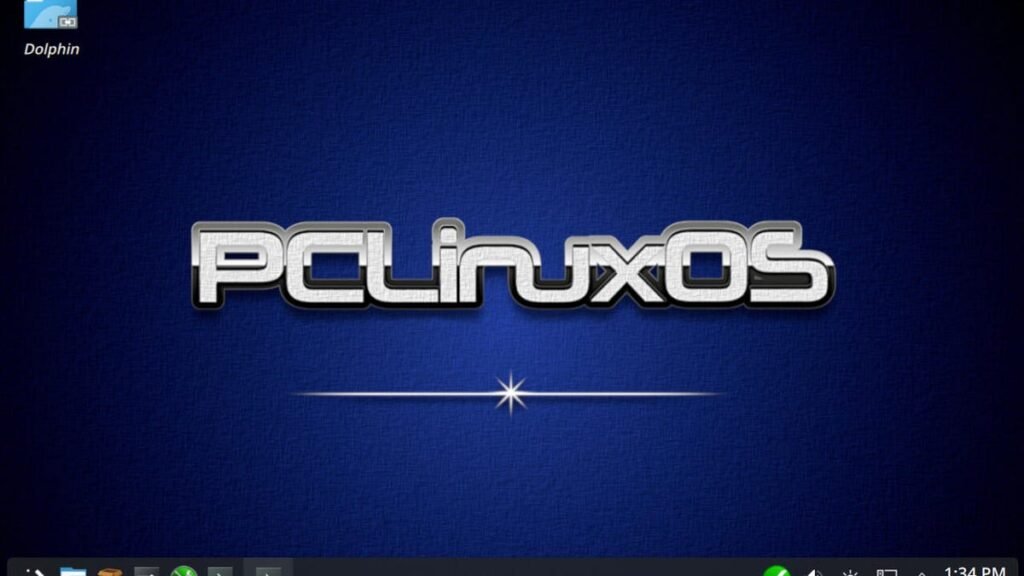
Plasma meets PCLinuxOS
When you install a distribution that uses the KDE Plasma desktop, you typically know what you’re getting; there’ll be a panel, desktop menu, desktop launchers, and more. It’s a rare occasion that a distribution can surprise you with KDE Plasma.
PCLinuxOS did not surprise me. Although it’s a fairly straightforward take on KDE Plasma, there’s still a hint of the old PCLinuxOS to be had. Don’t get me wrong, this is still very much KDE Plasma, but if you ever spent much time with PCLinuxOS, you’ll totally get what I’m talking about.
The biggest tell, however, is the file manager. Back when I was using PCLinuxOS, the file manager was PCManFM. At the time, PCManFM was the fanciest of all the file managers because it had more features and was far more flexible.
Also: These 5 Linux file managers are way better than your default
Naturally, other file managers caught up to PCManFM, so it makes perfect sense that the developer would stick with the desktop’s default (such as Dolphin for KDE Plasma and Thunar for Xfce).
As a whole, it’s a pleasant mix of nostalgia and newness, and I like it.
The apps
PCLinuxOS includes plenty of apps to get you up and running, such as LibreOffice, MMEX Money Manager, Audacity, Bleachbit (disk cleaner), Celluloid (movie/video player), Easy Flatpak Manager, Firefox, GIMP, GParted, Handbrake, NVIDIA driver installer, NitroShare (file transfer), Spotify, Timeshift, and much more.
There’s enough preinstalled apps to get you going.
Jack Wallen/ZDNET
There are so many preinstalled apps that you probably won’t need to open the app store for a while. The list is well-rounded and complete.
Settings
As I said, KDE Plasma is front and center with PCLinuxOS. Naturally, the developers have chosen a dark theme as the default (Why, Universe, why?), but it’s very easy to change that from Settings > Global Theme.
In addition to the usual KDE Settings app, there’s also the PCLinuxOS Control Center, where you can take care of file sharing, networking, hardware, system, local disks, security, and boot.
The Control Center is in addition to the KDE Plasma Settings app.
Jack Wallen/ZDNET
For example, if you open the Control Center and click Network Sharing, you’ll see that you can easily set up SMB shares. Or in theory. When you click Network Sharing > Share drives and directories, you’ll see an error that Samba must be installed.
Also: The best Linux distros for beginners: You can do this!
It would be nice if the developers included an easy-access button on this page for installing samba-server. Fortunately, it’s just a matter of opening the terminal and issuing the command:
sudo dnf install samba-server
Once you do that, go back to the Share drives section of the Control Center and set your first share up.
One nice surprise with this is that the Control Center even allows you to add new Samba users right from the GUI (something other distributions do not do). This makes it so much easier to set up a Samba share that can be accessed by users on your LAN.
Adding users to Samba has never been this easy.
Jack Wallen/ZDNET
I have to say that PCLinuxOS is, once again, a viable option for those who are looking to migrate from Windows to a much more reliable, secure, and flexible operating system.
Download an ISO for PCLinuxOS, burn it to a flash drive, and install it on a spare computer. You might find yourself using it more than you do that Windows machine under your desk.
Source: www.zdnet.com
