

Follow ZDNET: Add us as a preferred source on Google.
ZDNET’s key takeaways
- Opera has released its gaming-centric browser for Linux.
- With Opera GX, you get plenty of killer features for everyday use.
- Opera GX is free to install and use.
I use a lot of web browsers. I test/review even more. And given that I spend most of my day on Linux, I’m always looking for new browsers that are available to the open-source OS.
That’s why when the Opera team reached out to me to let me know that its GX browser was now available for Linux, I jumped at the chance to try it out.
I’ve used Opera GX on Android and found it to be one of the coolest mobile browsers on the market. Between the mods, the fast-action button, GX Corner, shake to change theme, and My Flow, Opera GX mobile quickly became the mobile browser to beat for me.
Does Opera GX on Linux stand up to that rather high bar? Let’s find out.
First impressions
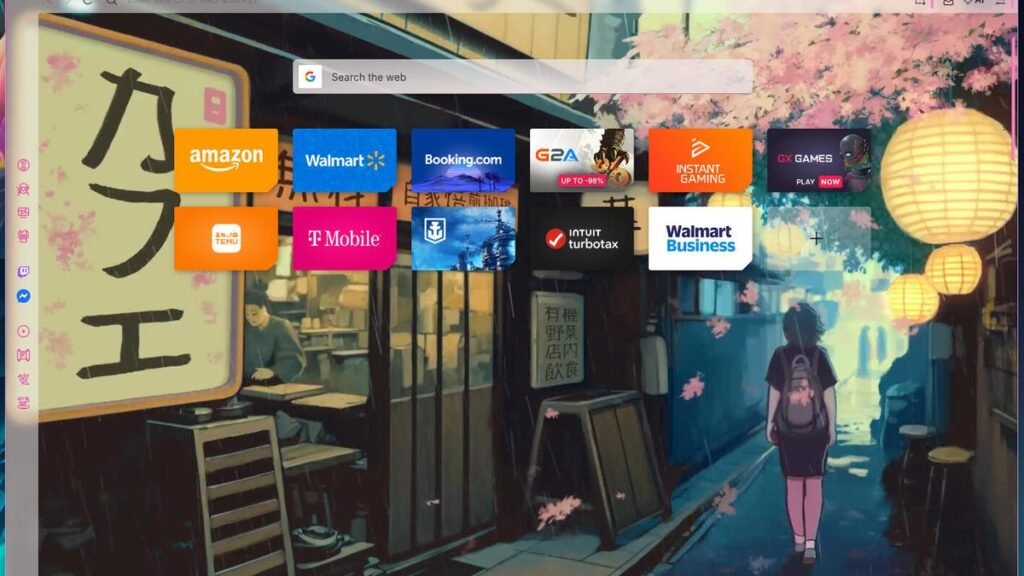
After installing Opera GX, I fired it up and walked through the impressive onboarding wizard, where I was able to customize the browser to meet my specifications. I couldn’t help but immediately jump into the Mods market and spend some time going through the thousands of mods that are available. Yes, a vast majority of the mods are gaming and anime-related, but there are some really cool options available. Some of the mods are just themes, while others offer different types of additions. I even came across one (called Lofi Chill), which adds chill beats to the browser. Not gonna lie, it’s as cool as it is chill.
Also: I’ve been testing the top AI browsers – here’s which ones actually impressed me
If you’re thinking Opera GX is all form and no function, think again.
Opera GX has several other features that make it stand out.
GX Control
The GX Controller is a unique feature that gives you power over memory limits, network limits, hot tabs control (tabs that are using a lot of system resources), and a CPU limiter. With these features, you control how much system resources Opera GX (and rendered websites) can use. GX Control is accessed by clicking the top icon in the left sidebar.
GX Control gives you control over how websites use system resources.
Jack Wallen/ZDNET
For example, if I want to limit Opera GX to only 5GB of RAM, I can do that. I can set that as a hard or soft limit. I can also limit the bandwidth used by Opera.
My favorite feature in GX Control is the ability to easily kill tabs that are using too many system resources (either CPU or RAM). For example, if I have several tabs open and the browser starts to slow down, I can open the GX Control sidebar, scroll down to Hot Tabs Killer, locate the site causing the problem, and kill it by hovering my mouse over the listing and clicking the associated X. This feature alone makes Opera GX worth using.
GX Cleaner
Cleaners are often rather controversial because so many of them don’t really do as promised. Those that do work (such as Bleachbit) make it easy for users to clean various caches. With the Opera GX Cleaner, you can quickly clean things like cache, cookies, tabs, browsing history, downloads, and sidebar icons.
You can clean all sorts of things from one handy location.
Jack Wallen/ZDNET
Also: I ditched Google Chrome for a free local browser on my Pixel, and I’d happily pay a premium for it
GX Cleaner is accessed by clicking the second icon from the top on the Opera GX sidebar. Once open, you can enable/disable the items that the feature can clean. By default, it only cleans the browser cache, but if you want, you can enable other options.
Shaders
And then there are the Shaders, which apply real-time GPU-powered filters to your browser to enhance the visual effects on all websites. The Opera GX Shaders can change colors, reduce blue light, and improve contrast to customize your browsing experience.
Shaders change the way your browser looks, so test them out and see if one fits your style and/or needs.
Jack Wallen/ZDNET
There are a few shaders available by default, such as ShiftFX, MidnightFX, FadeFX, BoostFX, MonoCore, and DuoFX. You can also click “Get more” to search the Opera GX marketplace for even more Shaders.
Also: 5 reasons why Opera is my favorite browser (and you should check it out too)
On top of all the gaming features (and games to be played), there are also all the usual Opera features to be found, such as Workspaces, Aria AI, and more.
I’m so glad that Opera has finally released its GX browser to Linux. Even though it’s making it challenging to decide if I want to use the regular Opera or GX as my default, having the option has made me a happy Linux user.
You can download the installer file (for Debian/Ubuntu and Fedora-based distributions) from the official Opera GX page and level up your browsing experience right away.
Source: www.zdnet.com
