

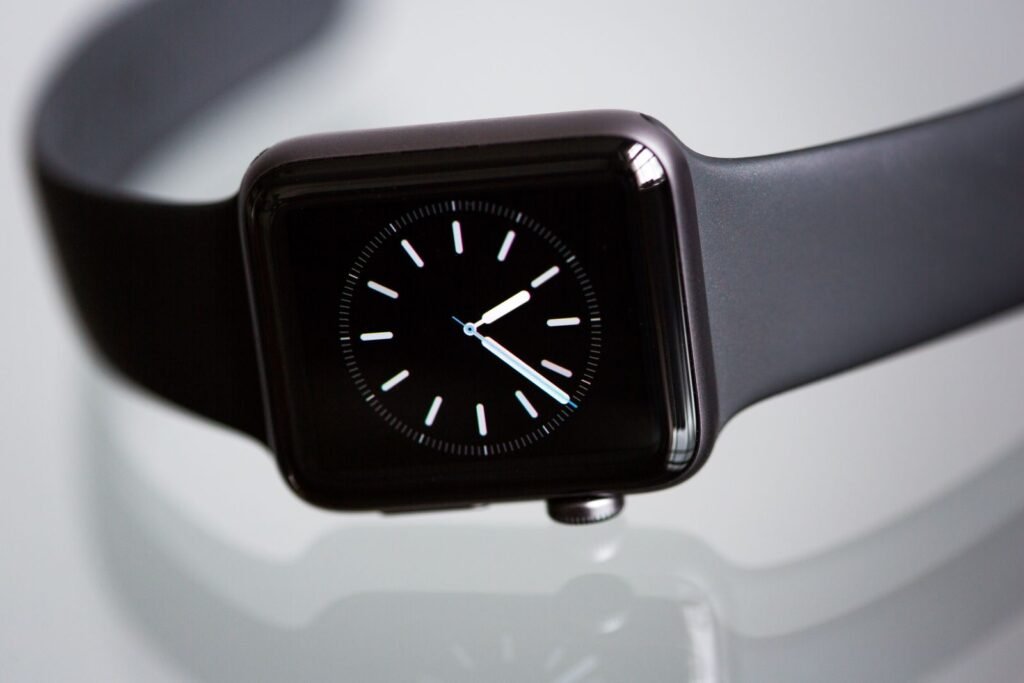
Two weeks after the Apple Watch Series 12 and Ultra 4 reached wrists, a different kind of launch story is taking shape. Owners are posting photos of red, itchy or burning skin under the back of the watch, and the threads are getting long enough that several outlets have picked them up. Apple has not confirmed a hardware fault, and nobody has established a cause. What we do have is a pattern worth understanding, plus some sensible steps to take if your wrist is complaining.
Short answer: Some Apple Watch Series 12 and Ultra 4 owners report redness, itching or burning under the sensor area. The reports are real but anecdotal. There is no confirmed defect and no confirmed cause. Fit, trapped sweat and band materials are the most discussed explanations, and the new sensor hardware has not been shown to be responsible. If you get blisters, swelling or a spreading rash, take the watch off and see a doctor.
What owners are actually reporting
The complaints gathered on the MacRumors forums and Reddit, and then spread to a handful of tech sites. The descriptions vary quite a bit. Some people felt a burning sensation on day one. Others noticed a dry, red patch after about a week of wear. A few say it only started once they enabled heart rate and blood oxygen monitoring. One Ultra 4 owner described a visible rash that developed over several days.
It is not limited to Apple, either. PhoneArena noted a similar report from a Galaxy Watch Ultra owner, which hints that the cause may be something common to wearing a sensor-heavy watch all day rather than one specific model. That is still a hint, not a finding.
Is the new sensor to blame?
It is the obvious suspect, so let us start there. The new watches use revised health-sensing hardware, including a larger ECG electrode surface and a different arrangement of photodiodes and LEDs on the back. It makes intuitive sense that more contact area and a new layout could change how the watch sits on skin. It is also the same hardware behind the always-on heart tracking we covered in how the Series 12 takes aim at WHOOP and Oura.
But there is no evidence that these changes caused the irritation. The Mac Observer put it plainly: linking the symptoms directly to the sensors would be premature. The same goes for the idea that the LEDs “burn” skin. In most cases like this, what people describe as a burn turns out to be contact dermatitis, which is an irritated or allergic reaction on the skin, not a thermal injury.
The more likely culprits
Dermatology literature on smartwatch rashes is older than the Series 12, and it points to a short list of usual suspects. A published case report on an Apple Watch wearer, for example, described a rash that appeared after weeks of daily wear under a synthetic rubber band. The authors considered contact urticaria, irritant dermatitis from sweat and friction, and allergy to metal or band components.
| Possible cause | What it looks like | What helps |
|---|---|---|
| Band too tight or too loose | Pressure marks, or redness from friction | Snug but not squeezing, and a different notch for workouts |
| Trapped sweat, soap or sunscreen | Itchy, damp, red patch under the case | Dry the watch and wrist after workouts and showers |
| Band material or adhesive residue | Rash that follows the shape of the band | Switch band type; ask a dermatologist about patch testing |
| Metal sensitivity (such as nickel) | Rash where metal touches skin | Patch testing; avoid the triggering material |
| A true hardware fault | Unusual heat, blistering, pain | Stop wearing it and contact Apple and a doctor |
Apple’s own materials information, as quoted by secondary sites, has long noted that some watch and band parts contain small amounts of nickel and trace methacrylates from adhesives, all within regulatory limits. For most people that is a non-issue. For someone who is already sensitized, it can be enough. We could not confirm whether the Series 12 or Ultra 4 materials differ from earlier models, so treat that row as a possibility rather than a diagnosis.
What Apple says to do
Apple’s wearing guidance is fairly basic, and it lines up with what dermatologists usually suggest:
- A band that is too tight or too loose can cause discomfort, so find a fit that is snug without squeezing
- Keep the watch, the band and your skin clean and dry, especially after workouts or exposure to sweat, soap, sunscreen and lotion
- If you notice redness, swelling, itching or another reaction, take the watch off
- Talk to a physician before wearing it again if irritation occurs
If you have not cleaned your band in a while, our guide on how to clean a smartwatch band the right way covers each material, from silicone to leather to metal links.
When to stop wearing it: persistent pain, blistering, heat, oozing, swelling, or a ring-shaped mark that keeps growing should be treated as a medical or hardware concern, not a break-in period. Take the watch off and see a doctor. Community threads are useful for spotting patterns, but they cannot diagnose your wrist.
A simple triage you can follow at home
What this means if you are shopping for one
Do not panic-cancel an order. The reports are a small, self-selected slice of buyers, and Apple has not said how many people are affected. Still, a few practical habits are worth adopting from day one. Rotate between a sport band and something breathable, rinse and dry the band after any sweaty session, and give your wrist a night off now and then. If you already have a known nickel or adhesive allergy, check the materials list for the exact case and band you plan to buy. The Series 12 case materials, including the ceramic options, are covered in our look at what the Ceramic Shield durability claims actually mean.
If you do react, Apple’s return window is your friend. At least one owner has already boxed the watch up and sent it back, and that is a perfectly reasonable call when something is bothering your skin every day.
Frequently asked questions
Has Apple confirmed a problem with the Series 12 or Ultra 4?
No. As of today Apple has not acknowledged a hardware defect, and there is no recall or service program. The company points to fit, cleanliness and dryness as the first things to check.
Can the heart rate sensor LEDs burn my skin?
There is no evidence of that. Reports described as burning are most often contact dermatitis, an irritation or allergic reaction, rather than a heat injury. If you feel the case getting unusually hot, take the watch off immediately and contact Apple.
Should I turn off blood oxygen or heart rate monitoring?
A few owners say symptoms began after enabling those features, but that is a coincidence of timing until proven otherwise. Turning them off is a harmless experiment, though resting your skin without the watch is a cleaner test.
How do I find out if I am allergic to my band?
A dermatologist can run a patch test to identify specific allergens such as nickel or adhesive chemicals. That is much more reliable than swapping bands by trial and error.
Bottom line
The skin irritation reports around the Apple Watch Series 12 and Ultra 4 deserve attention but not alarm. They are consistent with the usual causes of smartwatch rashes, namely fit, moisture and materials, and nothing so far ties them to the new sensor layout. The honest position is that we do not know yet. Keep the watch and your wrist clean and dry, loosen the fit, and do not tough it out if the skin is blistering or the rash is spreading. If Apple or a larger body of evidence points to a hardware cause, we will update this story.
Sources and further reading
- MacRumors Forums: Apple Watch Series 12, Ultra 4 owners report skin irritation
- The Mac Observer: Apple Watch Series 12 and Ultra 4 users report skin irritation
- PhoneArena: Has Apple made a major design mistake with the Series 12 and Ultra 4?
- iGeeksBlog: Apple Watch Series 12 and Ultra 4 owners report skin irritation
- Apple Newsroom: Introducing Apple Watch Series 12
- MacRumors: Apple Watch roundup
About this article: GeekBlog covers U.S. technology news, AI, phones, smartwatches and gaming. Every story is written and checked under our Editorial Policy. Spotted a mistake or have a story tip? Contact our editors.
