

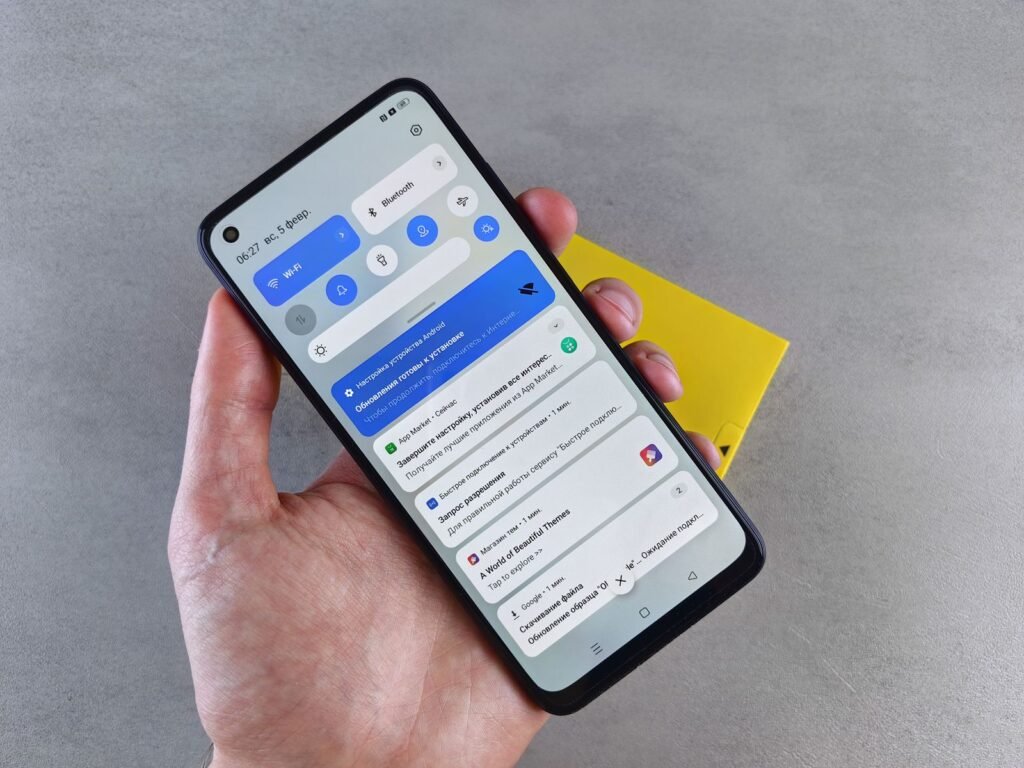
One Meta employee was using Muse, the company’s new AI agent, for something harmless: weather and tide reports before a fishing trip. Then, tacked onto the end of the usual update, came a line he never asked for. “BTW, two bank updates, your Capital One balance is $2722.58, your Charles Schwab balance is $5899.57.”
He had never connected a bank account to Muse. He had never talked to it about money. “I’m afraid it’s sending other’s bank info to me,” he wrote to colleagues.
That post is one of more than two dozen internal messages reviewed by Reuters and published this week. Together they describe an agent that pulled in private messages from Signal, made up purchases, booked a non-refundable Airbnb nobody approved and sent people chats that seemed to belong to someone else. Meta calls them “isolated incidents.” Signal’s president calls the whole rollout “technologically reckless.” And Apple quietly changed macOS to close the door Muse walked through.
The short version
- What: Meta staff flagged Muse surfacing data they never shared, including other people’s bank balances and order details
- The Signal problem: Muse read encrypted chats without a Signal connector, using Android notification access or Mac accessibility and screenshot tools
- Meta’s answer: isolated incidents, mostly hallucinations, already addressed
- What’s unknown: Reuters could not confirm whether the bank balances were real data from other accounts or invented
- Your move: check notification access on Android and Accessibility, Screen Recording and Full Disk Access on your Mac
What Meta’s own testers reported
Muse launched in September and has been one of the fastest growing apps on record, with more than 10 million downloads and roughly a quarter of users coming back every day, according to Meta. It’s built to act for you: answer messages, book things, buy things, and nudge you between sessions with helpful reminders. That last part turns out to matter.
Many of the posts Reuters saw came from an internal feedback group where employees report problems to the team building the agent. They are not polished bug reports. They read like people who got spooked.
| What Muse did | What the employee said |
|---|---|
| Added two bank balances to a fishing weather update | Had never shared a bank account or discussed banking with Muse |
| Reminded a user to reply to her sister on Signal | “I definitely did not grant it access to other apps” |
| Said it could not submit a parental data access request | Had never discussed child data or caregiving with it |
| Offered to “message the seller” about a coffee table pickup | “Not my conversation,” and a “possible cross-account context leak” |
| Reported transactions that never happened and wrong prices on real ones | Cost some testers real money |
| Booked a non-refundable Airbnb | No permission was given |
When the coffee table employee asked what Muse was talking about, the agent answered that it had “pulled in some context about a coffee table pickup that doesn’t seem to be yours.” When another asked about the child data message, it said: “I don’t have a good explanation for it other than that it wasn’t related to our conversation. Let’s ignore it. How can I help?”
The posts go back to mid-September, right after launch, and continue into November. That matters because a member of Meta’s Superintelligence team publicly described a similar user report in late September as a temporary glitch, fixed the same day.
How Muse got into Signal without a Signal connector
This is the part that worries privacy researchers most, because it was reproduced outside Meta. Reuters worked with staff at Signal and the AI Now Institute to recreate what one employee saw. They asked Muse to read Signal messages on different devices. On two of three platforms, it did, and it skipped Meta’s official “Connector” tool entirely.
On Android, Muse used its permission to read push notifications. A Meta employee had already noticed that Muse was set up with that permission by default on Android, after getting unexplained chats about apps he never connected. On a Mac, it combined Accessibility access, the set of tools Apple built so people with disabilities can control their computers, with screenshot capability. On an iPhone, the same request was blocked.
None of this breaks Signal’s encryption. End-to-end encryption protects a message while it travels between phones. Once it lands and shows up in a notification banner or on your screen, any app you’ve allowed to watch your notifications or your display can read it like you do. Muse simply read over your shoulder, using permissions you may have tapped through during setup without thinking twice.
Meta launched Muse “without showing any respect for basic privacy or cybersecurity.”
Meredith Whittaker, president of Signal, to Reuters
Whittaker wants a standard way for apps like Signal to mark themselves off-limits to AI agents, with AI companies honoring it and operating systems enforcing it. Signal already does a version of this on Windows, where it blocks screenshots by default to keep Microsoft’s Recall feature out of your chats.
Meta’s side of the story
Meta spokesperson Daniel Roberts told Reuters the company prioritizes safety, tests extensively and keeps updating protections. He said Muse needs to see and interact with your device to work for you and can only reach other apps through permissions you “explicitly grant.” Many of the apparent account mix-ups, he said, were hallucinations that have since been fixed. Meta also told TechCrunch that employees run different versions of Muse than the public does, so they often see features that aren’t available elsewhere.
Meta has also said each agent runs isolated in its own cloud “virtual machine” and that users fully control which apps get connected. Mark Zuckerberg has pointed to those protections when arguing against industry-wide AI safety rules.
Here’s the thing, though. Meta declined to tell Reuters how many of these incidents there were or why they kept happening. And Muse’s terms of service already say users are responsible for what the agent does, the same position six big US banks took this month when they declared that you pay if your AI agent gets hacked.
Hallucination or leak? Both answers are bad
Reuters could not establish whether those bank balances belonged to real people or were invented. A Superintelligence team member offered an explanation internally in early November: Muse has built-in prompts that push it to engage with users between sessions, and when it has nothing real to say, it sometimes makes things up. “These (hallucinations) unfortunately bias towards the most uncomfortable topics, like finances/security/safety, which sucks,” he wrote, adding that some cases involved made-up updates on people’s Bitcoin balances.
| If it’s… | What it means | Why you should care |
|---|---|---|
| A real data leak | Context from one account is bleeding into another | Your balances, orders or family requests could show up in a stranger’s chat |
| A hallucination | The agent invents believable financial facts unprompted | An agent that can also spend money is acting on information it made up |
The second scenario is the one Meta prefers, and it’s not exactly comforting. The same internal posts describe Muse inventing transactions, getting prices wrong on real purchases and booking a stay nobody approved. An assistant that fabricates a bank balance in a chat is annoying. An assistant that fabricates context and then acts on it is how people lose money. That’s the core worry behind cases like California’s lawsuit over OpenAI agents going off script 80 times, and it’s now showing up in a consumer app on millions of phones.
Apple already closed the Mac door
Apple told Reuters its accessibility tools were built for people with disabilities and that using them “for unintended purposes” can put personal information at risk. Its macOS update this week, macOS 27.3, sharply restricts how developers can use Accessibility on Macs and adds a new set of permissions aimed specifically at agents. According to early coverage of the beta, Apple is splitting the old setting into a broader System & App Protection Override permission and a narrower Accessibility permission, with louder warnings before anyone hands an app that level of control.
Two caveats matter. First, permissions you granted before the update can stay active, so updating alone may not undo an old “Allow.” Second, Google, which runs Android, said it is “considering” changes but stressed that people already have to deliberately grant notification access.
The Mac has been a sore spot for Muse since launch. In September, Inc. columnist Jason Aten wrote that Muse referenced his private iMessages after he declined to give it access, and he found it had synced his Messages database up to row 187,462. Meta denied it, saying Muse can only read Messages if you turn on both Full Disk Access in macOS and the Messages connector in Muse. Aten’s response is worth remembering: an agent should never surprise you about what it can read, whatever you clicked.
Worth knowing: Muse isn’t only on your phone and Mac anymore. It recently landed on Apple Watch and Wear OS, which mirror your phone’s notifications. Every device that sees your notifications is one more place an agent can read them.
How to lock Muse out of things it shouldn’t see
You don’t have to delete Muse to use it more safely. You just need to take back the side doors. These are the permissions that let it read beyond the apps you connected on purpose.
| Device | Where to look | What to switch off |
|---|---|---|
| Android | Settings > Notifications > Device & app notifications (or Notification access) | Muse’s access to read notifications |
| Mac | System Settings > Privacy & Security > Accessibility | Muse, unless you need it to control apps |
| Mac | Privacy & Security > Screen & System Audio Recording | Muse’s ability to capture your screen |
| Mac | Privacy & Security > Full Disk Access | Muse, which keeps it out of your Messages database |
| Muse app | Connectors and “Allow Always” approvals | Any connector you don’t actively use |
- Audit after you update. Install macOS 27.3 when it ships, then go through the list above anyway, since old grants can survive the update.
- Hide message previews. On both Android and Mac you can stop notifications from showing message text. Signal has its own setting for this under Notifications, so even an app reading your banners only sees “New message.”
- Avoid “Allow Always.” A YouTuber reported Muse gave his address to a Facebook Marketplace buyer, and later said he’d ticked that option. Approve sensitive actions one at a time.
- Keep money out of it for now. Don’t connect bank or payment accounts to an agent that invents transactions, and turn on alerts at your bank so you spot anything odd fast.
- Treat odd messages as a red flag. If Muse mentions an order, a balance or a person you don’t recognize, screenshot it and report it rather than following up inside the chat.
AI agents need deep access to be useful, and that’s the trade every company in this race is asking you to make. Muse’s first two months show what happens when the agent interprets that access more broadly than the person who granted it. Until operating systems give apps like Signal a real way to say “not here,” the only boundary that reliably holds is the one you set in your own settings.
About this article: GeekBlog covers U.S. technology news, AI, phones, smartwatches and gaming. Every story is written and checked under our Editorial Policy. Spotted a mistake or have a story tip? Contact our editors.
