Close Menu
GeekBlog

    Subscribe to Updates

    Get the latest creative news from FooBar about art, design and business.

    What's Hot

    Stop falling for scams when Norton’s antivirus software is 70% off right now

    March 28, 2026

    Acer Promo Codes and Deals: Save 40% on Bundles

    March 28, 2026

    Playing Wolfenstein 3D with one hand in 2026

    March 28, 2026
    Facebook X (Twitter) Instagram Threads
    GeekBlog
    • Home
    • Mobile
    • Tech News
    • Blog
    • How-To Guides
    • AI & Software
    Facebook
    GeekBlog
    Home»Uncategorized»Microsoft Authenticator is deleting your passwords today – here is what to do now
    Uncategorized

    Microsoft Authenticator is deleting your passwords today – here is what to do now

    Michael ComaousBy Michael ComaousAugust 1, 20253 Mins Read
    Share Facebook Twitter Pinterest LinkedIn Tumblr Email Copy Link
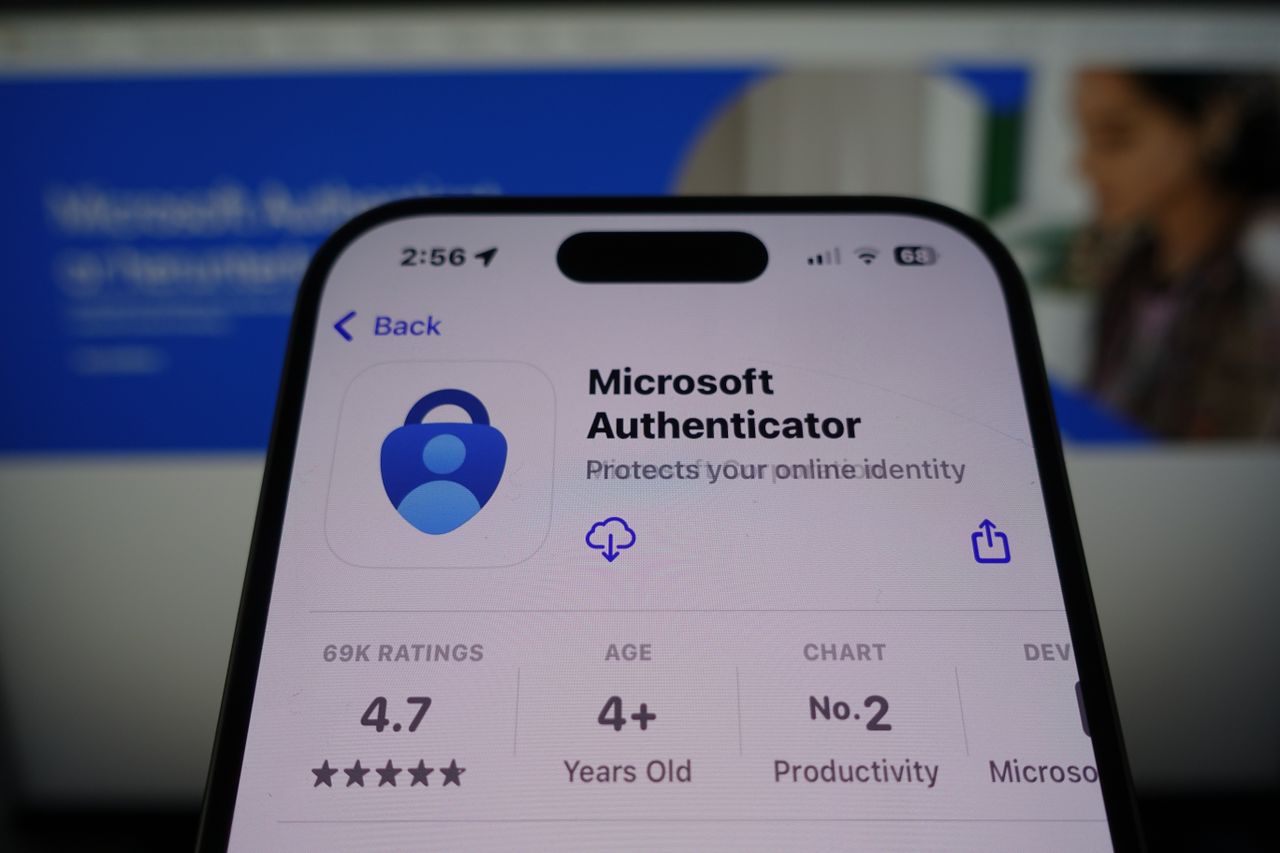
    Microsoft Authenticator by Microsoft ready for download in the App Store on smartphone screen with company website in background
    Share
    Facebook Twitter LinkedIn Pinterest Email Copy Link


    • Microsoft Authenticator is shutting down today
    • This is your last chance to save your stored passwords
    • Microsoft is switching to a more secure alternative

    In case you missed the warnings, Microsoft Authenticator is shutting down today (August 1, 2025) and will delete all of your stored passwords – unless you do a few key things.

    Microsoft has been warning users of the impending shutdown of its authenticator app for some time now, notifying users they will have to switch to using passkeys rather than the Microsoft Authenticator.

    For anyone who hasn’t prepared for today’s shutdown, this is your last chance to port all your stored credentials over to Microsoft Edge.


    You may like

    How to save your passwords

    Passkeys have been fast becoming the preferred alternative to passwords for businesses and consumers alike. They’re faster to use and much more secure against phishing and credential theft, and each passkey is entirely unique and stored securely.

    As an added bonus, passkeys can be verified using secure biometric authentication using a facial recognition scan or a fingerprint.

    If you want to save all your stored Microsoft Authenticator passwords to access them later, you only have today to port your passwords over to Microsoft Edge. Otherwise, they will be deleted and you won’t be able to access them.

    Users will be prompted to set up a passkey if they have a password and one-time code set up on their account.

    Sign up to the TechRadar Pro newsletter to get all the top news, opinion, features and guidance your business needs to succeed!

    Simply log in to your Microsoft Authenticator account, and a prompt will appear asking you to set up a new passkey. Alternatively, you can open your account, tap the ‘set up a passkey’ option, and then use your existing username and password to log in.

    Microsoft has spent a lot of time and effort making passkeys the default login option, studying how users interact with passkeys and what would make a user more likely to use a passkey. The perk that resonated most with users is the ability to sign in faster and more easily than typing in a password.

    As passkeys aren’t left up to the user to decide (or remember) they are significantly more secure than user generated passwords, and don’t have to be stored in a password manager.

    For a hacker to crack into a passkey protected account, they would need to have physical access to your face or fingerprint or in some cases, a secure PIN.

    You might also like

    Authenticator deleting Microsoft passwords Today
    Share. Facebook Twitter Pinterest LinkedIn Tumblr Telegram Email Copy Link
    Previous ArticleSo far, only one-third of Americans have ever used AI for work
    Next Article Best Alternative to AVG Antivirus of 2025
    Michael Comaous
    • Website

    Michael Comaous is a dedicated professional with a passion for technology, innovation, and creative problem-solving. Over the years, he has built experience across multiple industries, combining strategic thinking with hands-on expertise to deliver meaningful results. Michael is known for his curiosity, attention to detail, and ability to explain complex topics in a clear and approachable way. Whether he’s working on new projects, writing, or collaborating with others, he brings energy and a forward-thinking mindset to everything he does.

    Related Posts

    2 Mins Read

    Microsoft keeps insisting that it’s deeply committed to the quality of Windows 11

    2 Mins Read

    Microsoft is cutting down Copilot “bloat” in Windows 11

    3 Mins Read

    Microsoft Is Finally Ready to Make Windows 11 Less Terrible After Bloating It With AI Crap

    2 Mins Read

    Microsoft will no longer auto-install M365 Copilot app on Windows PCs

    2 Mins Read

    Microsoft is bringing an AI helper to Xbox consoles

    3 Mins Read

    Nerve damage, energy management, and Apple TV: F1 in 2026 starts today

    Top Posts

    The Mesh Router Placement Strategy That Finally Gave Me Full Home Coverage

    August 4, 2025874 Views

    Discord will require a face scan or ID for full access next month

    February 9, 2026767 Views

    Trade in your old phone and get up to $1,100 off a new iPhone 17 at AT&T – here’s how

    September 10, 2025334 Views
    Stay In Touch
    • Facebook

    Subscribe to Updates

    Get the latest tech news from FooBar about tech, design and biz.

    Most Popular

    The Mesh Router Placement Strategy That Finally Gave Me Full Home Coverage

    August 4, 2025874 Views

    Discord will require a face scan or ID for full access next month

    February 9, 2026767 Views

    Trade in your old phone and get up to $1,100 off a new iPhone 17 at AT&T – here’s how

    September 10, 2025334 Views
    Our Picks

    Stop falling for scams when Norton’s antivirus software is 70% off right now

    March 28, 2026

    Acer Promo Codes and Deals: Save 40% on Bundles

    March 28, 2026

    Playing Wolfenstein 3D with one hand in 2026

    March 28, 2026

    Subscribe to Updates

    Get the latest creative news from FooBar about art, design and business.

    Facebook
    • About Us
    • Contact us
    • Privacy Policy
    • Disclaimer
    • Terms and Conditions
    © 2026 GeekBlog

    Type above and press Enter to search. Press Esc to cancel.

    Ad Blocker Enabled!
    Ad Blocker Enabled!
    Our website is made possible by displaying online advertisements to our visitors. Please support us by disabling your Ad Blocker.