

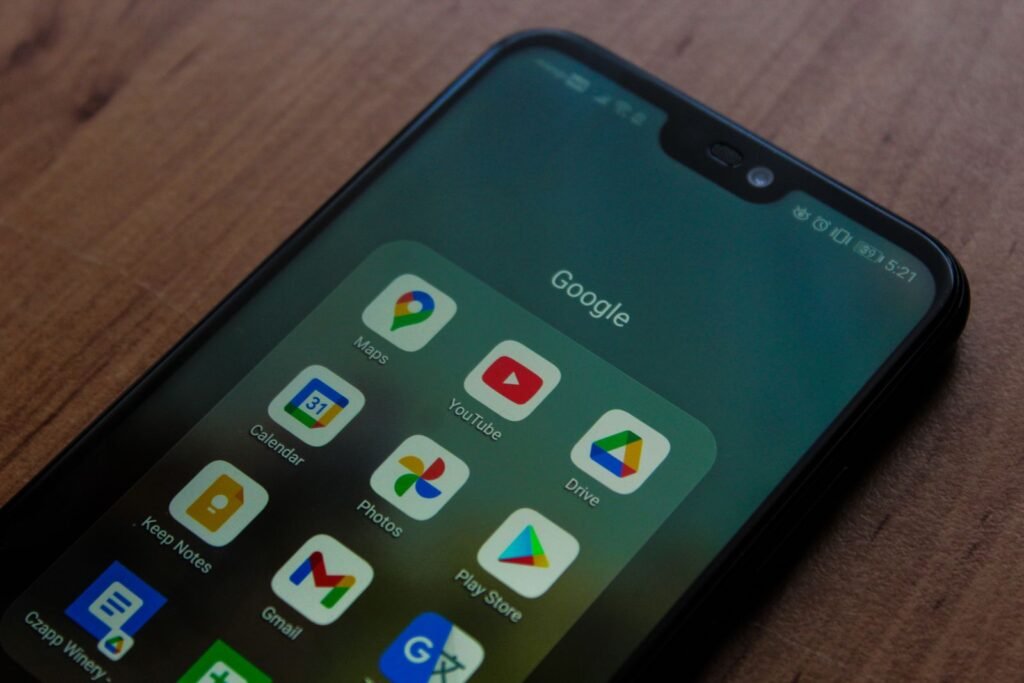
Every app you have ever signed into with your Google account is listed on one page, and most people have never opened it. Go to myaccount.google.com/connections and you will find a list that typically runs to dozens of entries, some of them from services you stopped using years ago, a few of them still holding permission to read your entire mailbox.
That last point is the reason to spend five minutes here rather than five months from now. When an attacker tricks you into approving an app rather than stealing your password, resetting the password fixes nothing at all. The FBI issued a warning about precisely this pattern, and the fix lives on this page and nowhere else. We covered the alert in detail when it landed: no password was stolen, so changing yours will not help.
The 60 second check
Do this on a desktop browser if you can. The mobile layout works but buries the detail you actually want to read.
1. Open myaccount.google.com/connections. If you prefer the long route, go to myaccount.google.com, select Security in the left menu, and scroll to Your connections to third party apps and services.
2. Read the list top to bottom. Google groups entries by connection type, and the type is the single most important thing on the screen. It tells you whether an app can merely identify you or can read your files.
3. Click an app, then See details. Google shows the specific permissions granted and the date you granted them. A line reading “Read, compose, send and permanently delete all your email from Gmail” is not the same as “See your primary Google Account email address”, and they sit next to each other in the same list.
4. For anything you do not recognize or no longer use, click Remove access and confirm. There is no undo, but there is also no damage: if you still need the app, you sign in again and grant it access.
The three kinds of connection, and why only one is dangerous
Google separates connections into three categories with different buttons and different consequences. Most guides collapse them into one list, which is why people either panic about harmless entries or ignore genuinely risky ones.
| Type | What the app can do | Button to remove it |
|---|---|---|
| Sign in with Google | Identify you and read basic profile details such as name, email address and picture | Stop using Sign in with Google |
| Linked account | Exchange data both ways with a service you connected on purpose, for example a smart speaker or a fitness tracker | Delete link |
| Access to your Google Account | Reach the actual contents of Gmail, Drive, Calendar, Contacts or Photos, up to and including deleting them | Remove access |
The third row is the one to audit properly. A shopping site that uses Sign in with Google to save you from inventing another password is doing nothing you should worry about. A four year old email productivity tool that still holds full Gmail scope is a live liability, because whoever owns that company today inherited your mailbox permission along with the source code.
Which permissions actually matter
When you click through to the details, Google spells out each granted scope in plain English. These are the phrasings worth stopping on.
| What you will see | Risk if the app is compromised |
|---|---|
| Read, compose, send and permanently delete all your email | Total. Mailbox access is also password reset access to most of your other accounts |
| See, edit, create and delete all of your Google Drive files | Very high. Includes anything shared with you by an employer or client |
| See and download your contacts | High. This is the raw material for spear phishing everyone you know |
| See, edit, share and permanently delete all calendars | Moderate to high. Meeting titles and attendees leak a lot about a company |
| See your primary Google Account email address | Low. This is ordinary Sign in with Google behavior |
Do the same check on Android and iPhone
The account is the same, so revoking on one device revokes everywhere. The path differs slightly.
On Android, open Settings, tap Google, then Manage your Google Account, swipe to the Security tab and scroll to the same connections section. On an iPhone, open the Gmail or Google app, tap your profile picture, choose Manage your Google Account and follow the identical path. Both open the same web view you would see on a desktop.
These three URLs are worth bookmarking. Together they cover apps, sessions and devices, which is the whole surface area of an account takeover.
# Apps and services holding permission on your account
https://myaccount.google.com/connections

# Google's own guided audit, including recent security events
https://myaccount.google.com/security-checkup

# Every device currently signed in, with location and last activity
https://myaccount.google.com/device-activity

# Workspace administrators only
Admin console > Security > Access and data control > API controls
If you run a Google Workspace domain
Individual users clicking through consent screens is not a policy. Workspace gives administrators a control that decides the question centrally, and most domains leave it wide open by default.
In the Admin console go to Security, then Access and data control, then API controls, then Manage Third Party App Access. Every app that touches your domain’s data can be marked Trusted, Limited or Blocked, and you can set a default that stops unconfigured apps from getting access at all. Since December 2024 you can also configure an app by individual API scope rather than all or nothing, so a tool that genuinely needs calendar access does not automatically get Drive as well.
The setting that changes the most, fastest, is switching the default for unconfigured third party apps to blocked. Expect a week of access requests from staff. That is the point: you find out what your organization was actually connected to.
Troubleshooting
An app I removed is back on the list
You signed in with it again, usually without noticing, because the app prompted and you clicked through. Check the grant date shown in the details view. If it is today, that is what happened. If the date is old and you are certain you removed it, treat it as a compromise and run the security checkup.
Removing access broke something I use
Expected and reversible. Open the app, sign in with Google again, and approve the consent screen. Read it this time. If the app asks for more than it plausibly needs, that is useful information and a good reason to look for a different tool.
I cannot find the connections section at all
You are probably signed into a Workspace account where an administrator has restricted the page, or you are looking at a Google product connection rather than a third party one. Use the filter at the top of the connections list to switch between “Google product” and “Other account access”.
The list is empty but I know I have connected apps
You are signed into a different Google account than you think. Check the avatar in the top right corner. Multiple account sign in makes this a very common mistake, and it is the reason people conclude their account is clean when it is not.
Frequently asked questions
Does changing my Google password revoke app access?
No. An OAuth token granted to a third party app is a separate credential from your password and survives a password change. This is the whole mechanism behind consent phishing, and it is why security advice that stops at “change your password” leaves the attacker connected.
How often should I check this page?
Twice a year is enough for most people, plus immediately after any phishing scare or any news about a breach at a service you use. Put it in the same slot as reviewing your saved passwords and it stops being a task you forget.
Is Sign in with Google safe to keep using?
Yes, and it is usually safer than creating another password. It grants only basic profile information and gives you one place to cut off every service at once. The risk is not the sign in method, it is the separate full data permissions some apps request alongside it.
Can I see what an app actually did with my data?
Not from this page. Google shows what was granted, not what was used. For Workspace domains, the audit and investigation tool in the Admin console records API activity. For personal accounts, the security checkup lists recent security events but not per app usage logs.
What about app passwords and less secure app access?
Google removed less secure app access for consumer accounts, so anything still working through it has already broken. App passwords, where they still exist for older mail clients, are listed separately under Security and should be revoked with the same suspicion you apply to app connections.
The bottom line
The connections page is the shortest security win available on a Google account, and almost nobody opens it. Five minutes of reading and a few clicks removes every abandoned service that still holds a live key to your mailbox, and it is the only action that actually stops a consent phishing attack once it has succeeded.
Pair it with two other habits and your account is in genuinely good shape: a password manager and unique passwords, covered in our guide to strong passwords, and a working eye for the consent screens and scam pages that get people here in the first place, which our walkthrough on spotting online scams covers. The browser is worth a pass too: extensions ask for the same kind of sweeping permission, and they can turn malicious in an update long after you install them.
About this article: GeekBlog covers U.S. technology news, AI, phones, smartwatches and gaming. Every story is written and checked under our Editorial Policy. Spotted a mistake or have a story tip? Contact our editors.
