

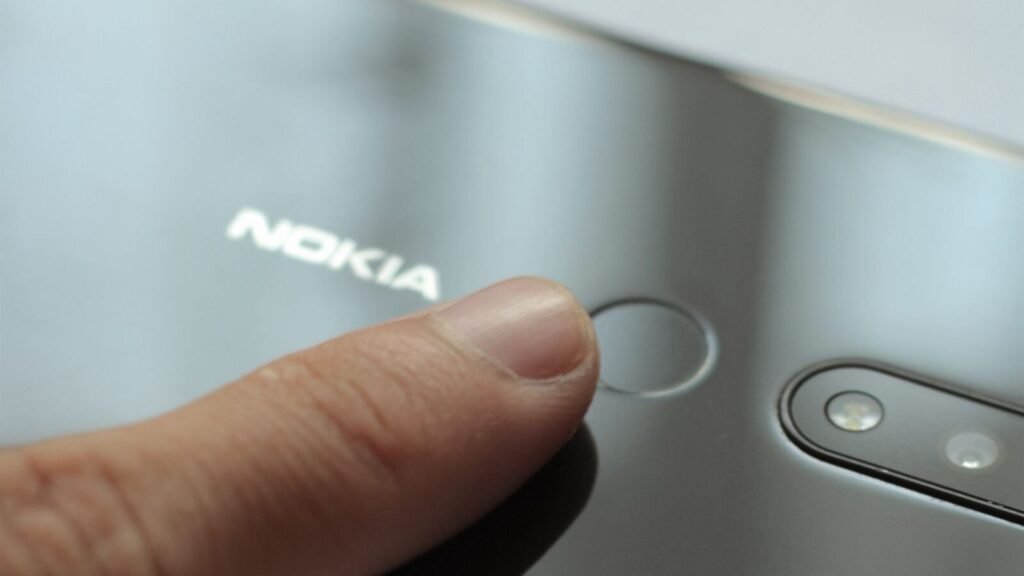
Every guide to passkeys tells you they are safer than passwords, and every one of them is right. Almost none of them answer the question that actually stops people from switching: what happens when the phone that holds the passkey ends up in a river. The honest answer has two branches, and which branch you are on was decided when the passkey was created, not when the phone was lost.
That last sentence is the whole argument in miniature, and it is why the passkey versus password comparison is less clean than either side admits. Here is what a passkey actually is, what it genuinely fixes, and how to set it up so a lost phone is a twenty minute annoyance instead of a weekend.
What a passkey actually is
A password is a shared secret. You know it, the site stores a hash of it, and anything that can persuade you to type it can have it. A passkey is not shared at all. Your device generates a key pair, keeps the private half in its secure hardware, and hands the site only the public half. Signing in means the site sends a challenge, your device signs it with the private key after your face or fingerprint unlocks it, and the site checks the signature against the public key it already had.
Two consequences follow, and they are the entire value proposition.
First, there is nothing to steal from the site. A breach that dumps a passkey database leaks public keys, which are useless on their own. Second, the credential is bound to the site’s actual domain. A convincing fake login page cannot invoke your passkey for the real site, because the browser will not offer it for a domain that does not match. That is a structural fix for phishing rather than a training problem, which is what makes it different from every password rule anyone has ever published.
Passkey vs password, side by side
| Situation | Password | Passkey |
|---|---|---|
| Site gets breached | Hashes leak and get cracked offline | Only public keys leak, and they are useless |
| You land on a convincing fake login page | You type it in and it is gone | The browser will not offer it for the wrong domain |
| Reused across sites | Extremely common, and one breach unlocks many accounts | Impossible, every passkey is unique to one site |
| You lose the device | Irrelevant, you remember it or your manager has it | Fine if synced, a problem if device bound |
| Moving between Apple and Android | Trivial | The two ecosystems do not sync to each other, so you re register |
| Attacker steals your session cookie | Bypassed entirely | Bypassed entirely, same as a password |
That final row matters more than people expect. Neither credential protects a session that is already open. Infostealer malware that lifts a browser token walks straight past both, which is exactly how attackers have been draining AI subscriptions without ever knowing a password. Passkeys fix the login. They do not fix everything after it.
The lost phone question, answered properly
If your passkeys sync, nothing happens
This is the normal case in 2026 and the one almost nobody explains clearly. Apple stores passkeys in iCloud Keychain, end to end encrypted with keys Apple itself cannot read, and they appear automatically on your iPad and Mac. Google syncs passkeys created on Android across Android, Windows and macOS while you are signed into Chrome. 1Password and Bitwarden do the same across every platform they support.
So the phone goes in the river, you buy a new one, you sign in to your Apple ID or Google account, and your passkeys are already there. No recovery emails, no support tickets. In this scenario a passkey is strictly better than a password you had memorized, because you did not have to remember anything.
If the passkey is device bound, that one is gone
A device bound passkey exists in one place only. Hardware security keys are device bound by design, Windows Hello has historically been device bound, and you can end up with one by creating a passkey while sync is switched off. Lose the only device holding it and that credential does not come back. You are now using the site’s account recovery, which is the part of the system nobody redesigned.
If you lose the whole account, it gets serious
The genuinely bad case is losing access to the Apple ID, Google account or password manager account that holds the vault, because that is one failure point in front of everything. Apple’s recovery path alone asks for your iCloud password, a code sent to your registered number and your device passcode, and gives you ten attempts before you are talking to Apple Support. Build a second way in before you need it.
Set it up so losing the phone is boring
Five minutes now removes the entire problem. Work through this once per ecosystem, not once per site.
1. Confirm sync is actually on.
   iPhone: Settings, your name, iCloud, Passwords. Must be on.
   Android: Settings, Google, Autofill, Google Password Manager.
   Manager: turn on cloud sync, not local only vault.

2. Register a passkey on a second device you own.
   A tablet or laptop is enough. Two devices means no single
   point of failure even if the sync account is locked.

3. Add one hardware security key for the account that holds
   everything: your Apple ID, your Google account, your email.
   That is the account an attacker actually wants.

4. Write down the recovery codes each site gives you.
   Paper, or a note in a manager stored on a different platform.
   These are what you will reach for at the worst moment.

5. Check the fallback on your five most important accounts.
   If password reset still goes to an email you no longer control,
   the passkey is decoration.
Where passkeys are still annoying
Three friction points are real and worth knowing before you commit.
Moving between ecosystems is the biggest. Apple and Google do not sync passkeys to each other, so switching from iPhone to Android means signing in with the fallback and re registering on every site. Portability standards are coming, but today the practical answer is to keep passkeys in a cross platform manager rather than in a single vendor’s vault if you expect to switch.
Shared accounts are awkward. A password can be handed to a colleague or a partner. A passkey is tied to a person’s biometrics, which is correct security and inconvenient reality for the household streaming login. Managers with shared vaults handle this, platform keychains do not.
Corporate environments lag. Plenty of workplace tools still have no passkey support at all, and some password managers have narrowed what they will hold, which is why Microsoft Authenticator dropping password and most passkey management caught so many people mid migration.
Troubleshooting
The site offers a passkey but my phone never prompts
Usually the browser, not the site. Passkeys need a current browser and, on desktop, Bluetooth switched on for the cross device flow. Check that autofill is enabled for your password provider, and on Android that the right provider is selected, since having two managers installed makes them fight over the prompt.
I have a passkey on one device and cannot use it on another
Either sync is off or the passkey is device bound. Look at the credential in your manager: synced ones appear on every device, device bound ones appear on exactly one. If it is device bound and you want it everywhere, delete it at the site and create a new one with sync active.
I moved from iPhone to Android and everything is asking for passwords
Expected. The two ecosystems do not hand passkeys to each other. Sign in with the fallback, register a fresh passkey on the new phone, and consider a cross platform manager so the next move is painless.
My work account will not let me add one
Your administrator controls that. Many organizations restrict which authentication methods are allowed, and plenty have not enabled passkeys. Nothing you do on your own device changes it.
Frequently asked questions
Is a passkey safer than a password?
Against phishing and breaches, substantially. A passkey cannot be typed into a fake site and a leaked database of them is worthless. Against a stolen session cookie or a compromised recovery email it offers nothing extra, which is why it is an upgrade rather than a solution.
What if I lose my phone and it is my only device?
If your passkeys sync, sign in to your platform account on a new phone and they return. If they do not sync, use each site’s account recovery, which is usually an emailed link or a saved recovery code. This is the exact scenario that makes registering a second device worth the five minutes.
Can someone steal my passkey?
Not from the site, and not by tricking you into typing it, because there is nothing to type. The realistic attacks are against the device itself or against the account that syncs your vault. Protect those two things and the passkey takes care of itself.
Do I still need a password manager?
Yes, for years. Most of your accounts still use passwords and will for a long time, and a cross platform manager is also the cleanest place to keep passkeys if you ever switch phone ecosystems. Our guide to strong passwords and password managers still applies unchanged.
Are passkeys biometric data?
No. Your face or fingerprint unlocks the private key on your device and never leaves it. The site receives a signature, not anything biological. This is a common misreading and worth correcting when someone raises it as a privacy objection.
Should I delete my password after adding a passkey?
If the site lets you, yes, because leaving it there keeps the phishable path open. Most sites do not let you yet. Where you cannot remove it, make it long, unique and stored in a manager, and turn off SMS as a recovery method wherever a better option exists.
The bottom line
Passkeys are the first authentication change in twenty years that fixes phishing structurally instead of asking users to be more careful. They are worth adopting. What they do not do is remove the messy human problem underneath, which is account recovery, and the lost phone question is really a recovery question wearing a disguise.
Turn on sync, register a second device, keep the recovery codes somewhere real, and check what happens to your most important accounts if the email behind them is compromised. Do that and a passkey is a straight upgrade. Skip it and you have moved the single point of failure rather than removed it. If you want the wider picture on how credential attacks actually start, our walkthrough on spotting online scams covers the part that happens before any of this.
About this article: GeekBlog covers U.S. technology news, AI, phones, smartwatches and gaming. Every story is written and checked under our Editorial Policy. Spotted a mistake or have a story tip? Contact our editors.
