

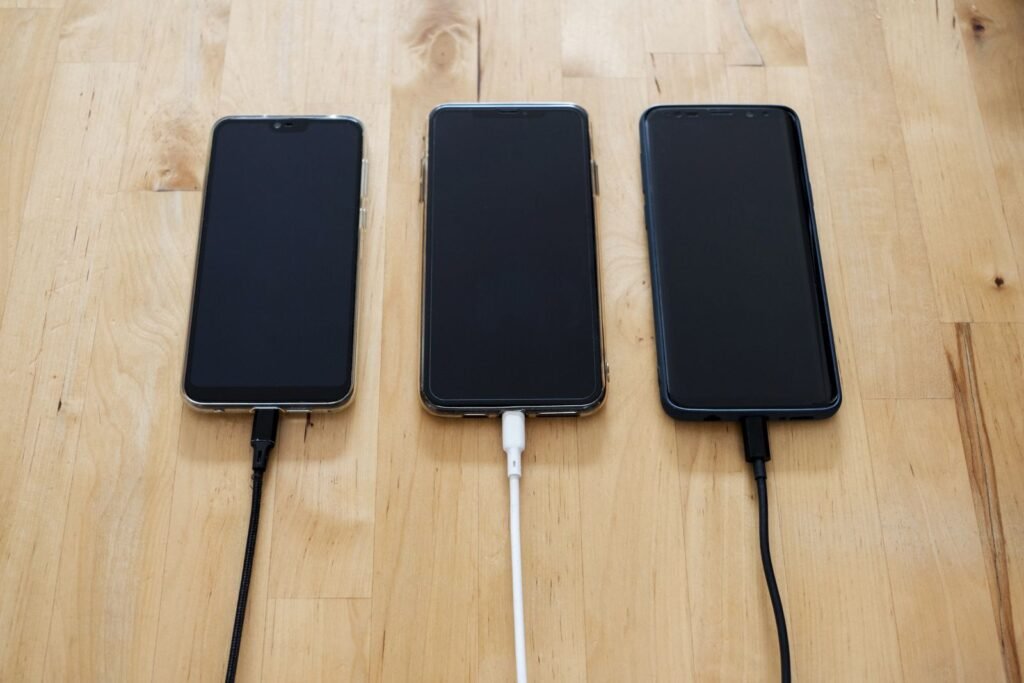
Your iPhone gets warm when charging because pushing electricity into a lithium-ion battery is a chemical process that naturally produces heat, and fast charging, wireless pads, and using the phone at the same time all add to it. A little warmth is normal; a phone that feels genuinely hot or throws an overheating warning is telling you something needs to change.
If you own an iPhone 17, iPhone 17 Pro, or iPhone Air running iOS 26, you are also charging faster than older iPhones ever did, and faster charging means more heat. Below is a plain-English breakdown of every real cause, which ones are harmless, and exactly what to do about the ones that are not.
Why charging produces heat in the first place
Every rechargeable battery loses a small amount of energy as heat while it charges. Inside your iPhone, a charging chip converts and regulates the incoming power, and that conversion is never 100 percent efficient. The leftover energy becomes warmth. This is basic physics, not a defect, and it is why even a brand-new iPhone charging on the official cable gets slightly warm around the middle and lower back of the phone.
Heat is highest at the start of a charge, when the battery is low and accepting power quickly, and it tapers off as the battery fills. That is why your phone often feels warmest in the first 20 to 30 minutes and cools down as it approaches 100 percent.
Fast charging and USB-C Power Delivery
The iPhone 17 lineup charges at up to 40W over USB-C using the Power Delivery (PD) standard, enough to reach about 50 percent in roughly 20 minutes with a 40W or higher adapter. Moving that much power quickly generates real heat as a trade-off for speed. This is expected and safe within limits, and iOS actively manages the temperature by throttling the charge speed if the phone gets too warm.
Apple even builds a feature called thermally limited charging into iOS: when the phone senses it is running hot, it deliberately slows or pauses charging to protect the battery. So a warm phone that is charging a little slower than usual is often the system working exactly as designed, not failing.
Wireless and MagSafe charging inefficiency
Wireless charging is inherently less efficient than a cable. Energy is transferred across a small air gap between two coils, and whatever does not make it into the battery is released as heat. That is why an iPhone on a MagSafe or Qi2 pad frequently feels warmer than the same phone on a USB-C cable, even though MagSafe and Qi2 top out at 25W on the iPhone 17 versus 40W wired.
Poor alignment makes it worse. If the phone is not centered on the coil, the charger works harder and generates more heat while delivering less power. A thick or metal-containing case can also interfere. If your phone runs hot on a wireless pad, reseat it until it snaps into place, or use a genuine MagSafe charger that aligns magnetically.
Using the phone while it charges
This is the single most common reason an iPhone gets uncomfortably hot on the charger. Charging generates heat, and so does the processor. Stack a demanding task on top of a charge and the two heat sources combine. Gaming, video streaming, GPS navigation, video calls, and camera use are the usual culprits. Set the phone down while it charges and it will run noticeably cooler.
Heavy background tasks and processing
Sometimes the phone is hot even though you are not touching it, because it is busy in the background. iCloud Photos syncing thousands of images, an app updating, a large download, or indexing after an update all push the processor while charging. A recent iOS 26 update, for example, re-optimizes the photo library and search index in the background, which can keep the phone warm for a while after you install it.
Restoring, updating, or setting up a new iPhone
The first hour or two with a new iPhone, or right after a major restore from backup, is a well-known warm period. The phone is downloading apps, syncing accounts, redownloading photos and messages, and charging at the same time. This can make a new iPhone 17 feel hot straight out of the box. It is normal and temporary. Let it finish, ideally with the case off, and the temperature returns to normal once setup completes.
Direct sun, hot cars, and the environment
Ambient heat matters enormously. Apple designs iPhone to operate in temperatures between 32°F and 95°F (0°C to 35°C). Charging in a car parked in the sun, on a windowsill, or on a dashboard mount stacks environmental heat on top of charging heat and can quickly trigger a temperature warning. Never leave a charging iPhone in a hot car. If you charge in a car mount that also runs navigation, keep it out of direct sunlight and in the airflow of an AC vent.
A bad cable, adapter, or worn port
Cheap, uncertified, or damaged cables and adapters are a real cause of excess heat. A frayed cable, a counterfeit charger, or a knockoff power bank can deliver unstable power that makes the charging circuit work harder and run hotter, and in rare cases poses a safety risk. Because the iPhone 17 ships with a cable but no wall adapter, a lot of people buy a random third-party brick. Use an Apple-certified (MFi) cable and a reputable USB-C PD adapter. Also check the port for lint or debris, which traps heat and blocks a clean connection.
A case that traps heat
Thick, insulating cases, especially rugged or battery cases, hold heat against the phone with nowhere to escape. This is most noticeable during fast or wireless charging. If your iPhone consistently runs hot on the charger, take the case off while it charges. It is the easiest fix on this list and often the most effective.
Battery health and aging
As a battery ages, its internal resistance rises and it becomes less efficient, which means more of the charging energy turns into heat. An iPhone that is two or three years old and has been through hundreds of charge cycles will naturally run a bit warmer and charge a bit slower than it did when new. Check Settings, Battery, Battery Health & Charging. If Maximum Capacity has dropped well below 80 percent, a battery replacement will restore both cooler charging and longer runtime.
Software bugs and rogue apps
Occasionally the cause is software. A buggy app stuck in a loop, a bad background process, or a glitch shortly after an iOS update can keep the processor working overtime and the phone hot. Check Settings, Battery to see if one app is using a disproportionate amount of power. Force-quitting it, updating it, or restarting the phone usually clears it. If a new iOS 26 point update introduced the problem, installing the next patch often fixes it.
How to fix an iPhone that gets hot when charging
- Take the case off. Remove any case while charging, especially during fast or wireless charging, so heat can dissipate.
- Stop using the phone. Put it down and avoid gaming, streaming, navigation, or camera use while it charges.
- Move it somewhere cool. Get it out of direct sun, off hot surfaces, and out of parked cars. Aim for room temperature.
- Check your cable and adapter. Use an Apple-certified cable and a reputable USB-C PD adapter. Retire any frayed cable or no-name brick.
- Clean the charging port. Gently remove lint or debris with a wooden or plastic toothpick, never metal.
- Reseat wireless chargers. Center the phone on the pad or use MagSafe so it aligns correctly and charges efficiently.
- Switch to a cable if wireless runs hot. A USB-C cable is more efficient and cooler than a wireless pad.
- Restart the phone. A quick restart clears a stuck app or background process that is generating heat.
- Check Battery settings. Look for a rogue app under Battery, and review Battery Health & Charging for a worn battery.
- Update iOS and your apps. Install the latest iOS 26 update and app updates to clear known bugs.
- Let new-phone setup finish. If you just set up or restored the phone, let it complete before judging the temperature.
Normal versus concerning: a quick reference
| Cause | Is it normal? | What to do |
|---|---|---|
| Mild warmth during fast charging | Yes | Nothing; it cools as the battery fills |
| Warm on a MagSafe or Qi2 pad | Yes | Center the phone; switch to cable if excessive |
| Hot while gaming or navigating on charge | Somewhat | Put the phone down while charging |
| Warm during setup or restore | Yes | Let it finish; remove the case |
| Hot in the sun or a hot car | No | Move it somewhere cool immediately |
| Very hot with a cheap or damaged cable | No | Replace with certified gear now |
| Hot with a temperature warning | No | Unplug, power off, let it cool |
| Runs hot and charges slowly as it ages | Partly | Check battery health; replace if worn |
When to worry
Warmth you can comfortably hold is fine. Start paying attention when the phone becomes genuinely hot to the touch, when you see a “Charging On Hold” notification (which means the phone is temporarily too hot or too cold to charge), or when the full-screen temperature warning appears and the display dims. At that point iOS has paused charging and possibly disabled the camera and flash to cool down. An iPhone showing the temperature warning may still be able to make emergency calls.
If you get a warning, unplug the phone, power it off, take the case off, and move it out of any heat source. Do not put it in a refrigerator or freezer; rapid cooling causes condensation that can damage the electronics. Just let it return to room temperature on its own. Seek help if the phone overheats repeatedly with no obvious cause, becomes hot enough to be uncomfortable to hold, swells or bulges anywhere, or emits any smell. A swollen battery is a safety issue and should be handled by Apple or an authorized service provider, not used or charged.
For a deeper look at charging your iPhone quickly and safely, see our guide to iPhone 17 Pro charging, charger types, and speeds, and if heat and battery life are pushing you toward a new phone, compare the field in which iPhone has the best battery life.
The bottom line
An iPhone getting warm while charging is normal, and on the fast-charging iPhone 17 lineup it is more noticeable than ever. The heat you should ignore is mild, temporary, and worst in the first 20 minutes of a charge. The heat you should act on is the kind that makes the phone hard to hold, slows charging to a crawl, or triggers a warning. In almost every case the fix is simple: take the case off, stop using the phone while it charges, keep it out of the sun and hot cars, and use a good certified cable and adapter. Do that, keep an eye on your battery health, and your iPhone will charge cool, safe, and fast.
