

We may earn a commission from links on this page.
Even though it costs me a borderline comedic amount of money to take Pilates classes at a reformer studio here in Manhattan, I’m quite willing to pay—I love Pilates that much. And even though I’m also fortunate enough to work at a gym where we have free mat Pilates classes, I still want more, which is how I find myself perusing YouTube and my beloved Peloton app for guided classes I can follow along with at home. I’m a sicko, but it’s fine.
Luckily, for my fellow sickos (and the more well-adjusted Pilates fans out there), there are plenty of great, free Pilates instructors available on YouTube. You can use these classes to familiarize yourself with Pilates if you’re new, save some money if studios around you are getting too expensive, or stick to your routine when you’re away from traditional classes.
Move With Nicole
This channel has 5 million subscribers, which is a pretty solid endorsement on its own. I like Move With Nicole because the instructor produces such a solid variety of content. From the title of each video, you’ll immediately know if it’s easy or more advanced, how long the routine will take, and whether you’ll need equipment. (Personally, I don’t have a lot of dedicated Pilates equipment in my home, since I can’t justify investing in it when I have access to so many in-person classes that provide it, so I’m always on the lookout for YouTube workouts that don’t require anything too fancy.)
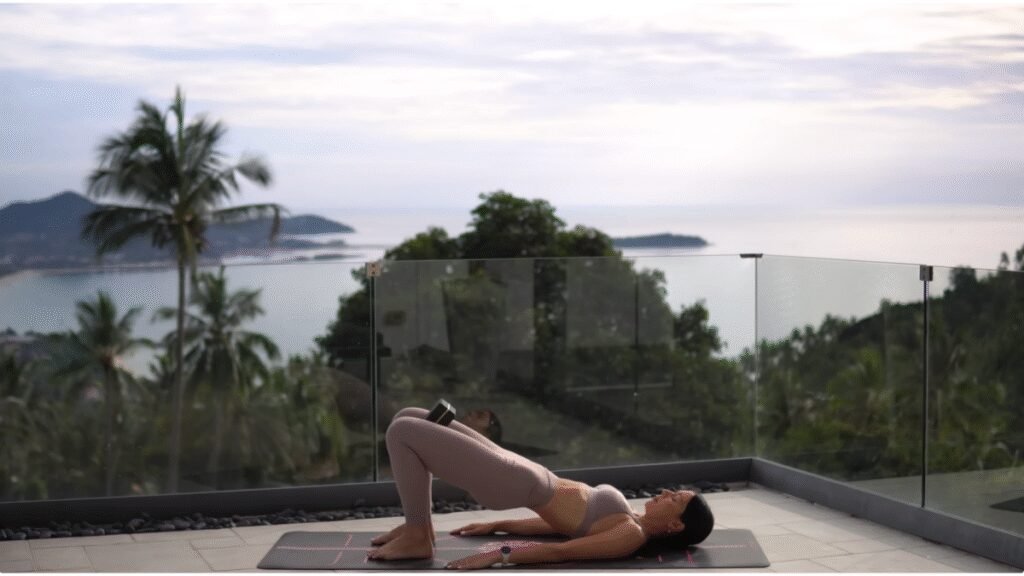
Nicole McPherson is certified to teach Pilates and yoga, both of which are available on the channel, which rounds out the offerings nicely. On days you might be more interested in a calmer stretch, she gives you that option through her yoga, all without you having to go hunt elsewhere. She speaks in soothing, calm tones while she gives clear instruction about what to do (which is really valuable, especially for beginners) and as a bonus, you get to see some gorgeous shots of her environment in Thailand.
Flow With Mira
On Flow With Mira, you can find videos broken down by skill level, but also ones dedicated to routines with specific equipment, so if you do happen to have a magic circle or Pilates ball, you can really put it into action here. Videos are also broken down by muscle group, which makes it simple to build a weekly program around the channel.
Mira Bassan leads the classes for her 244,000 subscribers with clear, direct instructions and little fanfare. She tends to jump right into routines after explaining which muscle groups will be targeted and her production is solid enough that you can see clearly exactly what she’s doing as she describes it.
Trifecta Pilates
Trifecta Pilates, which has 209,000 subscribers, is a good place to turn when you don’t want to get decision paralysis about which sort of class to follow. Beth Sandlin offers up all-level routines, meaning just about anyone can tune into one of her videos and get something out of it. Rather than creating workouts for various skill levels, she provides modification options throughout her routines so everyone can follow the same clip.
In addition to classes of various lengths and using different types of equipment, she also provides educational content for other instructors or just people curious about Pilates, hosting discussions with other experts or giving overviews of Pilates’ history.
What do you think so far?
Blogilates
No list of at-home Pilates channels is complete without a nod to Blogilates, maybe the most recognized name in the game, thanks to the instructor’s lines of activewear and equipment through Target and her brand Popflex. Cassey Ho has nearly 11 million subscribers and has been in the game a long time. (I was watching her videos 14 years ago.) While she’s moved on to vlogging about her experiences as an entrepreneur, plus nutritional content and other standard YouTuber fare, even the old Pilates videos are great. (You can track how much production improved over the years, too, but they’ve always been good workout videos, even when the quality wasn’t that high.)
Ho has structured the channel meticulously. There is a new workout playlist curated every day, so you can just tap on the one designed for whatever day it is and jump right into her program. Her instructions are clear and she’s super upbeat, creating some contrast with the other, more zen instructors on the platform.
Jessica Valant
With over 1 million subscribers of her own, Jessica Valant is a high-quality instructor who really knows her stuff. Not only is she certified to teach Pilates, but she’s a physical therapist. She is especially knowledgeable about women’s bodies and structures her workouts around her expertise.
Her channel is easy to navigate and videos are divided into categories based on their length, type, muscle focus, and more. Valant is dedicated to making her routines accessible, so her approach is educational and encouraging all at once. She’s clear when she gives instructions, safety cues, and modifications, so you can follow along easily.
About this article: GeekBlog covers U.S. technology news, AI, phones, smartwatches and gaming. Every story is written and checked under our Editorial Policy. Spotted a mistake or have a story tip? Contact our editors.
