

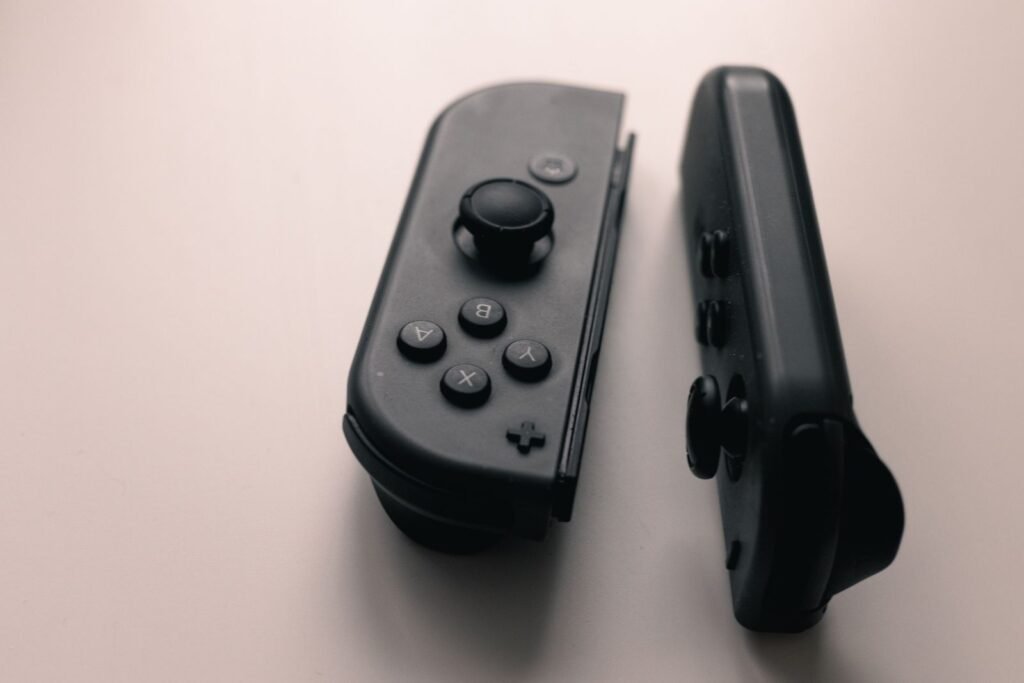
Joy Con drift was supposed to be a Switch 1 problem. It is not. The Switch 2’s Joy Con 2 controllers still use the same basic kind of stick sensor, and drift reports have been trickling in since launch. The good news: Nintendo’s own troubleshooting fixes a surprising number of cases in a few minutes, and when the stick really is worn, Nintendo’s repair service in the US and Canada will take a broken Joy Con 2 without charging you up front. Here is the full process, in the order that saves you the most time and money.
Quick answer
On your Switch 2, install the latest System Update, then go to System Settings > Controllers & Accessories > Update Controllers. Remove any skins, then choose Calibrate Control Sticks and follow the prompts. Also check for remapped buttons (a wrench icon) and use the HDMI cable that came with the console. If the stick still drifts, request a repair through Nintendo’s online service request; only send the Joy Con 2, not the console.
The steps below follow Nintendo of America’s support articles for Switch 2, checked in October 2026, plus what repair shops have found inside the Joy Con 2.
Joy Con 2 drift at a glance
Sources: Nintendo support, GamesRadar+, Hark Tech. Prices before tax.
Why Switch 2 Joy Con controllers still drift
Many people expected Nintendo to switch to drift resistant Hall effect sticks for the Switch 2. It did not. Nintendo of America’s Nate Bihldorff confirmed in April 2025 that the Joy Con 2 does not use Hall effect sensors, and teardowns found potentiometer sticks, where a small wiper slides over a resistive track. Repair technicians report larger contact pads and tighter tolerances than on the original Joy Con, which may help them last longer, but the wear mechanism is the same: over time the wiper scratches the track, and the controller starts reading movement that is not there. A likely reason Nintendo avoided magnetic sensors is the strong magnets the Joy Con 2 uses to attach to the console.
Not every drift is wear
Some early Joy Con 2 complaints turned out to be remapped buttons, outdated controller firmware or a game’s tilt controls. Work through the free fixes below before you assume the stick is worn out.
Step 1: Check for remapped buttons
If a small wrench icon appears next to the controller in the bottom left of the screen, its inputs have been remapped, which can make a stick behave strangely. Set the control stick configuration back to standard, or put the console to sleep and choose the option to reset controller inputs when you wake it.
Step 2: Use the right HDMI cable when docked
This one surprises people. Nintendo specifically lists the HDMI cable as a cause of Joy Con 2 stick problems while docked. Use the Ultra High Speed HDMI cable that came with the Switch 2. Cheap third party cables have been linked to wireless controller issues on the dock, so swap yours out if you replaced the original.
Step 3: Update the console and the controllers
- From the HOME Menu, open System Settings > System > System Update. If an update is available, it downloads automatically.
- After the system update, go to System Settings > Controllers & Accessories > Update Controllers.
- If you have several controllers, they update one at a time. If the update stops partway, run it again.
Step 4: Calibrate the control sticks
Remove any skins, grips or stick covers from the affected Joy Con 2 first, because they can press on the stick. Then:
- From the HOME Menu, open System Settings.
- Select Controllers & Accessories.
- Choose Calibrate Control Sticks.
- Push the stick you want to calibrate fully in one direction and hold it for a few seconds, then follow the on screen prompts.
- Check that the stick now rests in the center when you let go.
If the new calibration does not seem to take effect, put the console to sleep and wake it with the POWER button, or reset the controller by pressing its SYNC button once and then any other button to turn it back on.
Step 5: Rule out the game
If the drift only happens in one game, update that game and check its control options. Nintendo notes that some games, Mario Kart World among them, have tilt or motion controls that can make the sticks seem unresponsive or drifty. Turn those off and test again.
Step 6: Clean around the stick
If calibration helps only briefly, dust under the stick may be the culprit. With the Joy Con 2 detached and powered off, blow short bursts of compressed air around the stick base while rotating it. Nintendo’s guidance stops at removing covers and calibrating, so keep liquids to a minimum: at most a cotton swab lightly dampened with 90% isopropyl alcohol around the outside of the stick, never sprayed into the controller. Let it dry fully before testing.
Step 7: Send it to Nintendo for repair
If the stick cannot be calibrated, or it still drifts after all of the above, Nintendo says the Joy Con 2 needs service. In the US and Canada:
- Go to Nintendo’s online customer support site and start a repair request.
- Choose controller, then Joy Con 2.
- Drift is not listed as its own symptom. Pick the closest match, such as a control stick that does not work or responds incorrectly, and describe the drift.
- Send in only the faulty Joy Con 2. Nintendo is explicit: do not send in the console.
When GamesRadar+ tested the US request flow shortly after launch, a faulty Joy Con 2 could be sent in with no price, shipping or tax shown at that stage. Nintendo’s standard hardware warranty in the US lasts 12 months, and Nintendo has repaired drifting original Joy Con controllers for free for years. In the UK, Nintendo repairs drifting Joy Con 2 controllers free in or out of warranty, unless the damage comes from impact, modification or third party accessories. Outside the US, Canada and UK, contact your nearest authorized service center.
Keep it stock until Nintendo says no
Opening the Joy Con 2 or fitting aftermarket sticks will almost certainly rule out a free Nintendo repair. Try the official route first.
Step 8: Aftermarket TMR sticks, the DIY route
If Nintendo will not cover your controller, drift resistant replacement sticks now exist for the Joy Con 2. GuliKit launched a TMR (tunnel magnetoresistance) stick set in May 2026, priced around £16.99 in the UK, with a dual layer anti magnetic shield to cope with the Joy Con 2’s attachment magnets. Generic Hall effect sticks sold on marketplaces may not account for those magnets, so they are a gamble. Installing any of them means opening the controller, and long term results are still limited, so treat this as an option for out of warranty controllers only.
| Option | Cost | Effort | Best for |
|---|---|---|---|
| Update and recalibrate | Free | 5 minutes | Any new drift, always first |
| Check remaps, HDMI cable, game settings | Free | 5 minutes | Drift only when docked or in one game |
| Nintendo repair request | No charge shown in the US at request stage | Mail in | Real wear, unopened controllers |
| Independent repair shop | Varies, about £45 per Joy Con in the UK | Mail in or walk in | Out of warranty, no DIY |
| DIY TMR stick swap | About £16.99 for the set | Advanced | Tinkerers who want drift resistant sticks |
Turnaround and prices vary by region. UK figures from Hark Tech, 2026.
Fighting drift on other controllers too? See our guides on how to fix PS5 controller stick drift and how to fix Xbox controller stick drift.
Our take
Do the update, calibrate and HDMI checks before anything else, because a real share of early Joy Con 2 drift was never hardware. If the stick is genuinely worn, use Nintendo’s repair request rather than a screwdriver: it is the cheapest fix, and it keeps your options open.
Frequently asked questions
How do I fix Joy Con drift on Switch 2?
Install the latest system update, then go to System Settings, Controllers and Accessories, Update Controllers. Remove any skins and choose Calibrate Control Sticks. Check for remapped buttons and use the original HDMI cable. If the drift continues, request a repair from Nintendo.
Do Switch 2 Joy Cons have Hall effect sticks?
No. Nintendo of America confirmed in April 2025 that the Joy Con 2 does not use Hall effect sensors. Teardowns found potentiometer sticks, the same basic type that wears out and drifts on the original Joy Con.
Will Nintendo fix Joy Con 2 drift for free?
In the US and Canada you can send a faulty Joy Con 2 through Nintendo’s online repair request, and early tests showed no charge at the request stage. In the UK Nintendo repairs drifting Joy Con 2 controllers free, in or out of warranty, unless they were damaged or modified.
How do I calibrate my Switch 2 Joy Cons?
From the HOME Menu open System Settings, select Controllers and Accessories, choose Calibrate Control Sticks, push the stick fully in one direction and hold it for a few seconds, then follow the on screen prompts.
Can an HDMI cable cause Joy Con drift?
Nintendo lists the HDMI cable as something to check when Joy Con 2 sticks respond incorrectly while docked. Use the Ultra High Speed HDMI cable that came with the Switch 2 instead of a third party cable.
Should I send my Switch 2 console in for Joy Con drift?
No. Nintendo says to send in only the faulty Joy Con 2, not the console, unless the problem is with the console itself.
Sources and further reading
- Nintendo Support: How to calibrate the controllers on Nintendo Switch 2
- Nintendo Support: Joy Con 2 control sticks are not responding or respond incorrectly
- GamesRadar+: Nintendo’s repair service will take a Joy Con 2 that does not work for free
- Hark Tech: Switch 2 Joy Con drift, a 2026 field report
About this article: GeekBlog covers U.S. technology news, AI, phones, smartwatches and gaming. Every story is written and checked under our Editorial Policy. Spotted a mistake or have a story tip? Contact our editors.
