

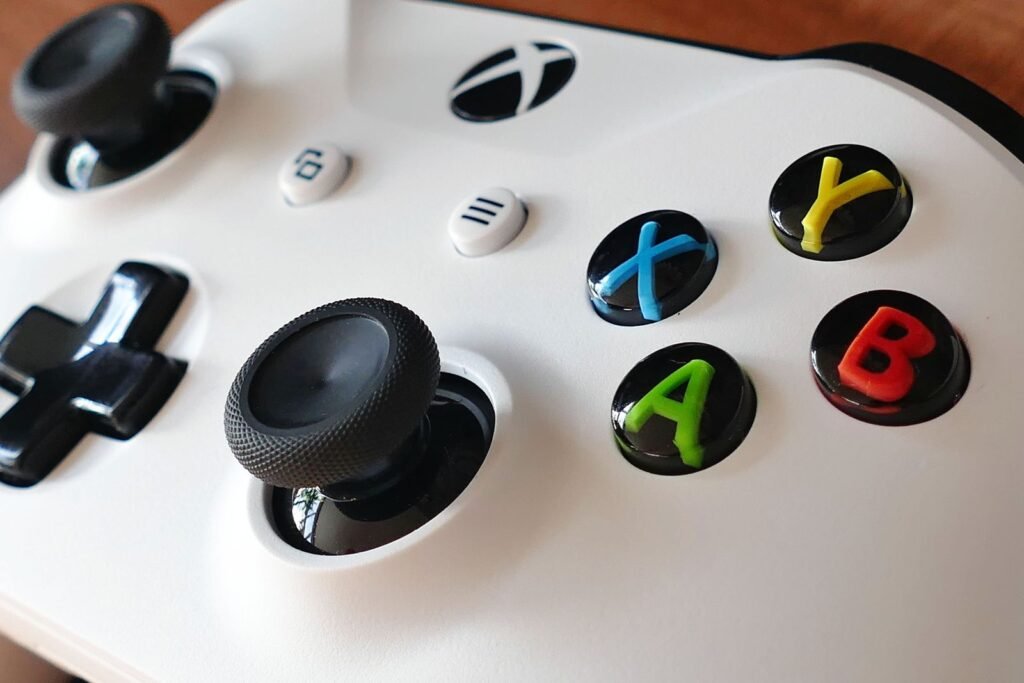
Your character creeps forward on their own, the camera slowly pans when you are not touching anything, or your aim keeps pulling to one side. That is stick drift, and it is the most common way an Xbox Wireless Controller fails. Before you spend $60 or more on a new pad, work through the fixes below in order. A lot of drift clears up with a firmware update or a proper cleaning, and when it is genuine wear, there are cheap repair routes most people do not know about.
Quick answer
Test the stick first, for example in Windows joy.cpl. Then power cycle the controller, update its firmware (Settings > Devices & connections > Accessories on Xbox, or the Xbox Accessories app on PC), and clean around the stick base with 90% isopropyl alcohol. Raise the in game deadzone to hide mild drift. If it persists, request a Microsoft warranty repair, or replace the sticks: a genuine Microsoft board with new sticks costs $34.99, and drift resistant TMR sticks are about $30 a pair.
These steps apply to the Xbox Series X|S controller (model 1914), the older Xbox One controller and the Elite Series 2. Menu paths were checked against the current Xbox console and Windows apps in October 2026.
Xbox stick drift in numbers
Part prices from iFixit, October 2026. Prices before tax.
Why Xbox controllers drift
Standard Xbox thumbsticks use potentiometers: a tiny wiper slides across a resistive track to tell the controller where the stick is. Over thousands of hours that track wears, and dust or skin oil working its way under the stick makes it worse. The controller then reads a small movement even when the stick is centered. Software glitches and old firmware can cause drift like symptoms too, which is why the free fixes come first. Even the premium Elite Series 2 uses potentiometers, so it is not immune.
Fix 1: Confirm it is really drift
Measure before you fix, so you can tell whether each step helped:
- On Xbox or PC: open the Xbox Accessories app, select the controller and open its test view, if your version offers one. Leave the sticks alone and watch whether the position marker moves.
- On any Windows PC: press Windows key + R, type joy.cpl, select the Xbox controller, click Properties and watch the crosshair while you do not touch the sticks.
- In a game: many games have a controller test or show camera movement in menus, which is a quick sanity check.
If the marker sits dead center, your problem is probably a game setting or button remap rather than hardware drift.
Fix 2: Power cycle and reconnect the controller
- Hold the Xbox button on the controller for about 10 seconds until it turns off.
- Remove the batteries or the rechargeable pack for a few seconds, then put them back. Weak batteries alone can cause erratic input.
- Press the Xbox button to turn it on. If it does not reconnect, press the small pair button on top of the controller and the pair button on the console.
- Test again. Drift that disappears now was a glitch, not wear.
Fix 3: Update the controller firmware
Microsoft ships controller firmware updates that improve connection and input handling. It takes two minutes:
- On Xbox Series X|S or Xbox One: go to Settings > Devices & connections > Accessories, select the controller, choose the … button, then Firmware version and Update now if an update is offered.
- On Windows: install the free Xbox Accessories app from the Microsoft Store, connect the controller with a USB C cable (or micro USB on older pads), select it and install the update when prompted.
Fix 4: Clean around the thumbstick
Grime under the stick base is behind a big share of drift, and cleaning costs nothing:
- Turn the controller off and remove the batteries.
- Blow short bursts of compressed air around the base of each stick while rotating it.
- Dampen a cotton swab with 90% or stronger isopropyl alcohol. Never use water or household cleaners.
- Push the stick fully to one side and wipe the gap around its base, then rotate the stick in full circles for 30 seconds to work the alcohol in.
- Let it dry for at least 10 minutes, then test again.
Tip
Repeat the clean two or three times if the first round helps a little. Alcohol evaporates quickly and only dissolves what it reaches, so several passes often beat one long scrub.
Fix 5: Raise the deadzone to hide mild drift
A deadzone is how far the stick must move before the game reacts. Raising it masks small drift. Most modern shooters and racing games have a stick deadzone slider in their controller settings; moving it from around 5 percent to 10 to 15 percent usually stops slow creep. On PC, Steam Input can apply a deadzone to any game. The standard Xbox controller has no global deadzone setting in the Accessories app, while the Elite Series 2 lets you adjust thumbstick sensitivity curves there, plus stick tension with the included adjustment tool. It is a workaround rather than a cure, and it costs you a little fine aim.
Fix 6: Get it repaired under warranty
If the controller is still under warranty, a free repair or replacement beats any DIY fix. Register the controller’s serial number at Microsoft’s Device Support site (support.xbox.com, under your devices), check its warranty status there and start a service order. Coverage differs by model and country, so check yours in the portal rather than assuming. The Elite Series 2 got a one year warranty in October 2020, after drift complaints, and Microsoft Complete protection plans extend coverage further.
Do not open it first
Opening the controller or swapping sticks yourself can void the warranty. If it is in warranty, ask Microsoft first and save the screwdriver for later.
Fix 7: Replace the sticks (out of warranty)
Out of warranty, a repair is often far cheaper than a new controller. The options, from easiest to most permanent:
| Option | Price | Skill needed | Fixes drift for good? |
|---|---|---|---|
| Genuine Microsoft motherboard with rumble motors (includes new sticks) | $34.99 | Moderate, no soldering | Resets the clock, still potentiometers |
| Replacement joystick module | $9.99 each | Soldering required | Resets the clock, still potentiometers |
| GuliKit TMR joysticks (pair) | $29.99 | Soldering required | Much more resistant, magnetic sensing |
| Local repair shop | Varies | None | Depends on the parts they use |
Prices from iFixit’s Xbox Series X|S controller parts store, October 2026. Microsoft publishes official repair guides for these parts.
The genuine motherboard swap is the underrated option: the sticks are mounted on that board, so replacing it gives you brand new sticks without touching a soldering iron. TMR (tunnel magnetoresistance) and Hall effect sticks sense the stick position with magnets instead of a wearing contact, which is why they hold up so much longer, but fitting them means desoldering the old sticks.
Fix 8: Buy a drift resistant controller
If you are buying new anyway, consider a controller with Hall effect or TMR sticks. Microsoft has not released a first party Xbox pad with them yet, but several licensed and third party Xbox controllers use them, and they are the only real way to make drift a non issue. Before you toss a broken pad, check retailer trade in offers; GameStop has run promotions that paid full credit even for defective controllers, as we covered in its busted controller trade in deal.
Xbox stick drift troubleshooting table
| Situation | Try this first |
|---|---|
| Drift started suddenly | Power cycle, fresh batteries, firmware update |
| Drift after months of heavy use | Clean with 90% isopropyl alcohol, several passes |
| Mild creep, need to keep playing | Raise the in game deadzone to 10 to 15 percent |
| Still under warranty | Microsoft Device Support service order, do not open the pad |
| Out of warranty, no soldering | Genuine Microsoft motherboard assembly ($34.99) |
| Want it never to come back | TMR or Hall effect sticks, or a drift resistant controller |
Got a PlayStation or Nintendo controller doing the same thing? See our guides on how to fix PS5 controller stick drift and how to fix Switch 2 Joy Con drift.
Our take
Clean first, update second, and only then spend money. If cleaning helps but drift comes back within weeks, the potentiometers are worn, and the $34.99 genuine board swap is the cheapest real fix for anyone who does not solder. Heavy players who keep killing controllers should go straight to TMR sticks.
Frequently asked questions
How do I fix stick drift on my Xbox controller?
Power cycle the controller, update its firmware in Settings, Devices and connections, Accessories, and clean around the stick base with 90% isopropyl alcohol. Raise the in game deadzone to hide mild drift. If it persists, request a warranty repair or replace the sticks.
Does updating the Xbox controller fix drift?
Sometimes. A firmware update fixes drift caused by software or connection glitches, but it cannot repair worn potentiometers. It is free and quick, so do it before any hardware fix.
Will Microsoft fix my Xbox controller for free?
If the controller is under warranty, you can request a repair or replacement through Microsoft Device Support by registering its serial number. Coverage varies by model and country, and the Elite Series 2 has a one year warranty.
How much does it cost to fix Xbox controller drift?
Cleaning is free. Out of warranty, a genuine Microsoft motherboard with new sticks costs $34.99, a single replacement joystick about $9.99, and a pair of GuliKit TMR sticks about $29.99, the last two requiring soldering.
Do Xbox Elite controllers get stick drift?
Yes. The Elite Series 2 also uses potentiometer sticks and can drift. After complaints, Microsoft extended its warranty to one year in October 2020.
What is the permanent fix for Xbox stick drift?
Replacing the potentiometer sticks with TMR or Hall effect sticks, which sense position with magnets and have no wearing contacts. You can fit them yourself with soldering skills, have a repair shop do it, or buy a controller that already has them.
Sources and further reading
- iFixit: Xbox Series X|S Wireless Controller parts
- TechSpot: You can now repair your Xbox controller using official Microsoft parts
- HotHardware: Microsoft extends Xbox Elite 2 controller warranty following drift complaints
- Xbox Support: All about the Xbox Accessories app
About this article: GeekBlog covers U.S. technology news, AI, phones, smartwatches and gaming. Every story is written and checked under our Editorial Policy. Spotted a mistake or have a story tip? Contact our editors.
