Close Menu
GeekBlog

    Subscribe to Updates

    Get the latest creative news from FooBar about art, design and business.

    What's Hot

    Samsung Galaxy Glasses Are Finally Official: Full Specs, Price, and How They Take On Meta

    July 29, 2026

    DeepMind’s Demis Hassabis Wants a Wall Street-Style Watchdog for AI

    July 28, 2026

    The Light Flip Wants to Sell You a Phone That Does Less

    July 28, 2026
    Facebook X (Twitter) Instagram Threads
    GeekBlog
    • Home
    • Mobile
    • Tech News
    • Blog
    • How-To Guides
    • AI & Software
    Facebook
    GeekBlog
    Home»How-To Guides»Wear OS users are starting to see a new kind of Google Wallet pass on their wrists
    How-To Guides

    Wear OS users are starting to see a new kind of Google Wallet pass on their wrists

    Michael ComaousBy Michael ComaousAugust 8, 20252 Mins Read
    Share Facebook Twitter Pinterest LinkedIn Tumblr Email Copy Link
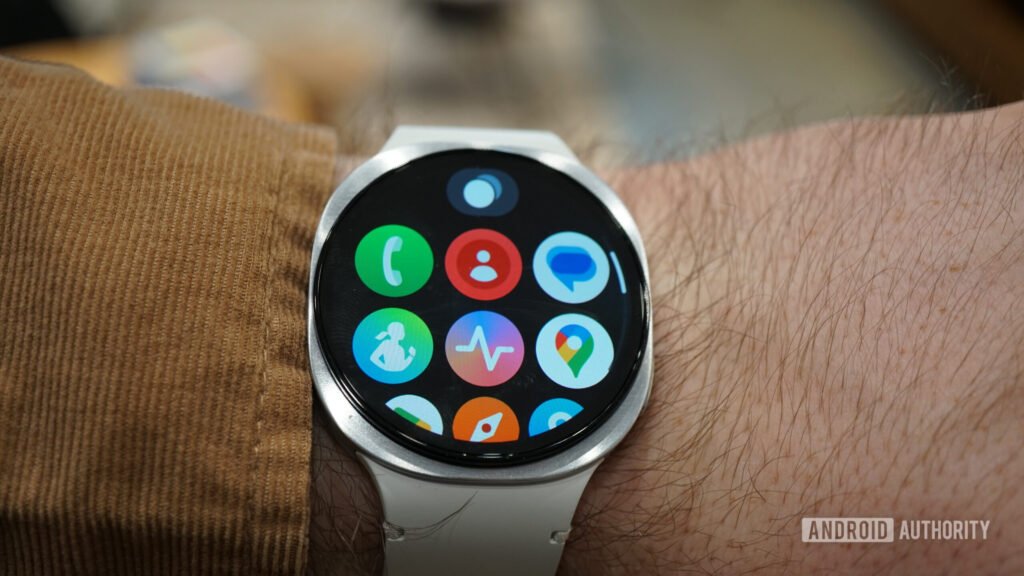
    Wear OS has started showing some types of photo passes.
    Share
    Facebook Twitter LinkedIn Pinterest Email Copy Link

    Recommended for you:

    OpenAI debuts GPT-5, paving the way for an even smarter ChatGPT
    How-To Guides·Aug 8, 2025

    OpenAI debuts GPT-5, paving the way for an even smarter ChatGPT

    Zac Kew-Denniss / Android Authority

    TL;DR

    • Some Wear OS watches are starting to show Google Wallet photo passes with patterns like QR codes or barcodes.
    • Standard photo-only passes still don’t appear, based on our testing.
    • This may be an early test of limited support for scannable custom passes on smartwatches.

    You’ve been able to add photo-based passes to Google Wallet on your phone for a while now, but none of these types of passes appeared on Wear OS smartwatches when you open the app. However, some early signs suggest this might be starting to change.

    A new Reddit post appears to show one of these custom passes showing up in Google Wallet on a smartwatch. The interface is in Spanish, and the pass includes a label that translates to “Press to scan,” suggesting it’s the kind of pass that contains a barcode or QR code. The other screenshot below shows a disclaimer explaining that the pass was created with a photo and that some of its information might not be visible on the watch, with a prompt to open it on your phone for the full view.

    Our testing showed this pattern. Photo passes that include a QR code or barcode appear to show up on some Wear OS watches, while passes that are simply photos, like an image of a document, don’t. That suggests Google may be experimenting with support specifically for scannable photo passes rather than full photo pass support.

    There’s been no official announcement from Google, and its support pages still state that “private” passes aren’t supported on Wear OS. But this is the clearest sign yet that things might be changing.

    We’ll be keeping an eye out for more confirmation. Let us know in the comments if you’ve spotted your Wallet custom photo passes on your wearable.

    Thank you for being part of our community. Read our Comment Policy before posting.

    Google
    Share. Facebook Twitter Pinterest LinkedIn Tumblr Telegram Email Copy Link
    Previous ArticleDisney+ to show free LaLiga football matches every week – including Real Madrid and Barcelona
    Next Article GPT-5 is here – 5 things you need to know about OpenAI’s ‘most useful’ model yet
    Michael Comaous
    • Website

    Michael Comaous is a dedicated professional with a passion for technology, innovation, and creative problem-solving. Over the years, he has built experience across multiple industries, combining strategic thinking with hands-on expertise to deliver meaningful results. Michael is known for his curiosity, attention to detail, and ability to explain complex topics in a clear and approachable way. Whether he’s working on new projects, writing, or collaborating with others, he brings energy and a forward-thinking mindset to everything he does.

    Related Posts

    8 Mins Read

    Windows 11 vs Windows 10: Should You Upgrade?

    8 Mins Read

    Why Is My Phone Lagging All of a Sudden? (Fixes)

    7 Mins Read

    How to Block Twitch Ads With uBlock Origin (2026)

    8 Mins Read

    How to Clear Cache on Android (Any Phone)

    8 Mins Read

    How to Use Zoom: Complete Beginner’s Guide

    8 Mins Read

    How to Reset AirPods: Every Model, Step by Step

    Top Posts

    Husbands Cause More Stress Than Kids? Science Says Many Moms Feel Exactly That

    July 28, 20268 Views

    Samsung Galaxy Unpacked 2026: Z Fold 8, Z Fold 8 Ultra, and Z Flip 8 Are Official

    July 23, 20265 Views

    uBlock Origin on Brave: Do You Need It? (2026 Setup Guide)

    June 15, 20265 Views
    Stay In Touch
    • Facebook

    Subscribe to Updates

    Get the latest tech news from FooBar about tech, design and biz.

    Most Popular

    Best Stores for Buying MP3 and Digital Music You Can Keep Forever (2026)

    August 2, 2025900 Views

    Discord will require a face scan or ID for full access next month

    February 9, 2026770 Views

    Trade in your old phone and get up to $1,100 off a new iPhone 17 at AT&T – here’s how

    September 10, 2025382 Views
    Our Picks

    Samsung Galaxy Glasses Are Finally Official: Full Specs, Price, and How They Take On Meta

    July 29, 2026

    DeepMind’s Demis Hassabis Wants a Wall Street-Style Watchdog for AI

    July 28, 2026

    The Light Flip Wants to Sell You a Phone That Does Less

    July 28, 2026

    Subscribe to Updates

    Get the latest creative news from FooBar about art, design and business.

    Facebook
    • About Us
    • Contact us
    • Privacy Policy
    • Disclaimer
    • Terms and Conditions
    © 2026 GeekBlog

    Type above and press Enter to search. Press Esc to cancel.