

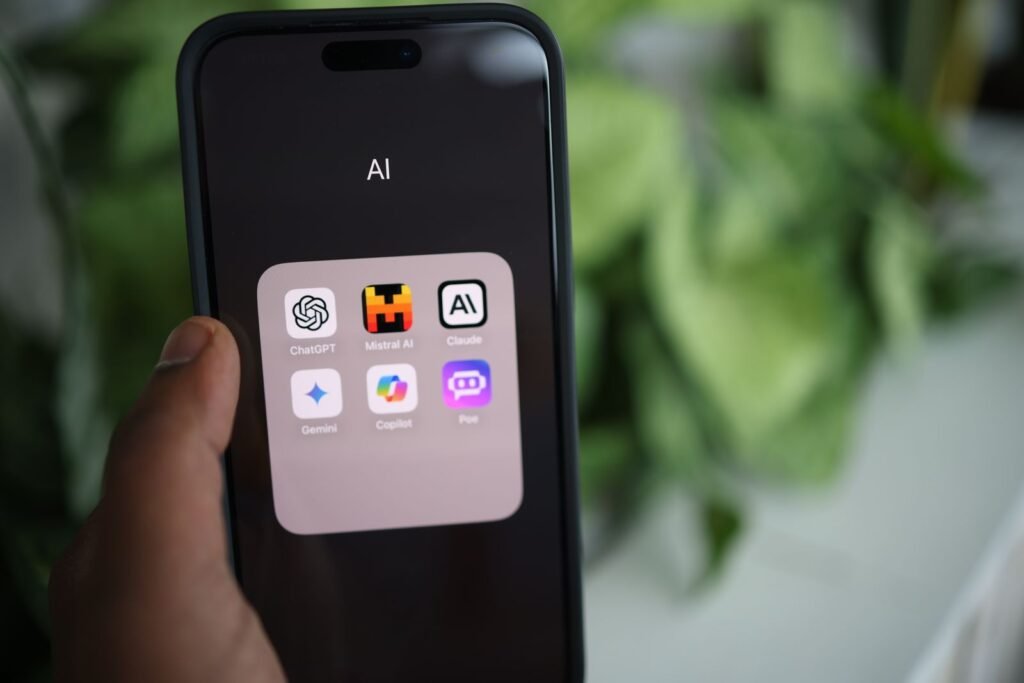
The best AI app for iPhone for most people is ChatGPT. It combines the strongest all-around assistant, a genuinely useful free tier, voice mode, image generation, and the deepest integration with Apple’s own Siri. That said, the “best” app depends on what you actually do, and a few rivals beat it in specific categories.
Every major AI assistant now ships a polished iPhone app with voice conversations, camera input, and file uploads. The differences come down to answer quality, how each app sources information, privacy, and what you pay. Here’s how the leading options stack up in mid-2026, followed by category picks and a comparison table.
ChatGPT — Best overall assistant
Verdict: The most capable and versatile AI app on iPhone, and the one Apple built into iOS.
OpenAI’s ChatGPT remains the default recommendation. It runs on the GPT-5 series (the latest release is GPT-5.6), handles text, voice, images, and documents, and its Advanced Voice Mode is the most natural-sounding of the bunch. The free tier is generous enough for most people, giving limited access to the flagship model before falling back to a lighter one. ChatGPT Plus at $20/month raises limits, unlocks more image generation, and adds deeper reasoning modes; a $200/month Pro tier exists for power users but is overkill for a phone.
ChatGPT is also the only third-party model wired directly into Apple Intelligence, so Siri can hand off complex questions to it (with your permission) on a compatible iPhone. On privacy: OpenAI may use your chats to train models unless you turn that off in settings, so disable it if that matters to you.
Claude — Best for writing and reasoning
Verdict: The thoughtful writer’s pick, with a clean app and strong privacy defaults.
Anthropic’s Claude app, powered by the Claude Opus 4.x family (currently Opus 4.8), is the one to reach for when the quality of the words matters. It tends to produce more natural prose, follows nuanced instructions closely, and is excellent at editing, summarizing long documents, and working through problems step by step. The app is uncluttered and supports voice input and file uploads.
Claude’s free tier is more limited than ChatGPT’s in daily message volume, and it has no native image generation. Claude Pro runs $20/month, with heavier Max plans at $100 and $200. A notable plus: Anthropic does not train on your conversations by default, which makes Claude an easy choice for privacy-conscious users.
Google Gemini — Best if you live in Google’s ecosystem
Verdict: A strong, well-rounded assistant that shines when connected to your Google account.
Google’s Gemini app, running the Gemini 3 model family, is a top-tier assistant that pulls ahead if you use Gmail, Google Calendar, Docs, and YouTube. Its extensions let it draft emails, pull up flight details, and reference your Google data with your permission. Image generation is excellent, and its live voice and camera features are polished.
The free tier is capable. Google AI Pro at $19.99/month adds higher limits, access to the best models, and more storage; a $249.99/month Ultra tier targets professionals. Gemini is also poised to become more important on iPhone soon: Apple has confirmed a Google partnership, with a Gemini-powered Siri overhaul expected later in 2026. As with Google generally, weigh how much of your data you’re comfortable connecting.
Perplexity — Best for search and answers
Verdict: The best app for fast, sourced answers to real-world questions.
Perplexity is less a chatbot and more an answer engine. Ask it anything and it searches the live web, then hands back a concise summary with numbered citations you can click to verify. That makes it the most trustworthy option for research, shopping decisions, current events, and any question where you need to know where the information came from. It can tap multiple underlying models and includes voice and follow-up questions.
The free tier covers everyday searches. Perplexity Pro at $20/month ($200/year annual) unlocks more advanced “Pro” searches, file analysis, and image generation. If your main use for AI is “find me the real answer, with sources,” this is the one to install.
Microsoft Copilot — Best free bundled option
Verdict: A solid free assistant that’s a bonus if you already pay for Microsoft 365.
Microsoft Copilot is built on OpenAI’s models and offers a capable free assistant with voice, image generation, and web-connected answers. On its own it’s a competent ChatGPT alternative. Its real value shows up for Microsoft 365 subscribers: Copilot is folded into Personal and Family plans (from $19.99/month for M365 Personal), where it works inside Word, Excel, Outlook, and the mobile Office apps. If you’re not in Microsoft’s world, ChatGPT or Gemini give you more.
Grok — Best for real-time X and a looser personality
Verdict: Fast, current, and less filtered, but built around X.
xAI’s Grok app, running Grok 4, is built for real-time information, with tight access to posts on X (formerly Twitter). It has a more irreverent, less restricted personality than its rivals, which some users love and others find gimmicky. It handles voice, images, and web search competently. A limited version is free; SuperGrok runs $30/month, with X Premium subscribers getting elevated access. It’s a fun secondary app rather than most people’s daily driver.
Apple Intelligence and Siri — Best built-in option
Verdict: Convenient and private for basics; not yet a full ChatGPT replacement.
You don’t have to install anything to use AI on a modern iPhone. Apple Intelligence, available on iPhone 15 Pro and the iPhone 16 and 17 lines running iOS 26, powers Writing Tools (proofread, rewrite, summarize), notification summaries, the Clean Up photo editor, Genmoji, and Image Playground. Much of it runs on-device or through Apple’s Private Cloud Compute, which is the strongest privacy story here. When Siri hits a question beyond its scope, it can offer to send it to ChatGPT for free, no account required.
The catch: the long-promised, genuinely conversational Siri has slipped repeatedly. Apple has confirmed a Gemini-powered Siri revamp, now expected later in 2026, so today’s Siri still trails the standalone apps for complex requests. For quick, private, system-level tasks, though, it’s the most convenient tool you already own. If you’re weighing a new device to run these features, see our iPhone price list for 2026.
Category standouts worth a look
Best for images: For dedicated image generation, ChatGPT and Gemini both produce excellent results inside their apps, and Gemini’s editing is especially strong. If you want a purpose-built creative tool, Midjourney’s app and Adobe’s Firefly remain favorites for artists.
Best for transcription: Otter.ai is still the go-to for recording and transcribing meetings, lectures, and interviews, with speaker labels and AI summaries. Apple’s built-in Notes and Voice Memos now transcribe on-device for free, which covers casual needs.
Best on-device and private: Apple Intelligence leads for privacy since much of it runs locally. Among chat apps, Claude has the friendliest default privacy stance.
Comparison at a glance
| App | Best for | Free tier | Paid price | Standout feature |
|---|---|---|---|---|
| ChatGPT | Overall assistant | Yes | Plus $20/mo | Advanced Voice + Siri handoff |
| Claude | Writing & reasoning | Yes (limited) | Pro $20/mo | Natural prose, no training by default |
| Gemini | Google users | Yes | AI Pro $19.99/mo | Gmail/Docs integration |
| Perplexity | Search & answers | Yes | Pro $20/mo | Cited, sourced results |
| Copilot | Microsoft 365 users | Yes | From $19.99/mo (M365) | Works inside Office apps |
| Grok | Real-time X, personality | Yes (limited) | SuperGrok $30/mo | Live X access |
| Apple Intelligence | Built-in basics | Yes (built in) | Free | On-device privacy |
How to choose
Start with what you’ll do most. If you want one app that does a bit of everything, download ChatGPT and stop there. If you mostly ask factual questions and want to trust the answer, use Perplexity. If you write for a living or value privacy, Claude fits. If your work and mail already live in Google, Gemini pays off; if they live in Microsoft 365, Copilot is close to free.
Two practical notes. First, every app here has a real free tier, so try before you subscribe. Combining a few $20 subscriptions adds up fast, and most people only need one paid plan. Second, check the privacy settings on day one: turn off model training where it’s offered, and be deliberate about which accounts you connect.
For the widest audience in mid-2026, ChatGPT is still the best AI app for iPhone thanks to its balance of capability, price, and Apple integration. But the gap between the top apps is narrow, and the right pick is the one that matches how you actually use your phone.
About this article: GeekBlog covers U.S. technology news, AI, phones, smartwatches and gaming. Every story is written and checked under our Editorial Policy. Spotted a mistake or have a story tip? Contact our editors.
