

The Apple Watch has been the best-selling smartwatch in the world for a decade straight, but that popularity does not automatically make it the right buy for you. With prices starting at $249 for the SE 3, climbing to $399 for the Series 11 and topping out at $799 for the Ultra 3, it is a real investment, and the wearable market in 2026 is packed with tempting alternatives, from subscription-based recovery bands to month-long battery trackers. So is the Apple Watch actually worth it this year? Here is an honest look at where it shines, where it stumbles, and exactly which type of buyer should pull the trigger.
Quick Answer
Yes – if you own an iPhone. In 2026 the Apple Watch remains the most polished, best-integrated smartwatch you can buy, and it charges you nothing extra to see your own health data. The SE 3 ($249) is the value pick, the Series 11 ($399) adds hypertension notifications and a bigger display, and the Ultra 3 ($799) is for endurance athletes. The only real reasons to look elsewhere are daily charging and the fact that it will not pair with an Android phone at all.
Key Takeaways
- You buy it once and own your data – no Whoop or Oura-style subscription to unlock your own insights.
- Deep iPhone integration and best-in-class build quality are still unmatched on iOS.
- Health features now include FDA-cleared hypertension notifications, sleep score, ECG and crash detection.
- Battery life is the weak spot: roughly 18-42 hours depending on model, so nightly charging is the norm.
- It is iPhone-only. Android users should not buy one under any circumstances.
The Biggest Win: No Subscription
One of the most underrated advantages of the Apple Watch is that you buy it once and own it outright. There is no monthly or annual fee to unlock your own data. That sounds obvious until you compare it with the competition, where paying to see your own heart rate has quietly become normal.
A Whoop band locks its features behind a membership that runs from roughly $199 to $359 a year, and the Oura Ring charges about $5.99 a month after your first year just to see your full insights. Over three or four years those subscriptions can quietly cost more than the wearable itself. With the Apple Watch, your recovery trends, workouts, sleep data and health history stay available with no recurring bill for as long as you own the device. For a lot of buyers, that math alone tips the scales.
Excellent Build Quality and the Display
Apple’s hardware is simply excellent. The build quality, the bright always-on display, the responsive interface and the polished software all feel a clear step above most rivals. New for 2026, even the budget SE 3 finally gets an Always-On Retina display, so the whole lineup now shows the time and your workout metrics without a wrist raise. It looks good, it feels durable, and it does the everyday smartwatch things – notifications, payments, music, timers, Siri – more smoothly than almost anything else on the market. When you use one daily, the refinement is obvious.
Durability got a boost too. Apple says the Series 11’s aluminum models have roughly twice the scratch resistance of before, and the SE 3’s Ion-X cover glass is claimed to be about four times more crack-resistant than the previous model. Combined with faster charging – both new models hit around 80% in 45 minutes – the daily ownership experience is noticeably smoother than a couple of generations ago.
Deep iPhone Integration
If you own an iPhone, nothing else integrates as seamlessly. Messages, calls, Apple Pay, Maps, Find My and your health data all flow between the two devices without friction. The watch unlocks your Mac, controls your music and mirrors your notifications instantly. All three 2026 models now include 5G cellular, so an untethered watch stays connected faster and further from your phone. This tight ecosystem is the single biggest reason iPhone owners stick with the Apple Watch, and it is something Android-based rivals simply cannot replicate on iOS.
Genuinely Useful Health and Safety Features
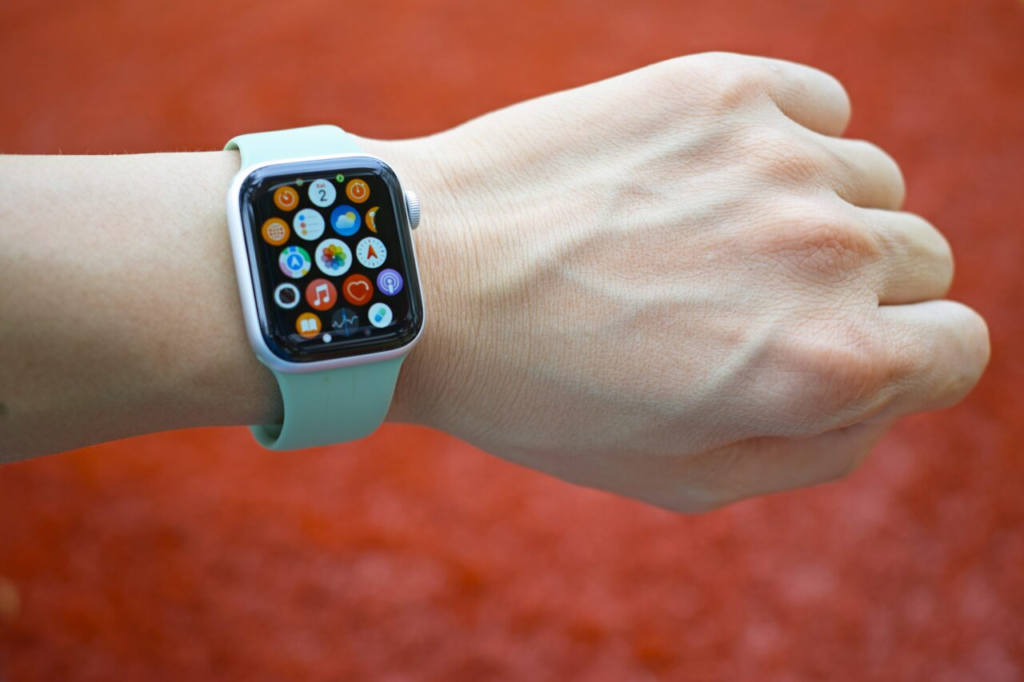
Beyond fitness rings, the Apple Watch packs an ECG, blood oxygen tracking (where available), high and low heart rate alerts, fall detection, crash detection and the Vitals app that flags unusual overnight trends. The 2026 lineup pushes this further. The Series 11 adds FDA-cleared hypertension notifications, a feature that passively watches your blood pressure patterns over about 30 days and flags possible signs of chronic high blood pressure. New sleep score insights give every recent model a simple nightly rating, and the SE 3 gains sleep apnea alerts, wrist temperature sensing and retrospective ovulation estimates.
None of this replaces a doctor, and Apple is careful to frame these as screening and awareness tools rather than diagnoses. But paired with a strong third-party app, the watch rivals dedicated recovery wearables, and the safety features in particular have a real track record of getting help to people in emergencies – something that is hard to put a price on. If you want to squeeze the most out of the sensors, it is worth starting with the best health apps for the Apple Watch.
SE 3 vs Series 11 vs Ultra 3: Which One?
Apple sells three very different watches under one name, and picking the wrong one is the easiest way to overpay or feel short-changed. Here is how the 2026 lineup breaks down. All prices are US starting prices and battery figures are Apple’s own estimates, which vary with real-world use.
| Model | Starting price (US) | Battery (normal use) | Best for |
|---|---|---|---|
| Apple Watch SE 3 | $249 (40mm) / $279 (44mm) | Up to ~18 hours | First-timers and value seekers |
| Apple Watch Series 11 | $399 (42mm) / $429 (46mm) | Up to ~24 hours | Most people who want the full feature set |
| Apple Watch Ultra 3 | $799 | Up to ~42 hours | Endurance athletes and adventurers |
For most people, the SE 3 is the smart buy: it now shares the S10 chip, Always-On display and 5G with its pricier siblings, and covers the core smartwatch and fitness experience for $249. Step up to the Series 11 if you specifically want hypertension notifications, the larger and tougher display, or a slightly longer day of battery. The $799 Ultra 3, with its 49mm titanium case, sapphire crystal, satellite connectivity and roughly 42-hour battery, only makes sense if you are doing multi-day hikes, long-course triathlons or diving – most buyers should not pay for capability they will never use.
The Catch: You Have to Charge It Every Day
Now the honest downside. The Apple Watch’s battery life is its weakest point. The Series 11 lasts around 24 hours, the SE 3 about 18, and even the marathon-friendly Ultra 3 tops out near 42 hours, which means you will be charging most days, much like your smartphone. If you want to track your sleep, you have to find a window to top it up during the day – typically while you shower or get ready in the morning.
This is where rivals pull ahead dramatically. A Withings ScanWatch 2 runs for about 30 days per charge, and many Garmin models last well over a week. Faster charging softens the blow – the new models reach roughly 80% in 45 minutes, so a short daily top-up is usually enough – but the mental overhead of remembering to charge is real. If the idea of a daily charging ritual annoys you, that is the one thing most likely to sour the experience.
The Hidden Costs Worth Budgeting For
The sticker price is not always the final price. A few extras are easy to overlook when you are working out whether the watch is worth it. Cellular models cost more up front and typically add around $10 a month to your carrier plan if you want the watch to make calls and stream data without your phone nearby. Bands are another rabbit hole – the included sport band is fine, but Apple’s nicer straps and third-party options can add anywhere from $20 to well over $100.
AppleCare+ is optional but worth pricing in if you are accident-prone, and after a few years the battery will degrade, at which point an out-of-warranty battery service costs money too. None of this changes the core no-subscription advantage – you are never paying to see your own data – but a realistic budget should account for a case, maybe a spare band, and possibly a monthly cellular line rather than just the headline price.
It Only Works With an iPhone
The other limitation is simple: the Apple Watch only pairs with an iPhone. If you use Android, it is a non-starter, and you should look at a Samsung Galaxy Watch, Pixel Watch or Garmin instead. Even for iPhone users, being locked into Apple’s ecosystem is worth considering if you ever think you might switch phones – your watch would become an expensive paperweight the day you move to Android. For anyone weighing their options across platforms, it is worth comparing the field against the best Apple Watch alternatives before committing.
Who It’s Worth It For (and Who Should Skip It)
The Apple Watch is worth it if you own an iPhone, want a single device that handles notifications, payments, fitness and health screening, and you value polish over marathon battery life. It is especially compelling for people who would otherwise be paying a monthly subscription for recovery or sleep insights – the one-time cost quickly looks like a bargain by comparison.
It is not worth it if you use an Android phone (full stop), if you mostly want a hands-off tracker you charge once a month, or if you only care about basic step counting – a cheaper fitness band will do that for a fraction of the price. Serious athletes who need multi-week battery and advanced training metrics may also be happier with a dedicated Garmin, even inside the Apple ecosystem.
Pros
- No subscription – you own your data outright
- Best-in-class build quality and Always-On display across the lineup
- Unmatched iPhone integration and app ecosystem
- Deep health suite: ECG, hypertension notifications, sleep score, crash detection
- Faster charging and 5G on all three 2026 models
Cons
- Roughly 18-42 hours of battery means near-daily charging
- iPhone-only – useless with Android
- Cellular plans and premium bands add hidden costs
- Rivals like Garmin and Withings last a week to a month
- Locks you deeper into Apple’s ecosystem
So, Is It Worth It?
For iPhone owners, the Apple Watch is still the easiest smartwatch to recommend in 2026. The combination of no subscription, superb build quality, deep integration and a genuinely useful set of health and safety features makes it excellent value over its lifespan, especially when you weigh it against subscription wearables. The SE 3 in particular offers most of the experience for a very reasonable $249, while the Series 11 is the sweet spot for people who want every health feature.
The two reasons to look elsewhere remain battery life and platform. If you want a wearable you charge once a week or once a month, or you use an Android phone, you will be happier with one of the best Apple Watch alternatives. But if you live in Apple’s world and can live with a nightly charge, it is absolutely worth it.
The Bottom Line
If you own an iPhone, the Apple Watch is worth it in 2026 – buy the SE 3 to save money or the Series 11 for the full health suite. The no-subscription model, tight integration and safety features outweigh its one real flaw, daily charging. If you are on Android or want month-long battery, skip it and buy a Garmin, Pixel Watch or Withings instead.
Frequently Asked Questions
Does the Apple Watch require a monthly subscription?
No. Unlike Whoop or Oura, the Apple Watch has no mandatory subscription to view your health and fitness data. You only pay extra if you add an optional cellular plan (typically around $10 a month) or subscribe to Apple Fitness+ for guided workouts.
Which Apple Watch should I buy in 2026?
For most people the SE 3 at $249 is the best value, covering the core experience. Choose the Series 11 ($399) if you want hypertension notifications and the biggest, toughest display, or the Ultra 3 ($799) only if you are an endurance athlete who needs the longest battery and rugged titanium build.
How long does the Apple Watch battery actually last?
Apple rates the SE 3 at about 18 hours, the Series 11 at about 24 hours and the Ultra 3 at up to 42 hours of normal use. In practice most people charge daily, often during their morning routine, and fast charging gets you to roughly 80% in about 45 minutes.
Does the Apple Watch work with Android phones?
No. The Apple Watch only pairs with an iPhone and cannot be set up or used with an Android device. Android users should consider a Samsung Galaxy Watch, Google Pixel Watch or a Garmin instead.
Can the Apple Watch really detect high blood pressure?
The Series 11 offers FDA-cleared hypertension notifications that passively monitor your blood pressure patterns over about 30 days and flag possible signs of chronic high blood pressure. It is a screening and awareness tool, not a diagnosis or a replacement for a proper cuff or a doctor’s evaluation.
Featured image: Kaboompics.com on Pexels.
About this article: GeekBlog covers U.S. technology news, AI, phones, smartwatches and gaming. Every story is written and checked under our Editorial Policy. Spotted a mistake or have a story tip? Contact our editors.
