

iPhone 17 Pro Charger: Which One You Actually Need
Key takeaways
- The iPhone 17 Pro charges at up to 40W over USB-C, a step up from earlier models.
- Use a single-port 40W+ USB-C PD adapter to hit peak speed; multi-port chargers may split power.
- Apple includes a USB-C to USB-C cable but no wall adapter in the box.
- Wireless charging supports up to 25W with a Qi2 / MagSafe charger.
- Your old 20W brick still works, just slower, so you do not have to rush an upgrade.
The single most confusing thing about buying an iPhone 17 Pro charger is that Apple does not put one in the box. You get a cable and nothing to plug it into. On top of that, the iPhone 17 Pro charges faster than previous models, so the adapter you dug out of a drawer may be leaving speed on the table. This guide cuts through it: exactly what wattage you need, what cable to use, and where wireless fits in.
How fast does the iPhone 17 Pro charge?
Apple rates the iPhone 17 lineup, including the 17 Pro and 17 Pro Max, for wired charging of up to 40W over USB-C. In practical terms, that gets you to roughly 50% in about 20 minutes when paired with a capable adapter. That is a meaningful jump over the prior generation, which needed closer to 30 minutes to reach the same level.
The key phrase is “up to.” The phone will only pull that peak power from an adapter that can supply it through a single port, and only for part of the charging cycle. As the battery fills, the phone deliberately slows down to protect long-term battery health, so the last 20% always takes longer than the first 50%. For a deeper technical look at speeds and the charging standard, see our companion guide on iPhone 17 Pro charging, charger type and speeds.
What wattage charger do you actually need?
Here is the honest answer: any USB-C Power Delivery (PD) adapter will charge the phone, but the wattage determines how fast. To reach the full 40W ceiling, you want a single-port adapter rated at 40W or higher. The critical detail people miss is that a multi-port charger often divides its total wattage across ports, so a “65W” charger might only deliver 20-something watts to the iPhone if another device is plugged in. For peak speed, give the phone a port to itself.
| Adapter type | Wattage | Real-world result | Best for |
|---|---|---|---|
| Older / basic USB-C brick | 20W | Charges fine, clearly slower than peak | Overnight, spare rooms, travel backup |
| Mid-tier USB-C PD | 27–35W | Near-fast; close to top speed | Everyday desk or bedside use |
| Recommended single-port PD | 40W+ | Full speed: ~50% in about 20 min | Fastest possible top-ups |
| Apple 40W Dynamic Power Adapter | 40W (up to 60W in short bursts) | Full speed with brief boost headroom | Buyers who want Apple’s own brick |
| Qi2 / MagSafe wireless | Up to 25W | Slower than wired, cable-free | Nightstand and desk convenience |
Apple also sells a new 40W Dynamic Power Adapter that can briefly deliver up to 60W in short bursts before thermal limits bring it back down. It is a fine choice, but you are not required to buy Apple’s brick. Reputable third-party adapters from brands like Anker, Belkin, Ugreen and Mophie hit the same speeds as long as they deliver the full wattage from a single USB-C PD port.
What cable does the iPhone 17 Pro use?
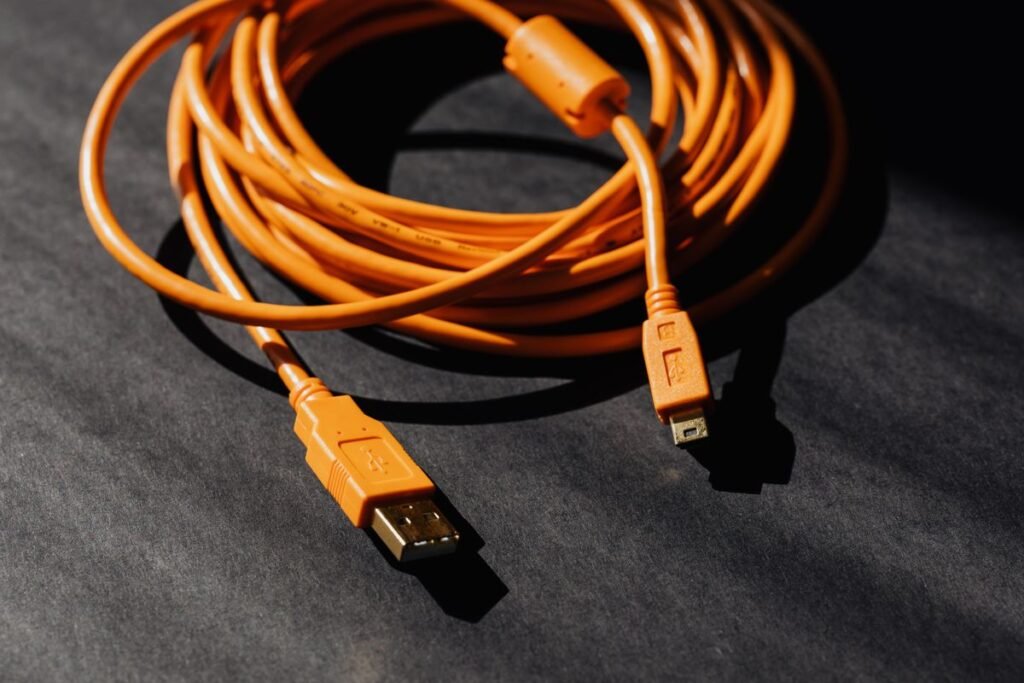
The iPhone 17 Pro uses USB-C on both ends. Apple includes a braided USB-C to USB-C cable in the box, so most people already have what they need for charging. Any quality USB-C to USB-C cable rated for the wattage will do the job; you do not need a special or proprietary cable just to reach full charging speed.
One caveat worth knowing: if you also want the fastest data transfer the Pro supports, you may need a higher-spec cable than the basic one in the box. For charging alone, though, the included cable is fine. Avoid old USB-A to Lightning cables entirely, since they are not compatible with the USB-C port.
Wired vs wireless: which should you use?
Wired is faster, full stop. If you need a quick top-up before heading out, plug in with a 40W adapter. Wireless charging is about convenience rather than speed. The iPhone 17 Pro supports up to 25W wireless charging with a compatible Qi2 or MagSafe charger, which is quick enough for overnight and desk use where you are not watching the clock.
A good setup for most people is a fast wired adapter at your desk or in your bag for speed, plus a MagSafe stand on the nightstand for grab-and-go convenience. Magnetic Qi2 chargers snap into alignment automatically, which avoids the dead-battery surprise of a phone that slid off a flat pad overnight.
Charging on the go: power banks and car chargers
The same 40W rule applies away from the wall. For a power bank to fast-charge the iPhone 17 Pro, it needs a USB-C output that supports Power Delivery at 30W or more; many pocket-sized banks cap at 20W, which still works but slows things down. Look for a bank that explicitly lists a high-wattage USB-C PD output rather than just a total capacity figure.
In the car, a USB-C PD car adapter is the direct route to fast speeds, while a magnetic Qi2 car mount trades a little speed for the convenience of snapping the phone into place for navigation. Either works; pick based on whether you value the fastest charge or hands-free mounting more on your typical drive.
Protecting long-term battery health
Fast charging is convenient, but you do not need to run at 40W every single time. Charging at a lower wattage overnight generates less heat, and heat is the main enemy of long-term battery capacity. A practical routine is to use your fast 40W adapter for quick daytime top-ups when you are in a hurry, and a gentler 20W brick or a MagSafe stand overnight when speed does not matter.
The iPhone’s built-in optimized charging and charge-limit settings already do a lot of this work for you by holding at 80% until you need the phone. Leaving those features on is the simplest way to preserve capacity over the years you own the device, and it costs you nothing in daily convenience.
Do you need to buy a new charger at all?
Not necessarily. If you already own a 20W or 30W USB-C adapter, it will charge the iPhone 17 Pro without any issue. You will simply miss the top-end speed. If fast top-ups matter to you, a single 40W+ adapter is an inexpensive upgrade that makes a real difference on short charges. If you mostly charge overnight, your existing brick is completely adequate and there is no reason to spend.
If you are still deciding between models before you worry about accessories, our iPhone Air vs iPhone 17 Pro guide can help you land on the right phone first, since charging behavior is similar across the 2025 lineup.
FAQ
Does the iPhone 17 Pro come with a charger?
No. Apple includes a USB-C to USB-C cable in the box but does not include a wall adapter. You will need to supply your own USB-C Power Delivery brick, ideally 40W or higher for the fastest speeds.
What is the fastest charger for the iPhone 17 Pro?
A single-port USB-C PD adapter rated at 40W or more delivers full-speed charging, reaching about 50% in roughly 20 minutes. Higher-wattage chargers will not charge it faster than that 40W wired ceiling.
Can I use my old 20W iPhone charger?
Yes. A 20W USB-C adapter charges the iPhone 17 Pro safely; it just charges more slowly than a 40W adapter. It is a perfectly good option for overnight charging or as a travel backup.
How fast is MagSafe on the iPhone 17 Pro?
The iPhone 17 Pro supports wireless charging of up to 25W with a compatible Qi2 or MagSafe charger. That is slower than wired charging but convenient for a nightstand or desk stand.
Do I need Apple’s own charger, or will a third-party one work?
Third-party adapters work perfectly as long as they support USB-C Power Delivery and can supply the full wattage from a single port. Brands like Anker, Belkin, Ugreen and Mophie match Apple’s charging speeds.
