

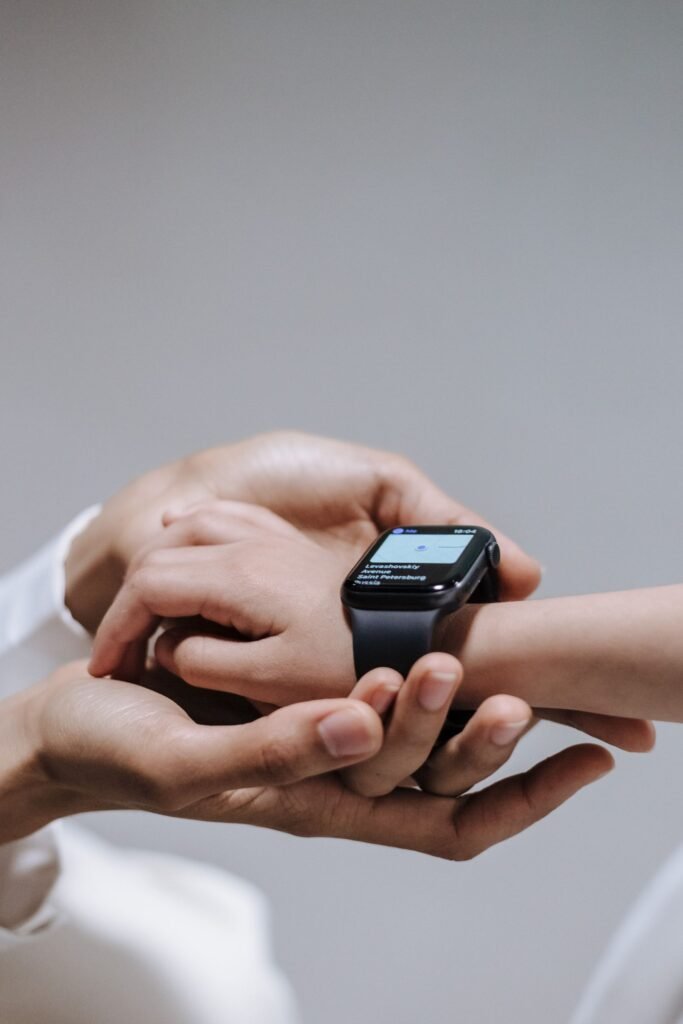
Kids smartwatches sit in an odd corner of the wearables market. Parents are not chasing marathon splits or blood-oxygen trends; they mostly want to reach their child, know where they are, and avoid handing a seven-year-old a full smartphone. The OJOY A1 is built squarely for that job. This OJOY watch review takes an honest look at what the device does, where it has aged, and whether it still makes sense in 2026, because the truthful verdict is that it is a serviceable option rather than the best kids smartwatch you can buy today.
Quick Answer
The OJOY A1 is a standalone 4G LTE kids smartwatch for roughly ages 5 to 10 that handles calls, messaging, and GPS tracking without a paired phone, and deliberately blocks the internet, social media, and games. It is a competent, budget-minded pick, but its hardware is several years old and you must supply your own nano-SIM plan (often $5 to $11 a month from an MVNO like SpeedTalk). Newer rivals such as the TickTalk 5, Gabb Watch 3e, and Apple Watch SE feel more modern, so the OJOY makes sense mainly for parents who want simple communication and location at a low upfront price.
Key Takeaways
- Standalone design: the A1 takes its own SIM, so it makes calls and sends messages without a parent’s phone nearby.
- Safety-first feature set: whitelisted contacts only, live GPS location, geofencing, and preset text or voice messages.
- No internet, no app store, no games, which many parents consider the whole point.
- True cost is device plus an ongoing cellular plan, commonly $5 to $11 per month through an MVNO.
- Aging hardware (Snapdragon Wear 2100, 320×320 screen, 2MP camera) trails 2026 competitors on speed and polish.
- Best for younger kids and cost-conscious parents; those wanting the sharpest tracking or newest software should look elsewhere.
What the OJOY watch is
The OJOY A1 is a standalone kids smartwatch phone, meaning it takes its own SIM card and does not need to be tethered to a parent’s phone to make calls or send messages. It is aimed at younger children, roughly ages five to ten, and deliberately leaves out the things parents tend to worry about: there is no open internet browser, no social media, and no games. Instead it focuses on communication and location, managed through the companion OJOY watch app that parents install on their own phones.
That single-minded focus is the device’s identity. Where a smartphone is a gateway to everything, the A1 is closer to a wrist-worn walkie-talkie with a map attached. For a first-time device that bridges the gap between no connectivity and a full phone, that narrow scope is arguably exactly what a young child needs, and it is why the category exists in the first place.
The hardware
On paper, the specifications are reasonable for the category. The A1 has a 1.4-inch touchscreen at 320 by 320 pixels, protected by Corning Gorilla Glass, along with a 2-megapixel camera with a wide-angle lens for the occasional photo or video call. Under the hood it runs a Qualcomm Snapdragon Wear 2100 chipset with 512MB of RAM and 4GB of storage, carries an IP68 water-resistance rating, and packs an 800mAh battery. Connectivity covers 2G, 3G, and 4G LTE plus Wi-Fi. Setup requires a nano SIM from a compatible carrier, with OJOY pointing users toward networks like T-Mobile or an MVNO such as SpeedTalk in the United States.
None of this is cutting-edge, and that is the honest heart of the matter. The A1 is a design that has been around for several years, and it shows. The Snapdragon Wear 2100 was a common wearable chip in the late 2010s, and the screen resolution, camera quality, and overall responsiveness are modest next to newer kids watches. The industrial design feels dated compared to the current generation of devices from brands that have iterated more recently. It is durable and functional, but no one will mistake it for a 2026 flagship.
| Specification | OJOY A1 detail |
|---|---|
| Display | 1.4-inch touchscreen, 320 x 320, Gorilla Glass |
| Processor | Qualcomm Snapdragon Wear 2100 |
| Memory & storage | 512MB RAM, 4GB storage |
| Camera | 2MP wide-angle (photos, video calls) |
| Connectivity | 2G / 3G / 4G LTE, Wi-Fi, GPS |
| Battery | 800mAh |
| Durability | IP68 water resistance |
| SIM | Nano SIM (T-Mobile or MVNO such as SpeedTalk) |
| Target age | Roughly 5 to 10 years |
Features that matter to parents
Where the OJOY earns its place is the safety toolkit. GPS-based location lets a parent check where their child is from the app, and a geofencing feature can flag when the child enters or leaves designated safe or off-limits zones. The app stores location history for up to about a week, so you can retrace a child’s day if you need to. Two-way calling and messaging work through the watch’s own number, and children can send preset texts or short voice messages of up to 60 seconds without needing to type.
Crucially, the watch only accepts calls and messages from contacts a parent has whitelisted in the app, and everyone else is blocked automatically. GPS cannot be switched off from the watch itself, so a child cannot quietly disappear from the map. Parents can also schedule calendar events, assign simple tasks, and hand out reward stickers, turning the watch into a light organizational tool as well as a communication device. For a parent whose main goal is staying in touch and keeping tabs on a young child’s whereabouts, these are genuinely useful and cover the essentials.
The deliberate absence of distractions is also a real selling point. By stripping out browsing, app stores, and games, OJOY sidesteps a lot of the screen-time and content worries that come with giving a kid a phone. Some parents will see the limited feature set not as a weakness but as the entire point.
What the subscription really costs
Here is the part buyers often overlook: the watch is only half the price story. Because the A1 relies on cellular service, you need an active nano-SIM plan for it to call, text, or report its location away from Wi-Fi. In the United States, budget MVNO plans built for wearables are the usual route. SpeedTalk, which OJOY itself references, advertises smartwatch plans that start around $5 to $6 a month for a small bucket of minutes, texts, and data, step up to roughly $9 for more generous allowances, and reach about $11 for effectively unlimited talk and text with a couple of gigabytes of data. Pricing can shift, so confirm current rates before you commit.
The important takeaway is that the true cost of ownership is the device plus ongoing service. Even at the low end, a $6 monthly plan adds roughly $72 a year, and that recurring charge should factor into any comparison against rivals that bundle service differently. The upside is flexibility: these plans are typically contract-free and month-to-month, so you can pause or cancel if the watch does not work out.
Setup and parental controls in practice
Everything is driven by the OJOY watch app, which parents install on their own smartphone. From there you add and manage the contact whitelist, view live location and history, draw geofence zones, push preset messages, and configure class-mode hours that silence the watch during school. Because the child’s side is locked down, most of the ongoing management happens on the parent’s phone rather than the wrist.
In day-to-day use, the controls are straightforward, but they are also basic compared with the granular scheduling and content tools on newer platforms. If you want deep customization, per-app blocking, or richer messaging, this is not that watch. If you want a simple, tightly fenced experience that a young child cannot easily circumvent, the OJOY approach fits. It is worth double-checking app compatibility with your phone before buying, since companion apps on older platforms can lag behind the latest mobile operating systems.
Where it falls short
Being fair means being clear about the drawbacks. Location accuracy and notification reliability on kids watches in this class can be inconsistent, and the OJOY is no exception; GPS can drift indoors or in dense areas, which undercuts the very reassurance parents are paying for. The aging hardware means slower performance and a camera that is fine for a novelty video call but little else.
Battery life is adequate rather than impressive, and like most always-connected kids watches, heavy use of GPS and calling will drain it faster than the spec sheet suggests. Software updates and long-term support are also worth questioning for an older platform, since a watch that stops receiving fixes can become unreliable over time. And because it leans on 2G and 3G fallback in its radio stack, buyers should confirm their chosen carrier still supports the bands the watch needs, as legacy networks continue to be retired.
Pros
- Standalone 4G LTE; no paired phone required
- Whitelist-only contacts and non-defeatable GPS
- Live location plus geofencing and location history
- No internet, social media, or games by design
- IP68 durability and a simple, kid-proof interface
- Low upfront price and contract-free MVNO plans
Cons
- Aging Snapdragon Wear 2100 hardware feels dated
- Low-resolution screen and mediocre 2MP camera
- GPS can drift indoors or in dense areas
- Requires a separate SIM and monthly plan
- Uncertain long-term software support and updates
- Newer rivals offer a more polished experience
How it compares in 2026
The kids smartwatch space has moved on. Recent roundups from mainstream outlets tend to favor newer models with sharper screens, better location tracking, longer support windows, and more polished parent apps. The TickTalk 5, for example, is frequently cited around $9.99 a month with no activation fee or contract, HD voice and video calling, and compatibility with both AT&T and T-Mobile. The Gabb Watch 3e leans into a screen-free, distraction-light philosophy similar to OJOY’s, but on plans commonly listed between roughly $13 and $18 a month with an activation fee, running on Verizon. At the premium end, an Apple Watch SE with Family Setup runs about $299 for the cellular model plus around $10 a month, though it requires the parent to own an iPhone.
Against that field, the OJOY A1 comes across as a budget-minded, functional choice rather than a category leader. It can still do the core job, but if a parent is comparing options today, several competitors offer a more modern experience for a similar or slightly higher outlay. If you are weighing wearables more broadly, our guide to the best Apple Watch alternatives in 2026 is a useful primer on how the wider market has shifted.
| Watch | Typical monthly plan | Standout trait |
|---|---|---|
| OJOY A1 | ~$5-$11 (BYO MVNO SIM) | Low upfront cost, standalone, no distractions |
| TickTalk 5 | ~$9.99, no contract | HD video calling, carrier flexibility |
| Gabb Watch 3e | ~$13-$18 (+ activation) | Screen-free, simplicity-focused |
| Apple Watch SE (Family Setup) | ~$10 (needs cellular model, ~$299) | Most capable, but needs a parent’s iPhone |
Plans and prices vary by carrier and promotion and can change, so verify current figures before buying.
Who should buy it, and who should skip it
The OJOY A1 makes the most sense for a parent who wants a simple, distraction-free way to call and locate a young child, is comfortable setting up a separate SIM, and is drawn to a lower upfront price. For that narrow use case, it does what it promises. Parents who want the sharpest tracking, the best build quality, or a watch that will feel current for years should look at newer alternatives before committing. In plain terms, the OJOY is a reasonable entry-level pick, not the best kids smartwatch on the market, and this review would be doing readers a disservice to pretend otherwise. If your child is older and edging toward wanting a “real” watch, it is worth reading a fuller wearables comparison such as our look at the easiest smartwatches to use to understand what simple, reliable interfaces should feel like.
The Bottom Line
The OJOY A1 nails the fundamentals of a first kids smartwatch: it calls, texts, tracks location, and blocks the internet, all without a paired phone. But its hardware is showing its age and the true cost includes a monthly SIM plan, so it wins mainly on simplicity and price rather than polish. If your priority is an affordable, distraction-free way to stay connected to a young child, it is a fair buy. If you want the sharpest tracking or the most modern software, a TickTalk 5, Gabb Watch 3e, or Apple Watch SE is the smarter spend.
Frequently Asked Questions
Does the OJOY A1 need a phone to work?
No. It is a standalone watch that takes its own nano SIM, so it can make calls, send messages, and share location without being paired to a parent’s phone. Parents still install the OJOY watch app on their own phone to manage contacts, location, and settings.
How much does the monthly plan cost?
You supply your own SIM plan. Wearable-focused MVNO plans, such as those from SpeedTalk that OJOY references, commonly run from about $5-$6 a month at the low end to roughly $11 for near-unlimited talk and text with a little data. Prices vary and can change, so confirm before buying.
Can a child access the internet, social media, or games on it?
No. The A1 deliberately omits an internet browser, app store, social media, and games. That distraction-free design is one of its main selling points for parents of younger kids.
What age is the OJOY A1 designed for?
It targets younger children, roughly ages five to ten. Older kids who want richer messaging, apps, or a more grown-up device will likely outgrow it quickly.
Is the OJOY A1 the best kids smartwatch in 2026?
Not quite. It is a solid, budget-minded option, but newer rivals like the TickTalk 5, Gabb Watch 3e, and Apple Watch SE generally offer sharper screens, better tracking, and more polished software. The OJOY is best seen as an affordable entry point rather than a category leader.
Will the OJOY A1 work on any carrier?
Not universally. OJOY points to T-Mobile or MVNOs such as SpeedTalk, and because the watch relies on older network bands as fallback, you should confirm your chosen carrier supports the required bands before purchasing.
Featured image: Ron Lach on Pexels.
About this article: GeekBlog covers U.S. technology news, AI, phones, smartwatches and gaming. Every story is written and checked under our Editorial Policy. Spotted a mistake or have a story tip? Contact our editors.
