

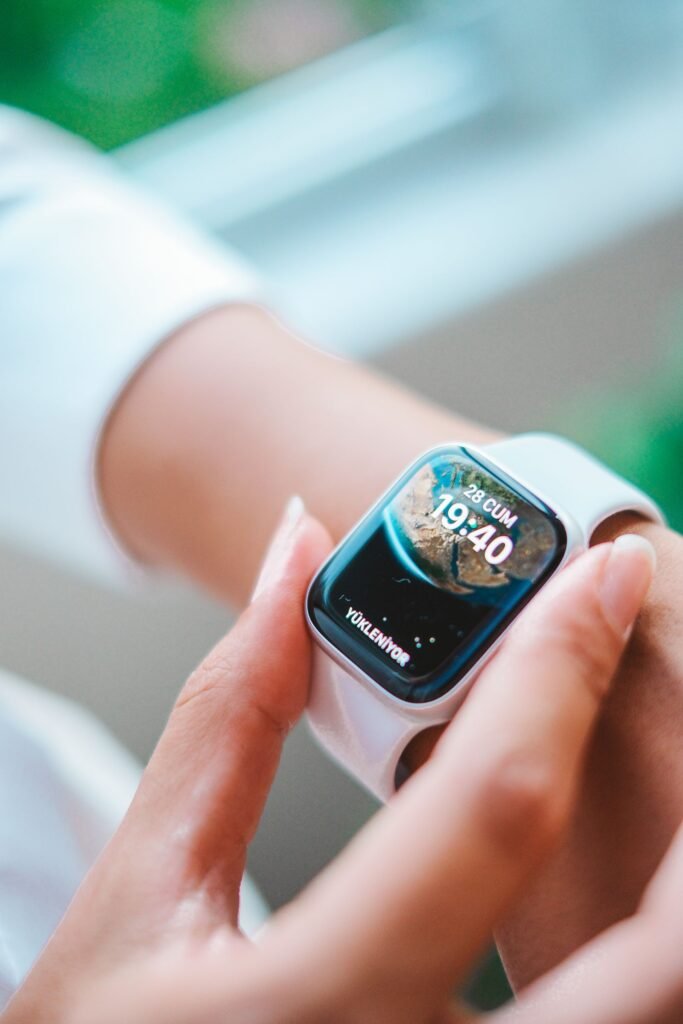
The best smartwatch for seniors is not simply the most powerful one. It is the device that strikes the right balance between safety, simplicity and cost, the one that an older adult will actually wear every day and that family members can trust to call for help when it matters. In 2026 the wearable market has matured to the point where there are genuinely good options at every level, from a mainstream Apple Watch to dedicated medical alert watches built around a single emergency button.
What follows is a practical look at the strongest choices this year, organised by what each one does best rather than a simple ranking, because the right answer depends heavily on whether the wearer carries an iPhone, uses Android, or needs a professionally monitored alert service.
Quick Answer
For most seniors with an iPhone, the Apple Watch SE 3 (from $249) is the best all-round pick, with automatic fall detection, Emergency SOS and no monthly fee. Android users should choose the Samsung Galaxy Watch 8. If you want a simple device with 24/7 professional monitoring, a dedicated medical alert watch such as the Medical Guardian MGMove or Bay Alarm Medical SOS Smartwatch is worth the ongoing subscription.
What actually matters in a senior’s smartwatch
Before naming devices, it helps to know which features carry real weight. Automatic fall detection is the headline feature for most families: if the wearer takes a hard fall and does not respond, the watch can place an emergency call on its own. An easy-to-read screen, large text and simple navigation matter just as much, because a watch that is confusing to operate often ends up in a drawer. Battery life reduces the burden of frequent charging, and a clear way to summon help, whether that is Emergency SOS to a contact or a button that reaches a monitoring centre, is the feature that justifies the whole purchase.
Heart-rate and irregular-rhythm alerts, GPS location sharing and medication reminders round out the list. With those priorities in mind, here are the watches worth considering.
Key Takeaways
- Fall detection, easy readability and a fast way to call for help matter more than raw features.
- Consumer smartwatches (Apple, Samsung) call your own contacts or 911; medical alert watches reach a 24/7 monitoring centre.
- The Apple Watch SE 3 and Samsung Galaxy Watch 8 charge nearly every day but carry no monthly fee.
- Medical alert watches add a $39-$50 monthly subscription but are far simpler to operate.
- Cellular (LTE) is essential if the senior is often away from a paired phone and Wi-Fi.
Best for iPhone households: Apple Watch SE 3
For a senior who already lives in an iPhone household, the Apple Watch SE 3 is the standout pick. It starts at around $249 for the 40mm model and roughly $279 for the larger, easier-to-read 44mm version. It delivers the features that matter most without the premium price of the flagship Series 11, including automatic fall detection, crash detection, Emergency SOS and irregular heart-rhythm notifications, and crucially it does all of this with no mandatory monthly subscription.
The SE 3, which Apple launched in the autumn of 2025 and remains the current model in 2026, is also genuinely easy to use. It has a bright always-on display, adjustable large text, and Siri voice control that lets the wearer set reminders or send a message without fiddling with tiny buttons. It adds newer health touches such as sleep-apnea notifications and temperature-based sleep insights. Battery life runs up to roughly 18 hours, so it needs a daily charge, which is the main compromise. For families who want a safety net that doubles as a capable everyday smartwatch, it is hard to beat. If you are weighing the SE against the pricier model, our guide to whether the Apple Watch is worth it in 2026 goes deeper on that decision.
Best for Android households: Samsung Galaxy Watch 8
Apple’s watch only pairs with an iPhone, so seniors on Android need a different route. Samsung’s Galaxy Watch 8, released in mid-2025 and priced from roughly $299 to $380 depending on size and connectivity, is the natural choice. It pairs cleanly with Samsung and other Android phones while offering hard fall detection and an Emergency SOS system that shares location and medical information with first responders and emergency contacts.
Samsung’s hard fall detection uses an enhanced accelerometer and, by default, triggers an SOS if the wearer remains motionless for about 60 seconds after a high-impact fall, with sensitivity you can adjust for a less mobile wearer. One important caveat: fall detection is not switched on automatically, so a family member should enable it in the Galaxy Wearable app during setup. Recent models add sophisticated health monitoring, including ECG, heart-rhythm and sleep features, on a bright, legible display, and battery life is a genuine strength at around two days of typical use. It is a true smartwatch rather than a simplified device, which means a slightly steeper learning curve, but it covers the same ground the Apple Watch does for iPhone owners.
Fall detection explained: what it does and does not do
Fall detection is the feature families ask about most, so it is worth understanding how it works. Using motion sensors, the watch looks for the sudden impact and stillness that follow a hard fall. If it detects one and the wearer does not move or dismiss the alert within roughly a minute, the watch sounds an alarm and then places a call, either to emergency services and your chosen contacts (Apple and Samsung) or to a professional monitoring centre (medical alert watches).
Two honest limitations are worth passing on. First, no system catches every fall; a slow slide to the floor may not register as a hard impact. Second, active wearers occasionally trigger false alarms during vigorous exercise, which is why sensitivity settings and a several-second cancel window exist. Fall detection is a powerful safety net, but it works best alongside a manual help button the wearer can press themselves.
Monitored versus unmonitored: the core decision
The single biggest choice is whether you want a watch that calls your own circle or one that reaches a staffed monitoring centre. Mainstream smartwatches like the Apple Watch and Galaxy Watch are unmonitored: in an emergency they dial 911 and notify the contacts you set up, with no monthly fee. A dedicated medical alert watch is monitored: pressing the button, or a detected fall, connects the wearer to a trained agent, usually within seconds, who can talk to them, assess the situation and dispatch help or call family. That reassurance of a real person on the line is exactly what many older adults and their families want, and it is the reason monitored devices command an ongoing subscription.
Best for monitored peace of mind: dedicated medical alert watches
These devices look like ordinary smartwatches but are built around a prominent help button and a live connection to round-the-clock response agents. The Medical Guardian MGMove is one of the most recommended in this category. It pairs a roughly $200 device cost with a monthly monitoring plan generally in the region of $39 to $43, and connects users to trained response agents quickly, typically within seconds. It also offers step tracking, weather, reminders and a caregiver app, though extras such as messaging and reminders carry a small additional fee of about $5 per month.
Bay Alarm Medical’s SOS Smartwatch is a strong rival. It runs about $199 for the device and $39.95 per month for the base plan, with AI-assisted automatic fall detection available as a roughly $10 monthly add-on, bringing the fully protected price to around $49.95 per month. The trade-off across this category is clear: you are paying an ongoing subscription, and these watches are not full smartwatches in the Apple or Samsung sense. But for a senior who does not want a complicated device and a family that values 24/7 professional monitoring, the simplicity is the point. Note that exact prices shift with promotions, so confirm current figures before buying.
Do you need a cellular plan?
Connectivity decides how independent the watch can be. A GPS-only Apple Watch or Galaxy Watch relies on being near its paired phone or Wi-Fi to place emergency calls. If the senior often walks, gardens or runs errands without a phone in their pocket, a cellular (LTE) model that can call for help on its own is worth the extra upfront cost and the small monthly carrier fee, usually around $10 added to an existing plan. Medical alert watches sidestep this question entirely: they include their own cellular connection, which is bundled into the monthly monitoring fee, so there is nothing extra to set up.
Ease of use: the feature that decides everything
The finest safety watch is useless if it sits uncharged in a drawer. For a less tech-comfortable senior, prioritise a large 44mm or 45mm case, maximum text size, a simple watch face and voice control for setting reminders. Medical alert watches win outright on simplicity, since the core action is one big button. Whichever route you choose, plan to help with the initial setup, add emergency contacts, enable fall detection and establish a nightly charging habit, ideally on a bedside stand so the watch is ready each morning.
Comparison: top smartwatches for seniors in 2026
| Watch | Price | Fall detection | Monthly fee | Ease of use | Best for |
|---|---|---|---|---|---|
| Apple Watch SE 3 | From $249 | Yes, automatic | None (LTE optional) | Easy | iPhone households |
| Samsung Galaxy Watch 8 | From ~$299 | Yes (enable manually) | None (LTE optional) | Moderate | Android households |
| Medical Guardian MGMove | ~$200 device | Optional add-on | ~$39-$43 | Very easy | Monitored simplicity |
| Bay Alarm SOS Smartwatch | ~$199 device | Yes, AI-assisted (+$10/mo) | ~$40-$50 | Very easy | 24/7 monitoring |
| Fitbit Charge 6 | ~$160 | No | None | Easy | Fitness, not safety |
Prices are approximate US figures for mid-2026 and shift with promotions; confirm current pricing before buying.
What about a Fitbit?
Fitbit’s bands, particularly the lightweight and affordable Charge 6, are excellent for the active senior who wants step counting, heart-rate tracking and a week of battery life on a comfortable wristband. The important caveat is that Fitbit bands do not offer automatic fall detection, so they are best seen as fitness companions rather than safety devices. If safety is the primary goal, a Fitbit should not be the only line of defence. For a fuller comparison of the trackers themselves, see our breakdown of Fitbit versus Apple Watch, and for more wearable buying guidance, browse our wider mobile and wearables coverage.
The Bottom Line
For most seniors with an iPhone, the Apple Watch SE 3 is the best all-round choice, combining fall detection, emergency features and everyday usefulness without a subscription. Android users should look to the Samsung Galaxy Watch 8 for an equivalent experience. And for those who want professional monitoring and the simplest possible device, a dedicated medical alert watch such as the MGMove or Bay Alarm SOS Smartwatch is worth the ongoing cost. Match the wearer’s phone, comfort with technology and need for monitoring, and the choice becomes clear.
Frequently Asked Questions
Does the Apple Watch SE 3 have fall detection?
Yes. The SE 3 includes automatic fall detection along with crash detection and Emergency SOS. If it detects a hard fall and you do not respond, it can call emergency services and notify your contacts, with no monthly subscription required.
Which smartwatch is best for an Android-using senior?
The Samsung Galaxy Watch 8 is the strongest choice. It offers hard fall detection and Emergency SOS that share your location and medical details, plus roughly two days of battery. Just remember to switch fall detection on manually in the Galaxy Wearable app.
What is the difference between a smartwatch and a medical alert watch?
A smartwatch such as the Apple Watch or Galaxy Watch calls 911 and your own contacts and charges no monthly fee. A medical alert watch connects to a 24/7 professional monitoring centre for a monthly subscription, and it is generally simpler to operate.
How much does a medical alert watch cost per month?
Expect a one-time device cost of around $200 plus a monthly monitoring fee of roughly $39 to $50. The MGMove runs about $39 to $43 per month, while Bay Alarm’s SOS Smartwatch is about $40 for the base plan and closer to $50 with fall detection added.
Do seniors need a cellular smartwatch?
If the wearer is often away from a paired phone or Wi-Fi, yes. A cellular (LTE) model can call for help on its own, usually for about $10 a month added to an existing carrier plan. Medical alert watches include cellular service in their monthly fee.
Is a Fitbit safe enough for an at-risk senior?
Not on its own. Fitbit bands like the Charge 6 are great fitness trackers but lack automatic fall detection, so they should not be the only safety device for someone at risk of falls.
Featured image: Gülşah Aydoğan on Pexels.
About this article: GeekBlog covers U.S. technology news, AI, phones, smartwatches and gaming. Every story is written and checked under our Editorial Policy. Spotted a mistake or have a story tip? Contact our editors.
