Close Menu
GeekBlog

    Subscribe to Updates

    Get the latest creative news from FooBar about art, design and business.

    What's Hot

    Apple’s Home Camera Will Not Record Video. It Will Still Recognize Your Face.

    October 11, 2026

    Garmin Confirms the Fenix 8 Brightness Bug, and the Fix Has No Date Yet

    October 11, 2026

    Amazon’s Delivery Glasses Photograph Your Doorstep. There Is No Way to Opt Out.

    October 11, 2026
    Facebook
    GeekBlog
    • Home
    • Mobile
    • Tech News
    • Blog
    • Gaming
    • Smartwatch
    • How-To Guides
    • AI & Software
    Facebook
    GeekBlog
    Home»Mobile»Can You Stream Xbox Games You Own Without Game Pass? (2026 Guide)
    Mobile

    Can You Stream Xbox Games You Own Without Game Pass? (2026 Guide)

    Olivia HartmanBy Olivia HartmanAugust 3, 2025Updated:October 10, 20266 Mins Read
    Share Facebook Twitter Pinterest LinkedIn Tumblr Email Copy Link
    Can You Stream Xbox Games You Own Without Game Pass? (2026 Guide)
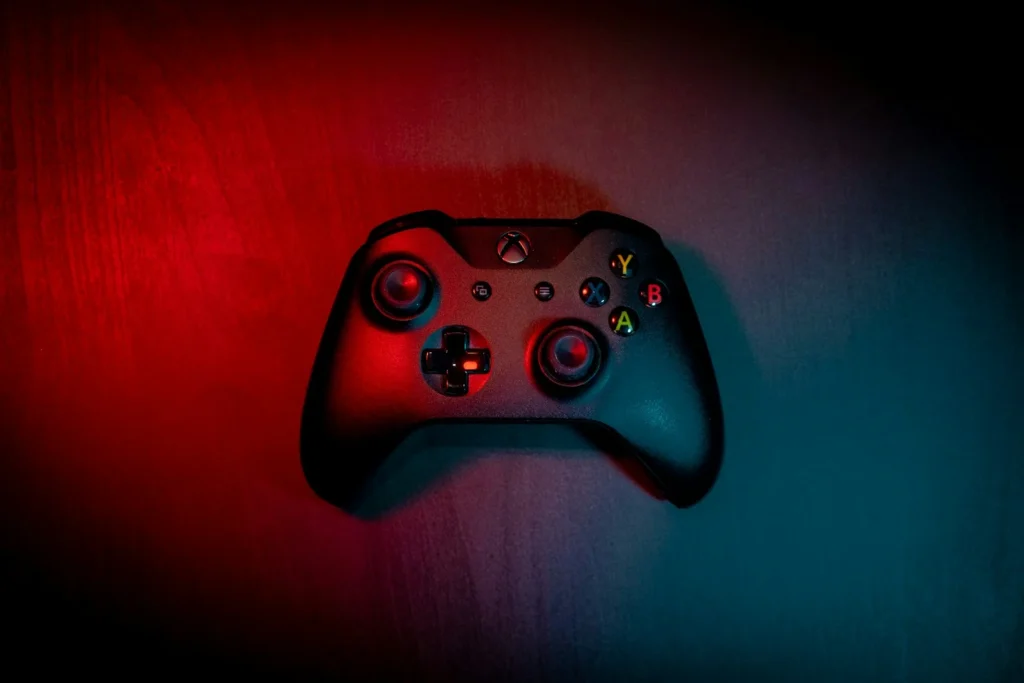
    Photo: Guillaume Coupy on Unsplash
    Share
    Facebook Twitter LinkedIn Pinterest Email Copy Link

    Yes, you can stream many Xbox games you already bought straight from the cloud on a Windows PC, without downloading them first. What you cannot do yet, as of October 2026, is use that feature for free with no membership at all: streaming your own games still sits inside the paid Game Pass plans, although Microsoft is testing a free option with ads and plans to sell cloud time on its own. Here is how the feature works now and what changes next.

    Quick answer: Any paid Game Pass plan that includes Xbox Cloud Gaming (Essential, Premium or Ultimate) lets you stream select games you own, including most Xbox Play Anywhere titles, through the Xbox app on Windows, a browser, consoles, handhelds and supported TVs. PC Game Pass does not include cloud gaming. Starting in November 2026, Microsoft is adding monthly cloud playtime limits to every tier, with extra hours for sale in the Xbox Store.

    What actually changed since 2025

    Microsoft first let Game Pass Ultimate members stream games they owned back in late 2024, starting with a small list of titles. In the summer of 2025 the option reached the Xbox app on PC, and the eligible library grew month by month. The big shift came in October 2025, when Microsoft took Xbox Cloud Gaming out of beta and rebuilt Game Pass into three tiers. From that point, cloud gaming and streaming of select owned games were no longer an Ultimate exclusive.

    In April 2026 Microsoft also cut the Ultimate price from $29.99 to $22.99, and in September 2026 it announced monthly time limits for cloud play. So the feature people searched for in 2025 exists and is wider than before, but it comes with more rules.

    Which Game Pass plan you need

    Here is how the consumer plans compare in the US as of October 2026:

    Recommended for you:

    Apple Has Officially Sold 3 Billion iPhones Since 2007
    Mobile·Aug 1, 2025

    Apple Has Officially Sold 3 Billion iPhones Since 2007

    PlanUS price per monthCloud gamingMonthly cloud time from November
    Game Pass Essential$9.99Yes, 50+ games plus select owned games5 hours
    Game Pass Premium$14.99Yes, 200+ games plus select owned games10 hours
    Game Pass Ultimate$22.99Yes, 500+ games, shortest waits, up to 1440p15 hours
    PC Game Pass$13.99NoNot included

    The PC Game Pass detail trips up a lot of people. It is the cheapest way to download a big library on Windows, but it gives you no cloud streaming at all, including for games you own. If streaming is the goal, you need Essential, Premium or Ultimate.

    How to stream a game you own on PC

    1. Install or update the Xbox app on Windows and sign in with the Microsoft account that owns the game.
    2. Make sure that account has an active Essential, Premium or Ultimate membership.
    3. Open your library and pick the game. If it supports cloud play, the game page offers a streaming option next to the normal install button.
    4. Start the stream. A controller is the safest bet, since only some games support mouse and keyboard or touch in the cloud.

    The same library works in a web browser, on Xbox Series X|S and Xbox One consoles, on select LG, Samsung and VIDAA smart TVs, on Amazon Fire TV and on supported VR headsets. Not every game you bought is eligible. Microsoft keeps a list of cloud playable titles and adds to it regularly, so check the game page before you assume it streams.

    Watch out: the new monthly limits apply to all tiers from November 2026, and Ultimate gets 15 hours. Microsoft says you can buy extra cloud playtime in the Xbox Store once your hours run out, with pricing to vary by market. Some existing members in a few countries have been told they will not be affected, so read any email from Xbox about your account before you change plans.

    The free option with ads

    In July 2026 Microsoft started testing a free, ad supported version of Xbox Cloud Gaming with some Xbox Insiders. Testers see a short advert before the game loads and sessions are capped at one hour. Microsoft has not confirmed whether that free tier will let everyone stream games they own, and it has not given a public launch date. Microsoft has also said that people without a membership will be able to buy cloud playtime once the November changes arrive, which could become the closest thing to streaming your library with no subscription.

    Where the Xbox Ally handhelds fit

    The ROG Xbox Ally and ROG Xbox Ally X launched in October 2025 as Windows handhelds with a full screen Xbox experience. Cloud streaming suits them well, because a large game can take a big chunk of the built in storage. You can stream a title to try it, then install the ones you play every day. Just remember that cloud hours now count against your monthly allowance, so a long weekend session on a handheld adds up quickly.

    Tip: use the cloud for discovery and short sessions, and install games you play for hours. Local play does not touch your monthly cloud allowance and usually feels more responsive.

    FAQ

    Can I stream games I own without any Game Pass plan?

    Not in the normal app as of October 2026. Streaming owned games needs Essential, Premium or Ultimate. A free ad supported tier is in testing with Insiders, and Microsoft plans to sell cloud time to non members.

    Does PC Game Pass include cloud streaming?

    Recommended for you:

    Valerion VisionMaster Pro 2: A Pricey 4K Projector With Style
    Mobile·Aug 3, 2025

    Valerion VisionMaster Pro 2: A Pricey 4K Projector With Style

    No. PC Game Pass covers downloads on Windows only. Cloud gaming is part of Essential, Premium and Ultimate.

    Can I stream every game I bought?

    No. Only titles on Microsoft’s cloud playable list work, which includes most Xbox Play Anywhere games. The list grows over time.

    What happens when my monthly cloud hours run out?

    Microsoft says you can buy more cloud playtime in the Xbox Store. You can still download and play installed games as usual.

    The verdict

    Streaming games you own is real and easier than it was in 2025, since any paid Game Pass tier with cloud gaming now includes it. It is not free yet, and the November time limits make it better for sampling and short sessions than for marathon play. If you mostly game on a PC or an Xbox Ally, install your favorites and treat the cloud as a convenient extra.

    Updated October 2026: rewritten to cover current Game Pass tiers and prices, the November cloud time limits, the free tier test and how to stream owned games on PC.

    Featured photo: Guillaume Coupy on Unsplash.

    About this article: GeekBlog covers U.S. technology news, AI, phones, smartwatches and gaming. Every story is written and checked under our Editorial Policy. Spotted a mistake or have a story tip? Contact our editors.

    Xbox
    Share. Facebook Twitter Pinterest LinkedIn Tumblr Telegram Email Copy Link
    Previous ArticleBosch Series 6 Air Fryer review: a quality single-basket air fryer, perfect for smaller households
    Next Article What Happens to Your Data If You Stop Paying for Cloud Storage?
    Olivia Hartman

      Olivia Hartman is GeekBlog's general technology reporter, covering the wider world of tech beyond smartphones: AI and software, laptops and PCs, gaming, streaming, space, science, consumer gadgets, deals and the policy stories shaping the industry. A versatile journalist with a nose for what actually matters, Olivia turns breaking news and product launches into accessible, no-hype reporting for everyday readers.

      Related Posts

      12 Mins Read

      The Pixel 11 Ties the Pro on Chip and Battery. The $200 Buys a Camera.

      14 Mins Read

      SpaceX Bought 14MHz and Called Itself a Carrier. The Towers Are Still Missing.

      6 Mins Read

      Xbox Says It Has No Exclusive GTA 6 Streaming Deal. The Report Said Otherwise.

      12 Mins Read

      Apple Made the iPhone Duo’s Crease Layer Replaceable. With AppleCare It Costs $19.

      16 Mins Read

      Android’s Strictest Mode Just Got Six New Powers. One Revokes Permissions You Already Granted.

      9 Mins Read

      iPhone 16 vs iPhone 17: Is the Upgrade Worth $100?

      Top Posts

      Every iPhone Camera Ranked in 2026 (Best to Worst)

      July 6, 2026258 Views

      Best Stores for Buying MP3 and Digital Music You Can Keep Forever (2026)

      August 2, 2025177 Views

      Windows 11 vs Windows 10: Should You Upgrade in 2026?

      July 7, 2026112 Views
      Stay In Touch
      • Facebook

      Subscribe to Updates

      Get the latest tech news from FooBar about tech, design and biz.

      Most Popular

      iPhone Battery Replacement Cost: Every Model, Apple vs Repair Shop

      October 6, 202670 Views

      Best Offline Music App in 2026: Free and Paid Picks

      October 7, 202653 Views

      One UI 9 Watch Beta Now Covers Three Galaxy Watch Generations: What You Get and How to Join

      October 4, 202652 Views
      Our Picks

      Apple’s Home Camera Will Not Record Video. It Will Still Recognize Your Face.

      October 11, 2026

      Garmin Confirms the Fenix 8 Brightness Bug, and the Fix Has No Date Yet

      October 11, 2026

      Amazon’s Delivery Glasses Photograph Your Doorstep. There Is No Way to Opt Out.

      October 11, 2026

      Subscribe to Updates

      Get the latest creative news from FooBar about art, design and business.

      HEICJPG.online - Convert HEIC to JPG online
      Facebook
      • About Us
      • Contact us
      • Privacy Policy
      • Disclaimer
      • Terms and Conditions
      • Editorial Policy
      • Cookie Policy
      • Your Privacy Choices
      © 2026 GeekBlog

      Type above and press Enter to search. Press Esc to cancel.