

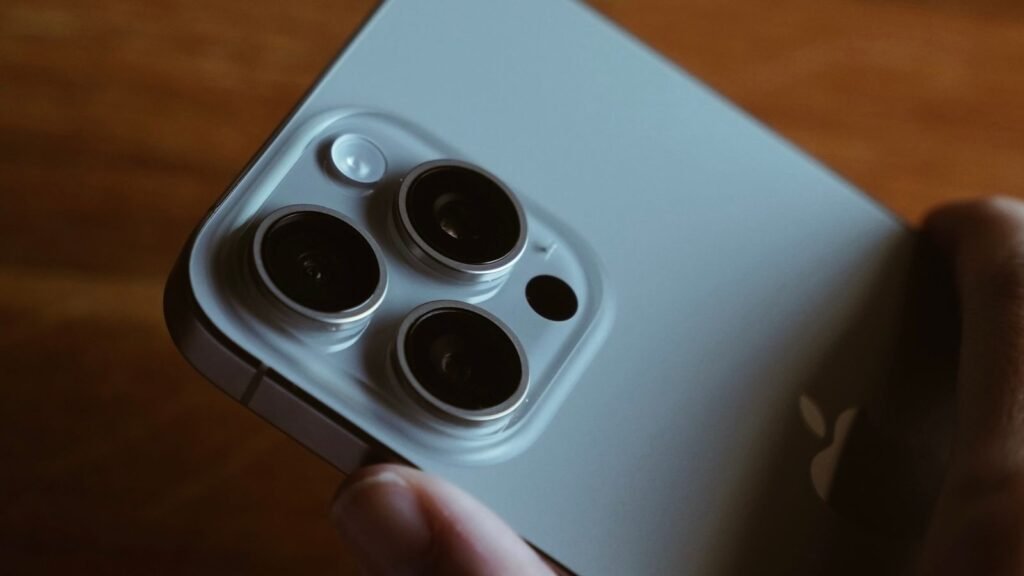
Every privacy promise made about on-device AI has the same weak point. Some requests are too big for the phone, so they go to a server, and at that moment you are trusting a marketing claim instead of a mechanism. Apple’s answer to this is unusual: it will hand you the log.
There is a setting on your iPhone that produces a file listing every request Apple Intelligence sent off your device to Apple’s servers. Most people have never opened it. It is four taps deep, it takes about thirty seconds, and what it does not include is arguably more instructive than what it does.
The short version
- The setting is the Apple Intelligence Report, at Settings, Privacy & Security, Apple Intelligence Report
- You choose a window of the last 15 minutes or the last 7 days, then tap Export Activity
- The output is a file called Apple_Intelligence_Report.json, readable in any text app
- It logs requests sent to Private Cloud Compute, with metadata such as request size and processing time. It does not log the content of your requests
- It shows nothing about work done entirely on your phone, and nothing about requests handed to a third-party model such as ChatGPT
- An empty file is a normal result. It means no cloud requests were made in the window you chose
- The same report exists on Mac under System Settings, Privacy & Security
How to pull the report
Nothing here requires a developer account, a beta build or a terminal. The whole thing is in Settings.
The 15 minute option is the more useful of the two if you are trying to learn something specific. Set the report running, ask Siri to do something ambitious, then export. You get a clean before and after rather than a week of noise, and you can see for yourself which kinds of request actually leave the phone.
The seven day option is the better audit. It answers a different question: over a normal week of using your phone, how often does Apple Intelligence reach for a server at all? For a lot of people the honest answer turns out to be rarely, because most of what the system does day to day is small enough to run locally.
What Private Cloud Compute is supposed to guarantee
Apple’s framing of Private Cloud Compute is that it extends the phone’s security model onto a server rather than handing your data to a normal cloud service. The company’s language on this is specific, and the specifics are the part worth holding on to:
“The data being processed in Private Cloud Compute is not stored or made accessible to Apple. It is processed only to fulfill your request, after which point the results are returned securely to your device and are not retained by Private Cloud Compute. And independent privacy and security researchers can verify this privacy promise at any time.”
That last sentence is the load-bearing one. Apple publishes the software images that run on those servers so outside researchers can inspect them, which is a meaningfully stronger position than asking people to trust a policy document. Independent reviewers have called the architecture a real step forward for cloud AI privacy.
They have also been clear about its limits. Security analysts have pointed out that processing your email or messages in the cloud requires decrypting that content somewhere in the pipeline, and no architecture removes that fact. The guarantee is about retention and access, not about the data never being readable. Those are different promises, and conflating them is how people end up surprised.
What the report shows, and what it quietly does not
| In the report | Not in the report |
|---|---|
| Each request sent to Private Cloud Compute in your chosen window | The text, photo or document you actually sent |
| Metadata such as the size of each request | Anything Apple Intelligence handled entirely on the device |
| How long each request took to process | Requests routed to a third-party model such as ChatGPT |
| Enough detail to confirm that cloud processing happened | Regular Siri voice commands that do not use Apple Intelligence |
| A timestamped record you can keep and compare | Any indication of which app triggered the request |
The third-party gap is the one most worth understanding. Apple Intelligence runs a three-tier decision every time you ask it for something, and the report only covers the middle tier.
This matters because the mental model most people carry is binary: either my data stayed on the phone or it went to the cloud. The reality is three-way, and the third branch leaves Apple’s privacy perimeter entirely. When Siri offers to hand a question to ChatGPT, you get a prompt, and if you accept, that exchange is governed by OpenAI’s terms rather than Apple’s. It will not show up in your report, because from Apple’s point of view it was not Apple’s request to log.
Reading the file without getting lost
The export is JSON, which means it is technically human readable and practically a wall of brackets. You do not need to parse it properly to get value from it. Two things are worth looking for.
The first is simply how many entries there are. That count, over seven days of normal use, tells you how cloud-dependent your particular usage is. Someone who mostly gets notification summaries will see very little. Someone using the writing tools on long documents all week will see a lot.
The second is the request sizes. A large payload means a large amount of context went with your request. If you asked Apple Intelligence to work on a long email thread or a document, the size of that entry is a rough measure of how much of it travelled. This is the closest the report gets to telling you what was sent, and it is deliberately indirect.
If the file comes back empty, that is not a bug and not a sign the feature is off. It means the window you picked contained no Private Cloud Compute requests. Try a seven day window before concluding anything.
Why a transparency log is not the same as a privacy setting
It is worth being precise about what this feature is for. The Apple Intelligence Report does not reduce the amount of data leaving your phone. It does not give you a switch to force everything on-device. It is an accountability tool, not a control.
That distinction puts it in a small and interesting category. Most AI privacy controls are opt-outs buried in a submenu. We have written before about the OpenAI setting that governs whether contractors can read your chats, which is two menus deep and changes what actually happens to your data. Apple’s report changes nothing about the data flow and instead lets you check the claim afterwards. Both approaches have a place. Only one of them lets you verify.
The same transparency does not extend to how much of the service you are allowed to use. Apple has confirmed there are daily caps on Apple Intelligence requests without saying what the numbers are, and there is no report that will tell you how close to a limit you are. For a company currently making transparency an argument, that is an odd blank space.
For contrast, it is worth remembering how much surface area the other assistants cover. Our breakdown of what ChatGPT can actually see across the web and your desktop involves a tracking cookie on more than a thousand sites and an activity timeline, with nothing resembling an exportable log. Apple handing you a file is a low bar cleared by exactly one vendor.
What to take from this
- The report lives at Settings, Privacy & Security, Apple Intelligence Report. Choose 15 minutes or 7 days, then Export Activity
- It logs cloud requests, not content. Sizes and processing times, not the text or images you sent
- It covers one of three routes. On-device work and third-party handoffs to ChatGPT are both absent by design
- Empty is a valid answer. It means nothing went to Private Cloud Compute in that window
- It is verification, not protection. Reading it does not change what your phone sends, it just lets you confirm what it sent
The interesting thing about this setting is how few people Apple expected to use it. It is not in the Apple Intelligence menu where you would look for it, it is in Privacy and Security, and the default window is fifteen minutes, which is the length of an audit rather than a habit. It was built so that the claim could be checked, not so that you would check it. That is still more than anyone else is offering.
Sources and further reading
- Apple Support: Apple Intelligence and privacy on iPhone
- Apple Security Research: Private Cloud Compute, a new frontier for AI privacy in the cloud
- The Eclectic Light Company: Read an Apple Intelligence Report
- Apple Legal: Apple Intelligence and privacy
- UNILAD Tech: iPhone users can see what information their Siri AI sends to the Cloud with a little-known setting
