

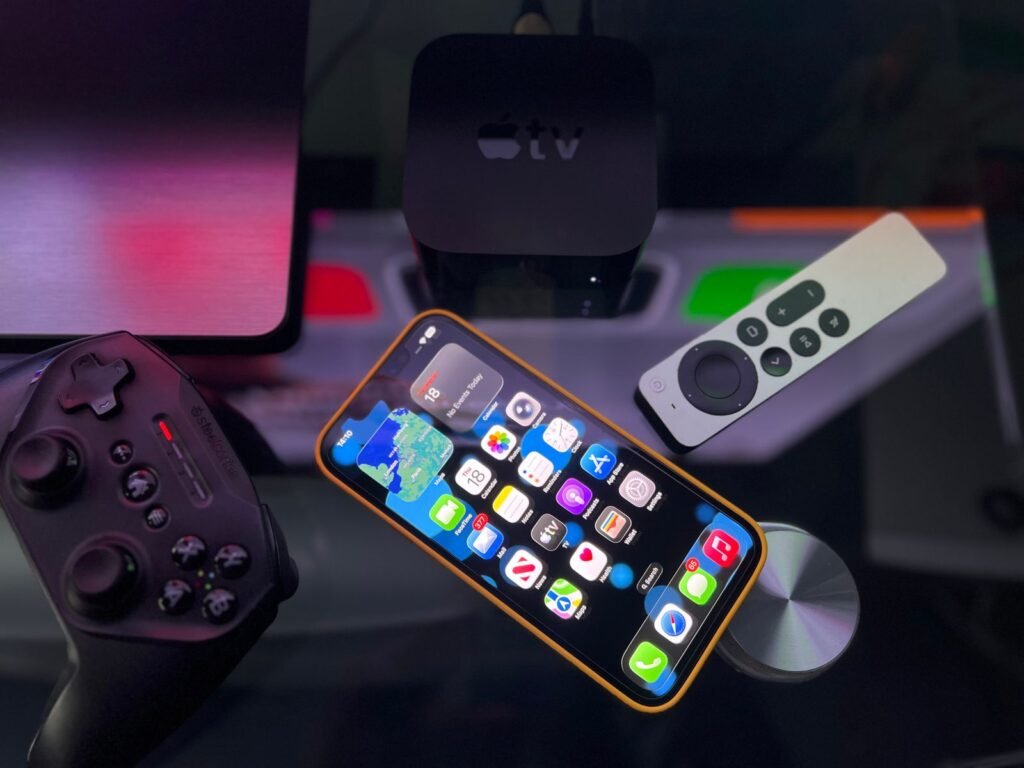
Apple’s new Apple TV 4K costs $299, more than twice what the cheapest Apple TV cost at the start of this year. Its headline feature is Siri AI, the rebuilt assistant that finally arrived on iPhone this fall. But hidden in the small print of Monday’s announcement is a detail that changes the math for a lot of people: you probably do not need the new box to get it.
“Siri AI is available as a beta on Apple TV 4K (2nd generation or later),” Apple’s press release says. That covers every Apple TV 4K sold since April 2021. If you bought one in the last five years, the main feature Apple is selling the new model on is coming to you as a free software update.
The short version
- New hardware: Apple TV 4K (4th generation), A19 chip, 128GB, $299, in stores November 13
- Older boxes: the 2021 and 2022 Apple TV 4K models get Siri AI in beta with tvOS 27.2
- Left out: the original 2017 Apple TV 4K and the Apple TV HD
- The catch: older models have no far-field microphones, so you still talk through the remote
- Requirements: English only, eight countries at launch, and you need an Apple Intelligence iPhone or iPad
What Apple announced
The new Apple TV 4K was one of four home products Apple showed off on October 13, alongside the HomeView smart display, the HomePod mini 2 and a line of accessories called the Apple Home Collection. We previewed the Welcome Home launch last week, and the Apple TV turned out to be the most expensive surprise of the day.
It is the first new Apple TV in four years. Inside is the A19 chip, which Apple says delivers “up to 50 percent faster CPU performance and up to 2x faster GPU performance than the previous generation,” plus a dedicated AV1 decoder for more efficient streaming. There is only one configuration: 128GB of storage, Wi-Fi, Thread and Ethernet, for $299. Pre-orders opened on October 13 in the US and 29 other countries and regions.
“The new Apple TV 4K is our most immersive home theater experience yet,” said Bob Borchers, Apple’s vice president of Worldwide Product Marketing. “With Siri AI, finding something to watch becomes a full-screen, conversational experience, and with built-in far-field microphones, it’s completely hands-free.”
What Siri AI actually does on a TV
On the iPhone, Siri AI is about personal context and taking actions inside apps. On the TV, Apple has pointed it almost entirely at the question everyone asks every evening: what should we watch?
Apple’s examples give a good sense of it. You can ask “What Apple TV shows won at the Emmy Awards this year?” and get a full-screen grid of poster art pulled from the Apple TV app, with follow-up suggestions like “More award-winning comedies.” While something is playing, you can ask “Where was Pluribus filmed?” or “Is this appropriate for a 15-year-old?” and the answer shows up in a small overlay instead of interrupting the show. With an Apple Intelligence iPhone paired, it can handle requests like “Play the show Alinda recommended,” pulling from your messages.
Siri AI can also control smart home accessories and scenes, and the Home app gets Apple Intelligence descriptions of camera activity and summarized notifications. Requests run either on the device or on Apple’s Private Cloud Compute servers, which Apple says do not store the data.
Which Apple TV do you have?
This is where the news gets good for existing owners. Apple confirmed that the 2nd and 3rd generation Apple TV 4K will get Siri AI in beta with tvOS 27.2. Only the original 2017 model and the older Apple TV HD miss out.
Not sure which one is under your TV? Open Settings, then General, then About, and look at the model line. Apple also lists every model and its identifying features on its support page for identifying your Apple TV.
What the older boxes will not get
The software is the same, but the hardware is not, and a few things will separate a 2022 Apple TV from the new one.
| Feature | Apple TV 4K (2021 / 2022) | Apple TV 4K (2026) |
|---|---|---|
| Siri AI | Yes, beta in tvOS 27.2 | Yes, beta |
| How you talk to Siri | Hold the button on the Siri Remote | Hands-free “Siri” or “Hey Siri” with three far-field mics |
| Chip | A12 Bionic (2021) or A15 Bionic (2022) | A19 |
| AV1 hardware decoding | No | Yes |
| Four-speaker HomePod surround | No | Yes, with HomePod mini 2 or HomePod (2nd gen) |
| Remote with Find My | Works if you buy the new Siri Remote separately | Included |
The microphones are the big one. Hands-free voice control is what makes an assistant feel natural in a living room, and no software update can add microphones that are not there. On older models you will still pick up the remote and hold the Siri button, which is how Siri on Apple TV has always worked.
Apple’s footnotes also say far-field “Hey Siri” support depends on region and language, so even new owners outside the supported list should check before counting on it.
The fine print on Siri AI
The beta label is doing real work here, and so are the requirements. According to Apple’s footnotes, Siri AI on Apple TV needs the owner of the home in the Home app to have an Apple Intelligence-enabled iPhone or iPad running the latest software, with Siri AI switched on and set to a supported language. Personal context requests also need a paired Apple Intelligence device.
At launch it works in English only, in the US, Australia, Canada, India, New Zealand, Singapore, South Africa and the UK. Siri AI will not initially be available in the EU on iPhone and iPad either. If your iPhone is still stuck on the Siri AI waitlist, sort that out first, because the TV depends on it.
Apple also repeats a line it has been adding to all its Apple Intelligence announcements: features that rely on server-side models “are subject to daily usage limits,” and “expanded access to such features will be available for a fee in the future.” Apple has not said what those limits are.
When does tvOS 27.2 arrive?
Apple has not given a date. It ties Siri AI on Apple TV to tvOS 27.2, and the new hardware ships November 13, so the update should land around then. Until Apple confirms it, treat any specific date as a guess.
Why the price jumped to $299
The new box is not just pricier than its predecessor at launch. It continues a climb that started this summer. In June, Apple raised the price of the existing third generation model: the 64GB Wi-Fi version went from $129 to $199, and the 128GB Wi-Fi plus Ethernet version went from $149 to $249, with reports pointing to rising memory and storage costs.
To be fair to Apple, the $299 model includes 128GB and Ethernet, which used to be the more expensive tier. But it is the only tier. There is no longer a cheap Apple TV, and the gap between Apple’s box and a $50 streaming stick from Roku, Amazon or Google has never been wider.
Should you upgrade?
For most people with a 2021 or 2022 Apple TV 4K, the honest answer is to wait. Install tvOS 27.2 when it arrives, try Siri AI through your remote and see how often you actually use it. If it becomes part of your evening routine and you find yourself wishing you could just talk to the room, the new box starts to make sense.
The upgrade is easier to justify in three cases:
- You own a 2017 Apple TV 4K or an Apple TV HD. You get no Siri AI at all, and the hardware is getting old.
- You want a HomePod surround setup. The four-speaker configuration with HomePod mini 2 only works with the new model.
- You stream a lot of AV1 content or use the Apple TV as your main smart home hub. The A19 and the newer radios will age better.
Everyone else just got one of the rare Apple announcements where the best news is for people who do not buy anything.
Sources and further reading
- UNILAD Tech: You might not need to buy Apple’s latest $299 TV device to unlock biggest AI feature
- Apple Newsroom: Apple unveils the new Apple TV 4K
- MacRumors: Older Apple TV 4K models getting Siri AI
- MacRumors: Apple TV 4K is now even more expensive
- Engadget: Some older Apple TV models are also getting Siri AI
- Apple Support: Identify your Apple TV model
About this article: GeekBlog covers U.S. technology news, AI, phones, smartwatches and gaming. Every story is written and checked under our Editorial Policy. Spotted a mistake or have a story tip? Contact our editors.
