

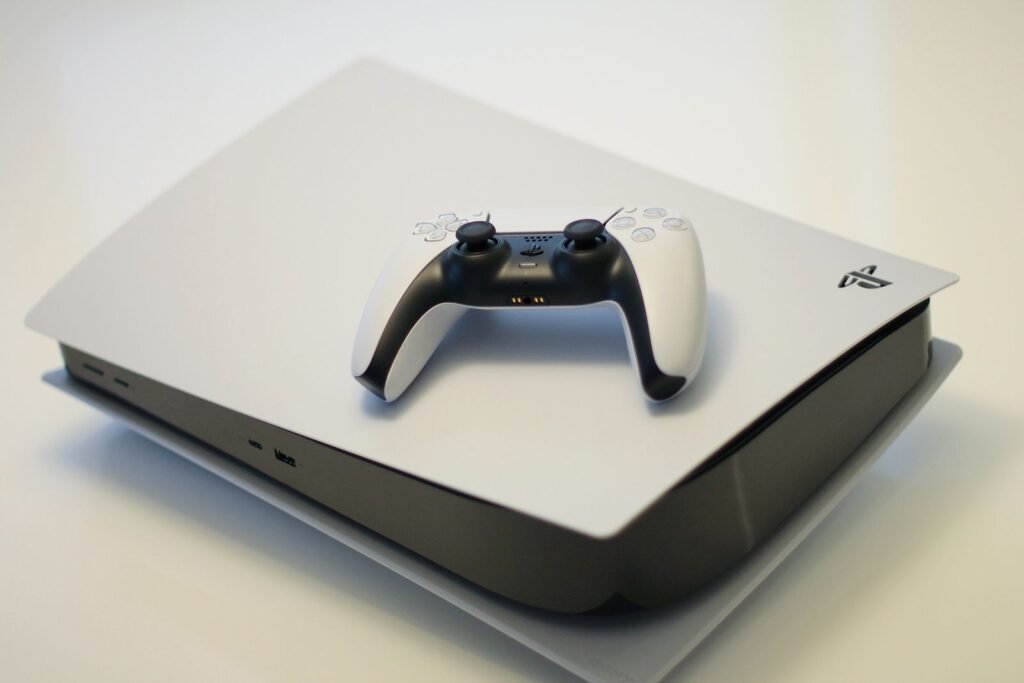
Grand Theft Auto VI is ten days away, and the preload window opens tonight. If you own a regular PS5, you may have noticed a lot of people telling you the PS5 Pro is the “real” way to play. The problem is that the Pro is hard to find at retail and is listed for as much as $1,400 on resale sites. As UNILAD Tech put it, there are settings that can make your console feel more “Pro” without paying scalper prices.
Let’s be honest about that pitch. No menu option adds GPU power to a base PS5. What settings can do is make sure you get every bit of performance the console already has, with smoother motion and no surprises on launch night. Here’s where the gap really is, what you can close, and the storage math you need to sort out before the download starts.
The short version
- Preload opens at midnight local time on November 10 on PS5. On Xbox it opens at once worldwide, at 7pm ET / 4pm PT tonight.
- Rockstar says you need up to 212GB free. On an 825GB PS5, that’s about a third of your usable space.
- GTA 6 is officially “PS5 Pro Enhanced,” but Sony and Rockstar haven’t said what that means. Digital Foundry expects 30fps on both consoles.
- The settings that matter most on a base PS5: Performance game preset, VRR, 120Hz output, HDR calibration and Rest Mode downloads.
- Settings can smooth things out. They can’t give you the Pro’s extra GPU muscle or its PSSR upscaling.
When the preload starts where you live
Rockstar moved preloading up to November 10 in a Newswire post on November 3. It was previously expected on November 12. Sony and Microsoft handle the timing differently: PlayStation unlocks at midnight in each time zone, while Xbox opens everywhere at the same moment. Preload is for digital pre-orders only. Code-in-box copies should reach stores from November 12.
| Time zone | PS5 preload | Xbox Series X|S preload |
|---|---|---|
| Eastern (ET) | 12:00am, Tue Nov 10 | 7:00pm, Mon Nov 9 |
| Central (CT) | 12:00am, Tue Nov 10 | 6:00pm, Mon Nov 9 |
| Pacific (PT) | 12:00am, Tue Nov 10 | 4:00pm, Mon Nov 9 |
| UK (GMT) | 12:00am, Tue Nov 10 | 12:00am, Tue Nov 10 |
One thing to expect: a day-one patch. The final install will probably need more time, and maybe a bit more space, once the game unlocks on November 19.
Base PS5 vs PS5 Pro: where the gap really is
The PS5 Pro has a much bigger GPU than the standard PS5, plus Sony’s PSSR, an AI upscaler that renders at a lower resolution and rebuilds a sharper image. The CPU is basically the same. That matters for GTA 6, a game with dense crowds, traffic and physics that lean heavily on the CPU. It’s a big part of why Digital Foundry expects both consoles to run at 30fps, with the Pro’s advantage showing up mainly in image quality.
| PS5 (standard) | PS5 Pro | Can settings close it? | |
|---|---|---|---|
| GPU compute units | 36 | 60 | No |
| GPU power | 10.28 TFLOPS | 16.7 TFLOPS | No |
| AI upscaling | No PSSR | PSSR | No |
| Expected GTA 6 frame rate | 30fps | 30fps (per Digital Foundry) | Mostly the same already |
| Motion smoothness | Depends on your TV setup | Depends on your TV setup | Yes, with VRR and 120Hz |
| Built-in storage | 825GB or 1TB | 2TB | Yes, with an M.2 SSD |
| US price | $649.99 | $899.99 |
So the honest answer is: you’ll likely get the same frame rate on a base PS5, and a softer image. That’s the gap you’re paying to close with a Pro.
The settings that actually help on a base PS5
We went through the full list of PS5 and Xbox settings for GTA 6 in our launch-night settings guide, including why 30fps looks better on a 120Hz signal. If you just want the quick version for a standard PS5, these are the ones that make the biggest difference.
Your pre-launch PS5 checklist
- Set the Performance preset. Settings, then Saved Data and Game/App Settings, then Game Presets, then Performance Mode or Resolution Mode. Pick Performance. Games that offer a choice will default to it.
- Turn on VRR. Settings, then Screen and Video, then Video Output, then VRR. Also try “Apply to Unsupported Games.” If dark scenes flicker on your TV, switch it off.
- Enable 120Hz output. Same menu. Make sure the console is plugged into your TV’s HDMI 2.1 port, which on many TVs is only one or two of the inputs.
- Calibrate HDR. Settings, then Screen and Video, then Video Output, then Adjust HDR. Put your TV in Game Mode first to cut input lag.
- Let it preload while you sleep. Turn on automatic downloads and, under Power Saving, set Rest Mode to stay connected to the internet. Rockstar says the PS5 must be on or in Rest Mode for the preload to start by itself.
Once the game is out, it’ll be worth checking in-game options too. Many open-world games let you turn down motion blur, camera shake and depth of field, which can make 30fps feel crisper. We don’t know GTA 6’s exact menu yet, so treat any “perfect settings” you see online right now as guesses.
The storage math: 212GB is a lot
This is the part most likely to ruin launch night. Rockstar says the preload needs “up to 212 GB depending on your device.” An original 825GB PS5 leaves only about 667GB for games once the system takes its share. That means GTA 6 alone will use about a third of it.
If you’re short on space, you have two options. You can move older games to a USB drive, which can store PS5 games but can’t run them. Or you can add an M.2 SSD to the expansion slot, which can run PS5 games at full speed. Sony recommends a PCIe Gen4 drive with read speeds of 5,500MB/s or more, and a heatsink. That one upgrade closes the Pro’s 2TB storage advantage for a lot less than the price gap.
Should you buy a PS5 Pro for GTA 6?
At $899.99 from a retailer, maybe, if you care a lot about image quality, play on a big 4K TV and will use it for other Pro Enhanced games. At $1,400 from a reseller, almost certainly not. The game is designed to run on a base PS5, Rockstar has been clear about launching on both, and the best reviews of how each console handles it will land in about ten days.
If you’re thinking of swapping your old console for a new one, check our look at Sony’s $400 PS5 trade-in offer first. The Pro isn’t eligible for the program, but it shows what your current PS5 is worth if you decide to upgrade later.
Sources and further reading
- UNILAD Tech: PlayStation settings that can transform your console into “PS5 Pro” in time for GTA 6
- TweakTown: Rockstar reveals GTA 6 pre-load times, confirms 212GB install size
- PlayStation: Grand Theft Auto VI
- TweakTown: Sony confirms PS5 Pro enhancements for GTA 6
About this article: GeekBlog covers U.S. technology news, AI, phones, smartwatches and gaming. Every story is written and checked under our Editorial Policy. Spotted a mistake or have a story tip? Contact our editors.
