Close Menu
GeekBlog

    Subscribe to Updates

    Get the latest creative news from FooBar about art, design and business.

    What's Hot

    Stop falling for scams when Norton’s antivirus software is 70% off right now

    March 28, 2026

    Acer Promo Codes and Deals: Save 40% on Bundles

    March 28, 2026

    Playing Wolfenstein 3D with one hand in 2026

    March 28, 2026
    Facebook X (Twitter) Instagram Threads
    GeekBlog
    • Home
    • Mobile
    • Tech News
    • Blog
    • How-To Guides
    • AI & Software
    Facebook
    GeekBlog
    Home»Tech News»How to clear your iPhone cache (and why it’s critical for faster performance)
    Tech News

    How to clear your iPhone cache (and why it’s critical for faster performance)

    Michael ComaousBy Michael ComaousMarch 21, 20263 Mins Read
    Share Facebook Twitter Pinterest LinkedIn Tumblr Email Copy Link
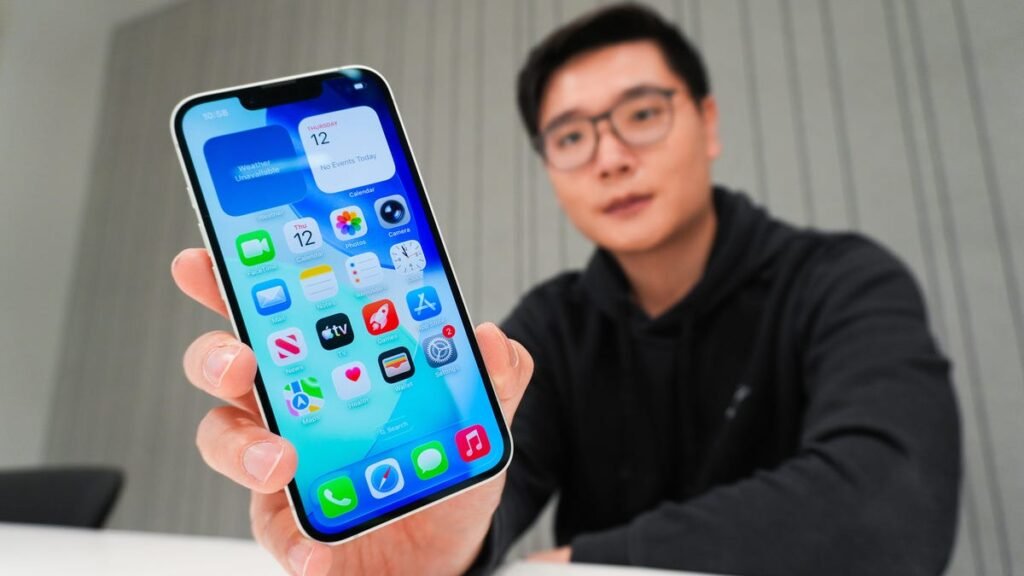
    How to clear your iPhone cache (and why it's critical for faster performance)
    Share
    Facebook Twitter LinkedIn Pinterest Email Copy Link

    What is cache on my iPhone?

    Cache is a collection of temporary files that apps and websites store locally on your device to speed up loading, browsing, and your overall session. For example, Safari saves images or scripts from sites so they don’t have to download again. It’s helpful, but too much cache can slow your iPhone down, so clearing it regularly keeps performance smooth.

    Also: Cookie pop-ups don’t have to be a fact of life online – how I block them and why

    Clearing cache only removes temporary data, not your bookmarks, messages, photos, or passwords. Offloading an app also preserves your data and settings if you want to reinstall it later, but deleting an app wipes everything for a full reset.

    Is cache the same as cookies?

    Cache and cookies aren’t the same. Cache stores copies of images, scripts, and other elements so websites load faster next time. Cookies, on the other hand, save personal data like logins, preferences, and shopping cart items. While clearing cache removes saved page files, deleting cookies erases your logins and settings, requiring you to sign in and reconfigure preferences.

    How often should I clear the cache on my iPhone?

    It depends, but a good habit is to clear your browser cache monthly and restart your iPhone daily or at least once a week. You should also regularly offload or delete apps you don’t use, especially if they’re taking up too much space or acting glitchy.

    Can I clear cache in other browsers or apps?

    Yes. Browsers like Firefox and Edge have their own cache-clearing options. But in my experience, many apps don’t let you manage cache. Some of the more popular ones do, like TikTok and Snapchat, which you can find directly in their settings.

    Can you block cookies on an iPhone?

    You can block cookies in Safari. Turning them off stops sites from tracking you, but it can also break some websites or limit features. So you’ll need to weigh privacy against usability. If you’d like to block cookies in Safari, follow these steps:

    1. Go to Settings > Safari > Advanced.
    2. Toggle on “Block All Cookies.”

    Also: The best secure browsers for privacy

    There are also third-party extensions — such as Ghostery and Disconnect — that help you block cookies and trackers in Chrome.

    How to check your iPhone’s storage

    Your iPhone’s Settings can show you what’s eating up your storage, whether it’s photos, videos, music, or even an app’s temporary data. To see a full breakdown of your storage usage, follow these steps:

    1. Go to the iPhone’s Settings.
    2. Tap General.
    3. Select iPhone Storage.
    4. Scroll through to find the app you’re looking for.
    5. Tap the app to view storage status and options.

    Also: Does your iPhone have enough space? How to find out

    Unfortunately, you can’t clear a third-party app’s cache directly in Settings, but this view gives you a clear breakdown of your storage and lets you delete or offload apps.


    Source: www.zdnet.com

    cache clear Critical Faster iPhone Performance
    Share. Facebook Twitter Pinterest LinkedIn Tumblr Telegram Email Copy Link
    Previous ArticleAnthropic Denies It Could Sabotage AI Tools During War
    Next Article Check Out Frank Miller’s First Ever ‘Teenage Mutant Ninja Turtles’ Comic Cover
    Michael Comaous
    • Website

    Michael Comaous is a dedicated professional with a passion for technology, innovation, and creative problem-solving. Over the years, he has built experience across multiple industries, combining strategic thinking with hands-on expertise to deliver meaningful results. Michael is known for his curiosity, attention to detail, and ability to explain complex topics in a clear and approachable way. Whether he’s working on new projects, writing, or collaborating with others, he brings energy and a forward-thinking mindset to everything he does.

    Related Posts

    3 Mins Read

    Stop falling for scams when Norton’s antivirus software is 70% off right now

    4 Mins Read

    Acer Promo Codes and Deals: Save 40% on Bundles

    2 Mins Read

    Playing Wolfenstein 3D with one hand in 2026

    7 Mins Read

    Whoop has LeBron – now it wants your mom

    1 Min Read

    Sony temporarily suspends memory card sales due to shortages

    2 Mins Read

    Apple TV is now home to CrunchyRoll anime

    Top Posts

    The Mesh Router Placement Strategy That Finally Gave Me Full Home Coverage

    August 4, 2025805 Views

    Discord will require a face scan or ID for full access next month

    February 9, 2026765 Views

    Trade in your old phone and get up to $1,100 off a new iPhone 17 at AT&T – here’s how

    September 10, 2025329 Views
    Stay In Touch
    • Facebook

    Subscribe to Updates

    Get the latest tech news from FooBar about tech, design and biz.

    Most Popular

    The Mesh Router Placement Strategy That Finally Gave Me Full Home Coverage

    August 4, 2025805 Views

    Discord will require a face scan or ID for full access next month

    February 9, 2026765 Views

    Trade in your old phone and get up to $1,100 off a new iPhone 17 at AT&T – here’s how

    September 10, 2025329 Views
    Our Picks

    Stop falling for scams when Norton’s antivirus software is 70% off right now

    March 28, 2026

    Acer Promo Codes and Deals: Save 40% on Bundles

    March 28, 2026

    Playing Wolfenstein 3D with one hand in 2026

    March 28, 2026

    Subscribe to Updates

    Get the latest creative news from FooBar about art, design and business.

    Facebook
    • About Us
    • Contact us
    • Privacy Policy
    • Disclaimer
    • Terms and Conditions
    © 2026 GeekBlog

    Type above and press Enter to search. Press Esc to cancel.

    Ad Blocker Enabled!
    Ad Blocker Enabled!
    Our website is made possible by displaying online advertisements to our visitors. Please support us by disabling your Ad Blocker.