Close Menu
GeekBlog

    Subscribe to Updates

    Get the latest creative news from FooBar about art, design and business.

    What's Hot

    The First AI-Run Ransomware Attack Just Happened, and It Barely Needed a Human

    July 11, 2026

    Best Low-End Android Games for 2GB/3GB RAM (That Actually Run Well)

    July 11, 2026

    Data Centers Are Leaving Earth: Inside Big Tech’s Orbital AI Bet

    July 10, 2026
    Facebook X (Twitter) Instagram Threads
    GeekBlog
    • Home
    • Mobile
    • Tech News
    • Blog
    • How-To Guides
    • AI & Software
    Facebook
    GeekBlog
    Home»Tech News»Microsoft is cutting down Copilot “bloat” in Windows 11
    Tech News

    Microsoft is cutting down Copilot “bloat” in Windows 11

    Michael ComaousBy Michael ComaousMarch 21, 20262 Mins Read
    Share Facebook Twitter Pinterest LinkedIn Tumblr Email Copy Link
    Microsoft is cutting down Copilot “bloat” in Windows 11
    Share
    Facebook Twitter LinkedIn Pinterest Email Copy Link

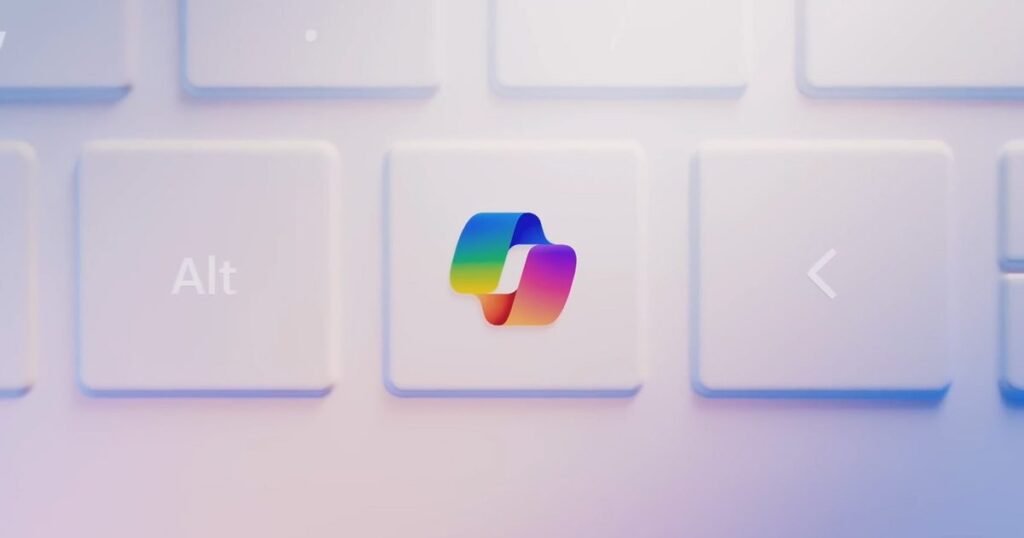
    Microsoft is starting to rethink how much AI it really needs inside Windows 11, and that rethink includes dialing back Copilot. As part of its broader push to improve Windows quality, the company is reducing the number of Copilot entry points across the OS and its apps.

    Microsoft

    According to Microsoft, this rollback will begin with apps like Photos, Notepad, Widgets, and the Snipping Tool, where Copilot integrations had started to feel excessive. The change is part of a wider shift in Microsoft’s strategy of moving away from aggressively embedding AI everywhere and toward integrating it only where it actually makes sense.

    Why is Microsoft pulling back on Copilot?

    Let’s be honest, most users weren’t exactly thrilled with Copilot integrations. Over the past year, Microsoft has pushed Copilot into almost every corner of Windows, from the taskbar to system apps and even experimental features like notifications. But that approach hasn’t landed well with everyone.

    Critics have pointed out that Copilot often felt forced, difficult to remove, and not always useful, especially when it showed up in places users didn’t ask for. Even internally, Microsoft seems to be acknowledging the feedback. The new statement suggests the company is now aiming to be more “intentional” about where Copilot appears, focusing on genuinely helpful experiences instead of everywhere by default.

    What exactly is changing in Windows 11?

    The biggest shift is simple: less AI clutter. Microsoft is reducing Copilot integrations across multiple apps and has already scrapped or scaled back some planned features, including deeper system-level integrations in areas like Settings, notifications, and File Explorer.

    Copilot graphics
    Microsoft

    This doesn’t mean Copilot is going away. Instead, the company wants it to feel more like a useful assistant rather than a constant presence. In practical terms, that could mean fewer pop-ups, fewer forced integrations, and more optional AI features. Recent updates also show Microsoft stepping back from automatically pushing Copilot into places like the Start menu or system notifications, signaling a broader course correction.

    Source: www.digitaltrends.com

    Microsoft Windows
    Share. Facebook Twitter Pinterest LinkedIn Tumblr Telegram Email Copy Link
    Previous ArticleCheck Out Frank Miller’s First Ever ‘Teenage Mutant Ninja Turtles’ Comic Cover
    Next Article The improved battery-powered Starlink Mini is here
    Michael Comaous
    • Website

    Michael Comaous is a dedicated professional with a passion for technology, innovation, and creative problem-solving. Over the years, he has built experience across multiple industries, combining strategic thinking with hands-on expertise to deliver meaningful results. Michael is known for his curiosity, attention to detail, and ability to explain complex topics in a clear and approachable way. Whether he’s working on new projects, writing, or collaborating with others, he brings energy and a forward-thinking mindset to everything he does.

    Related Posts

    7 Mins Read

    The First AI-Run Ransomware Attack Just Happened, and It Barely Needed a Human

    8 Mins Read

    Data Centers Are Leaving Earth: Inside Big Tech’s Orbital AI Bet

    6 Mins Read

    Qualcomm’s New Wearable Chip Solves the Easy Problem. The Hard One Is Still Wide Open

    7 Mins Read

    Why States, Not Washington, May Solve the Data Center Water Fight

    6 Mins Read

    AI Chatbots Are Killing Search Clicks. Here Is Who Wins Instead

    7 Mins Read

    The EV Market’s 2026 Reset: Why Prices Crashed After the Tax Credit Died

    Top Posts

    Best Stores for Buying MP3 and Digital Music You Can Keep Forever

    August 2, 202588 Views

    Zip to APK: Convert ZIP Archives Into Installable Android Packages Quickly

    January 16, 202631 Views

    How to Block Twitch Ads with uBlock Origin (2026 Guide)

    June 15, 202626 Views
    Stay In Touch
    • Facebook

    Subscribe to Updates

    Get the latest tech news from FooBar about tech, design and biz.

    Most Popular

    Discord will require a face scan or ID for full access next month

    February 9, 2026770 Views

    Best Stores for Buying MP3 and Digital Music You Can Keep Forever

    August 2, 2025766 Views

    Trade in your old phone and get up to $1,100 off a new iPhone 17 at AT&T – here’s how

    September 10, 2025374 Views
    Our Picks

    The First AI-Run Ransomware Attack Just Happened, and It Barely Needed a Human

    July 11, 2026

    Best Low-End Android Games for 2GB/3GB RAM (That Actually Run Well)

    July 11, 2026

    Data Centers Are Leaving Earth: Inside Big Tech’s Orbital AI Bet

    July 10, 2026

    Subscribe to Updates

    Get the latest creative news from FooBar about art, design and business.

    Facebook
    • About Us
    • Contact us
    • Privacy Policy
    • Disclaimer
    • Terms and Conditions
    © 2026 GeekBlog

    Type above and press Enter to search. Press Esc to cancel.