Close Menu
GeekBlog

    Subscribe to Updates

    Get the latest creative news from FooBar about art, design and business.

    What's Hot

    Stop falling for scams when Norton’s antivirus software is 70% off right now

    March 28, 2026

    Acer Promo Codes and Deals: Save 40% on Bundles

    March 28, 2026

    Playing Wolfenstein 3D with one hand in 2026

    March 28, 2026
    Facebook X (Twitter) Instagram Threads
    GeekBlog
    • Home
    • Mobile
    • Tech News
    • Blog
    • How-To Guides
    • AI & Software
    Facebook
    GeekBlog
    Home»Tech News»Too Many Typos? Update Your iPhone to iOS 26.4 ASAP to Fix Its Broken Keyboard
    Tech News

    Too Many Typos? Update Your iPhone to iOS 26.4 ASAP to Fix Its Broken Keyboard

    Michael ComaousBy Michael ComaousMarch 24, 20263 Mins Read
    Share Facebook Twitter Pinterest LinkedIn Tumblr Email Copy Link
    Too Many Typos? Update Your iPhone to iOS 26.4 ASAP to Fix Its Broken Keyboard
    Share
    Facebook Twitter LinkedIn Pinterest Email Copy Link

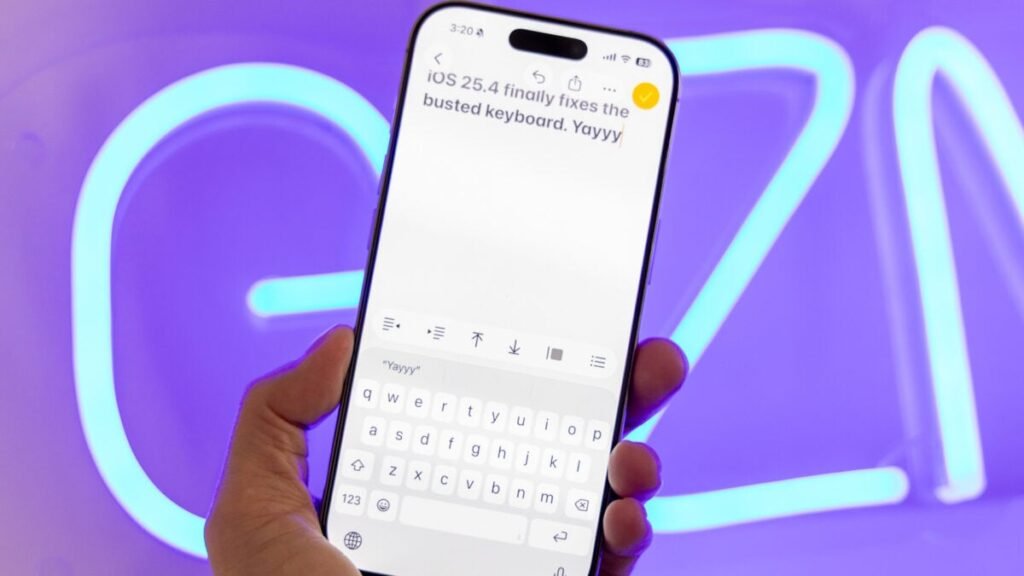
    Apple just released iOS 26.4 for iPhones (along with 26.4 versions for iPadOS, macOS Tahoe, watchOS, visionOS, and tvOS) with eight new emoji (orca, ballet dancer, distorted face, treasure chest, trombone, Sasquatch, landslide, and fight cloud) and Apple Intelligence features you may never use, such as “Playlist Playground,” which turns any prompt into a generated playlist in Apple Music. But buried at the bottom of the software update’s changelog is the “fix” that we’ve all been waiting for: “Improved keyboard accuracy when typing quickly.”

    That’s right, if you’ve noticed yourself making more typos compared to before iOS 26, you should stop what you’re doing immediately and open your Settings app, tap General, then Software Update and download and install iOS 26.4 ASAP. (Back up your iPhone first, of course, just in case anything goes wrong.)

    iOS 26.4 is now out with the most important “fix”: Improved keyboard accuracy when typing quickly

    Installing now to see if it’s true pic.twitter.com/FUgpzjecda

    — Ray Wong (@raywongy) March 24, 2026

    Does the software update actually fix your keyboard typos? I installed the update on my iPhone 16 Pro and the iOS keyboard does seem more confident. I’m seeing less lag between letter taps when typing at a rapid speed, which is something that has been driving me crazy recently. The autocorrect software also seems to be more accurate, too, displaying fewer word suggestions for completely unrelated words.

    Gizmodo consumer tech reporter Kyle Barr also installed the iOS 26.4 update on his iPhone 14 Pro and said he “tried typing in some words that would have the phone reinvent it, and it seemed to be obtuse.” He concluded that texting now “felt better.”

    The iPhone’s broken software keyboard has been well-documented. YouTuber Michi NekoMichi filmed a video back in October demonstrating the iOS keyboard failing to enter the correct letter after trying to type it multiple times. To prove it wasn’t all in his head, he recorded him entering text in slow motion at 120 frames per second, slowing down the footage to show that even when he had tapped on the correct letter, the software would enter an incorrect one. See the video below for yourself.

    This fix is a very welcome bug squash. And for Apple’s billions of users, we hope it’s the first of many to come in iOS 27, which is expected to be announced at WWDC 2026 on June 8.


    Source: gizmodo.com

    ASAP broken Fix iOS iPhone Keyboard Typos Update
    Share. Facebook Twitter Pinterest LinkedIn Tumblr Telegram Email Copy Link
    Previous ArticleBest Costco deals to compete with Amazon’s Big Spring Sale 2026
    Next Article HP refreshes EliteBook lineup and introduces new AI workstations
    Michael Comaous
    • Website

    Michael Comaous is a dedicated professional with a passion for technology, innovation, and creative problem-solving. Over the years, he has built experience across multiple industries, combining strategic thinking with hands-on expertise to deliver meaningful results. Michael is known for his curiosity, attention to detail, and ability to explain complex topics in a clear and approachable way. Whether he’s working on new projects, writing, or collaborating with others, he brings energy and a forward-thinking mindset to everything he does.

    Related Posts

    3 Mins Read

    Stop falling for scams when Norton’s antivirus software is 70% off right now

    4 Mins Read

    Acer Promo Codes and Deals: Save 40% on Bundles

    2 Mins Read

    Playing Wolfenstein 3D with one hand in 2026

    7 Mins Read

    Whoop has LeBron – now it wants your mom

    1 Min Read

    Sony temporarily suspends memory card sales due to shortages

    2 Mins Read

    Apple TV is now home to CrunchyRoll anime

    Top Posts

    The Mesh Router Placement Strategy That Finally Gave Me Full Home Coverage

    August 4, 2025806 Views

    Discord will require a face scan or ID for full access next month

    February 9, 2026765 Views

    Trade in your old phone and get up to $1,100 off a new iPhone 17 at AT&T – here’s how

    September 10, 2025331 Views
    Stay In Touch
    • Facebook

    Subscribe to Updates

    Get the latest tech news from FooBar about tech, design and biz.

    Most Popular

    The Mesh Router Placement Strategy That Finally Gave Me Full Home Coverage

    August 4, 2025806 Views

    Discord will require a face scan or ID for full access next month

    February 9, 2026765 Views

    Trade in your old phone and get up to $1,100 off a new iPhone 17 at AT&T – here’s how

    September 10, 2025331 Views
    Our Picks

    Stop falling for scams when Norton’s antivirus software is 70% off right now

    March 28, 2026

    Acer Promo Codes and Deals: Save 40% on Bundles

    March 28, 2026

    Playing Wolfenstein 3D with one hand in 2026

    March 28, 2026

    Subscribe to Updates

    Get the latest creative news from FooBar about art, design and business.

    Facebook
    • About Us
    • Contact us
    • Privacy Policy
    • Disclaimer
    • Terms and Conditions
    © 2026 GeekBlog

    Type above and press Enter to search. Press Esc to cancel.

    Ad Blocker Enabled!
    Ad Blocker Enabled!
    Our website is made possible by displaying online advertisements to our visitors. Please support us by disabling your Ad Blocker.